

Music videos vv1.1.0 2026 Rank: #764
MusVideo ✓
Turn your music into cinematic videos with AI.
Verdict
A quick read before you dig into the full page.
- Best if
- Turn your music into cinematic videos with AI
- Skip if
- Limited customization options
- Pick this when
- Generates scene-by-scene visuals
Considering BeatViz AI Music Video Generator instead? Compare side by side
Overview
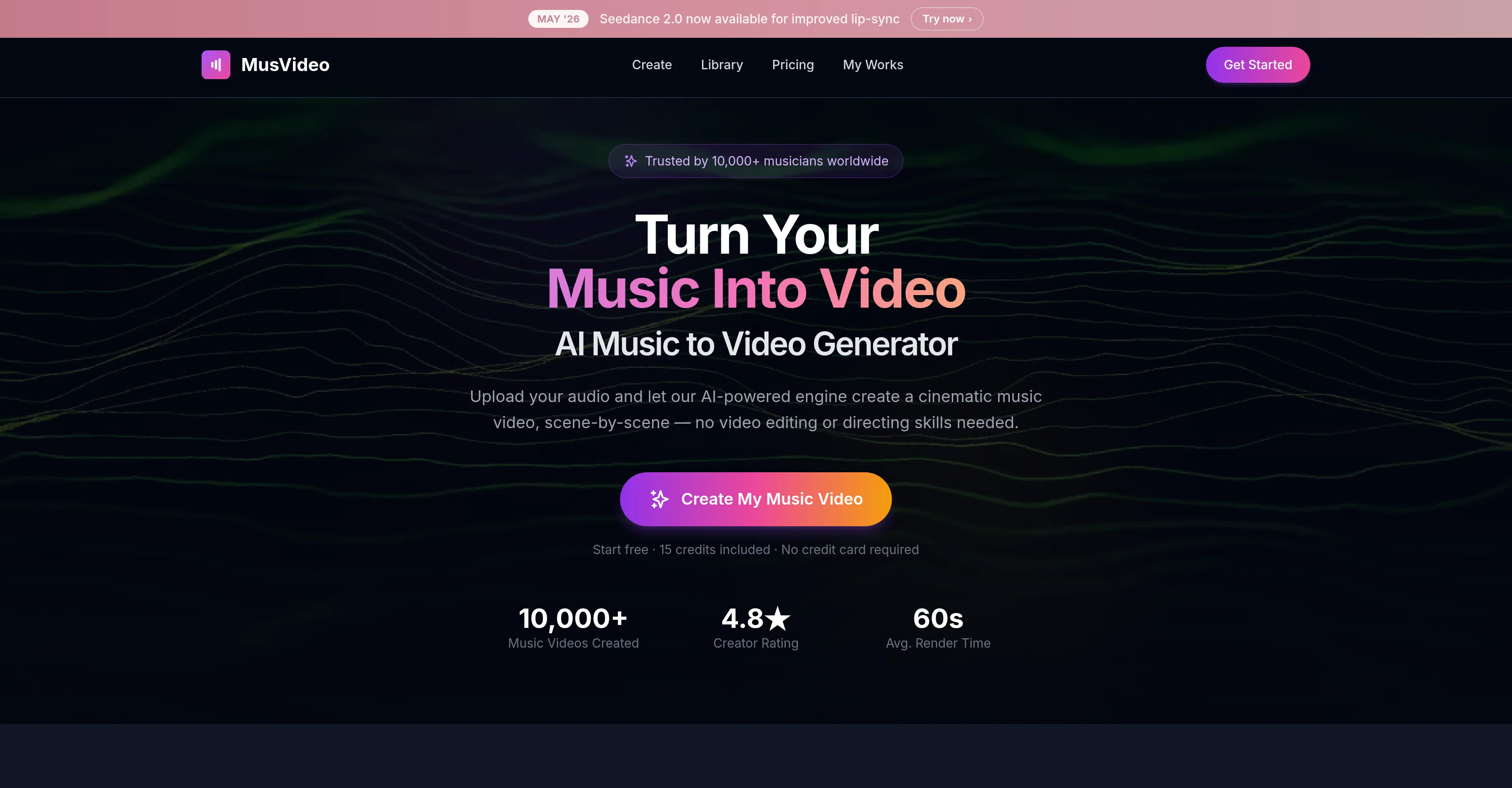
MusVideo is an AI-powered tool designed to convert audio tracks into music videos. The tool analyzes music files uploaded by users and creates a storyboard for a music video based on the tempo, mood, and energy of the track.
It generates scenes and syncs them to the beats of the music. A visual style can be manually selected by the user or automatically chosen by the tool to suit the track.
The tool simplifies the process of creating a music video and eliminates the need for video editing or directing skills. It can generate a downloadable music video in minutes.
MusVideo can create music videos for tracks of any genre and in any language. The AI can frame and color-grade shots, generate mood boards, compose shots, and sequence scenes to create a storyline in sync with the track.
It also allows users to re-render videos, change visual styles, and download in HD. The tool is optimized for various social platforms including TikTok, Instagram Reels, and YouTube.
Access & connections
Where you can use MusVideo, and what it plugs into.
Platforms
Integrations
Capabilities
What this tool accepts, produces, and is strongest at.
Input
- Audio
Output
- Video
Supported features
- Lip Sync
Pros & cons
Pros
- Generates scene-by-scene visuals
- Analyses tempo, mood, energy
- Supports various audio formats
- Automated storyboard creation
- Synchronizes visuals with beats
- Selectable video styles
- User-friendly preview and fine-tune
- Exports high-definition videos
Show 35 more
- Optimized for social platforms
- Any genre and language
- Personal video library feature
- No video editing skills required
- Mood board generation
- Multiple video formatting options
- Changeable visual styles
- Suitable for any music genre
- Efficient multilingual support
- Scene sequencing tool
- Advanced color grading
- Automatic visual style selection
- Downloadable videos in HD
- Automated video editing
- Fast video rendering
- Improves lip-sync with updates
- Personal library for videos
- Optimized for diverse music creators
- Saves videos for re-rendering
- Produces pro-grade, color-graded visuals
- Analyzes tracks in minutes
- Vertical, square, widescreen formats
- Instant music-to-video conversion
- Optimized for YouTube, TikTok, Instagram
- Allows style reference uploads
- Transitions and subtitles in composition
- One-time purchase option
- Free credits on signup
- Deep audio analysis
- User prompt as primary direction
- Long scene duration flexibility
- Photo-based character locking
- Supports full visual campaigns
- Cinematic scene generation
- Generated videos stay organized forever
Cons
- No offline availability
- No API for integration
- Lacks collaborative features
- Limited customization options
- Video duration capped at 4 minutes
- Doesn't support video inputs
- No multi-platform compatibility
- No raw footage editing
Show 2 more
- Lacks user-defined storyboarding
- Requires internet connection
Compare alternatives
Similar tools in the catalog — with a clear reason to open each one.

BeatViz AI Music Video Generator ✓
FreemiumTransform your music into stunning visual experiences with AI
Why look Freemium alternative
Full comparison
Music Video Generator ✓
PaidTurn your song into a cinematic, lyrics-driven music video
Why look Typically cheaper
Full comparison
BeatMV ✓
Free TrialTurn any song into scroll-stopping videos in minutes with AI-directed scripts and
Why look Typically cheaper
Full comparison
1MoreShot ✓
FreemiumTransform tracks into professional music videos instantly.
Why look Freemium alternative
Full comparison
Plazmapunk ✓
FreemiumTurn Your Music into Stunning AI-Generated Videos in Minutes
Why look Freemium alternative
Full comparison
AirMusic - AI Music Video Generator ✓
PaidTurn any song into viral music videos.
Why look Typically cheaper
Full comparisonReleases 2
Seedance 2.0 audio-driven lip sync · new Cinematic MV mode · 5 video models · 13 art styles · reference image styling. Turn any track into a cinematic music video in 60 seconds.
FAQ 12
What is MusVideo?
How does MusVideo generate videos from music?
What audio formats are supported by MusVideo?
Does MusVideo analyze the tempo, mood, and energy of the audio file?
Can users choose the video styles in MusVideo?
How can I preview and fine-tune my video on MusVideo?
Can I publish MusVideo-generated videos on platforms like YouTube and TikTok?
Does MusVideo understand all music genres and languages?
What is the 'personal library' feature on MusVideo?
Can MusVideo synchronize visuals with the beats of the song?
How does the AI Director in MusVideo work?
What platforms can I publish my MusVideo-created content on?
Related tools
Recommended

Thea ✓
FreemiumAI study tools to master material, not just memorize it.

Ask the Record ✓
FreemiumAI chatbot for declassified US government records.

Claude ✓
FreemiumBuilding reliable, interpretable AI systems

Vertech Academy ✓
Free TrialPre-built AI study workflows that outperform raw ChatGPT prompts.

Movie Maker Gemini ✓
FreeGenerate watermark-free AI videos with your Gemini key

Lyria ✓
FreeGenerate high fidelity music and audio