

Document optimization 2026 Rank: #2577
moar ✓
Your documents. AI Ready.
Verdict
A quick read before you dig into the full page.
- Best if
- Your documents. AI Ready
- Skip if
- Chrome-exclusive
- Pick this when
- Saves tokens
Considering Linkly AI instead? Compare side by side
Overview
moar turns PDFs, slides and spreadsheets into clean, AI-ready Markdown or CSV, sized perfectly for ChatGPT, Claude, Gemini and every AI tool you use.
Instead of raw text dumps, moar reads real document structure (headers, tables, clauses, footnotes) and gives your model exactly what it needs and nothing it doesn't.
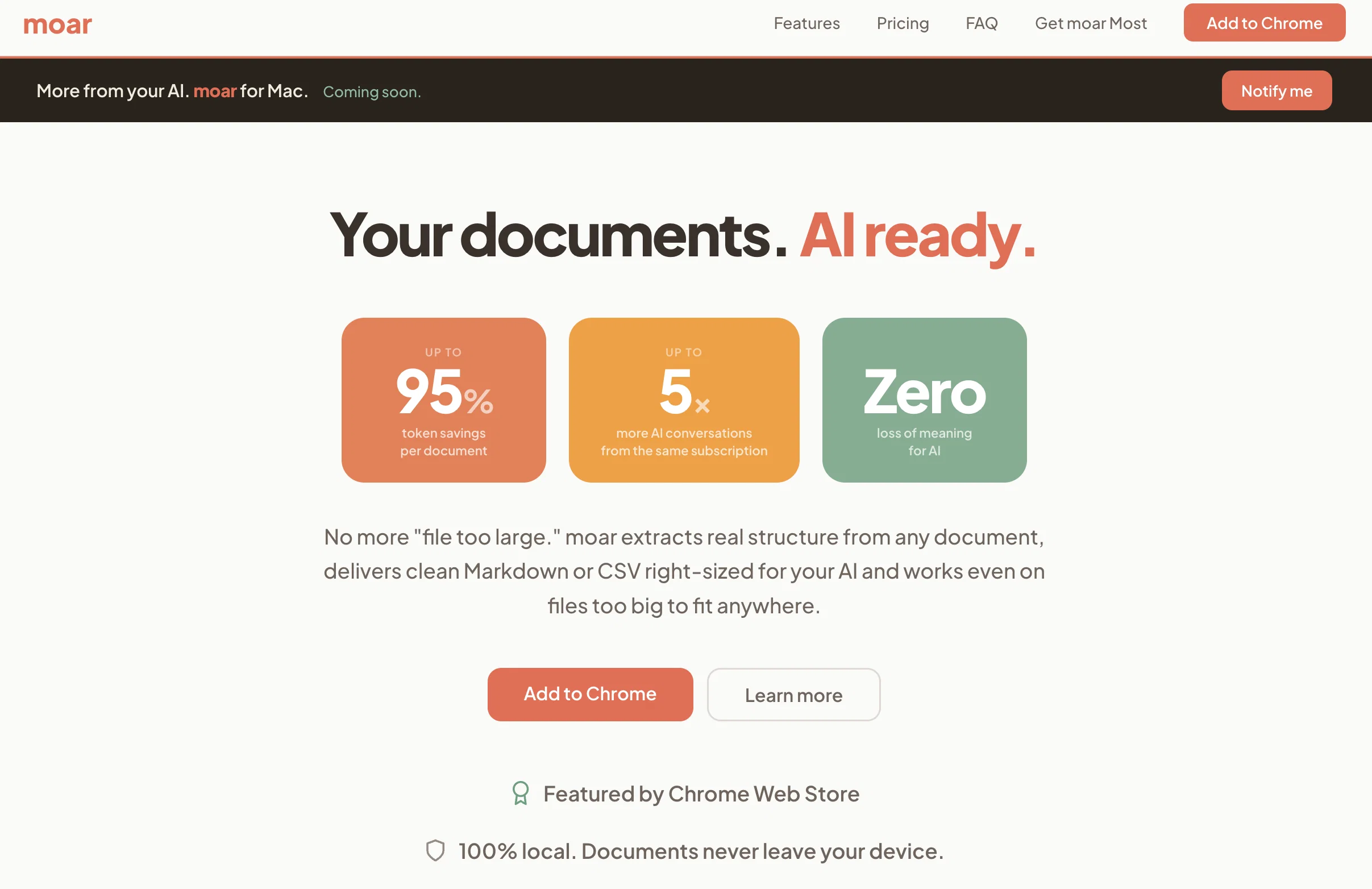
The result: up to 95% fewer tokens per document, up to 5× more real conversations from the same subscription, zero loss of meaning.
Everything runs 100% locally in your browser. No servers, no uploads, no telemetry. Works offline. Your documents never leave your device.
✓ Optimizes 9 document formats (up to 50MB each): PDF, DOCX, PPTX, XLSX, CSV, TXT, MD, JSON, HTML
✓ Platform-aware sizing: output tuned to your exact model and plan context window
✓ Fuse and library: combine related docs and keep a history of what you've optimized
✓ Smart Select (moar Most): describe what you need and moar pulls just the relevant sections, locally, before anything reaches your AI
✓ Send Everything with Intelligent Chunking (moar Most): push files bigger than any context window through in right-sized, ordered chunks
✓ Free forever for full optimization up to 50MB per file.
moar Most is a one-time upgrade for Smart Select, Intelligent Chunking and full-fidelity send-everything workflows. Not a subscription.
- Tokens Saved & Performance Tracking
- Context Window Sizing By Ai Model & Tier
- Rag-lite System
- Export To Markdown & Csv
- Collections For Sorting & Organizing
- Sortable Library
Best for
Short scenarios where moar tends to shine.
-
Your documents. AI Ready.
Example outputs 1
Sample generations and before/after results for moar.
Access & connections
Where you can use moar.
Platforms
Capabilities
What this tool accepts, produces, and is strongest at.
Input
- Tabular
- Text
Output
- Tabular
- Text
Highlights
- No Signup
- Local
Supported features
- No Signup
- Runs Locally
- Docs
- Spreadsheets
- Slides
Pros & cons
Pros
- Saves tokens
- Optimizes document size
- Works on documents exceeding context window
- No loss of context for AI
- Zero setup
- Private local processing
- Supports 9 document formats
- Files up to 50 MB
Show 8 more
- Individual extraction engines per format
- Extracts real structure from documents
- Platform-aware sizing
- Smart Select feature
- Intelligent Chunking feature
- Works offline
- Lifetime access with one payment
- No telemetry
Cons
- Chrome-exclusive
- No multi-language support
- Cost for premium version
- Price increase after Launch Period
- No API for integration
Compare alternatives
Similar tools in the catalog — with a clear reason to open each one.

Flowova AI ✓
FreemiumTurn text, images & docs into professional flowcharts in seconds
Why look Typically cheaper
Full comparison
Renamer.ai ✓
FreemiumAI-Powered Bulk File Renamer & Organizer
Why look Typically cheaper
Full comparison
Kolva ✓
FreemiumPay-as-you-go productivity. Meeting transcription at $0.25/hour, AI tasks, document search — no
Why look Typically cheaper
Full comparison
JobStep.io ✓
FreemiumBuild your resume with AI and finally hear back.
Why look Typically cheaper
Full comparison
People also view
Tools that often show up alongside moar in collections and comparisons.

Wery ✓
FreemiumTell AI experts your goal. Watch them deliver.

self.cv ✓
FreemiumTurn your resume into a website recruiters remember.
Renamer.ai ✓
FreemiumAI-Powered Bulk File Renamer & Organizer

Linkly AI ✓
FreemiumFind Answers Across All Your Files
Kolva ✓
FreemiumPay-as-you-go productivity. Meeting transcription at $0.25/hour, AI tasks, document search — no
JobStep.io ✓
FreemiumBuild your resume with AI and finally hear back.

Get More Interviews AI ✓
Free TrialTurn a rough CV into a sharper application package.
Flowova AI ✓
FreemiumTurn text, images & docs into professional flowcharts in seconds
Releases 1
FAQ 12
What is moar's main goal?
What is 'AI-Native' optimization in moar?
How does moar help in reducing the document size?
How does moar convert documents to AI-ready Markdown or CSV?
What is the advantage of moar for large files?
How does moar recognize the structure of a document?
What is the Smart Select feature in moar?
How does moar's Intelligent Chunking work?
Does moar operate in the browser and how does it ensure data privacy?
Which document formats are supported by moar?
🛠️ 1
tool
wrote:
moar supports 9 document formats - PDF, DOCX, PPTX, XLSX, CSV, HTML, JSON, TXT and MD - making it versatile and adaptable for a variety of user needs. This means it can take a document in any format and convert it into AI-friendly Markdown or CSV formats.
Does moar have individual extraction engines for each document format?
🛠️ 1
tool
wrote:
Yes, moar comes with individual extraction engines for each document format. These engines are specifically tailored to comprehend how each format stores information, allowing moar to extract structured, right-sized inputs for your AI.
How does moar enhance AI conversations?
Related tools
Recommended

VenturusAI ✓
FreemiumBusiness idea analysis and reporting.

Stunning ✓
PaidBuild AI-powered websites in seconds

Hyperis ✓
FreemiumOrganized task prioritization.

D-ID ✓
FreemiumCreate AI-generated videos with ease

GetLogit ✓
FreemiumArtificial intelligence, available for everyone.

Free Text-To-Speech ✓
FreeText transformed into customizable spoken output.