

Productivity vv1.4.1 2026 Rank: #283
Kolva ✓
Pay-as-you-go productivity. Meeting transcription at $0.25/hour, AI tasks, document search — no
Free + from $0.01
Verdict
A quick read before you dig into the full page.
- Best if
- You are freelancers and need: Record client calls and share instant summaries and action items
- Skip if
- No subscription but pay-per-use
- Pick this when
- Unified workspace
Considering TheLibrarian.io instead? Compare side by side
Overview


Beyond meetings:
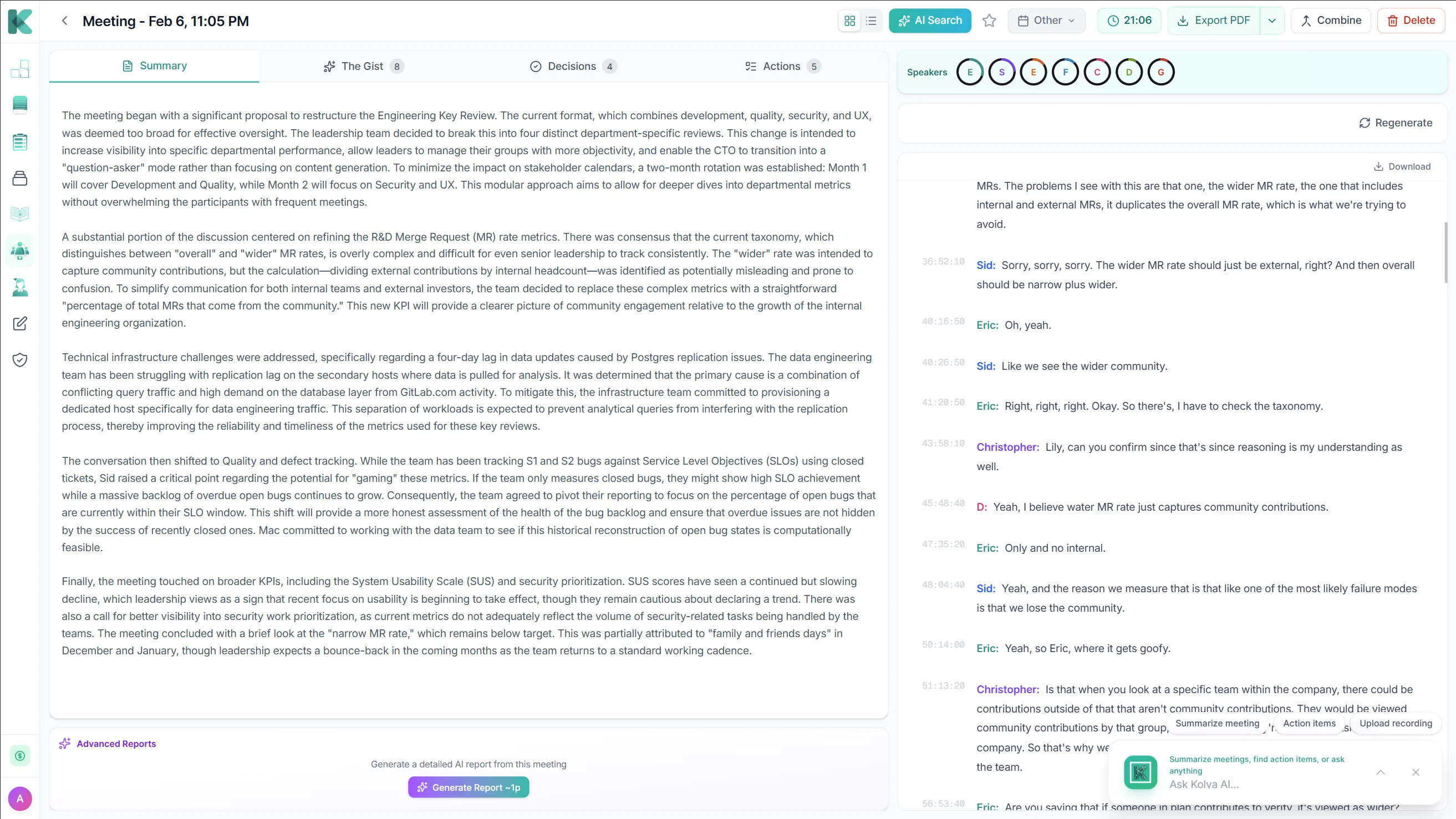
Kolva also uses AI to schedule tasks, search documents, and unify your workspace with Claude & Gemini.
Why Kolva wins:
- 10x cheaper than Otter.ai ($0.25/hr vs $16/month)
- Unlimited meeting length (Otter caps at 90 min)
- Unlimited storage (Fireflies caps at 8,000 min)
- AI summaries + action items included
- Only pay for meetings you actually record
- Everything in one place
- No subscriptions, just pay per use
Ideal for freelancers, remote teams, and anyone overwhelmed by meeting notes.
Best for
Short scenarios where Kolva tends to shine.
-
Record client calls and share instant summaries and action items
Best for Freelancers
-
Transcribe daily standups and auto-generate team task lists
Best for Small Business Owners
-
Capture interview details with full speaker diarization
Best for Project Managers
-
Search past meetings semantically to find decisions and context
Best for Consultants
-
Export detailed meeting reports for compliance and record-keeping
Best for Knowledge Workers
-
Convert meeting commitments directly into tracked project tasks
Best for Individuals with fluctuating monthly usage of AI tools
Example outputs 1
Sample generations and before/after results for Kolva.
Access & connections
Where you can use Kolva, and what it plugs into.
Platforms
Integrations
Capabilities
What this tool accepts, produces, and is strongest at.
Input
- Text
Output
- Text
Highlights
- MCP
Supported features
- MCP
- Instant file search
Pros & cons
Pros
- Unified workspace
- Intelligent timeline
- Smart task organization
- Summarizes meetings
- Extracts key action items
- Natural Language Search
- Semantic document search
- Conversational Interface
Show 29 more
- Pay-per-use pricing
- Task recommendations
- Work pattern recognition
- Task scheduling
- Adaptive learning
- Document upload and organization
- Semantic search across documents
- Natural language interface
- Workflow optimization
- Project breakdown into subtasks
- Commands in plain English
- Fast responses for everyday tasks
- Deep reasoning for complex tasks
- Semantic embeddings for search
- Multi-modal operations
- Detailed implementation steps generation
- Intelligent meeting action item extraction
- Intelligent scheduling
- Learning your writing style
- Learning your work patterns
- Nuanced document analysis
- Intelligent query handling
- Credit card not required
- No subscription required
- Meeting transcription service
- Document search in plain English
- Summarizing complex documents
- Shortcuts for faster work
- Task creation in natural language
Cons
- No subscription but pay-per-use
- Dependent on the internet connection
- Complexity in breaking down tasks
- Inability to understand nuanced language
- May struggle with task prioritization
- Transcription accuracy dependent on audio quality
- Semantic search may miss context
- Document upload and organization potentially slow
Compare alternatives
Similar tools in the catalog — with a clear reason to open each one.

TheLibrarian.io ✓
Free TrialYour WhatsApp AI assistant for instant productivity.
Free + from $9.99/mo
Full comparison
Supernormal App ✓
FreemiumThe AI assistant app that turns meetings into completed work
Free + from $25.90/mo
Full comparison
MiroAI ✓
FreemiumUnlock creative power with AI-driven collaboration.
Free + from $8
Full comparison
Collate ✓
FreeUnlimited free and private summaries and chat with PDF
Why look Fully free option
Full comparisonPeople also view
Tools that often show up alongside Kolva in collections and comparisons.
Supernormal App ✓
FreemiumThe AI assistant app that turns meetings into completed work
Collate ✓
FreeUnlimited free and private summaries and chat with PDF
TheLibrarian.io ✓
Free TrialYour WhatsApp AI assistant for instant productivity.

Saidar ✓
FreemiumYour AI Secretary for Admin Tasks, now on SMS

Runable ✓
FreemiumThe Best Way to Work with AI
MiroAI ✓
FreemiumUnlock creative power with AI-driven collaboration.

Knogra ✓
FreeChart the whole subject. One scene at a time.

Junie by JetBrains ✓
FreemiumStop switching tools. Start shipping.
Releases 2
Meeting Intelligence — Record, transcribe, and get AI-generated summaries with headlines, sentiment analysis, and action items from every meeting
Custom Meeting Reports — Generate tailored reports from any meeting with customizable templates and one-click PDF export
Meeting Series Detection — AI automatically identifies recurring meetings and tracks patterns, decisions, and follow-ups across sessions
Premium Transcription — Enhanced speaker detection, entity recognition, chapters, and audio event tagging for professional-grade transcripts
Imported reviews 4
been recording team rounds with this and it's made handoffs way smoother. we can reference exact conversations from morning rounds instead of relying on memory. catches details that would've slipped through otherwise
Excellent website — clear messaging, strong design, and very intuitive to use. It gives a lot of confidence in the services offered and feels properly professional. Would definitely recommend.
I got the chance to try it out early it has been very helpful finding information from my documents and meeting transcripts
It’s great to have everything in one place and the pay as you go is nice didn’t pay anything over the Christmas period
Kolva is a game changer! I use it almost every day and works every time! can't recommend it enough! I use it for every meeting. Give it go!
FAQ 12
What features does Kolva offer for task management?
What are Gemini and Claude AI models in Kolva?
🛠️ 1
tool
wrote:
Gemini 3 and Claude Hauiki 4.5 are AI models employed by Kolva. Gemini 3 is primarily responsible for task creation, document analysis, meeting summaries, and responding to natural language commands. Claude, on the other hand, handles complex reasoning tasks, analyzes relationships between documents, and can help re-write notes to format them nicley as well as fill in missign information.
How does the task intelligence feature work in Kolva?
Can Kolva organize and search my documents?
Does Kolva offer meeting recording and transcription?
What integrations are available in Kolva?
Can Kolva adapt to my work patterns and writing style?
What is the pricing model of Kolva?
🛠️ 1
tool
wrote:
Kolva operates on a pay-per-use model. This means you only pay for when you use the AI, with AI operations costing credits. The website lists costs for different AI operations like Meeting AI, Document AI, and AI Queries. Basic features are free. AI operations cost credits from your balance. Users start with a $6 Free AI Credit.
What planning tools does Kolva offer?
Can I control Kolva using natural language commands?
Does Kolva offer email integration?
🛠️ 1
tool
wrote:
Email integration is on the roadmap
How does intelligent scheduling work in Kolva?
Related tools
Recommended

Notis ✓
Free TrialThe first WhatsApp assistant that runs on your ChatGPT and Claude subscriptions

remio: Your Personal ChatGPT ✓
FreemiumGet Tailored Answer with Your Personal ChatGPT

X-Pilot AI ✓
FreemiumTurn Documents into Accurate Video Course Series

GetLogit ✓
FreemiumArtificial intelligence, available for everyone.

Thea ✓
FreemiumAI study tools to master material, not just memorize it.

ChatGPT ✓
FreemiumAsk anything, create anything, and move from idea to action.