

Team productivity 2026 Rank: #2540
Max: AI Coworker in Slack ✓
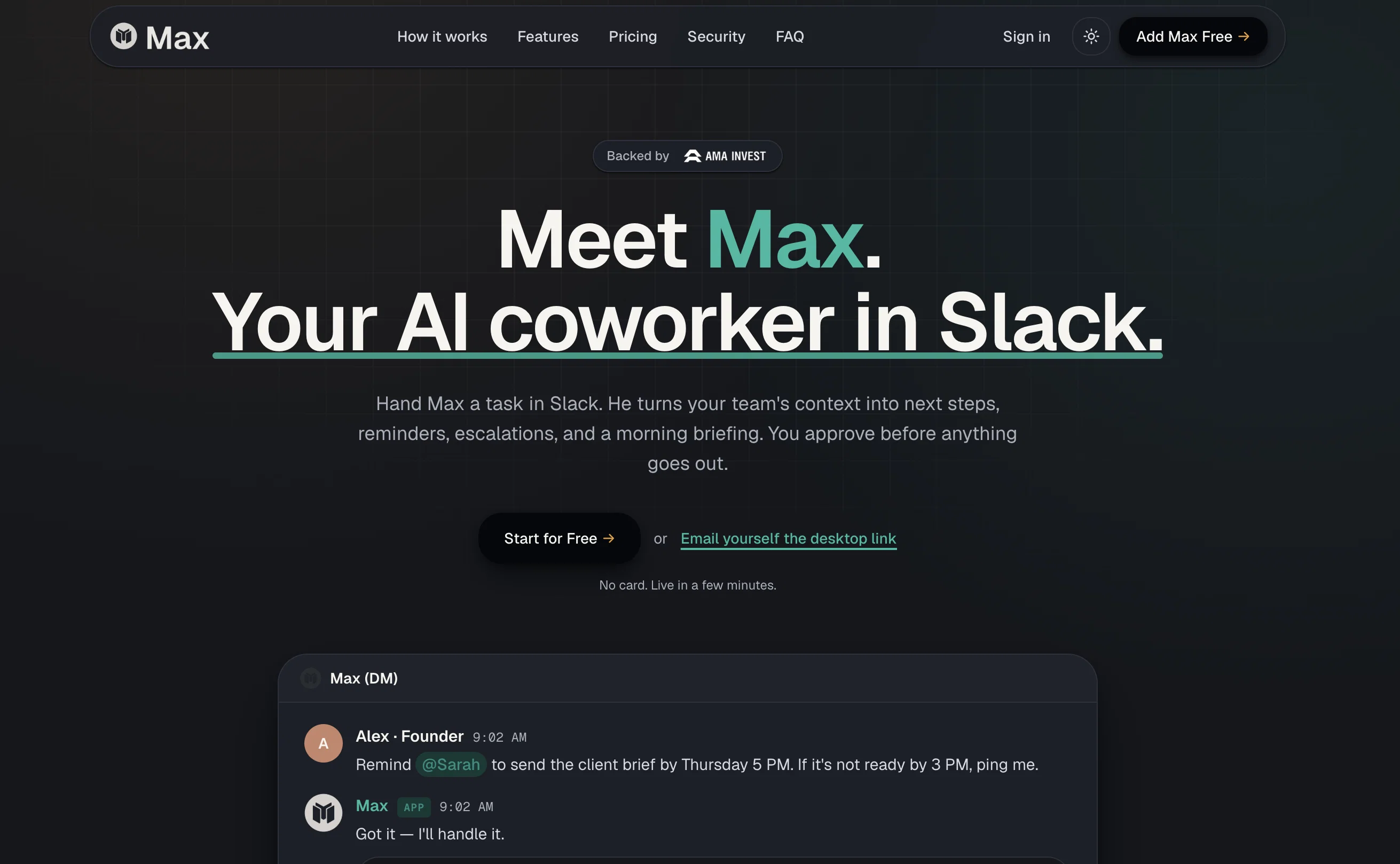
Your AI coworker in Slack.
Verdict
A quick read before you dig into the full page.
- Best if
- Your AI coworker in Slack
- Skip if
- Requires Slack workspace
- Pick this when
- Works directly inside Slack
Considering SectorFlow instead? Compare side by side
Overview



Instead of acting like another chatbot, Max works inside your Slack workspace, gathers context from connected tools, and brings back ready-to-review work: task lists, follow-ups, summaries, drafts, updates, morning briefings, and next steps.
Max starts with two core workflows: Delegation and Morning Brief. Delegation helps teams track who owns what, what is due, what is blocked, and what needs a follow-up. Morning Brief gives each user a clear daily view of important tasks, deadlines, messages, meetings, and priorities.
At launch, Max connects with 25+ essential work tools across communication, calendar, documents, tasks, CRM, and knowledge management. Support for 3,000+ tools is coming soon.
Max is built for founders, operators, executives, chiefs of staff, executive assistants, managers, and teams that run work in Slack and need better follow-through without building complex workflows first.
Teams stay in control with human approval, source visibility, output previews, activity logs, and workspace-level permissions.
Give Max a task. Get the work back.
- Slack-native Ai Coworker
- Morning Brief
- Recurring Reminders
- Escalations
- Ready-to-review Work
- Human Approval Controls
- Activity Logs
- Output Previews
- 25+ Integrations At Launch
- 3000+ Integrations Coming Soon
- Workspace Permissions
Access & connections
Where you can use Max: AI Coworker in Slack, and what it plugs into.
Platforms
Capabilities
What this tool accepts, produces, and is strongest at.
Input
- Text
Output
- Text
Highlights
- Agents
- MCP
Supported features
- Agents
- MCP
Pros & cons
Pros
- Works directly inside Slack
- Tracks delegated work
- Sends Morning Briefs
- Flags blockers and overdue tasks
- Returns ready-to-review work
- Connects to 25+ tools at launch
- 3,000+ integrations coming soon
- Offers features like Delegation
Show 28 more
- Fixed price, no surprise
- Offers scalability
- Provides context-based output
- Assists in decision-making
- Requires approval before proceeding
- Starts day with clear understanding
- Turns scattered context into reports
- Produces drafts, summaries, task lists
- Convert chaos into context
- Open tasks & deadlines management
- Prioritizes focus for the day
- Checks connected sources
- Starts with result, not the workflow
- Delivers task lists with appropriate context
- Secures work review before sending
- Handles Delegation and Morning Brief
- Provides human approval controls
- Returns ready-to-review work
- Transitions scattered context into finished work
- Hires like a teammate
- Offers Slack-native workflow
- Controls recurring tasks
- Offers expanding integrations
- Gathers activities and prepares output
- No need for workflow building before
- Helps teams complete cross-functional work
- Recurring tasks management & delegation
- No need for credit card during trial
Cons
- Requires Slack workspace
- Best for team workflows
- Some integrations coming soon
- Human approval may be required
- Not a standalone chat app
Compare alternatives
Similar tools in the catalog — with a clear reason to open each one.


GPTTeams ✓
FreemiumCentralize AI models to boost productivity and streamline workflows.
Why look Typically cheaper
Full comparison
Slackbot by Slack ✓
FreemiumYour personal AI agent in Slack's workflow.
Why look Typically cheaper
Full comparison
Complete.dev ✓
FreemiumYour team and AI agents in one workspace.
Why look Typically cheaper
Full comparison
Indigo ✓
PaidAI-powered assistant for your team's desktop
Why look Typically cheaper
Full comparison
Releases 1
FAQ 12
What is Max AI coworker?
How does Max assist with workflow management on Slack?
What tools can Max integrate with?
How does Max use natural language processing?
How does Max help manage tasks and deadlines?
What are the features offered by Max?
What is the Delegation feature in Max?
What does the Morning Brief feature in Max do?
How does Max adapt to team workflows?
What is the process for Max to move work forward?
Does Max require approval before moving any work forward?
Can Max assist with decision-making?
Related tools
Recommended

MagicSlides.app AI PPT Maker ✓
FreemiumCreate Stunning PPTs in Seconds with the AI PPT Maker

GetLogit ✓
FreemiumArtificial intelligence, available for everyone.

ChatGPT ✓
FreemiumAsk anything, create anything, and move from idea to action.

Automateed ✓
Free TrialCreate eBooks effortlessly with Automateed, the AI-powered writing tool.

Kin - Personal AI Advisors ✓
FreePrivacy-first & designed your for mind, and life at work

Aiter.io | Paste a URL. Ship a Campaign That Sounds L... ✓
FreemiumAI marketing that sounds like you, not everyone else.