

Indigo ✓
AI-powered assistant for your team's desktop
from $18/mo
Verdict
A quick read before you dig into the full page.
- Best if
- AI-powered assistant for your team's desktop
- Skip if
- Complex modes
- Pick this when
- Desktop and web applications
Considering SectorFlow instead? Compare side by side
Overview
Indigo is a comprehensive AI suite encompassing a range of desktop and web applications. This tool is designed to facilitate enhanced efficiency and collaboration within an organizational setting, functioning much like an all-encompassing AI interface.
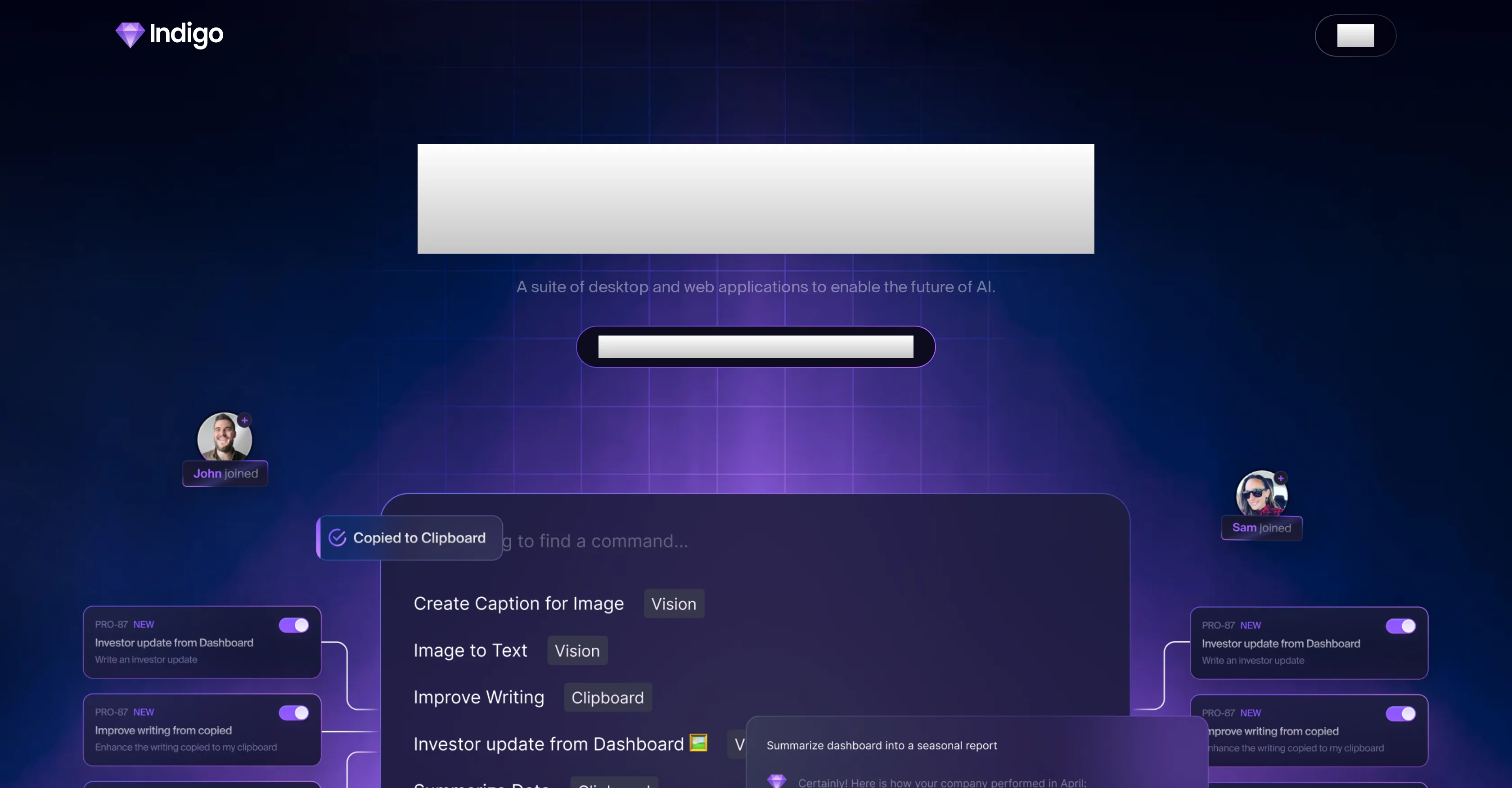
Indigo features three main working modes: Assistant Mode, Command Palette and Vision Commands. In Assistant Mode, users are presented with a ChatGPT-style interface that's enriched with the specific knowledge pool and branding elements of the organization.
Command Palette mode allows users to create, brainstorm, and plan in a seamless manner, using clipboard content for contextual intelligence across various applications.
In Vision Commands mode, users can execute tasks by highlighting screen areas, performing assignments like coding a given user interface, or creating a search engine-friendly caption.
Indigo puts a strong emphasis on teamwork, offering AI-powered features to promote collaboration, brand consistency, and innovation. A noteworthy feature of Indigo is its Living Knowledge Base.
This goes beyond a traditional repository, acting as a continually evolving digital brain. It can integrate with over 200 applications and expand hand-in-hand with your organization.
Indigo offers a variety of subscription plans suitable for solo pioneers or larger teams, making it a flexible solution for optimizing productivity through AI in a variety of work contexts.
Access & connections
Where you can use Indigo.
Platforms
Capabilities
What this tool accepts, produces, and is strongest at.
Input
- Tabular
- Text
Output
- Text
Pros & cons
Pros
- Desktop and web applications
- Three main working modes
- ChatGPT-style interface
- Branding elements customization
- Command Palette for brainstorming
- Contextual intelligence across applications
- Execution tasks with Vision Commands
- Coding assignments assistance
Show 21 more
- SEO-friendly captions creation
- Teamwork emphasis
- Brand consistency
- Living Knowledge Base
- Integration with 200+ apps
- Evolve alongside organization
- Flexible subscription plans
- Suitable for solo pioneers
- Effective for larger teams
- Productivity optimization across contexts
- Access from any app
- Keyboard command activation
- Interface infused with organization's knowledge
- Streamline team collaboration
- Connectivity with other apps
- Coping with corporate challenges
- Includes GPT-4 Turbo support
- Web admin for Command Library
- Enterprise SSO
- Team member addition
- Access control over data
Cons
- Subscription only
- Limited to desktop/web
- No free version
- No Linux support
- Complex modes
- Indeterminate integration efficiency
- Limited command control
- Requires continual data feed
Show 2 more
- Not for individual users
- Lack engagement features
Compare alternatives
Similar tools in the catalog — with a clear reason to open each one.

SectorFlow ✓
FreemiumElevate Your Team's Productivity with AI
Why look Freemium alternative
Full comparison
GPTTeams ✓
FreemiumCentralize AI models to boost productivity and streamline workflows.
Why look Freemium alternative
Full comparison
Slackbot by Slack ✓
FreemiumYour personal AI agent in Slack's workflow.
Why look Freemium alternative
Full comparison
Max: AI Coworker in Slack ✓
Free TrialYour AI coworker in Slack.
Why look Higher community rating
Full comparison
Complete.dev ✓
FreemiumYour team and AI agents in one workspace.
Why look Freemium alternative
Full comparison
Releases 1
FAQ 12
What is Indigo?
What are the main features of Indigo?
What is the Assistant Mode in Indigo?
What does the Command Palette mode in Indigo allow me to do?
How does the Vision Commands mode in Indigo work?
How does Indigo promote collaboration and efficiency in a team setting?
What is the Living Knowledge Base in Indigo?
How can Indigo integrate with other applications?
What are the available subscription plans of Indigo?
Can Indigo be used by individuals as well as larger teams?
What kind of AI elements are present in Indigo?
How does Indigo enrich user experience with the specific knowledge pool and branding elements of the organization?
Related tools
Recommended

Free Text-To-Speech ✓
FreeText transformed into customizable spoken output.

Transcript LOL ✓
FreemiumUnlimited transcripts, summaries, 99.8% accuracy, speaker recognition, superfast

Askpot ✓
FreemiumEfficient analysis of products & services for competition.

AI Video Cut ✓
Free TrialTransform long videos into viral shorts with AI.

Resume Trick ✓
FreemiumBuild a professional resume for free online

Proposal Genie ✓
FreemiumGenerate winning freelance proposals effortlessly.