

Document data extraction vv1.2
Lido Document Processing ✓
Automate PDF data extraction with AI
Free + from $19/mo
Verdict
A quick read before you dig into the full page.
- Best if
- Automate PDF data extraction with AI
- Skip if
- Involves complex formulas
- Pick this when
- Transforms PDF to structured data
Considering Molku instead? Compare side by side
Overview
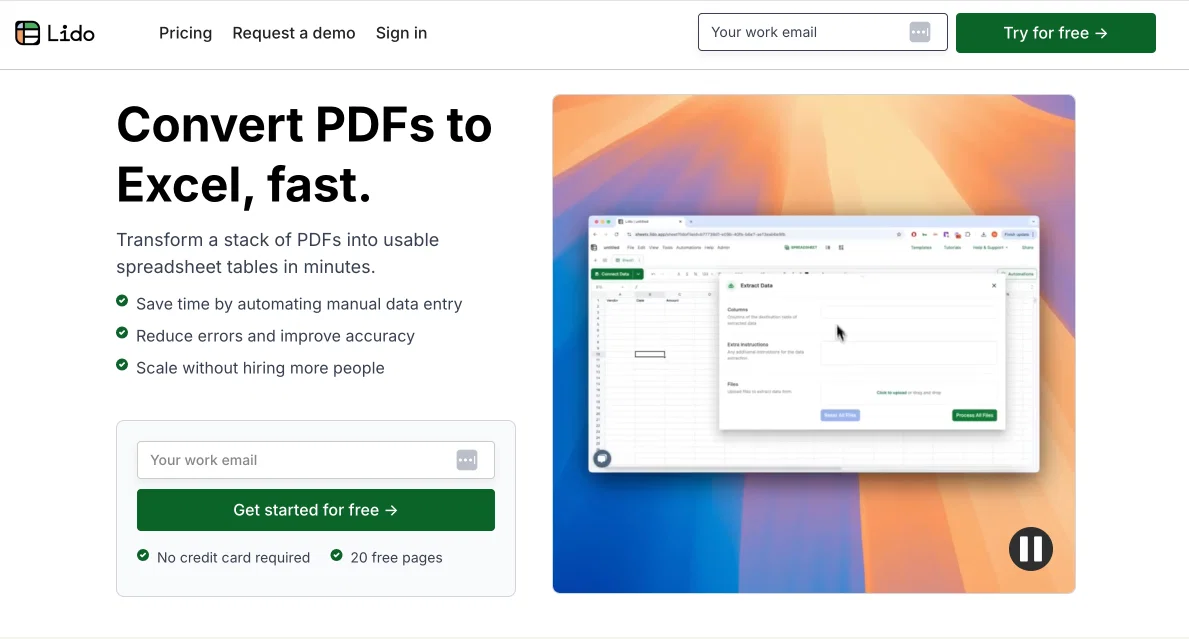
This tool is designed to transform PDF documents into clean Excel tables. You upload your PDFs then specify what data to extract either in plain English or by drawing a box around the region.
The tool is able to work with all sorts of PDF layouts and formats, including tabular data. You can even edit the extracted data with AI to clean / reformat numbers or auto-categorize expenses.
There's no complex setup required, just talk to the AI and have it extract the exact data you need. Bulk processing and automation integrations with email, drive folders, etc. are also available.
Customers use it for processing invoices, bank statements, credit card statements, financial P&Ls, legal contracts, resumes, and much more.
Free trial with 20 free pages.
Best for
Short scenarios where Lido Document Processing tends to shine.
-
Automate PDF data extraction with AI
Example outputs 1
Sample generations and before/after results for Lido Document Processing.
Access & connections
Where you can use Lido Document Processing, and what it plugs into.
Platforms
Integrations
Capabilities
What this tool accepts, produces, and is strongest at.
Supported features
- Crawling & Scrapping
Pros & cons
Pros
- Transforms PDF to structured data
- Direct integration with Google Drive
- Direct integration with Gmail
- Decreases manual entry errors
- No technical skills required
- Automates data extraction process
- Data output to spreadsheets
- Works with varying PDF layouts
Show 9 more
- Trusted by purchasing, supply chain teams
- Formulas for data extraction and parsing
- Customisable data extraction
- Optimized for POS, CRM, ERP, EHR systems
- Workflow includes Google Drive, Gmail connection
- Automates repetitive tasks
- Decreased operational inefficiencies
- Direct connections to Google Drive or Gmail inbox
- Used by various businesses
Cons
- Limited to Google systems
- Only extracts to spreadsheets
- Involves complex formulas
- Reliant on Internet connectivity
- No offline functionality
- Seemingly limited support
- Integration details unclear
- May struggle with complex PDFs
Show 2 more
- Limited system compatibility (POS, CRM etc.)
- Not designed for individual users
Compare alternatives
Similar tools in the catalog.

Molku ✓
Free TrialAutofill PDFs & Sheets instantly from any document.
Free + from $19/mo
Full comparison
TextMine ✓
UnknownAI-powered knowledge base for critical business documents.
No pricing
Full comparisonPeople also view
Tools that often show up alongside Lido Document Processing in collections and comparisons.
TextMine ✓
UnknownAI-powered knowledge base for critical business documents.

SuperAI ✓
PaidAutomate complex document processing with AI

Parsio ✓
FreemiumExtract data from emails and documents instantly.

Parseur ✓
FreemiumAutomate text extraction from documents
Molku ✓
Free TrialAutofill PDFs & Sheets instantly from any document.

Base64 ✓
PaidExtract data from any document type with AI

FreeOCR.AI ✓
FreemiumConvert document images into editable Word, Excel, and structured data.

Filently ✓
Free TrialAI filing layer for your existing Google Drive
Releases 3
Email parsing by Lido has arrived! Now you can automatically capture data from incoming emails (including attachments) and send it to spreadsheets. Fully customize your extracted datapoints with plain English, no complex model training required.
Our new Data Extractor makes it easy to pull key datapoints out of a stack of PDFs, like invoices or resumes into a clean spreadsheet table. Just upload your documents, type which columns you want to upload, and click extract. No complex setup necessary, just type in plain English!
Imported reviews 9
This is the best tool I’ve used without a doubt.
I hate manually entering data from PDFs into spreadsheets. Hate it. Causes human error and takes time. Lido automates this with reliability and 100% accuracy. I can even export the spreadsheet output as an Excel, CSV, push to Google Sheets, etc.
Very happy. Cut down my invoice processing work by 20 hours per week - now it's fully automated. All I do is upload my invoices, and the data fields I care about are instantly extracted into a clean spreadsheet format. I then upload the spreadsheet to QuickBooks Online. My boss is very happy - we use this tool instead of hiring someone else to help with the manual work.
The tool cut down my invoice processing time from 80% of my work to 10% of work (like 20 hours of work per week that is now automated). From what I've seen, 100% data extraction accuracy as well. Phew. My boss is very happy :). We use the tool instead of hiring somebody else to help.
Highly recommend it for anyone dealing with high-volume document processing. Simplifies the process of extracting data from multiple PDFs into clean, accurate spreadsheets.
blown away by how fast, simple, and accurate Lido is. I have stacks of PDFs to process every month, and it handles them all at once, giving me perfectly formatted spreadsheets. Must have tool for anyone doing manual data entry from PDFs into spreadsheets.
Lido made extracting data from a ton of PDFs so easy. It gave me exactly the spreadsheet format I needed in no time. Highly recommend. Customer support is surprisingly quick.
Awesome :). We use it to extract data from invoices every month into different spreadsheet rows
Lido is seriously amazing. I had a ton of PDFs to pull data from, and it made the whole process so simple. Just upload them, and it extracts everything perfectly into the exact spreadsheet format I needed.
FAQ 12
What is the Lido PDF Data Extraction tool?
🛠️ 1
tool
wrote:
Lido turns PDFs into spreadsheet data with AI.
How does Lido manage to extract data from varying PDF formats?
🛠️ 1
tool
wrote:
We use a combination of OCR and AI to extract data from all PDF formats and layouts.
How does Lido output the data extracted from PDFs?
🛠️ 1
tool
wrote:
The data is outputted directly into the connected Lido spreadsheet. You can export or copy this data directly to Google Sheets, Excel, or CSV.
Can I use Lido to link my Google Drive or Gmail inbox?
🛠️ 1
tool
wrote:
Yes, Lido offers the functionality to directly connect to your Google Drive, Gmail Inbox, OneDrive, or Outlook.
Is there any technical skills required to use Lido?
🛠️ 1
tool
wrote:
No, all you need to do is type in English to prompt the AI. Or, just visually draw a box around the sections that you want to extract and it does it automatically.
Can Lido integrate with my POS system?
How does Lido reduce errors in data entry?
🛠️ 1
tool
wrote:
Lido reduces errors in data entry through its automated data extraction process, which reduces manual input errors.
Why is Lido trusted by purchasing and supply chain teams?
What does the workflow of using Lido look like?
🛠️ 1
tool
wrote:
You upload a PDF, add your extraction instructions, then the data is extracted automatically into a spreadsheet.
Does Lido PDF Data Extraction support connection to my Gmail Inbox?
Can Lido extract specific data from my PDFs?
Is there a demo available for Lido?
Related tools
Recommended

PrometAI ✓
FreemiumTurn ideas into viable reality with AI business plan generator.

Thunderbit ✓
FreemiumScrape leads & other data in just 2-clicks.

Automateed ✓
Free TrialCreate eBooks effortlessly with Automateed, the AI-powered writing tool.

Transcript LOL ✓
FreemiumUnlimited transcripts, summaries, 99.8% accuracy, speaker recognition, superfast

Scisummary ✓
Free TrialCutting-edge scientific articles summarization.

Flowpoint ✓
FreemiumWebsite Analytics Reports with AI Agents