

Jewelry try-ons 2026 Rank: #2568
Jewelry Model AI ✓
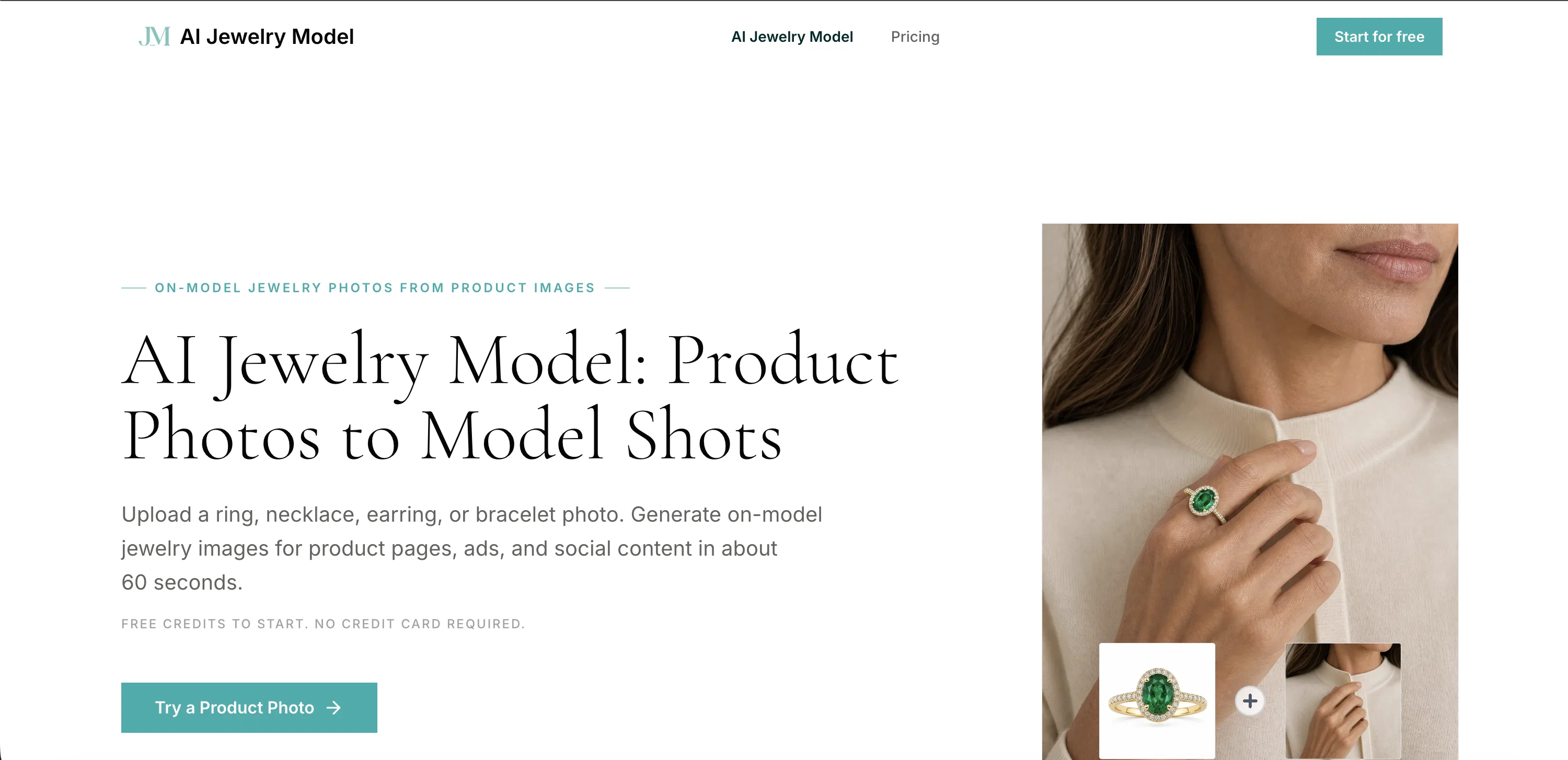
Turn product photos into on-model jewelry shots.
Verdict
A quick read before you dig into the full page.
- Best if
- Turn product photos into on-model jewelry shots
- Skip if
- Pricing on per credit basis
- Pick this when
- Product photos to model shots
Considering AI Jewelry Model instead? Compare side by side
Overview
No description available
Access & connections
Where you can use Jewelry Model AI.
Platforms
Capabilities
What this tool accepts, produces, and is strongest at.
Input
- Image
Output
- Image
Supported features
- Realism
- Image Edit
Pros & cons
Pros
- Product photos to model shots
- Clear jewelry photo upload
- Select model for placement
- Improves shopper's confidence
- Realistic on-model photography
- Ecommerce product visuals workflow
- Guided placement controls
- Auto mode placement
Show 41 more
- Manual placement control
- Earring placement controls
- Bracelet placement controls
- Beneficial for various users
- Quick, consistent and scalable
- Faster process than traditional photography
- Lower production cost
- 60 seconds generation time
- Conversion lift with model imagery
- Preserves product identity
- Photorealistic output
- Supports all jewelry types
- Commercial use of outputs
- High resolution image download
- Intuitive three-step workflow
- Can upload own models
- Immediate commercial use after downloading
- Controls for ring finger placement
- Precise necklace drape around neckline
- Earring try-on for both ears
- Bracelet placement on both wrists
- Avoids reinterpretation in generic tools
- Consistent results across multiple clients
- Used without professional budget
- Handles unique geometry of each jewelry
- Eliminates coordination with photographers
- Supports high-volume catalouge production
- Flexible pricing plans
- Different queue priority levels
- Option for fast-track support
- Secure payment
- Clear FAQs
- Well-lit photo upload for best results
- Credit-based system
- Free credits on sign-up
- Paid plans for higher volume needs
- Charges only for successful generations
- Supports white-background product shots
- Supports flat lays and smartphone photos
- Preserves details in high quality images
- Suitable for independent designers, ecommerce brands, marketing agencies
Cons
- Output limited to 4K
- Limited placement controls
- Requires clear photo input
- No free tier options
- Less effective on complicated designs
- Pricing on per credit basis
- Requires manual review
- Customer support varies with plan
Show 2 more
- Only includes specific jewelry types
- Might distort delicate details
Compare alternatives
Similar tools in the catalog — with a clear reason to open each one.

AI Jewelry Model ✓
FreemiumPremium AI jewelry model photos in under a minute.
Why look Typically cheaper
Full comparison
Ecom Visual Ai ✓
Free TrialTurn one jewelry photo into model shots and video.
Why look Stronger for image work
Full comparison
NeuroViz ✓
Free TrialAI jewelry retouching, virtual try-ons & video — studio quality in seconds
Why look Offers a public API
Full comparison
Tattoo AI Design | Try On ✓
FreemiumTry tattoos virtually before getting inked.
Why look Typically cheaper
Full comparison
TinTin ✓
Free TrialPut your press-on nails on a real hand no photoshoot.
Why look Typically cheaper
Full comparison
Tryonr | Clothes Changer ✓
PaidTry on any outfit instantly with AI.
Why look Typically cheaper
Full comparisonReleases 1
FAQ 12
What is AI Jewelry Model?
How does AI Jewelry Model work?
What kind of images can I use with AI Jewelry Model?
Can the AI Jewelry Model tool benefit independent designers?
What are the benefits of AI Jewelry Model for ecommerce brands?
What types of jewelry can AI Jewelry Model process?
How long does it take for AI Jewelry Model to generate an on-model image?
Can I control the placement of jewelry on the model with AI Jewelry Model?
What are the advantages of AI Jewelry Model over traditional jewelry photography?
What practical applications does AI Jewelry Model have for marketing agencies?
Can the jewelry images be used immediately after being processed by AI Jewelry Model?
Does AI Jewelry Model support manual placement control?
Related tools
Recommended

biela.dev ✓
Free TrialIf you can imagine it, Biela can code it!
Lyric Remix Studio ✓
FreeAI-powered music generation, transcription, and album art

NiuNiu ✓
Free TrialTurn app descriptions into installable Android apps.

LIA - AI Music Assistant ✓
FreemiumControl your DAW with natural language, in any language, from any device.

SongMuse AI ✓
Free TrialTurns one-line prompts into studio-ready tracks instantly.

StemSplitterAI ✓
FreemiumSplit any song into stems and custom backing tracks online.