Tattoo AI Design | Try On ✓
Try tattoos virtually before getting inked.
Free + from $7.99/mo
Verdict
A quick read before you dig into the full page.
- Best if
- Try tattoos virtually before getting inked
- Skip if
- Limited design input methods
- Pick this when
- Realistic tattoo simulation
Considering TattoosAI instead? Compare side by side
Overview
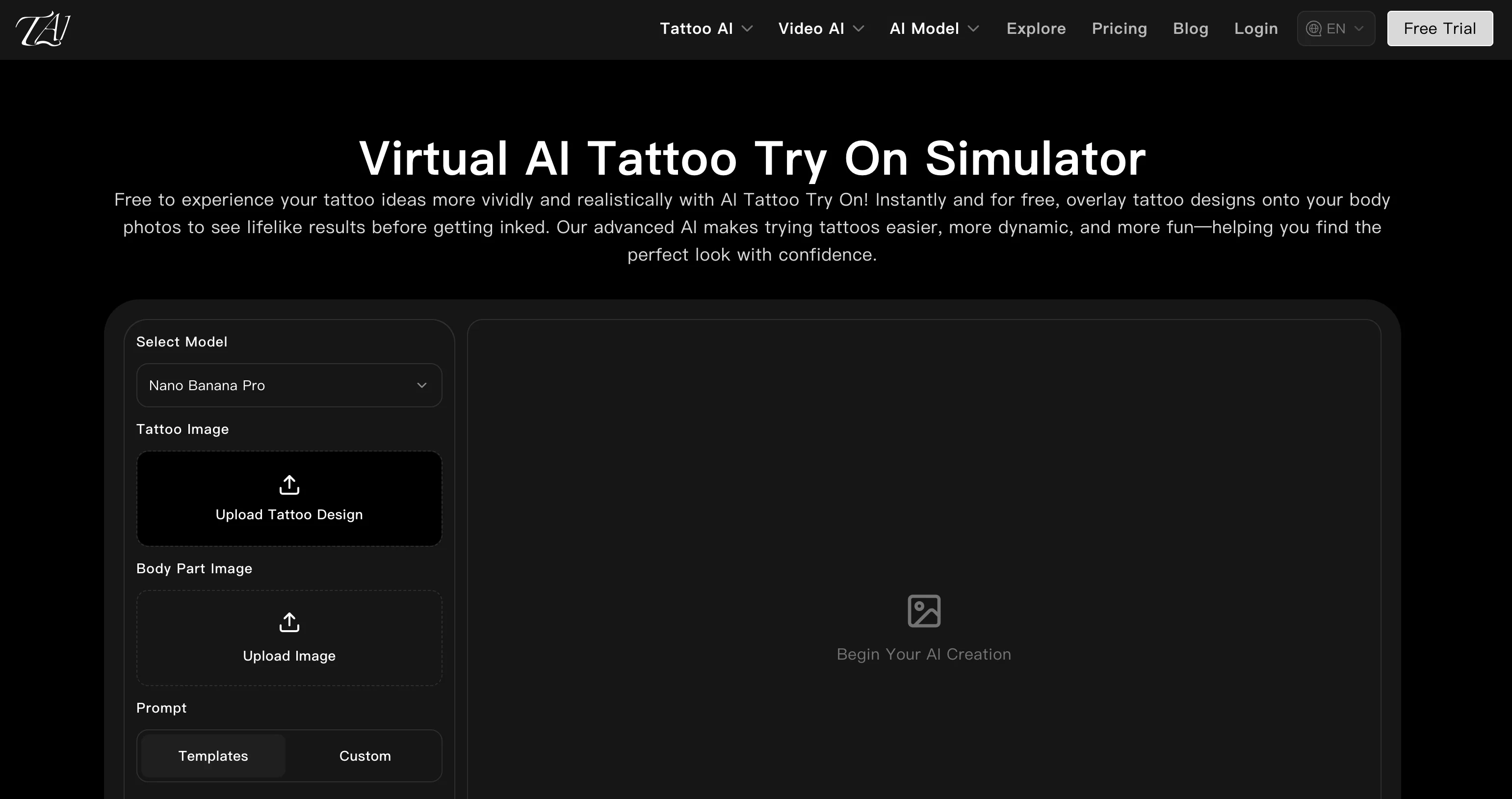
AI Tattoo Try On is a free advanced tool designed for simulating the application of tattoo designs onto photos of your body. With the objective of assisting users in visualizing tattoo ideas in a realistic format before getting inked, the tool uses intelligent image recognition and pattern mapping technology.
The application supports diverse pattern selection and upload methods, allowing users to choose from a gallery, upload custom designs or generate from keywords.
The tool automatically adapts designs to fit body curves, offering natural-looking simulation results. It achieves this through precise body part recognition, auto angle adjustment, and skin tone matching.
It also allows for flexible adjustments which include color adjustment, pattern replacement, and quick design switching. The AI Tattoo Try On tool offers a low risk trial before actual tattooing, helping users to make better-informed decisions.
It is designed to cater to the needs of different user groups and is applicable to personal trials and professional presentations. It provides multiple user benefits such as intuitive tattoo effect display on your body, a simple operation process, and a broad choice of designs.
The tool can also be used by designers and tattoo professionals to showcase pattern effects to clients and compare different styles swiftly.
Access & connections
Where you can use Tattoo AI Design | Try On, and what it plugs into.
Platforms
Integrations
Capabilities
What this tool accepts, produces, and is strongest at.
Input
- Image
Output
- Image
Pros & cons
Pros
- Free usage
- Realistic tattoo simulation
- Diverse pattern selection
- Upload custom designs
- Generates designs from keywords
- Adapts designs to body curves
- Precise body part recognition
- Auto angle adjustment
Show 34 more
- Skin tone matching
- Flexible adjustments
- Color adjustment
- Pattern replacement
- Quick design switching
- Offers low risk trials
- Useful for personal trials
- Useful for professional presentations
- Intuitive tattoo effect display
- Simple operation process
- Broad choice of designs
- Suitable for tattoo professionals
- Aids in decision making
- Upload image prompts
- Tailors to different users
- Many input methods
- Auto-detection of body parts
- Suitable for style comparison
- Supports multiple orientations
- Enhances client presentations
- Reduces regret risk
- Easy to upload photos
- Fast switching between styles
- Easy design positioning and previewing
- Supports user-generated designs
- Supports commercial use of images
- Detailed FAQ section
- Multilingual support
- Multiple resolution options
- Generate from Public Templates
- Individual User friendly
- Multi-Scene Compatibility
- Virtual Tattoo Try On Simulator
- Easy Tattoo Position & Preview
Cons
- Limited to certain body parts
- May inaccurately recognize skin tone
- Relies on quality user photo
- Inflexible angle adjustments
- Doesnt support 3D visualization
- Potential misinterpretation of custom designs
- No in-app editing features
- No multi-tattoo display
Show 2 more
- No offline mode
- Limited design input methods
Compare alternatives
Similar tools in the catalog — with a clear reason to open each one.
TattoosAI ✓
FreemiumGenerate custom tattoo designs in seconds with AI
Free + from $24.99/mo
Full comparison
Tattoo Canvas ✓
Free TrialCreate your custom tattoo with our AI-powered design tool.
Why look Typically cheaper
Full comparison
Ink Studio AI ✓
PaidGenerate your dream tattoo instantly with AI.
Why look Higher community rating
Full comparison
Tattoo AI Design ✓
Free TrialCreate unique AI-generated tattoo designs.
Free + from $9.9/mo
Full comparison
CreateINK ✓
FreemiumGenerate stunning tattoos with AI.
Why look Higher community rating
Full comparisonReleases 1
FAQ 12
What is the AI Tattoo Try On?
How does the AI Tattoo Try On work?
What technologies does the AI Tattoo Try On tool use?
Can I upload my own designs on AI Tattoo Try On?
How does AI Tattoo Try On adapt tattoo patterns to fit body curves?
How accurate is AI Tattoo Try On's body part recognition feature?
What kind of adjustments can be made to tattoo designs using AI Tattoo Try On?
Is AI Tattoo Try On useful for professional tattoo artists?
Does AI Tattoo Try On have a diverse selection of base tattoo designs?
Can AI Tattoo Try On simulate tattoos on any body part?
What is the process for using AI Tattoo Try On to try on tattoos?
Is it possible to use keyword-generation for designs in AI Tattoo Try On?
Related tools
Recommended

Claude ✓
FreemiumBuilding reliable, interpretable AI systems

ChatPlayground AI ✓
PaidThe #1 Platform for Comparing AI Models

Prompt Engine ✓
PaidGet the perfect prompt for any AI task

Masonry ✓
FreemiumOne prompt, every AI model: compare image and video generation across all
Anycrap ✓
FreeAI generates absurd product pages from any idea you type
1MoreShot ✓
FreemiumTransform tracks into professional music videos instantly.