

Jewelry try-ons 2026 Rank: #2491
Ecom Visual Ai ✓
Turn one jewelry photo into model shots and video.
Trial; then from $19.00/mo
Verdict
A quick read before you dig into the full page.
- Best if
- Turn one jewelry photo into model shots and video
- Skip if
- Limited video modification
- Pick this when
- Creates model photos from jewelry images
Considering Jewelry Model AI instead? Compare side by side
Overview
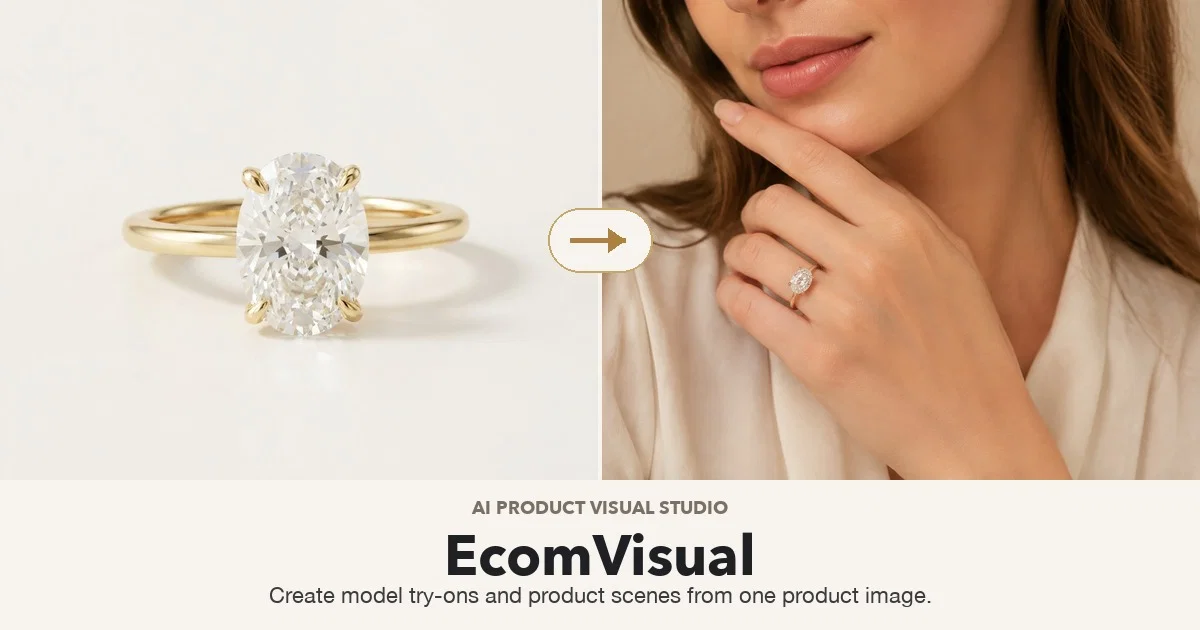
EcomVisual AI Jewelry Model Generator is a tool designed to create artificial intelligence jewelry model visuals. Its core functionality is turning jewelry images into model photos, product scenes, and short AI jewelry model videos.
Users can start by uploading a jewelry image and then generate model visuals around it. With this application, one product photo can be expanded into multiple shots such as lifestyle shots, detail crops, and works suitable for category pages.
It provides on-model photos that show how the jewelry wears, addressing common customer questions about placement and fit. Users can try different angles and model styles before finalizing their image.
The tool not only generates images but can also turn the generated image into a video with motion, adding life to launch posts, social media stories, and paid promotions.
The generator's functionality covers several needs, such as supporting shots for a listing, creating new angles for new arrivals, showing how a product wears without needing a physical model, and more.
The process involves starting with a sharp, evenly lit product photo and specifying what the image will be used for. The chosen source photo largely determines the result.
Access & connections
Where you can use Ecom Visual Ai.
Platforms
Capabilities
What this tool accepts, produces, and is strongest at.
Input
- Image
- Video
Output
- Image
- Video
Pros & cons
Pros
- Creates model photos from jewelry images
- Generates product scenes
- Expands single product photo into multiple shots
- Produces on-model photos
- Allows angle and style experimentation
- Video creation for launch posts and social media promotions
- Supporting shots for listings creation
- Generates new angles for new arrivals
Show 20 more
- Simulates product wear without physical models
- Product source largely determines result
- Can provide lifestyle shots
- Allows detail crops
- Creates category page suitable shots
- Addresses customer inquiries about placement and fit
- Creates visuals for product campaigns
- Built for real launch calendar needs
- Can produce detail crops, lifestyle scenes, mood shots
- Can work with initial packshots
- Can keep new arrivals relevant through extra angles
- Shows product wear without needing a model
- Can turn model image into videos
- Helps with listing work
- Has methods for listings to get images
- Works with various jewelry categories
- Checks before live upload
- Applicable across multiple platforms
- Allows ad creative testing
- Usable for seasonal refreshes and catalog updates
Cons
- Needs high quality input photos
- Limited to jewelry models
- No preview options
- Limited customization options
- Relies on source photo
- Limited video modification
- Risk of unrealistic renders
- No multi-angle generation
Show 2 more
- No batch processing
- Reliant on detailed specifications
Compare alternatives
Similar tools in the catalog — with a clear reason to open each one.

Jewelry Model AI ✓
Free TrialTurn product photos into on-model jewelry shots.
Why look Higher community rating
Full comparison
AI Jewelry Model ✓
FreemiumPremium AI jewelry model photos in under a minute.
Why look Typically cheaper
Full comparison
NeuroViz ✓
Free TrialAI jewelry retouching, virtual try-ons & video — studio quality in seconds
Why look Offers a public API
Full comparison
Tattoo AI Design | Try On ✓
FreemiumTry tattoos virtually before getting inked.
Why look Typically cheaper
Full comparison
TinTin ✓
Free TrialPut your press-on nails on a real hand no photoshoot.
Why look Typically cheaper
Full comparison
Tryonr | Clothes Changer ✓
PaidTry on any outfit instantly with AI.
Why look Typically cheaper
Full comparisonReleases 1
Related tools
Recommended

GetLogit ✓
FreemiumArtificial intelligence, available for everyone.

ChatGPT ✓
FreemiumAsk anything, create anything, and move from idea to action.

freebeat AI ✓
FreemiumTurn Music & Ideas into Viral Videos In One Click

Pounce ✓
Free TrialGet real followers and engagement in minutes.

AirMusic ✓
Free TrialAI music generator and music video creator in one platform.

WebsitePublisher AI ✓
FreemiumYour AI builds a full app, right from your phone