

Apps vv1.1.0 2026 Rank: #423
NiuNiu ✓
Turn app descriptions into installable Android apps.
Verdict
A quick read before you dig into the full page.
- Best if
- Turn app descriptions into installable Android apps
- Skip if
- Limited external services integration
- Pick this when
- Android app builder
Considering Whacka instead? Compare side by side
Overview

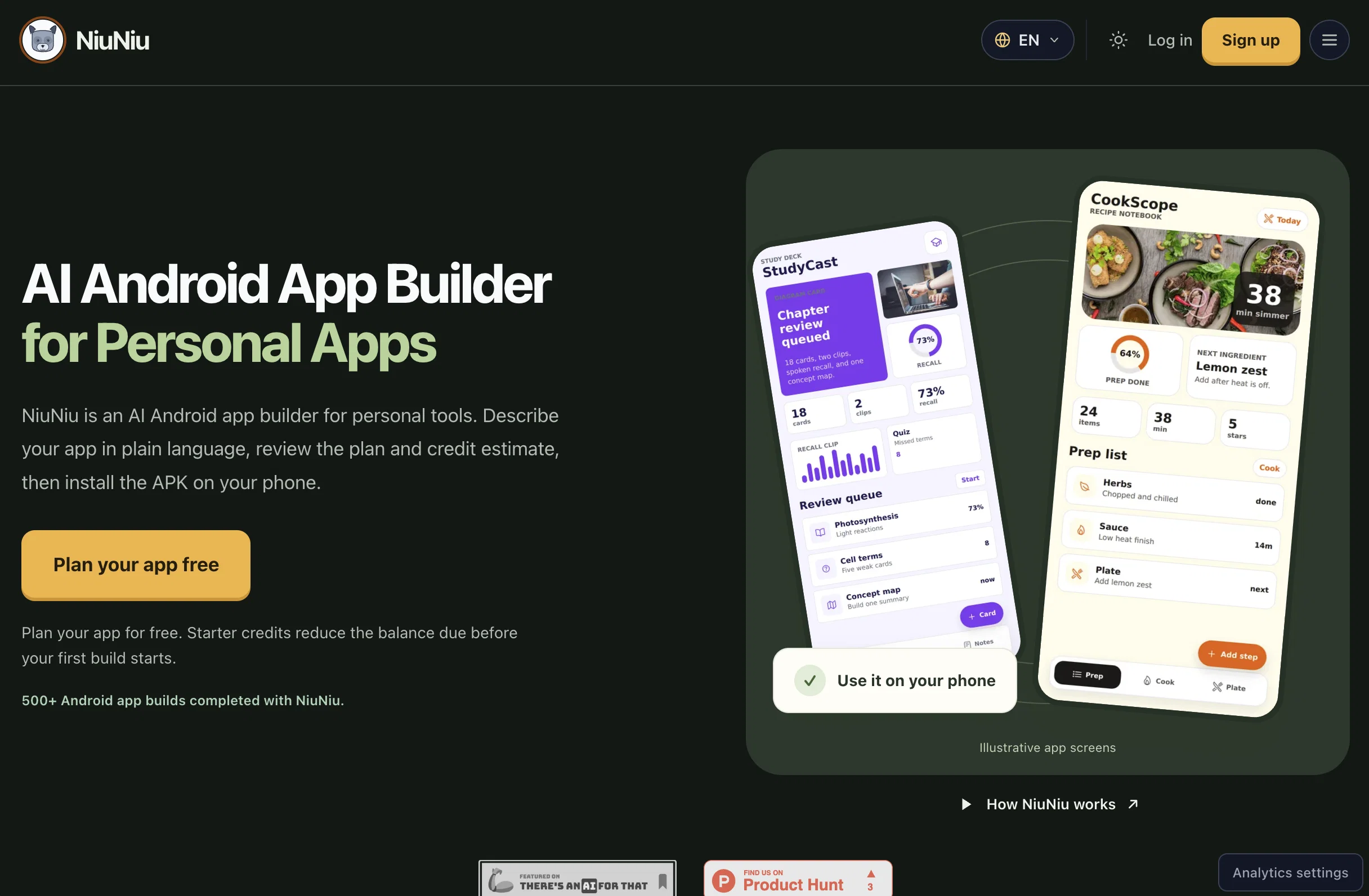
NiuNiu is an AI-based Android app builder developed to create personalized applications. It offers a chat-based platform that converts plain-language descriptions into custom Android apps, resulting in locally installable APK files.
With its transparent system, users can review the build plan, scope, style and credit estimate before initiating the build work. This tool is targeted at non-developers, hobbyists, students and small business owners who are looking to streamline their workflows, productivity and other utility actions through their own custom Android apps with no need to learn coding or use a visual editor.
It's notable for allowing improvements to be requested post-installation via chat, with the ability to provide compatible over the air updates or repackaged APKs if necessary.
Apps created with NiuNiu are designed to be local-first, storing data on the device itself where feasible, thereby supporting privacy. Consequently, this AI tool is useful for creating personal habit trackers, reminider tools, AI assistants, private tools, planning and coaching utilities, local-first trackers, and more.
- Chat-based App Building
- Installable Android Apks
- Local-first App Storage
- Build Plan Before Coding
- Apk Sharing By Qr/email
- Ai Features When Needed
- Post-build App Updates
- No Visual Builder Required
Best for
Short scenarios where NiuNiu tends to shine.
-
Turn app descriptions into installable Android apps.
Example outputs 1
Sample generations and before/after results for NiuNiu.
Access & connections
Where you can use NiuNiu.
Capabilities
What this tool accepts, produces, and is strongest at.
Input
- Code
- Image
- Text
Output
- Code
- Text
Highlights
- Agents
Supported features
- Agents
Pros & cons
Pros
- Android app builder
- No coding experience
- Focused on local-first apps
- Plain language processing
- Provides a build plan
- Transparent credit estimates
- Request improvements via chat
- OTA updates support
Show 39 more
- Native changes support
- External services integration
- Data privacy prioritized
- Builds with Expo
- Builds with React Native
- No visual editor needed
- Custom app creation
- Personalized application scope
- Post-installation improvements
- Habit trackers creation
- Reminder tools creation
- Private tools creation
- Productivity tools customization
- Personal databases creation
- Local first trackers creation
- Converts descriptions to apps
- Small business tools creation
- Resulting in APK files
- App improvements over chat
- Non-developers friendly
- Hobbyists apps creation
- Small business owners targeted
- Students apps creation
- Build plan review
- Credit estimate before build
- Locally installable APKs
- Compatible updates Over the air
- Repackaged APKs for changes
- Supports local-first approach
- Personal tools creation
- Planning and coaching utilities
- Local-first privacy support
- App Descriptions to Installable Apps
- Summarization and Classification Tools
- Notification and Reminder Apps
- Study, Fitness, and Household Tools
- Small Business Inventory Tools
- Booking and Checklist Tools
- Customer Follow-up Tools
Cons
- No iOS app development
- Limited to personal apps
- Chat-based requests may be slow
- No web-based applications
- No app-store deployment
- Not suitable for enterprise use
- Transparency relies on credit estimates
- No visual editor for customization
Show 2 more
- Limited external services integration
- Requires repackaging for native changes
Compare alternatives
Similar tools in the catalog — with a clear reason to open each one.

AppDeploy ✓
FreeDeploy real apps directly from ChatGPT or Claude
Why look Fully free option
Full comparison
Anything - AI App Builder ✓
FreemiumTurn your words into apps, sites, and products.
Free + from $16/mo
Full comparisonPeople also view
Tools that often show up alongside NiuNiu in collections and comparisons.

Whacka ✓
Free TrialTurn ideas into real apps from your phone.

Momen.app ✓
FreemiumLaunch real, interactive AI with just one prompt.

LaunchLemonade ✓
Free TrialBuild AI assistants effortlessly for your business.

Dreamflow ✓
FreemiumShip native mobile apps, fast.
AppDeploy ✓
FreeDeploy real apps directly from ChatGPT or Claude
Anything - AI App Builder ✓
FreemiumTurn your words into apps, sites, and products.

AI Builder | Hostinger Horizons ✓
Free TrialBuild web apps and websites without writing any code.

Hatchable ✓
FreemiumHosting for your coding agent. Free.
Releases 2
-
Added APK sharing tools so users can share finished Android apps with a QR code, branded invite email, share image, and social post text.
-
Added post-build improvement suggestions in chat, so users can see practical next-step ideas after an app is generated.
-
Improved upfront build pricing with clearer credit estimates, pricing rules, and estimate bands before major build work starts.
-
Improved generated app reliability, including better audio recording permission handling and more stable persistence for AI-generated image results.
-
Polished the builder dashboard and app completion flow so users can better understand when an app is ready, what was delivered, and what to do next.
Imported reviews 1
I built a medical tracking App for a friend undergoing cancer treatment. He uses it to record side effects, medications, temperature, blood pressure, and more. The app turns his records into charts, making doctor visits much more efficient. Most importantly, all data stays on his own phone, giving him complete peace of mind!!! We can build apps not only for ourselfs but also as a new type of gift for people we care about. I am excited about this as I have no IT background. NiuNiu keeps its promise that it is easy to build and deploy a real app just by chatting. definately I will try more ideas.
FAQ 12
What is NiuNiu designed for?
How do users describe an app functionality using NiuNiu?
How does NiuNiu manage app updates?
What makes NiuNiu different from traditional no-code editors or app-store publishing platforms?
What is the purpose of credit estimates in NiuNiu?
Does NiuNiu support external services like AI, cloud APIs, and maps?
How does NiuNiu ensure data privacy?
What technologies are used to build NiuNiu apps?
Who are the targeted users of NiuNiu?
Can a user with no coding experience use NiuNiu?
What kind of Android apps can NiuNiu build?
Why is it called a local-first approach used by NiuNiu?
Related tools
Recommended

biela.dev ✓
Free TrialIf you can imagine it, Biela can code it!

HappySeeds ✓
FreemiumTurn ideas into AI-powered apps instantly.

Claude ✓
FreemiumBuilding reliable, interpretable AI systems

SureThing.io - "OpenClaw" for Beginners ✓
FreemiumFirst General AI Agency. Designed for long-horizon tasks.

Blink.new ✓
FreemiumChat with AI to build production-ready apps.

BuildCheck ✓
FreeKnow before you build.