

InstantMind ✓
AI-powered mind maps from any content, instantly.
Trial; then from $8/mo
Verdict
A quick read before you dig into the full page.
- Best if
- You are product Managers and need: Product Managers using AI mind maps for brainstorming sessions and gaining insights from documents
- Skip if
- Complex for beginners
- Pick this when
- Various content to mind maps
Considering Mind Map Wizard instead? Compare side by side
Overview


InstantMind is the AI-powered mind mapping tool that turns ANY content into visual insights in seconds.
🚀 What Makes InstantMind Different
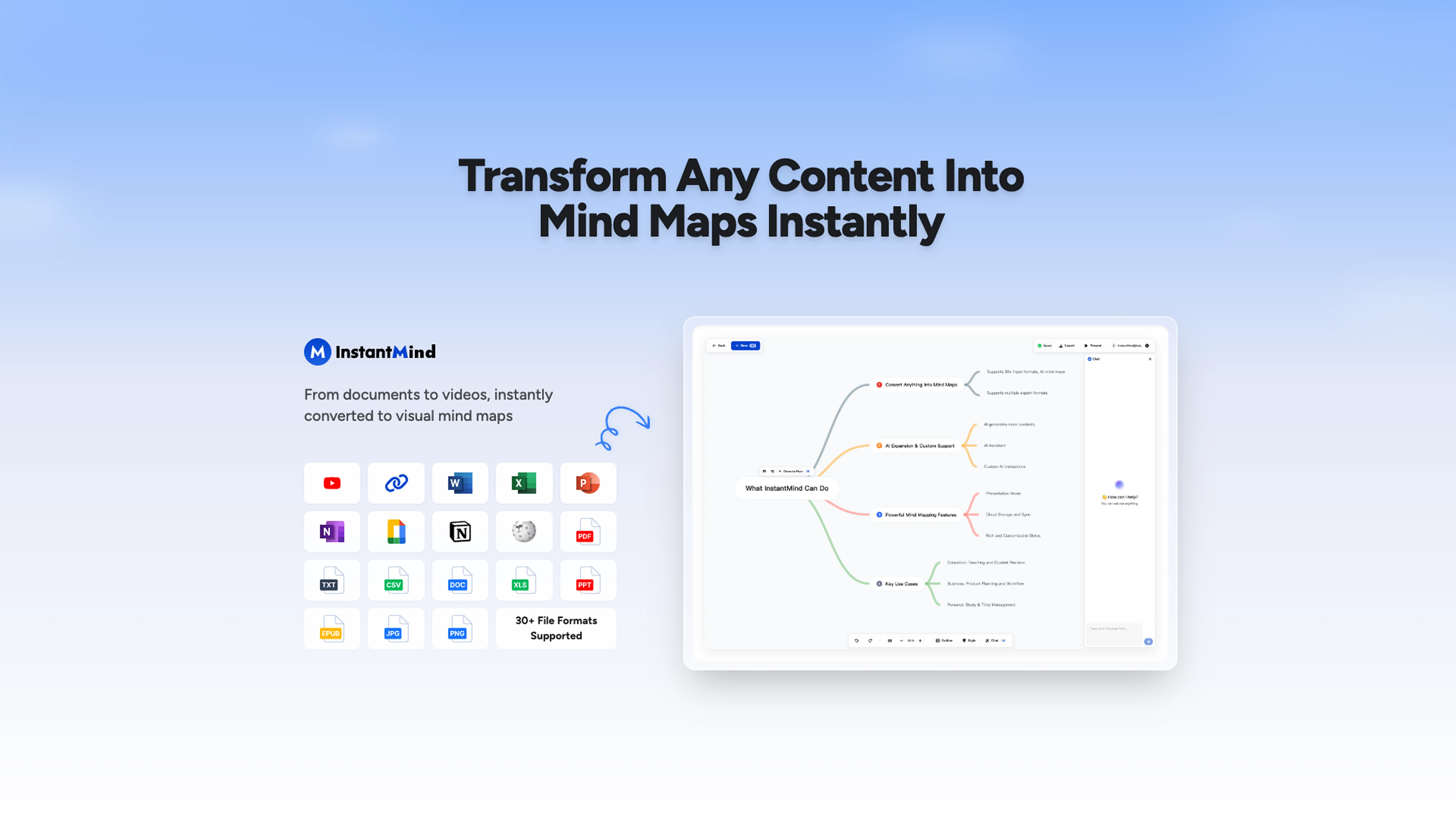
Universal Content Support - Drop in anything: PDFs, Word docs, Excel sheets, PowerPoint, images, YouTube videos, web pages, or simple text. Our AI instantly transforms it into comprehensive mind maps.
AI That Actually Understands Your Content - Chat with your documents and mind maps to get contextual insights, not generic responses. Ask questions, dive deeper, and discover connections you never saw before.
Expand Ideas on Demand - Click any node to generate AI-powered expansions with detailed explanations, examples, and related concepts. Never hit a creative wall again.
Personalized AI Instructions - Customize how the AI generates your mind maps based on your specific goals, style, and workflow. Get unique results tailored to you.
✨ Create Content at the Speed of Light
30+ File Formats Supported - From academic papers to business presentations
Interactive Chat System - Deep dive into your content with intelligent Q&A
Visual + Outline Views - Switch between mind map and structured outline modes
Presentation Mode - Transform mind maps into stunning presentations instantly
Multiple Export Options - PNG, PDF, SVG, Markdown, or InstantMind files
Mobile-First Design - Works perfectly on any device with auto-sync
🔒 Enterprise-Grade Security
Your data is encrypted and stored in secure cloud storage, accessible anytime, anywhere. Privacy protection you can trust.
💡 Perfect For
Students - Turn research papers and study materials into visual learning tools
Professionals - Brainstorm, plan projects, and organize complex information
Educators - Create engaging lesson plans and explain complex topics visually
Teams - Collaborate on ideas and share insights across devices
Start creating mind maps that think with you. Try InstantMind free today.
Key Messaging Points for Different Audiences:
For Students:
"Turn any PDF, lecture video, or research paper into a visual study guide instantly. Chat with your materials to uncover insights you missed."
For Professionals:
"Transform meetings, documents, and brainstorming sessions into actionable mind maps. AI-powered insights that grow with your ideas."
For Teams:
"Collaborate visually on any content. From strategy docs to project plans - turn complex information into clear, shareable mind maps."
Best for
Short scenarios where InstantMind tends to shine.
-
Product Managers using AI mind maps for brainstorming sessions and gaining insights from documents.
Best for Product Managers
-
Students creating detailed mind maps from PDFs and research papers for academic organization.
Best for Students
-
Marketing Directors tailoring AI mind maps to brand style and marketing goals for client meetings.
Best for Marketing Directors
-
Software Developers converting code comments and documentation into visual AI mind maps for project planning.
Best for Software Developers
-
Teachers creating lesson plans and expanding on key concepts for students with visual AI mind maps.
Best for Teachers
-
Consultants sharing AI-generated mind maps with clients in various formats.
Best for Consultants
-
Researchers generating mind maps from YouTube videos, web pages, and academic papers to explore connections.
Best for Researchers
-
Startup Founders using AI mind maps for business planning and team collaboration.
Best for Startup Founders
Example outputs 1
Sample generations and before/after results for InstantMind.
Access & connections
Where you can use InstantMind, and what it plugs into.
Platforms
Integrations
Capabilities
What this tool accepts, produces, and is strongest at.
Input
- Image
- Text
- Video
Output
- Text
- Image
Highlights
- Use code TAAFT
- 20% OFF
Pros & cons
Pros
- Various content to mind maps
- Seamless brainstorming capabilities
- Automatic mind map transformation
- Interactive content responses
- Goal-focused mind maps
- Variety of colors, themes
- Flexible viewing options
- Mind map to presentation
Show 32 more
- Multiple export options
- Fully responsive design
- Device auto-sync
- Secure data encryption
- Cloud storage
- Content analysis
- Multiple document support
- Practical idea generation
- User-friendly interface
- Varied mind map layouts
- Automatic content summary
- Integrates YouTube videos
- Shapes image content
- Prioritized user privacy
- Interactive Q&A segment
- Unique workflow results
- Mind map personalization
- Multi-structured viewing
- Supports various structures
- Demo videos assistance
- Supports 30+ file formats
- Contextual insights
- Outlines view option
- Automatic cloud saves
- Anytime secure access
- Automatic expansion of nodes
- Boosted productivity
- Outline view for organization
- Richer mind maps
- Detailed explanations automatically
- Never run out of ideas
- Multiple mind map layouts
Cons
- Limited free plan
- Complex for beginners
- Requires internet connection
- Limited export formats
- Inaccurate content analysis
- No offline version
- Limited theme options
- Insufficient privacy details
Show 1 more
- Limited layout options
Compare alternatives
Similar tools in the catalog — with a clear reason to open each one.

Mind Map Wizard ✓
FreemiumGenerate mind maps with AI: free, no sign-up, no ads
Why look Offers a public API
Full comparison

MindMap AI ✓
FreemiumTurn ideas and files into AI powered mind maps
Why look Typically cheaper
Full comparison
Mindmap ✓
FreemiumVisualize ideas effortlessly with free mindmaps.
Free + from $12/mo
Full comparison

Slatebox ✓
FreemiumCreate visualizations from natural language
Why look Typically cheaper
Full comparisonPeople also view
Tools that often show up alongside InstantMind in collections and comparisons.

Thea ✓
FreemiumAI study tools to master material, not just memorize it.

Collate ✓
FreeUnlimited free and private summaries and chat with PDF

Rabbithole
FreemiumA launchpad for your curiosity

PrompTessor ✓
FreemiumAI Prompt Workspace for Better AI Results

Wisely ✓
FreeAmazon review analysis improves shopping decisions.

WisdomPlan ✓
Free TrialAI-powered learning: Master any skill, your way

Small Steps ✓
UnknownBreak down projects into bite-sized tasks effortlessly.

The Prompt Challenge ✓
FreeMaster AI prompting through practice challenges.
Releases 1
Imported reviews 3
Tried it on a extremely messy brief and it gave me a clean map. Good for catching the shape of an idea and moving stuff around.
This is truly a wonderful experience that brings joy and delight.
Hi everyone! 👋
I'm the PM behind InstantMind, and I'm thrilled to see it featured here on TAAFT!
We built InstantMind to solve a real problem - turning any content into beautiful, interactive mind maps instantly. What makes us special is our incredible format support: 30 file formats including PDF, Word, Excel, PowerPoint, Ebook, Markdown, Images, YouTube videos, and web pages - basically anything you throw at it!
Key features that users love:
🧠 AI-powered mind map generation - No manual work needed
💬 Smart chat with your documents - Get contextual insights, not generic answers
🎨 Beautiful themes
FAQ 12
What types of content can InstantMind convert into mind maps?
How does the AI Chat system of InstantMind work?
Can I specify my personal goals for the InstantMind AI to consider while generating mind maps?
What are the different customization options I have for creating mind maps in InstantMind?
Can the InstantMind platform create presentations from mind maps?
What file formats are available for mind map exports in InstantMind?
Are my changes made in InstantMind autosynced across different devices?
How does InstantMind protect my data and privacy?
Is InstantMind a cross-platform tool?
How does InstantMind facilitate easy brainstorming?
Does InstantMind allow switching between mind map and outline view?
Can I convert YouTube videos into mind maps using InstantMind?
Related tools
Recommended
Thea ✓
FreemiumAI study tools to master material, not just memorize it.

TheLibrarian.io ✓
Free TrialYour WhatsApp AI assistant for instant productivity.

Recall ✓
FreemiumSummarize Anything, Forget Nothing!
PrompTessor ✓
FreemiumAI Prompt Workspace for Better AI Results
Collate ✓
FreeUnlimited free and private summaries and chat with PDF

OnSpace.AI - No Code App Builder ✓
FreemiumBuild Apps with AI, No Code