

Free + from $6/mo
Verdict
A quick read before you dig into the full page.
- Best if
- You are teams and need: Creating mind maps
- Skip if
- Limited magic links
- Pick this when
- Editable visualizations
Considering Mind Map Wizard instead? Compare side by side
Overview
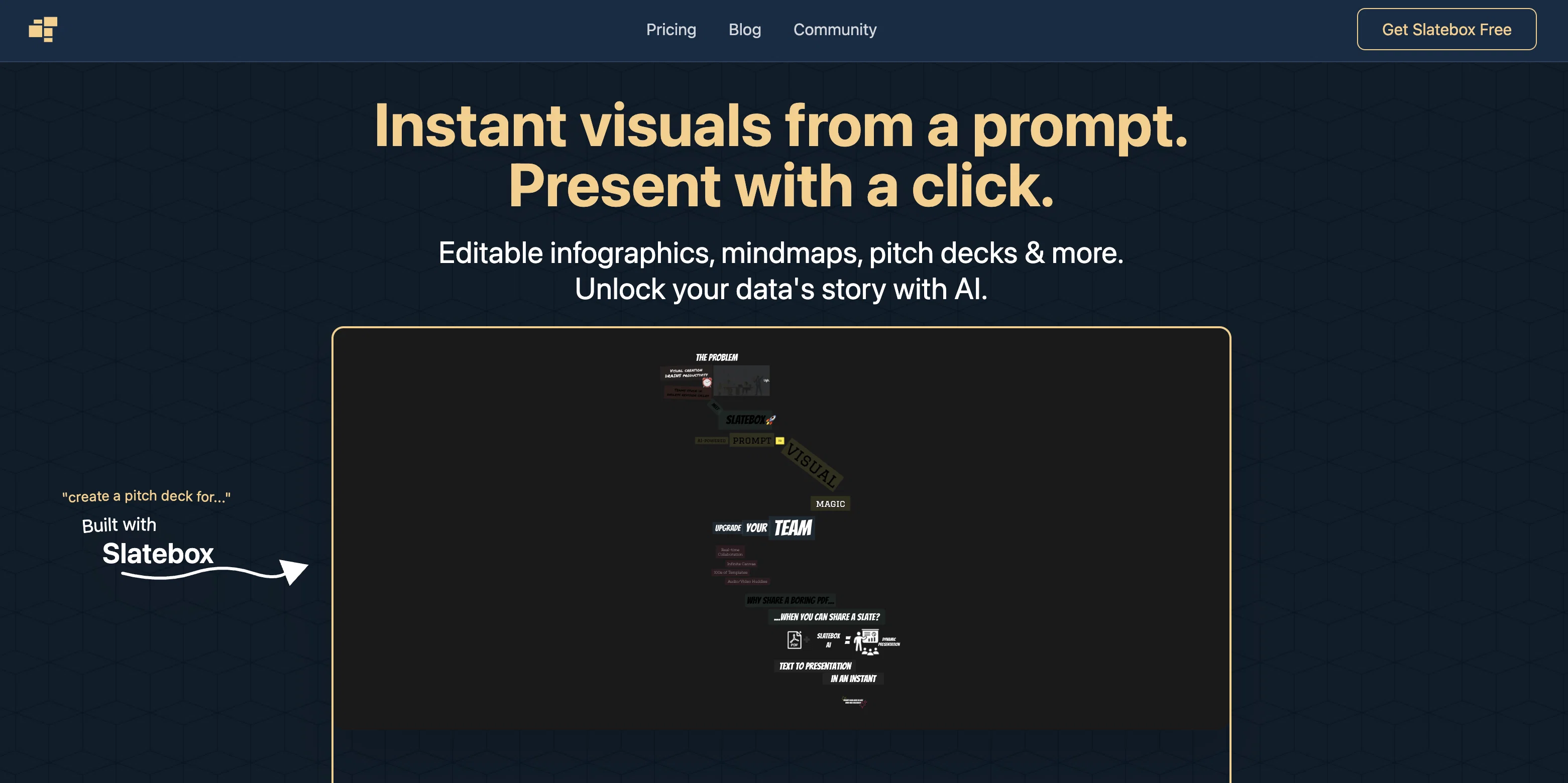
Slatebox is a visual collaboration platform with AI capabilities that allows users to create editable visualizations using natural language prompts. With the platform, users can provide a text prompt or URL and auto-generate an entire diagram with varying levels of detail using over 100 pre-built templates.
The AI assistant within Slatebox can auto-populate sticky notes for any objective provided by the user to jumpstart collaboration sessions. The tool also offers real-time, multi-cursor collaborative canvases that allows teams to work together with Slatebox AI to build diagrams.
The platform integrates with Microsoft Teams, Slack, GitHub, and other third-party services to auto-diagram and document ecosystems. Additionally, API integration is available to connect a user's business directly with the Slatebox AI.
Users can also generate magic links to share with friends and colleagues, and themes can be applied to change the look of a slate. The platform has more than 5 million shapes available through a partnership with The Noun Project and provides users with smart color picking for color palettes.
Users can revert to previous saved versions of a slate with auto-snapshots and explore the thousands of community slates for inspiration. Slatebox offers multiple pricing plans, including a free forever plan with limitations on the number of private slates and team members.
Overall, Slatebox provides an intuitive and flexible tool for visual collaboration and creating expressive mind maps.
Best for
Short scenarios where Slatebox tends to shine.
-
Creating mind maps
Best for Teams
-
Generating infographics
Best for Project managers
-
Building timelines
Best for Marketing professionals
-
Developing pitch decks
Best for Educators
-
Transforming PDFs into presentations
Best for Consultants
-
SWOT analyses, Venn diagrams
Best for Presenters
Example outputs 1
Sample generations and before/after results for Slatebox.
Access & connections
Where you can use Slatebox, and what it plugs into.
Platforms
Integrations
Capabilities
What this tool accepts, produces, and is strongest at.
Input
- API
- Tabular
- Text
Output
- API
- Image
Pros & cons
Pros
- Editable visualizations
- Auto-generatation from text prompts
- Auto-populate sticky notes
- Real-time, multi-cursor collaboration
- Microsoft Teams integration
- Slack integration
- GitHub integration
- API integration available
Show 24 more
- Generates magic links
- Theme applications
- 5 million+ shapes
- Smart color picking
- Auto-snapshots
- Community slates
- Multiple pricing plans
- Free plan available
- 100+ pre-built templates
- Audio huddles
- Google Image Search integration
- Unlimited team members
- 3rd party integrations
- Integrated Google Image Search
- Mind map creation
- Async comment resolution
- Node image insertion
- Privacy control
- User-friendly
- Automated theme selection
- Color palette customization
- Wireframe support
- Supports expressive mindmaps
- Partnership with The Noun Project
Cons
- Limited private slates
- Unlimited public collaboration only
- Limited number of team members
- Some features are pending
- Limited guest passes
- Integration and API access not immediate
- Limited magic links
- No color theme customization
Show 1 more
- Unstable free forever plan
Compare alternatives
Similar tools in the catalog — with a clear reason to open each one.

Mind Map Wizard ✓
FreemiumGenerate mind maps with AI: free, no sign-up, no ads
Why look Offers a public API
Full comparison
InstantMind ✓
Free TrialAI-powered mind maps from any content, instantly.
Why look Better for writing
Full comparison
MindMap AI ✓
FreemiumTurn ideas and files into AI powered mind maps
Why look Typically cheaper
Full comparison
Mindmap ✓
FreemiumVisualize ideas effortlessly with free mindmaps.
Free + from $12/mo
Full comparison
Mapify ✓
PaidTransform anything to mind maps by AI
Why look Higher community rating
Full comparisonPeople also view
Tools that often show up alongside Slatebox in collections and comparisons.
InstantMind ✓
Free TrialAI-powered mind maps from any content, instantly.
MindMap AI ✓
FreemiumTurn ideas and files into AI powered mind maps
Mindmap ✓
FreemiumVisualize ideas effortlessly with free mindmaps.
Mind Map Wizard ✓
FreemiumGenerate mind maps with AI: free, no sign-up, no ads
Mapify ✓
PaidTransform anything to mind maps by AI

Chartai ✓
FreemiumChatGPT for charts and diagrams.

VizText ✓
FreeAI Diagram Generator — from Prompt or Chat

Readpodcast AI ✓
FreemiumRead, search and chat with any podcast or video.
Releases 1
Imported reviews 1
I'm the creator, so I'm biased. Slatebox lets you build editable diagrams/visuals using natural language. You can even chat with the AI to build a diagrams in real-time and brainstorm together. Real-time collaborate with your team. Starts at free.
FAQ 12
What is Slatebox?
How does Slatebox's AI work with text prompts or URLs?
Can Slatebox create visualizations from any text input?
How can I collaborate with others using Slatebox?
Which third-party services does Slatebox integrate with?
What is API integration on Slatebox?
What is a magic link in Slatebox, and how do I create it?
How do I transform the aesthetic of my slate?
How does the auto-snapshot function work on Slatebox?
Are there pricing plans available for Slatebox?
Can I make my slates private on a free Slatebox plan?
What kind of shapes and images can be used in Slatebox?
Related tools
Recommended

LearningStudioAI ✓
Free TrialAI-powered authoring tool for effortless online course creation.

AI Toolbox for innovators ✓
FreeSupercharge innovation with AI-powered tools

VenturusAI ✓
FreemiumBusiness idea analysis and reporting.

Hyperis ✓
FreemiumOrganized task prioritization.

Scisummary ✓
Free TrialCutting-edge scientific articles summarization.

Stratup.ai ✓
FreemiumInnovative idea generation for businesses.