

InsightJini ✓
Chat with your data for instant insights.
from $10.99
Verdict
A quick read before you dig into the full page.
- Best if
- You are data analysts and need: Analyzing data from Excel or CSV files to gain insights
- Skip if
- Limited data storage duration
- Pick this when
- Simple data analysis
Considering Grapha AI instead? Compare side by side
Overview
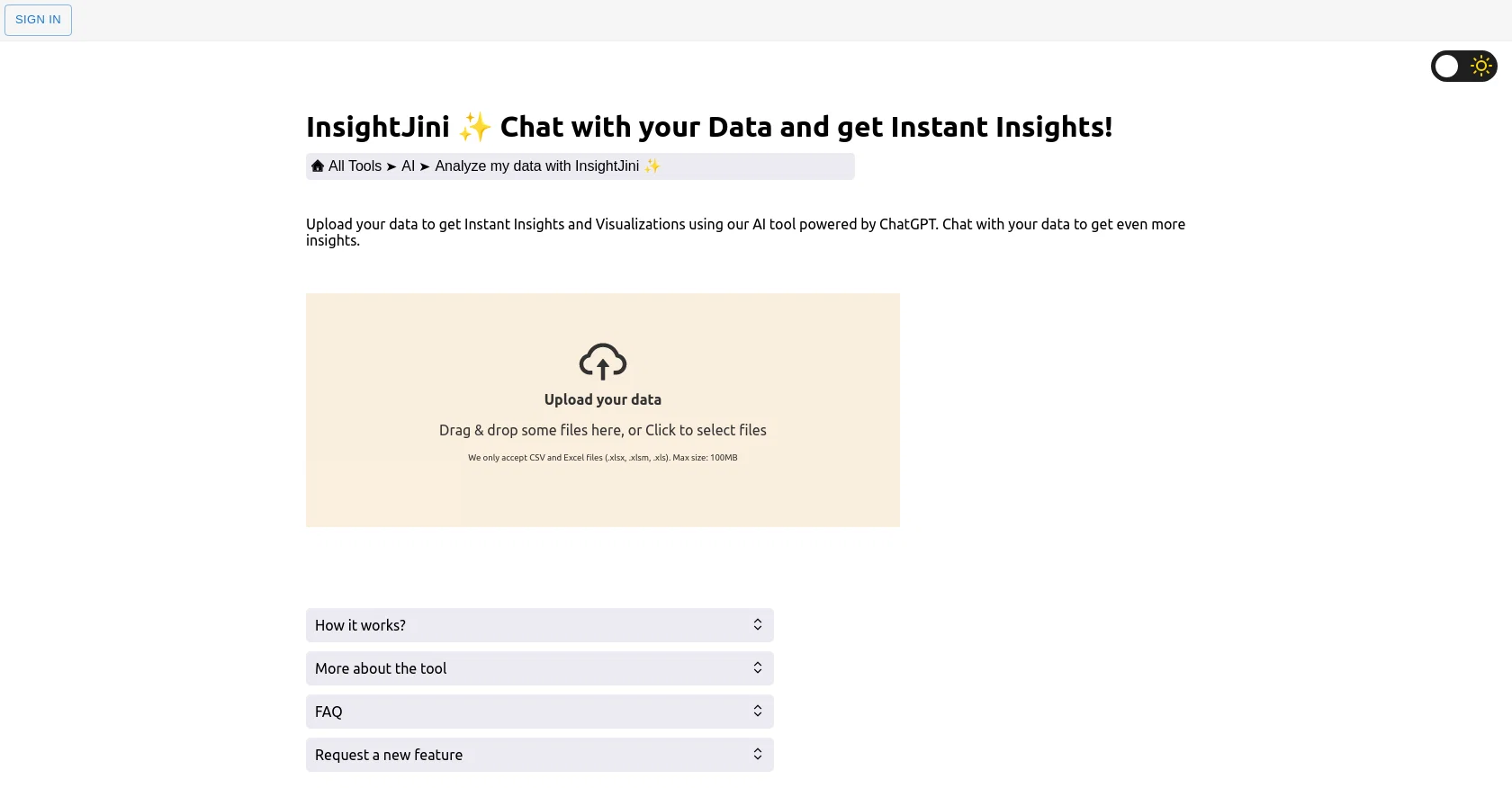
InsightJini is an AI-powered tool that allows users to upload their data and get instant insights and visualizations without the need for programming knowledge.
Users can upload Excel or CSV files, review their data, and explore their charts and insights in an intuitive interface. The tool aims to bridge the gap between traditional methods of data analysis, which can be time-consuming and require extensive manual effort, and code-based alternatives, which demand specialized programming skills.
The integration with ChatGPT allows users to engage in conversational interactions with their data, making the exploration process even more interactive and intuitive.
The tool can handle files up to 100MB and stores the data for 24 hours only before deleting it. InsightJini does not offer an API at the moment. The cost of using the tool depends on the number of task credits required for each file upload and the AI words consumed by the chatting feature.
The intuitive interface and automated data processing allow users to focus on exploring and understanding their data rather than wrestling with technical complexities.
Overall, InsightJini is a user-friendly and efficient tool for those looking to gain insights and visualizations from their data without the need for extensive coding or manual effort.
Best for
Short scenarios where InsightJini tends to shine.
-
Analyzing data from Excel or CSV files to gain insights
Best for Data analysts
-
Generating AI Images using Stable Diffusion
Best for Researchers
-
Paraphrasing text
Best for Students
-
Summarizing articles and webpages
Best for Writers
Example outputs 1
Sample generations and before/after results for InsightJini.
Access & connections
Where you can use InsightJini, and what it plugs into.
Platforms
Integrations
Capabilities
What this tool accepts, produces, and is strongest at.
Input
- Tabular
Output
- Text
Pros & cons
Pros
- Simple data analysis
- Data visualization for non-experts
- Excel, CSV file support
- Auto-insights
- Interactive interface
- ChatGPT integration
- Interactive data exploration
- Handles up to 100MB files
Show 10 more
- Data storage for 24 hours
- User-friendly
- Efficient
- No need for programming
- Automated data processing
- Credit-based cost
- Drag and drop file upload
- Interactive Q&A for data
- Instant responses
- Ability to delve deeper
Cons
- No API availability
- Limited data storage duration
- File size maximum 100MB
- No programming features
- Costs per file upload
- Only support CSV, Excel files
- No language processing options
Compare alternatives
Similar tools in the catalog — with a clear reason to open each one.

Grapha AI ✓
PaidUncover hidden trends and patterns in your data effortlessly.
from $150
Full comparison
DataSquirrel ✓
FreemiumData cleaning & visualization for insights gained.
Why look Freemium alternative
Full comparison
Breadcrumb ✓
FreemiumAutomate data work and reporting with AI Agents. No data|coding skills required.
Why look Freemium alternative
Full comparison
Anomaly AI ✓
FreemiumAI data analysis workspace for business datasets and reports.
Why look Freemium alternative
Full comparison
Storytell.ai ✓
FreemiumTurn your data chaos into meaningful insights
Why look Freemium alternative
Full comparison
ChartPixel ✓
FreemiumAI-assisted graphs and insights in 30 seconds!
Why look Freemium alternative
Full comparisonPeople also view
Tools that often show up alongside InsightJini in collections and comparisons.
Storytell.ai ✓
FreemiumTurn your data chaos into meaningful insights
Grapha AI ✓
PaidUncover hidden trends and patterns in your data effortlessly.
Anomaly AI ✓
FreemiumAI data analysis workspace for business datasets and reports.
DataSquirrel ✓
FreemiumData cleaning & visualization for insights gained.
ChartPixel ✓
FreemiumAI-assisted graphs and insights in 30 seconds!
Breadcrumb ✓
FreemiumAutomate data work and reporting with AI Agents. No data|coding skills required.

LDOO ✓
FreemiumAsk marketing questions, get instant branded reports.

GA4.so ✓
FreeAI agent for Google Analytics 4 & Google Search Console
Releases 1
FAQ 12
What is InsightJini?
What does InsightJini do?
Who can use InsightJini? Do I need any coding knowledge?
How does InsightJini work?
What kind of files can I upload in InsightJini?
What is the maximum file size accepted by InsightJini?
For how long does InsightJini store my data?
What happens to my data after 24 hours on InsightJini?
Does InsightJini provide an API for integration?
How much will it cost me to use InsightJini?
What are task credits in the context of InsightJini?
How does the ChatGPT integration enhance the functionality of InsightJini?
Related tools
Recommended

LearningStudioAI ✓
Free TrialAI-powered authoring tool for effortless online course creation.

VenturusAI ✓
FreemiumBusiness idea analysis and reporting.

Stratup.ai ✓
FreemiumInnovative idea generation for businesses.

Hyperis ✓
FreemiumOrganized task prioritization.

Scholarcy ✓
FreemiumConvert long articles into summary flashcards.

Hal9 ✓
FreemiumBuild your AI-Powered Product in 30 Days