

Imgex.ai ✓
All image and video AI models in one studio.
Verdict
A quick read before you dig into the full page.
- Best if
- All image and video AI models in one studio
- Skip if
- Credit-based usage can be costly
- Pick this when
- Unified platform for media creation
Considering Photo AI instead? Compare side by side
Overview
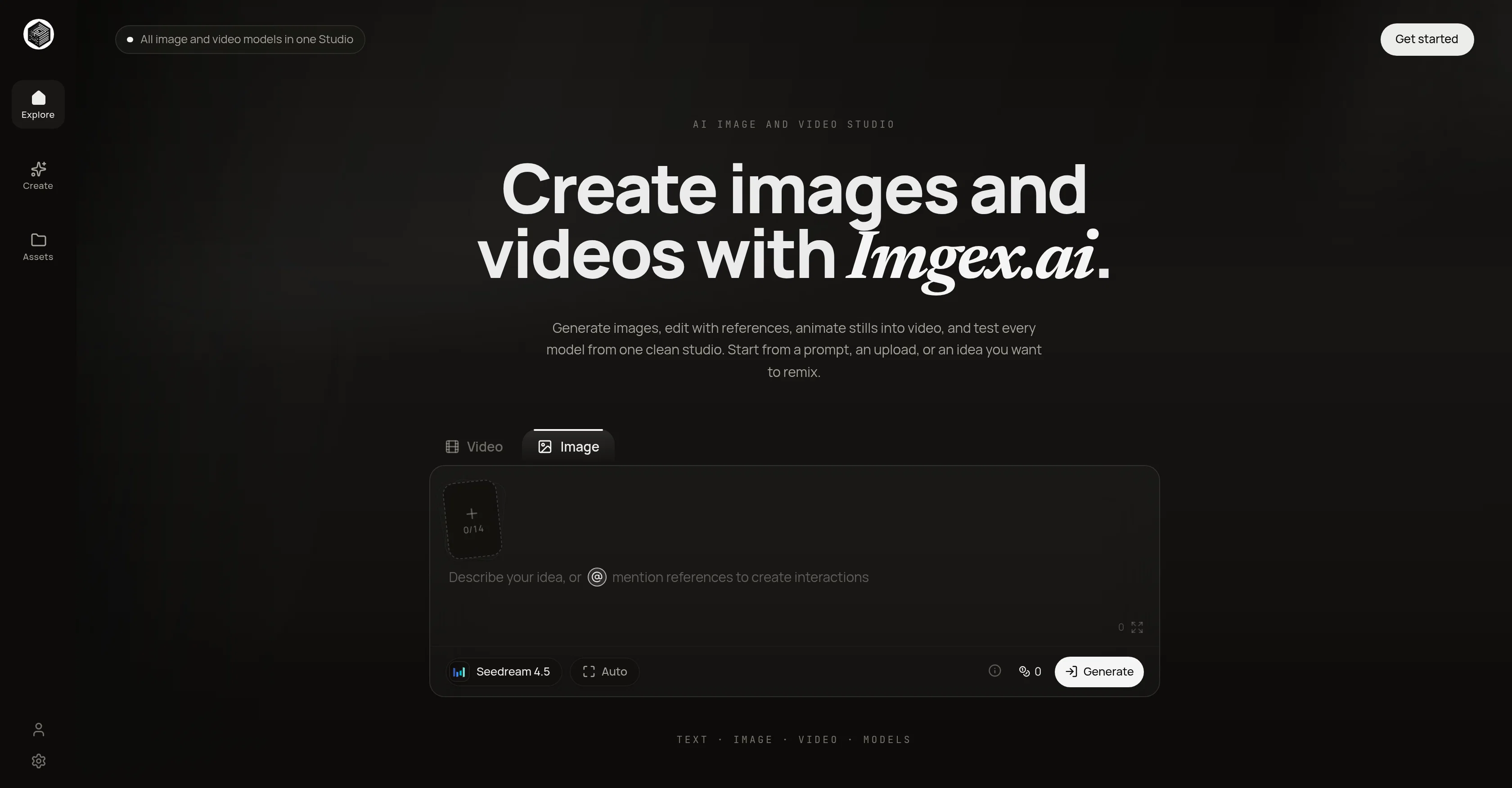
Imgex.ai simplifies the process of creating artificial intelligence (AI) driven images and videos. Its platform offers a single unified studio where users can generate, edit and animate images into videos, and experiment with various models.
The tool supports beginning the creative process from a prompt, an uploaded file, or from an idea that users wish to remix. It positions itself as worldwide AI image and video studio that allows exploration and creation of assets.
Users can describe a scene, choose duration and aspect ratio, then test the best video model. Imgex.ai's model selection includes Seedream, Seedance, Kling, Veo, WAN, Grok, Nano Banana, Flux, PixVerse, GPT Image, Qwen, and more.
It supports 9:16, 16:9, 1:1 aspect ratios suitable for a variety of outputs such as portraits, product pages, ads, and more. Along with this, it also provides option to specify the style system such as anime, film noir, claymation, and others.
Moreover, Imgex.ai offers a history of generated items, allowing users to revisit and continue developing previous projects. The platform maintains its commitment to simplicity, taking users from an idea to a usable asset with minimal steps.
Users have the option to start with a written prompt, or upload an image. Once the media type, model, aspect ratio, and other settings have been selected, generated outcomes can be reviewed and refined within the same workspace.
Access & connections
Where you can use Imgex.ai, and what it plugs into.
Platforms
Integrations
Capabilities
What this tool accepts, produces, and is strongest at.
Input
- Text
Output
- Image
Pros & cons
Pros
- Unified platform for media creation
- Option to animate images
- Supports multiple creative models
- Supports multiple aspect ratios
- Supports custom style systems
- History of generated items
- Can start from prompt
- Review and refine results
Show 41 more
- Seedream, Seedance, Kling, Veo models etc.
- Supports anime, film noir
- Supports claymation style
- allows content remixing
- user-friendly interface
- Content creation, editing in one place
- Upload or prompt initiation
- Different models for style experimentation
- 9:16, 16:9, 1:1 supported ratios
- Targeted for various outputs
- Model selection as per need
- History to revisit projects
- Retouch and refine workspace
- Prompt-first creative approach
- Image-to-image reference editing
- Diverse model picker option
- Variety of creative formats
- Clear visual system naming
- First-to-last frame motion control
- Generation history saved
- Prompt or upload initial step
- Choice between image or video
- Option to save, compare, continue
- Generation, reference editing in credits
- Optional advanced model controls
- Fastest generation queue for premium
- Output history saved for all
- Options for hobbyists, pros, teams
- Customer support for base pack
- Flexible pricing plans
- Credits system for services
- Comparing image outputs
- Scene-specific model controls
- Palette and style guide
- Compatible with old subscriptions
- Commercial use by teams
- New model addition flexibility
- Private generation for premium
- Storyboard beats creation
- Switch between image, video modes
- Frames can have a planned arc
Cons
- No multi-user collaboration support
- Lacks offline functionality
- No API for integration
- Limits in model customization
- No version control feature
- Credit-based usage can be costly
- Inflexibility in aspect ratios
- Slow generation times
Show 2 more
- Limited style systems opportunity
- No mobile app available
Compare alternatives
Similar tools in the catalog — with a clear reason to open each one.


Stockimg AI ✓
PaidGenerated images and text for design ease.
Why look Stronger for image work
Full comparison


Releases 1
FAQ 12
What is the Imgex.ai AI Image and Video Generator?
What is prompt-based generation in the context of Imgex.ai?
How does the model selection feature of Imgex.ai work?
What types of visual asset creation can Imgex.ai handle?
Can I reuse images or videos generated by Imgex.ai?
What is the function of the generation history of Imgex.ai?
How does the credit-based system of Imgex.ai work?
What is a creative studio environment in relation to Imgex.ai?
Can Imgex.ai help with project management?
How does Imgex.ai support visual asset creation?
How does Imgex.ai help save time?
How can one use Imgex.ai for content management?
Related tools
Recommended

DeepSeek ✓
FreeUnravel the mystery of AGI with curiosity

ChatPlayground AI ✓
PaidThe #1 Platform for Comparing AI Models

Vidu AI Video Generator ✓
FreemiumTransform text and images into high-quality AI videos.

VideoTube ✓
PaidGenerate AI videos from text, image, and video in minutes.

WaveSpeedAI ✓
PaidFastest AI video & image generation for the world.

VenturusAI ✓
FreemiumBusiness idea analysis and reporting.