

Videos 2026 Rank: #873
HeyVid AI ✓
Transform any text to video with AI.
from $25/mo
Verdict
A quick read before you dig into the full page.
- Best if
- Transform any text to video with AI
- Skip if
- Complex API integration
- Pick this when
- Text to Video transformation
Considering freebeat AI instead? Compare side by side
Overview
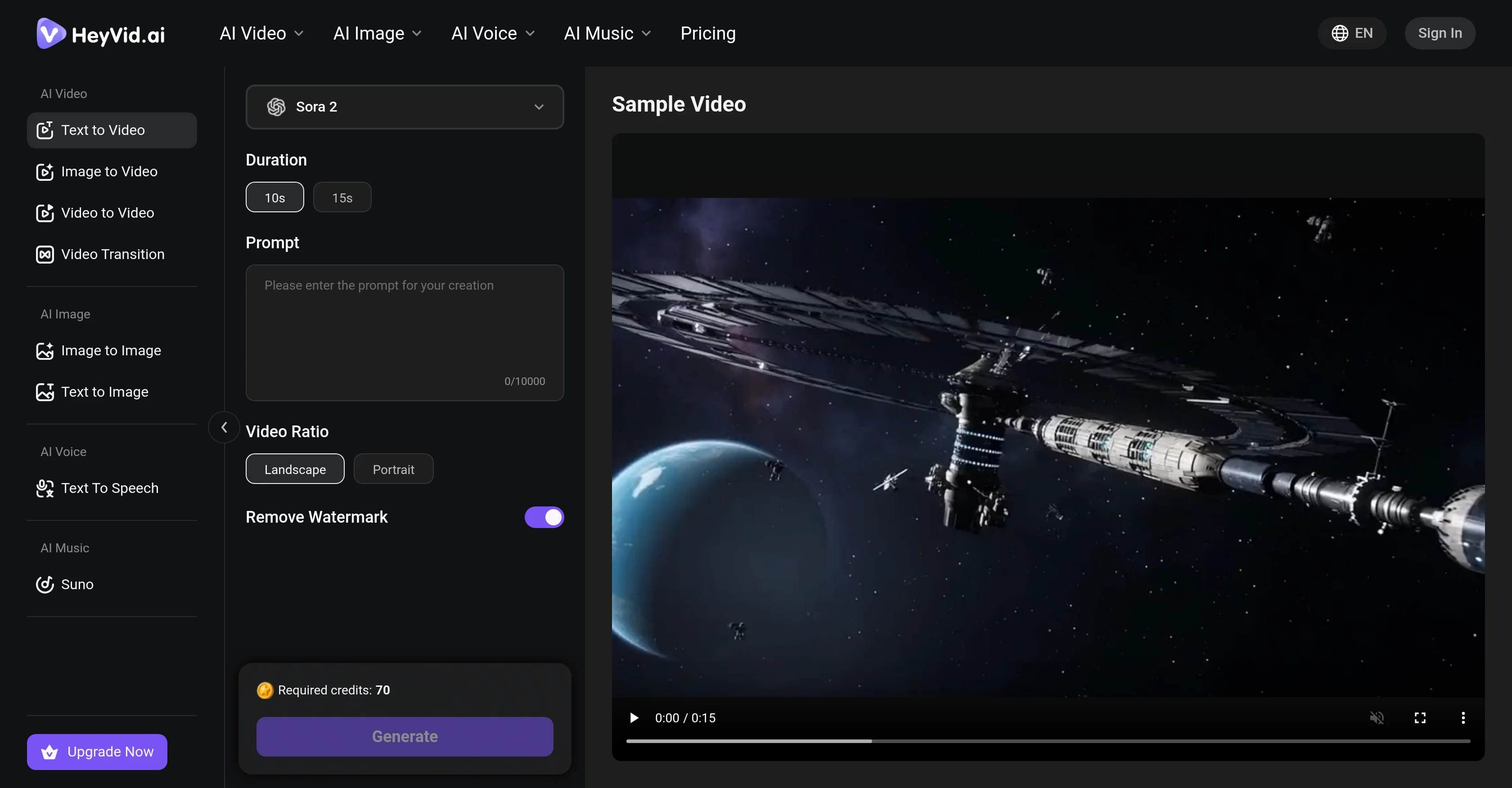
HeyVid AI is a comprehensive AI-driven online tool designed to generate professional video and image content. Its core feature is the Text to Video transformation where it converts users' scripts into stunning, captivating videos.
The AI understands natural language and can transform words into visual stories, creating matching scenes automatically from any narrative. It handles all formats, including short prompts or detailed scripts, aiming to deliver professional results with minimal effort.
The tool's capabilities extend to controlling visual aspects such as style selections including cinematic, animated, realistic or artistic styles. The concept of durations, aspect ratio settings, colors, pacing, and mood can all be manipulated to fit the users' vision.
HeyVid AI also offers Batch Text to Video Generation where multiple projects can be processed simultaneously, making it an optimal tool for bulk production.
Developers can integrate the Text to Video capabilities into their own applications through the use of a RESTful API, allowing them to build powerful text to video solutions.
Moreover, the metadata on the website suggests other features like AI Voice and AI Image to animate a still image into a dynamic video or to turn simple image prompts into videos.
Access & connections
Where you can use HeyVid AI.
Platforms
Capabilities
What this tool accepts, produces, and is strongest at.
Input
- API
- Text
Output
- Video
- API
Highlights
- SOTA
- API
Supported features
- Video Generation
- Video Edit
- Video Avatars
- Image Edit
- Image Generation
- Lip Sync
- Voice Cloning
- TTS
- Music Generation
- Sound Creation
Show 2 more
- Styling
- API
Models
Text
Image
Audio
Video
Pros & cons
Pros
- Text to Video transformation
- Handles all formats
- Visual aspects control
- Style selection feature
- Batch processing capability
- API Integration available
- Multilingual support
- Metadata control
Show 29 more
- Detailed scripts handling
- Short prompts handling
- Natural language understanding
- Automatic scene creation
- Video aspect ratios customization
- Color control options
- Pacing control options
- Mood control options
- Bulk production support
- Professional results delivery
- Minimal effort use
- Multiple creation modes support
- Real-time job tracking
- Async processing via webhooks
- Comprehensive documentation
- SDKs availability
- Converts images to videos
- Multiple video models support
- Removes watermark feature
- Generates professional videos from text
- Unique animation styles
- Transforms image prompts into videos
- Automatic video transitions
- Easy four-step video creation
- Wide range of visual styles
- Efficient text to video solution
- Professional Video Style Controls
- Trusted by millions
- Positive User Reviews
Cons
- Limited style selections
- Complex API integration
- May require technical skills
- Unknown processing speed
- Multi-language support unclear
- Unspecified video quality
- Limited information on available models
- Unknown limits on batch processing
Compare alternatives
Similar tools in the catalog — with a clear reason to open each one.

freebeat AI ✓
FreemiumTurn Music & Ideas into Viral Videos In One Click
Why look Freemium alternative
Full comparison
MagicLight ✓
FreemiumTransform text into captivating videos instantly.
Why look Freemium alternative
Full comparison

HeyGen ✓
FreemiumCreate AI spokesperson videos from text
Why look Freemium alternative
Full comparison

Seedance ✓
FreemiumMulti-shot video generation from text and image.
Why look Typically cheaper
Full comparisonReleases 1
FAQ 12
What is the main functionality of HeyVid AI?
How does HeyVid AI convert text to video?
What does the Batch Text to Video Generation feature in HeyVid AI do?
How does HeyVid AI handle different script formats?
What are the different style selections available in HeyVid AI?
Can I manipulate the pacing and mood of a video in HeyVid AI?
How can developers integrate HeyVid AI's Text to Video capabilities into their own applications?
What is the AI Voice feature in HeyVid AI?
What can the AI Image feature of HeyVid AI do?
Can HeyVid AI animate still images into dynamic videos?
What is metadata control in HeyVid AI?
How does HeyVid AI support bulk production?
Related tools
Recommended

remio: Your Personal ChatGPT ✓
FreemiumGet Tailored Answer with Your Personal ChatGPT

Cursor ✓
FreemiumAI-powered IDE for faster coding

Github Copilot ✓
FreemiumAI-powered coding assistant for faster development

Fabricate ✓
FreemiumFabricate builds entire web apps from a single prompt - free!

Google Flow ✓
PaidYour AI creative studio by Google.

MiDash AI ✓
FreemiumInvest naturally with conversational AI.