

Guides vv1.2.0 2026 Rank: #518
Guideless ✓
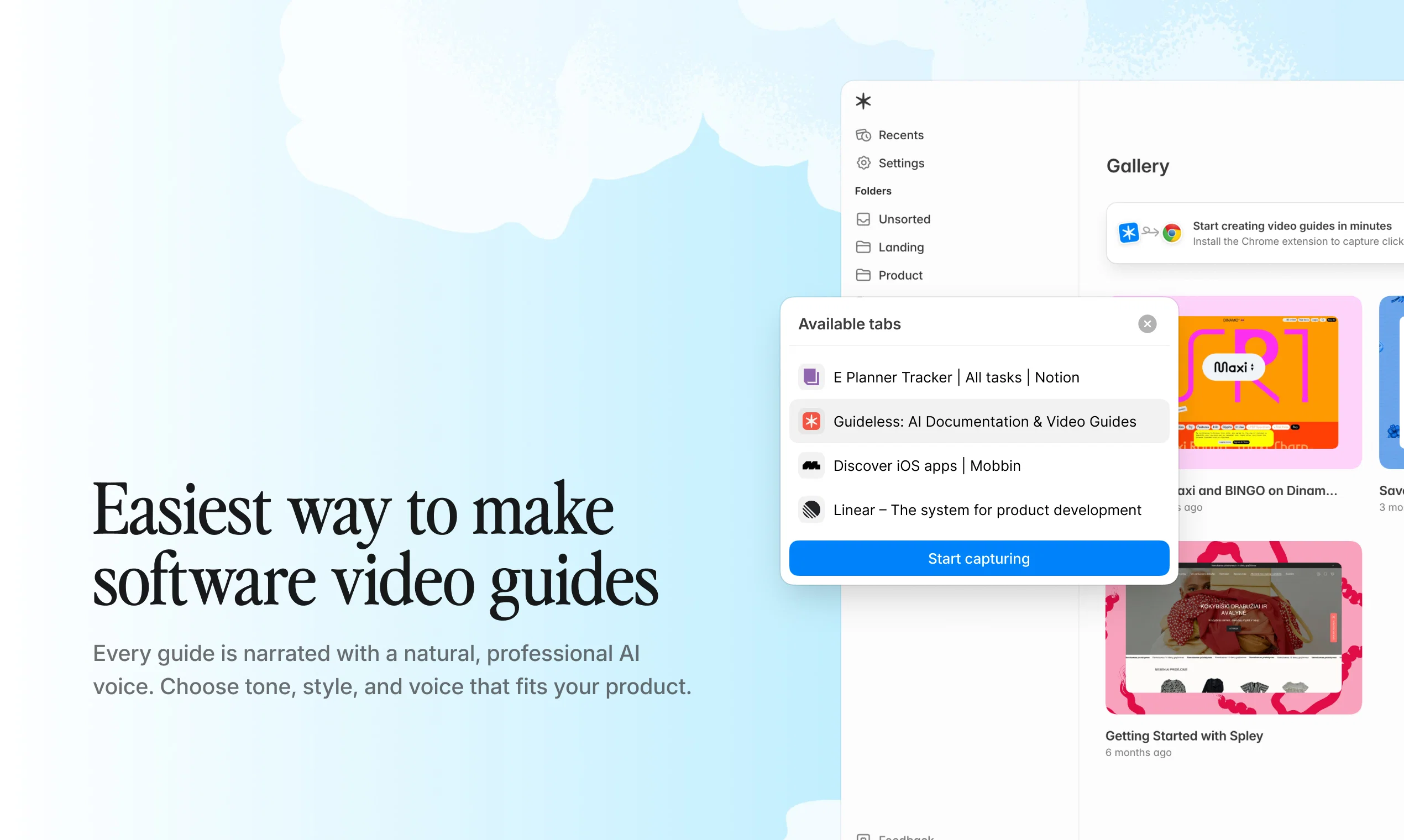
Turn any browser workflow into a polished, AI-narrated video guide in minutes.
Verdict
A quick read before you dig into the full page.
- Best if
- You are product Managers and need: Creating customer onboarding walkthroughs
- Skip if
- Export limited to MP4
- Pick this when
- Instant AI-narrated video guides
Considering Guidejar instead? Compare side by side
Overview



Use cases:
Product walkthroughs, customer onboarding, employee training, and support documentation.
Key features:
- AI-written narration and natural voiceover
- Smart zooms and highlights for clarity
- Blurring sensitive data
- Built-in captions for accessibility
- Always consistent and on-brand
- Shareable URLs, embed codes, and export to MP4
- Team workspace to co-create guides
- Analytics
How it works:
- Add the Chrome extension
- Click through your workflow
- Share, embed or export your guide
Privacy built-in:
Your guides and data are never used to train AI models and are securely encrypted.
Best for
Short scenarios where Guideless tends to shine.
-
Creating customer onboarding walkthroughs
Best for Product Managers
-
Developing internal employee training and SOPs
Best for Customer Success Managers
-
Generating product launch feature announcements
Best for Support Operations Leads
-
Building a visual help center for customer support
Best for Enablement Managers
Example outputs 1
Sample generations and before/after results for Guideless.
Access & connections
Where you can use Guideless, and what it plugs into.
Platforms
Integrations
Capabilities
What this tool accepts, produces, and is strongest at.
Input
- Image
- Text
Output
- Audio
- Video
- Text
- Image
Highlights
- Use code TAAFT
- 50% OFF
Supported features
- Docs
- Video Generation
- TTS
- Transcription
- Team Collaboration
Pros & cons
Pros
- Instant AI-narrated video guides
- No screen recording or editing needed
- Automatic step capture
- AI-written narration & voiceover
- Smart zooms & highlights
- Built-in captions
- Consistent, on-brand output
- Analytics
Show 12 more
- 10× faster documentation
- Blurring sensitive data
- Perfect for onboarding & training
- Reusable content library
- Embeddable across platforms
- Supports e-learning & visual knowledge sharing
- Boosts productivity & reduces support load
- Automates documentation & SOP
- Interactive, visual learning for employee training
- Ideal for L&D, product managers & SaaS teams
- Supports export to MP4 for social media sharing
- Ready to share or embed
Cons
- No offline access
- No desktop app
- Limited platform integration
- Export limited to MP4
- No option for background music
Compare alternatives
Similar tools in the catalog — with a clear reason to open each one.

Guidejar ✓
FreemiumThe smartest way to create shareable how-to guides
Free + from $12/mo
Full comparison
Guidde ✓
FreemiumCreates step-by-step video instructions platform.
Free + from $16/mo
Full comparison
video2docs ✓
Free TrialTransform screen recordings into well-written how-to guides using AI.
Why look Typically cheaper
Full comparison
Dubble ✓
FreemiumTranslating your actions into step-by-step guides, videos, and screenshots.
Why look Typically cheaper
Full comparison
Wizardshot ✓
FreeCreate AI-powered tutorials in seconds.
Why look Fully free option
Full comparisonPeople also view
Tools that often show up alongside Guideless in collections and comparisons.
Wizardshot ✓
FreeCreate AI-powered tutorials in seconds.
video2docs ✓
Free TrialTransform screen recordings into well-written how-to guides using AI.

Scribe ✓
FreemiumInstantly create visual step-by-step guides.
Guidejar ✓
FreemiumThe smartest way to create shareable how-to guides
Guidde ✓
FreemiumCreates step-by-step video instructions platform.
Dubble ✓
FreemiumTranslating your actions into step-by-step guides, videos, and screenshots.

ManualFig ✓
FreemiumTurn product photos into instruction manual illustrations.

Gridcast Sports Guide ✓
FreeFind every game and where to watch it live
Releases 2
The latest release comes with a completely revamped UI and UX, along with several new features designed to make guide creation even more effortless while delivering higher-quality results:
- 4K MP4 exports for sharper, crisper video quality
- Insights dashboard to track guide performance, including views, completion rates, and drop-off points
- Team Workspaces for collaborating and co-creating guides with colleagues
- Sensitive data blurring to protect confidential information during capture
- One-click guide duplication for creating variants or translating guides into multiple languages
- Refine with AI for instant transcript improvements and content adjustments using natural language
- Expanded AI voiceover library with support for 42 languages
This is another step toward making Guideless the fastest and easiest way to create professional software guides at scale.
Imported reviews 1
Hey everyone, I’m Evaldas, co-founder of Guideless, the fastest way to turn any browser workflow into a polished, AI-narrated video guide in minutes. No screen recording. No tedious editing. Just turn on the extension, click through your process as you normally would, and instantly get a share-ready guide. We recently shipped a major update: a sleeker UX and new high-quality AI voiceover characters — making guides sound and feel more vibrant than ever. Give Guideless a try and see how effortless creating high-quality tutorials can be 🪄
FAQ 12
How does Guideless use AI to create documentation?
What does Guideless do with my recorded activities?
How can I share the video tutorials created by Guideless?
How do I use Guideless to record my workflow?
Does Guideless allow me to create narrated videos?
What platforms can Guideless video guides be shared or embedded on?
Does using Guideless require any prior knowledge in video editing or AI?
How does Guideless improve my communication efficiency?
Can I use Guideless for creating e-learning videos?
What's the difference between Guideless and manual video guide creation?
How does Guideless help with knowledge management?
Can Guideless be used to create how-to videos?
Related tools
Recommended

Notis ✓
Free TrialThe first WhatsApp assistant that runs on your ChatGPT and Claude subscriptions

Thea ✓
FreemiumAI study tools to master material, not just memorize it.

TheLibrarian.io ✓
Free TrialYour WhatsApp AI assistant for instant productivity.

freebeat AI ✓
FreemiumTurn Music & Ideas into Viral Videos In One Click

remio: Your Personal ChatGPT ✓
FreemiumGet Tailored Answer with Your Personal ChatGPT

PrompTessor ✓
FreemiumAI Prompt Workspace for Better AI Results