
GoatRemote ✓
Turn your Apple TV remote into a smart Mac controller.
from $15
Verdict
A quick read before you dig into the full page.
- Best if
- Turn your Apple TV remote into a smart Mac controller
- Skip if
- Limited manual typing support
- Pick this when
- Transforms Siri Remote into Mac controller
Considering VoiceOS instead? Compare side by side
Overview
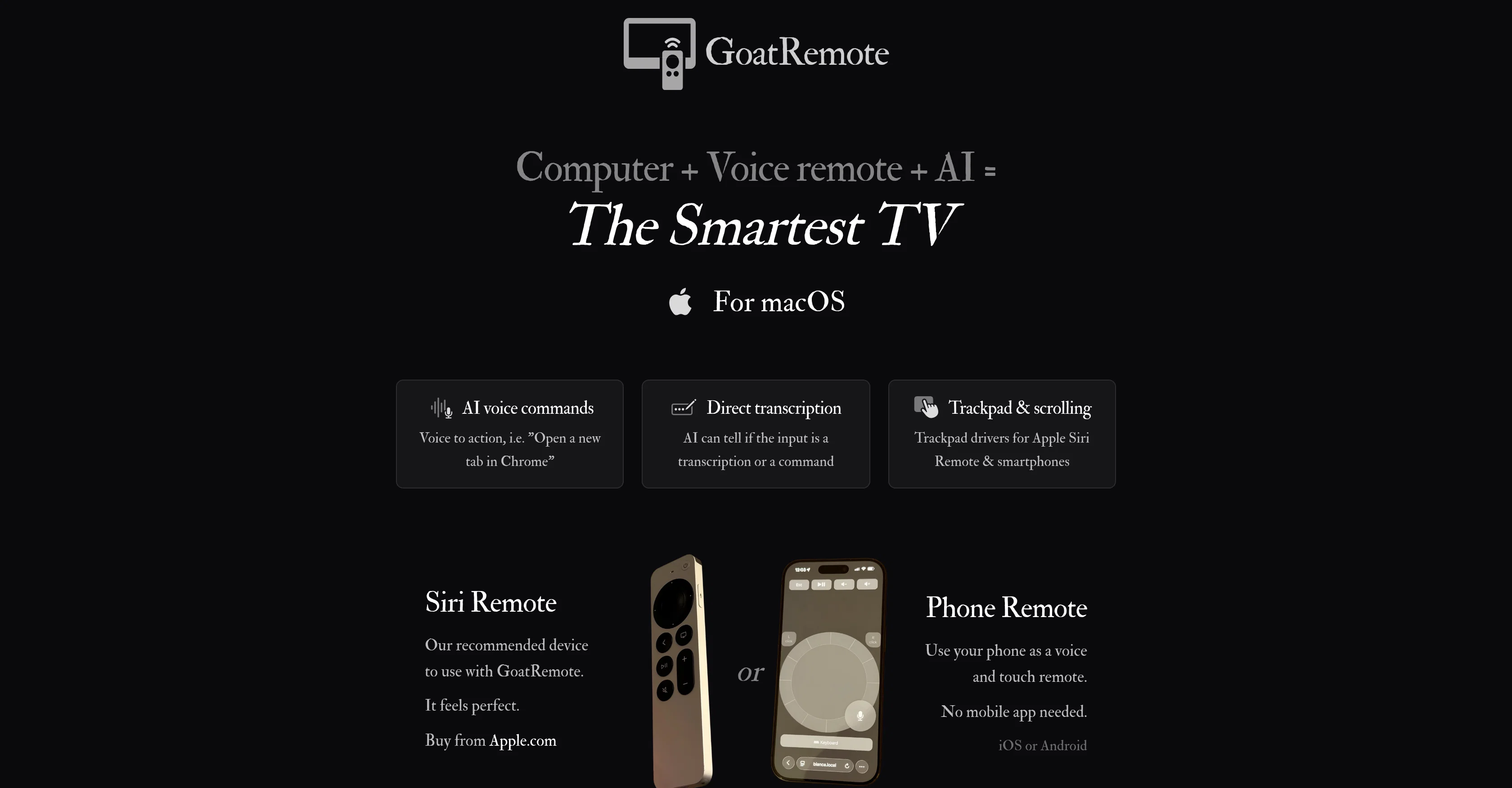
GoatRemote is an innovative tool designed to convert your Apple TV Siri Remote or smartphone into a controller for your Mac. It leverages AI technology to provide integrated voice commands, trackpad features, and direct transcription capabilities.
With GoatRemote, users can perform actions such as opening tabs in Chrome via voice commands, or use the AI to interpret if the input is a transcription or a command.
It is created to facilitate a better, hands-free user experience, even in loud environments or while multi-tasking. It works offline by utilizing local AI models to interpret commands and transcriptions on your Mac.
It also includes a user-friendly on-screen keyboard for instances where voice input might not be sufficient. GoatRemote has a battery-friendly option as well, with a low-power mode that does not compromise on speed or accuracy.
Its flexible compatibility allows for use of either the Siri Remote or an iOS or Android smartphone as a remote. It is ideal for various use-cases including home theatre experiences, live presentations, writing, or even silent interactions with the softest whispers.
Its aim is to provide an innovative, fast, and intuitive interface for Mac users to control their computers remotely or more conveniently.
Access & connections
Where you can use GoatRemote, and what it plugs into.
Integrations
Capabilities
What this tool accepts, produces, and is strongest at.
Input
- Text
- Audio
Output
- Code
- Text
Highlights
- Local
Supported features
- Computer Use
- Mobile Companion
- Runs Locally
- STT
- Transcription
Pros & cons
Pros
- Transforms Siri Remote into Mac controller
- Combines trackpad, buttons, voice commands
- No need for cloud
- Optimized for Apple Siri Remote
- Operates offline
- Uses locally interpreted commands
- Fast transcription and interpretation
- Smooth mouse control and scrolling
Show 17 more
- Battery-friendly option
- Features on-screen keyboard
- Adaptable to various settings
- Effective for home theatre experiences
- Ideal for writers
- Enables hands-free app control
- Turns smartphone into Mac controller
- Has direct transcription capabilities
- Designed for hands-free experiences
- Compatible with iOS and Android
- Works well in loud environments
- Allows for silent interactions
- Offers low-power mode
- Fast and intuitive interface
- Suitable for live presentations
- Perfect for multitasking
- Ideal for remote computer control
Cons
- Only for Apple TV remote
- Only supports iOS/Android smartphones
- Limited manual typing support
- Inefficient in loud environments
- Only detects direct voice input
- Not optimal for baby's quiet
- Needs specific Mac requirements for installation
- Uses 4GB GPU memory offline
Show 2 more
- Slow interpretation on base Macs
- Non-cloud operation could restrict global accessibility
Compare alternatives
Similar tools in the catalog — with a clear reason to open each one.

VoiceOS ✓
FreemiumUse your voice to control apps 10 faster.
Why look Freemium alternative
Full comparison
Parlo ✓
Free TrialVoice dictation, meetings, and Mac control, all on-device.
Why look Typically cheaper
Full comparison

Voiact ✓
FreemiumThe only AI assistant that runs your Trello through voice and chat
Why look Freemium alternative
Full comparison
Nestify ✓
FreeKeep family life organized in one shared place.
Why look Fully free option
Full comparison
Decision Forcing Studio ✓
FreeChat with AI to explore, solve, and learn.
Why look Fully free option
Full comparisonReleases 1
FAQ 12
What devices are compatible with GoatRemote?
How does the GoatRemote's transcription technology work?
Can GoatRemote work offline?
How does GoatRemote differentiate between a command and transcription?
What is required for the optimal usage of GoatRemote?
Is GoatRemote also compatible with smartphones?
Does GoatRemote work effectively with Android or only with iOS?
Can GoatRemote's AI process tasks like 'Open a new tab in Chrome' offline?
Does the Siri Remote enhance the user experience with GoatRemote?
How does GoatRemote deliver a swift transcription and interpretation process?
How does GoatRemote contribute to a smooth navigational experience?
Does the GoatRemote software have a battery saving option?
Related tools
Recommended

Presentation to Video ✓
FreemiumTurn your slides into narrated videos with AI voiceover

Wispr Flow ✓
FreemiumSpeak naturally, write perfectly, 4x faster.

TalkText ✓
FreemiumSmart Dictation in your browser or via a native macOS integration 🔥

Vossa: AI expense tracker ✓
FreemiumAI expense tracker with voice input and receipt scanning

AirCodum ✓
FreeControl VS Code and code, right from your phone, with AI!

Thinkbuddy ✓
FreemiumSimplify life with AI at your fingertips.