

Family organization 2026 Rank: #2041
Nestify ✓
Keep family life organized in one shared place.
Verdict
A quick read before you dig into the full page.
- Best if
- Keep family life organized in one shared place
- Skip if
- Limited third-party integrations
- Pick this when
- Developed for Apple devices
Considering Ember instead? Compare side by side
Overview
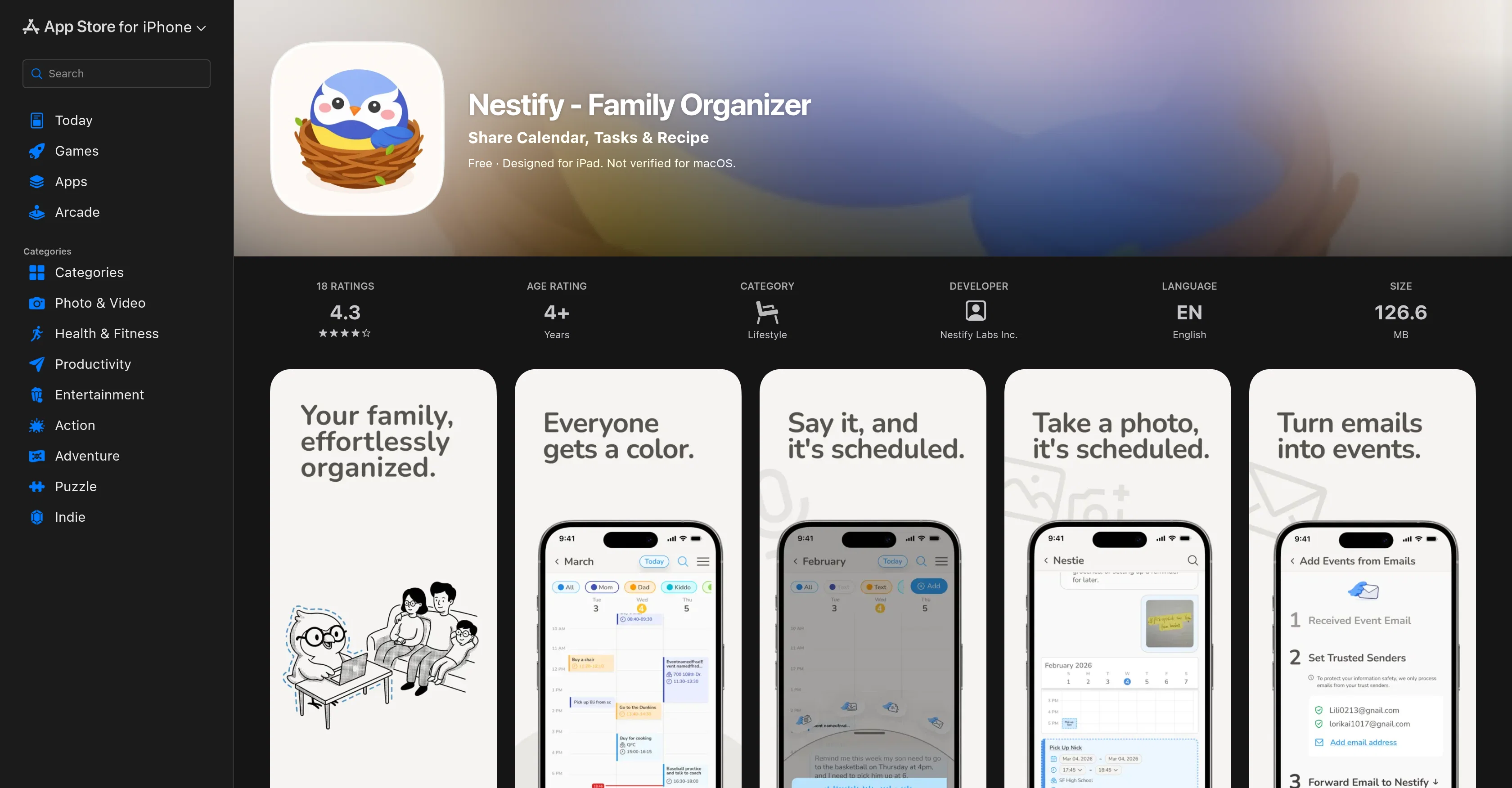
Nestify is an organizational tool designed to make managing family life easier and mess-free. The app offers shared family calendars, tasks, and meal planning all consolidated into one platform.
Through the use of shared calendars, Nestify enables the synchronization of schedules, allowing every member of the family to stay updated with planned events.
The app supports color-coded events associated with each family member, allowing for a visual grasp of who is involved in each event. Tasks such as chores, grocery lists, and to-dos can be introduced through voice commands, ensuring an efficient hands-free experience.
Updates to these tasks are shared in real-time across all user accounts, allowing each member to stay informed of changes or completed tasks. With the Recipe & Meals feature, users can plan dinners easily by picking from the app's recipe menu or by importing favorites from external platforms like Instagram and TikTok.
Adding meal ingredients to the shopping list can be done within seconds, simplifying the meal preparation process. The app aims to reduce the mental load from the user by actively listening, organizing, and keeping track of details.
Nestify is designed for user data privacy, with a minimal and intuitive interface for busy families. It is currently available for iOS devices including iPhone and iPad.
Access & connections
Where you can use Nestify, and what it plugs into.
Platforms
Capabilities
What this tool accepts, produces, and is strongest at.
Input
- Audio
Output
- Tabular
Supported features
- Assistant
- Team Collaboration
- Mobile Companion
Pros & cons
Pros
- Developed for Apple devices
- Shared family calendar
- Voice commands support
- Syncs with Google, Apple calendars
- Consolidates chores, to-do lists
- Real-time sync across users
- Recipes & Meals feature
- Import recipes from social media
Show 39 more
- Auto-add ingredients to shopping list
- Simplicity and intuitiveness
- User data privacy focus
- Voice to text feature
- Family activity planning
- Task management
- Schedule synchronization
- Meal preparation assistance
- Real time updates
- Colored events visualization
- Grocery list creation
- User-friendly interface
- Reduced mental load
- Chore tracking
- Instagram and Tiktok integration
- Free to start
- Lists & Tasks functionality
- Hands-free experience
- Event management function
- Family life management
- Shared tasks
- Event scheduling
- Clutter-free interface
- Supports iPhone, iPad
- Privacy Focused
- Designed for busy families
- Color-coded events for family members
- Real-time task updates
- Meal planning made easy
- Visual grasp of scheduled events
- Simplified meal preparation process
- Active task listening, organizing, tracking
- Minimal, intuitive interface
- Actively reduces user mental load
- Straightforward to use
- Highly rated by users
- Efficient hands-free experience
- Solid commitment to data privacy
- Streamlines family activities and routines
Cons
- Only for iOS devices
- No Android version
- No web application
- No multi-language support
- Limited third-party integrations
- Notification customization issues
- No macOS verification
- No widget support
Show 2 more
- Unable to offline use
- No user-specific customization
Compare alternatives
Similar tools in the catalog — with a clear reason to open each one.

Ember ✓
FreemiumRemember everything about the people you love.
Free + from $9.99/mo
Full comparison

Document Transcribe ✓
Free TrialTurn handwritten history into searchable digital text.
Free + from $5
Full comparison

Releases 1
FAQ 12
What devices is Nestify compatible with?
What are the key features of Nestify?
Can Nestify sync with Google and Apple calendars?
What is the 'Shared Family Calendar' feature in Nestify?
How does the 'Lists & Tasks' function work on Nestify?
How can I add items to the Lists & Tasks in Nestify using voice commands?
What is the 'Recipes & Meals' feature in Nestify?
Can I import recipes from social media on Nestify?
How user-friendly is Nestify?
Are there any costs associated with using Nestify?
How does Nestify ensure user data privacy?
What is the voice to text feature in Nestify?
Related tools
Recommended

Notis ✓
Free TrialThe first WhatsApp assistant that runs on your ChatGPT and Claude subscriptions

AppDeploy ✓
FreeDeploy real apps directly from ChatGPT or Claude

Pounce ✓
Free TrialGet real followers and engagement in minutes.

WebZum ✓
Free TrialSite, Google ad, and a 15-second video ad. Five minutes.

BeatMV ✓
Free TrialTurn any song into scroll-stopping videos in minutes with AI-directed scripts and

MagicReels ✓
FreemiumAI image generator with 4 pro engines and automatic prompt enhancement