

Videos 2026 Rank: #1612
getvivix ✓
Type a prompt, get a cinematic AI video.
Verdict
A quick read before you dig into the full page.
- Best if
- Type a prompt, get a cinematic AI video
- Skip if
- No watermark removal for free-tier
- Pick this when
- Cinematic video generation
Considering freebeat AI instead? Compare side by side
Overview



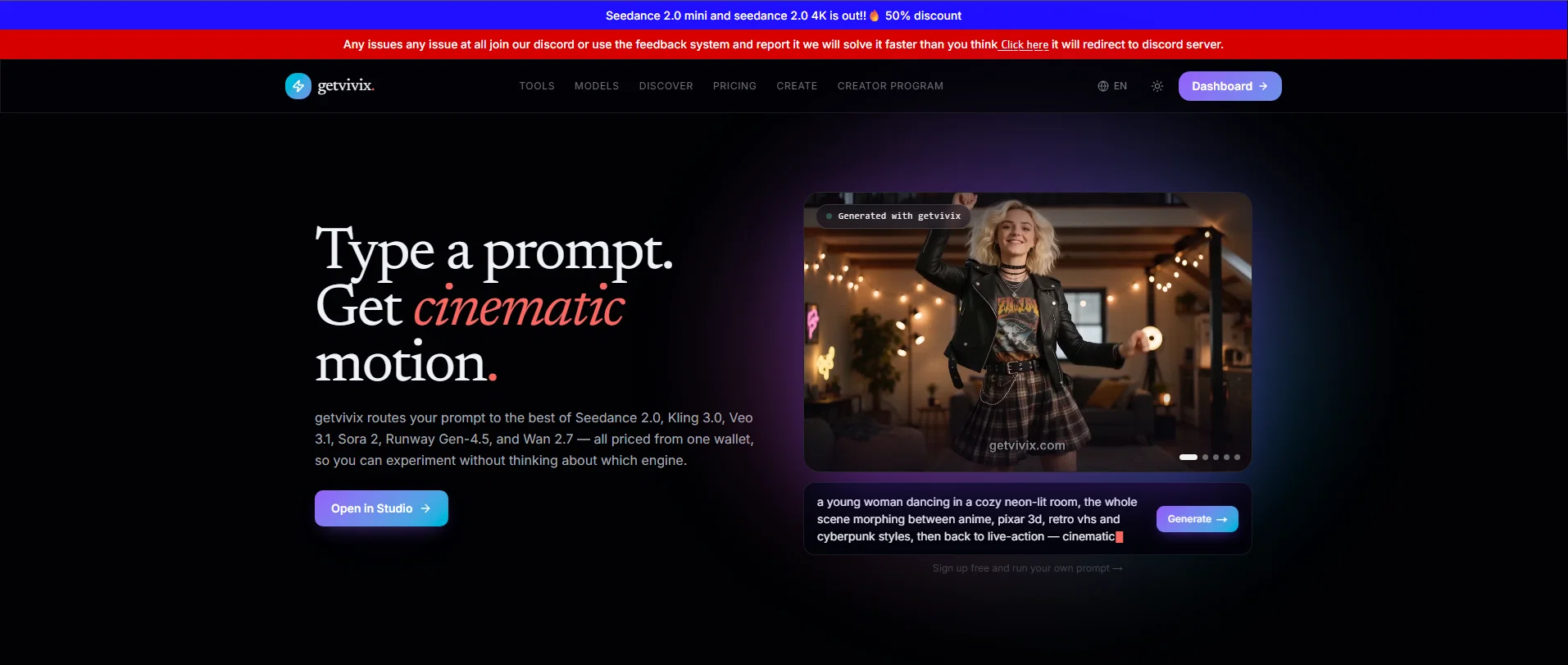
getvivix is an AI-powered text-to-video generator, hosting an array of models all under one subscription plan. The platform needed aims to convert user text prompts into cinematic videos conveniently, routing the user's prompt to the most optimal engines such as Seedance 2.0, Kling 3.0, Veo 3.1, Sora 2, Runway Gen-4.5, and Wan 2.7, depending on the requirement.
Each model presents its own unique features and benefits, allowing users to select an engine that offers the specific features they desire, from detailed multimodal outputs to quick, speed-optimized iteration results.
With getvivix, users can seamlessly draft, remix, re-render, and experiment with their generated content. Users can apply to storyboard scenes, generate B-roll for ads and explainer videos, create social videos from plain text, pitch film concepts, and much more in real-time.
Although free tier outputs are for personal evaluation, paid plans support commercial use. In addition, the platform provides a supportive community through their Discord server offering quick issue resolution.
Signups are straightforward, giving immediate access to free credits for getting started.
- All-in-one Ai Video Generator: Turn Text, Images, Audio, Slides, And More Into Polished, Professional Videos In Minutes.
- Image To Video
Access & connections
Where you can use getvivix, and what it plugs into.
Platforms
Integrations
Capabilities
What this tool accepts, produces, and is strongest at.
Input
- Code
- Image
- Text
- Video
- Audio
Output
- Audio
- Video
- 3D
- API
- Text
- Image
Highlights
- Agents
Supported features
- Agents
Pros & cons
Pros
- Cinematic video generation
- Versatile use cases
- Convenient access across engines
- Text-to-video feature
- Free tier for beginners
- Supports commercial usage
- Optimized for different needs
- Generates B-roll for ads
Show 41 more
- Storyboarding option available
- Allows pitching film concepts
- Supports content experiments
- Platform integration
- Fast processing speeds
- Supports real-time generation
- Community support via Discord
- Streamlines content workflow
- Offers unique features per model
- Supports multiple video models
- Allows model selection per need
- Drafting, remixing, re-rendering content
- Generates social media videos
- Unique quick issue resolution
- Immediate access post sign-up
- Routes prompts to optimal engines
- Run A/B variants feature
- Supports scalable narrative shorts
- Displays live cost per render
- Supports models outputting native audio
- Supports models for cinematic quality
- Supports models for raw realism
- Supports models for fast iteration
- Models for different languages
- Supports high visual fidelity
- Detailed multimodal outputs feature
- Allows commercial use on paid plans
- Generates synchronized native audio
- Includes audio with generations
- Outputs unwatermarked videos
- Generates videos from text prompts
- Multiple resolutions and clip length
- Displays exact credit cost before generation
- Finishes clips in 30-90 seconds
- Allows downloadable MP4 generation
- No branding on paid plans
- Supports 35+ video models
- Changeable aspect-ratio support
- Fast speed-optimized iteration
- Strong on stylized plus cinematic
- No watermark on videos
Cons
- Difficult to compare model quality
- No watermark removal for free-tier
- Brief free-tier clips only
- Only commercial-use license on paid
- Model selection can be confusing
- Credit-based pricing system
- Lack of real-time support option
- Requires account creation for generation
Compare alternatives
Similar tools in the catalog — with a clear reason to open each one.

freebeat AI ✓
FreemiumTurn Music & Ideas into Viral Videos In One Click
Why look Typically cheaper
Full comparison
MagicLight ✓
FreemiumTransform text into captivating videos instantly.
Why look Typically cheaper
Full comparison



Seedance ✓
FreemiumMulti-shot video generation from text and image.
Why look Stronger for image work
Full comparisonReleases 1
FAQ 12
What is getvivix?
Why does getvivix consolidate multiple AI engines into one platform?
Which AI engines are consolidated into the getvivix platform?
What is the purpose of the getvivix AI video generation tool?
How does getvivix generate videos from text prompts?
What models does getvivix offer for different use cases?
How do I switch between different models on getvivix?
What is the free tier subscription model on getvivix?
How do I get daily credits on getvivix?
What are the use cases for the videos generated by getvivix?
When is it advised to transition to a paid plan on getvivix?
What does the term 'social shorts' refer to on getvivix?
Related tools
Recommended

TheFluxTrain ✓
FreemiumCreate AI ads, infographics, and films with agents or reusable workflows

Riffkit ✓
Free TrialTurn a viral TikTok into your own video

Vismint - AI Image to 3D Model Generator ✓
PaidTurn images into textured 3D models with AI

Vdoo AI | Image Editor ✓
Free TrialEdit photos with AI, free, fast, no watermark.

dojob ✓
FreemiumThe job search agent that works for you.

Gravytrainer ✓
FreemiumTrain an AI assistant on your content.