

Custom ai 2026 Rank: #2015
Gravytrainer ✓
Train an AI assistant on your content.
Verdict
A quick read before you dig into the full page.
- Best if
- Train an AI assistant on your content
- Skip if
- Uses your Cloudflare to keep price low
- Pick this when
- Trains on user-supplied content
Considering Yinso instead? Compare side by side
Overview
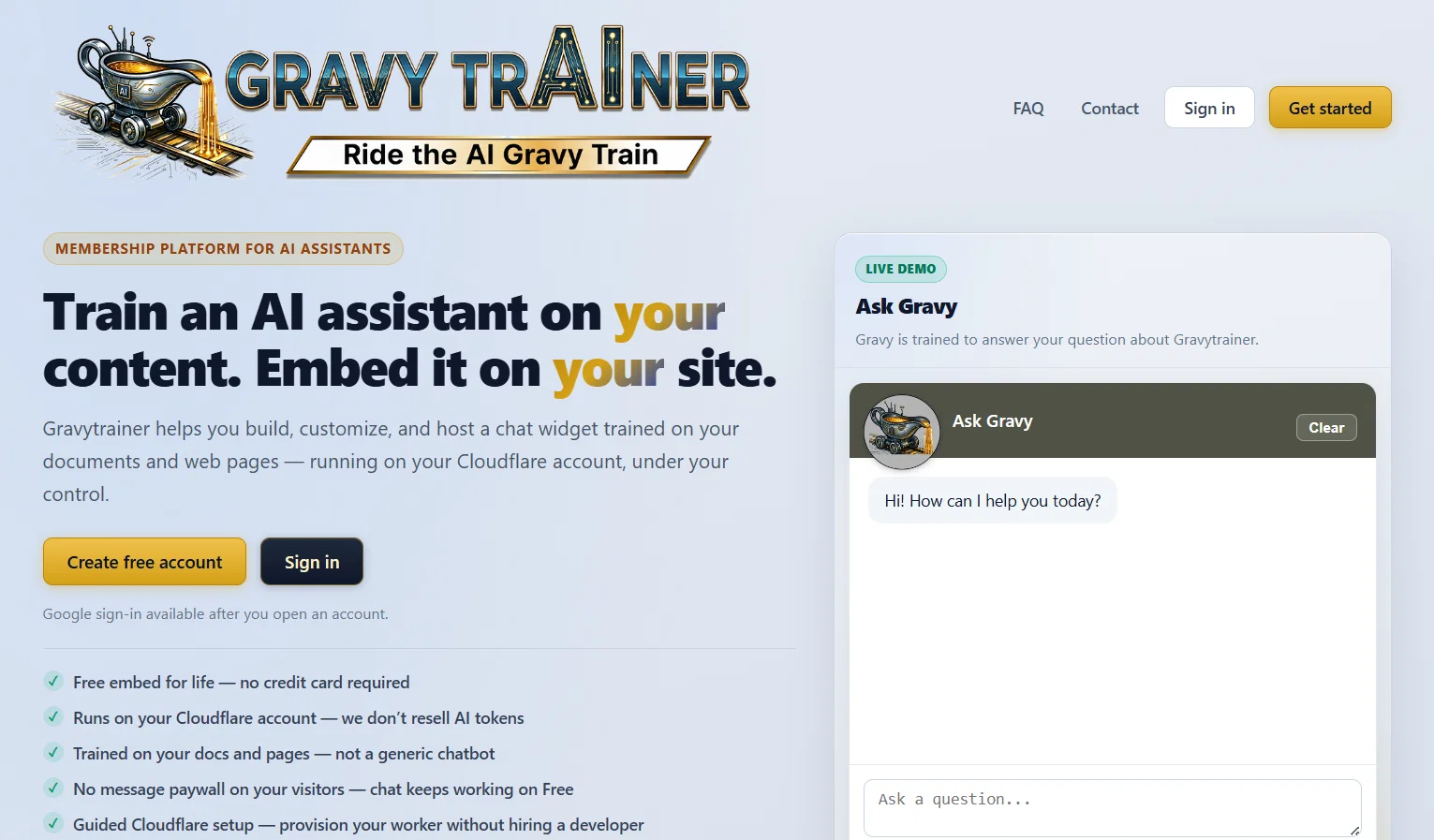
Gravytrainer is an AI tool designed to assist users in building and customizing an AI assistant for their website. It does this by training the bot with user-supplied documents and web content.
Users can then embed this AI assistant within their site, and it operates on their own Cloudflare account, ensuring full control. Unlike most AI tools, Gravytrainer doesnt produce a general chatbot but generates a uniquely trained assistant that learns from the users content.
The platform is built to be user-friendly, allowing for easy setup and connection to a Cloudflare account, with the guidance to provision AI-related services on the account.
To train the AI, users simply upload useful documents that include FAQs, product catalogs, and other pertinent webpages. Users can then preview and customize the chatbot's behavior and appearance before it becomes active on the site.
The process involves setting the chat widget's colors, welcome message, and widget size. The final product gives users the ability to have a 24/7 online assistant that responds to customers' questions about the websites offerings, ensuring always-available support.
Gravytrainer offers both a free and a pro version, each providing the feature of lifetime widget embed for the users website. The AI runs on the users Cloudflare account in either case.
- Upload Pdfs, Word Docs, Text Files
- Data Cleaning
- Embedded Widget
- Train Custom Ai
Access & connections
Where you can use Gravytrainer.
Platforms
Capabilities
What this tool accepts, produces, and is strongest at.
Input
- Tabular
- Image
- Text
Output
- Text
- Image
Supported features
- Assistant
- Docs
- Integrations
Pros & cons
Pros
- Trains on user-supplied content
- Embeddable within user's website
- Operates on user's Cloudflare
- Unique training, not general
- User-friendly platform
- Easy setup and Cloudflare connection
- FAQs, catalogs, webpages for training
- Chatbot behavior and appearance customization
Show 25 more
- 24/7 available online assistant
- Free and pro versions
- Lifetime widget embed for users
- Previews before bot activation
- Colors, welcome message, widget size customizable
- Document Upload capability
- Website integration
- Customized widget
- Product catalogue upload for training
- Customization of logo
- No message paywall
- Guided Cloudflare setup
- Branding and tuning options
- Live site preview
- PDF, Markdown, images or public FAQ for training
- Training data allowance (10MB Free, 50MB Pro)
- Up to 100 training documents (only Pro)
- No ads in widget (Pro version)
- Advanced usage analytics (Pro version)
- Supports multiple file formats for training
- Not reliant on generic internet noise
- No per-message fee from Gravytrainer
- Ad-supported free version
- Chat keeps working on free version
- Ad-free on Pro version
Cons
- Uses your Cloudflare to keep price low
- Free version ad-supported
- Generous 10 training documents on free plan (10 MB)
- Website integration- easy embed code
Compare alternatives
Similar tools in the catalog — with a clear reason to open each one.

Yinso ✓
Free TrialCreate original songs, separate stems, and analyze prompts in one studio.
Why look Typically cheaper
Full comparison
AI Builder | Hostinger Horizons ✓
Free TrialBuild web apps and websites without writing any code.
Why look Offers a public API
Full comparison
Trymusic AI Song Generator ✓
FreemiumTransform text to song with AI
Free + from $8.33/mo
Full comparison
GoFaceless ✓
Free TrialTurn any idea into a finished faceless video.
Free + from $29/mo
Full comparison
Palabra.ai ✓
Free TrialReal-time AI speech translator with near-zero latency.
Why look Offers a public API
Full comparison
Releases 1
FAQ 12
What is Gravytrainer?
How does Gravytrainer work?
How do I train the AI assistant in Gravytrainer?
What is the function of the user-supplied documents in Gravytrainer?
How can I customize the chatbot's appearance on Gravytrainer?
What does it mean that the AI runs on my Cloudflare account?
What are the main differences between the free and pro versions of Gravytrainer?
How can I integrate the Gravytrainer chatbot into my website?
How can Gravytrainer assist with customer support on my website?
What types of documents can I upload for AI training on Gravytrainer?
Does Gravytrainer provide guidance for setting up AI-related services on my Cloudflare account?
How does the AI assistant from Gravytrainer learn from my content?
Related tools
Recommended

Reply ✓
Free TrialGenerate leads, convert website traffic, or hire sales AI SDRs.

TheFluxTrain ✓
FreemiumCreate AI ads, infographics, and films with agents or reusable workflows

Riffkit ✓
Free TrialTurn a viral TikTok into your own video

Junior.so ✓
Free TrialHire AI employees for any role: sales, marketing, and ops.

Vdoo AI | Image Editor ✓
Free TrialEdit photos with AI, free, fast, no watermark.

StickyPrompts ✓
Free TrialAI that works for you.