

GetBotAI ✓
One Stop AI Sidekick
Free + from $7.99/mo
Verdict
A quick read before you dig into the full page.
- Best if
- One Stop AI Sidekick
- Skip if
- Only a browser extension
- Pick this when
- Efficient browsing
Considering ChatGPT instead? Compare side by side
Overview
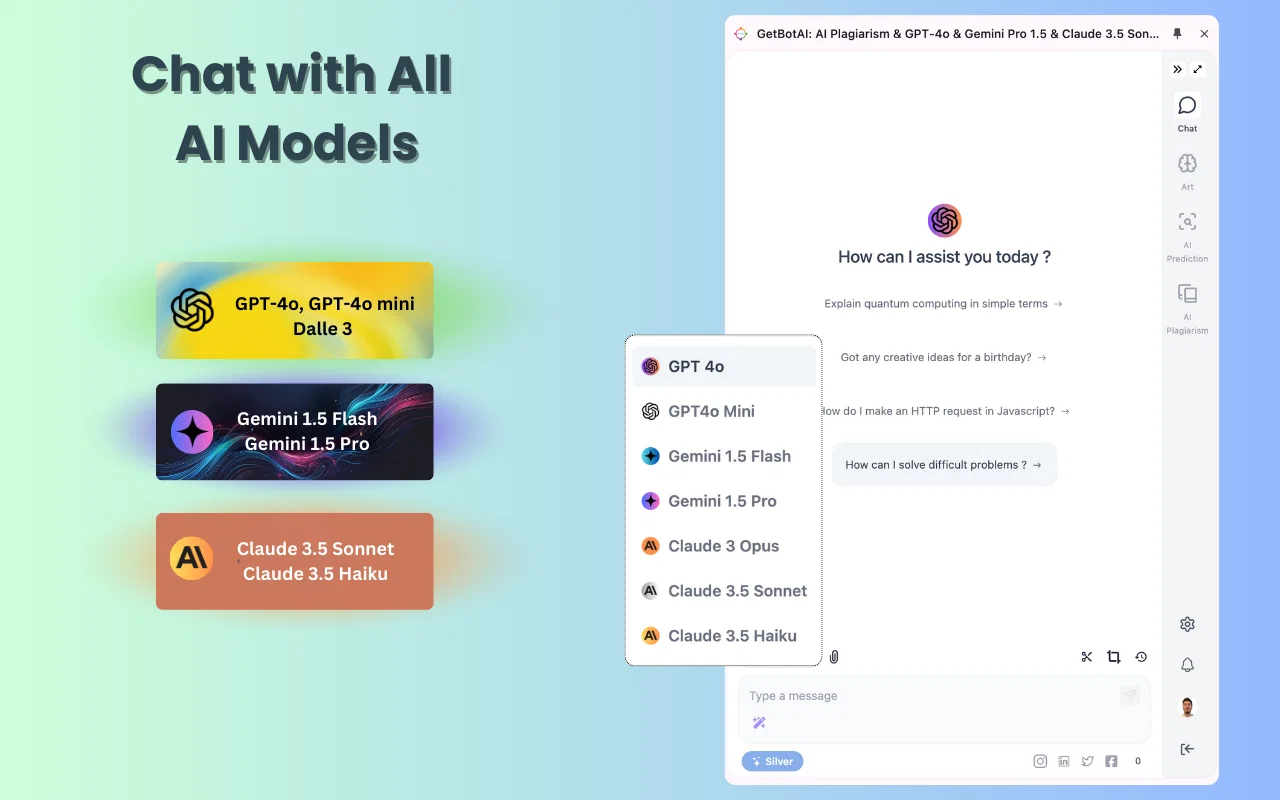
GetBot is a browser extension designed to provide users with a seamless and efficient AI-powered experience. By optimizing response times, GetBot prioritizes efficiency, ensuring users can access information quickly.
The tool allows for unlimited tab access, making it easy to switch between different tabs effortlessly. Powered by OpenAI's cutting-edge engine, GetBot aims to optimize the use of the latest AI technology to simplify users' lives and enhance convenience.
It eliminates the need to constantly switch between pages, acting as a smart solution that puts the power of AI at users' fingertips. Whether for studying, working, or searching for information, GetBot acts as a trusted companion, offering a seamless experience without unnecessary hassle.
GetBot offers fast access to necessary information, directly from the source, within seconds. Users can enjoy immediate access to the desired content, without any waiting time.
The tool takes pride in delivering maximum speed and efficiency, respecting users' valuable time. Additionally, users can chat with GetBot to create effortlessly and insert text anywhere, making it a versatile tool in Chrome.
GetBot is a product of Future Tech Nexus, LLC, and is committed to privacy and following their terms of service. For further information or support, users can contact [email protected].
- Email Marketing
- Magic Ai Studio
- Ai Voiceover/translate
- Images
- Document Analysis Pdf/excel/etc
Access & connections
Where you can use GetBotAI, and what it plugs into.
Platforms
Capabilities
What this tool accepts, produces, and is strongest at.
Input
- Text
- Image
- Audio
- Video
- Code
- 3D
- API
- Tabular
Output
- Text
- Image
- Code
- Audio
- Tabular
Highlights
- API
- Open Source
Supported features
- API
- Open Source
Pros & cons
Pros
- Efficient browsing
- Multitasking support
- Optimized response times
- Unlimited tab access
- Information access speed
- Text creation feature
- Privacy commitment
- Terms of service
Show 21 more
- Change tabs effortlessly
- Helpful for studying
- Useful for working
- Resourceful for searching
- Fast content access
- Chrome compatibility
- Fast and efficient
- Respects users' time
- User-friendly
- Seamless user experience
- Direct access to information
- Product support availability
- Transformative browser extension
- Versatility in use
- Designed for optimized use
- Smart solution for browsing
- No unnecessary hassle
- Information retrieval in seconds
- Immediate access to content
- Can be used anywhere
- Product of Future Tech Nexus
Cons
- Only a browser extension
- Only available in Chrome
- Privacy concerns
- Unspecified response times
- Unclear Terms of service
- Potentially intrusive
- Single feature focus
- No Firefox or Edge version
Show 1 more
- No multi-language support
Compare alternatives
Similar tools in the catalog — with a clear reason to open each one.

ChatGPT ✓
FreemiumAsk anything, create anything, and move from idea to action.
Free + from $20/mo
Full comparison
Smarter ChatGPT by Athena AI ✓
FreemiumAI assistant that gets your tasks done. Smarter than ChatGPT.
Why look Typically cheaper
Full comparison
Free AI Chatbot & Image Generator ✓
FreeFree AI chat and image creation, no signup required
Why look Fully free option
Full comparison
KoalaChat ✓
FreemiumThe best AI writer and chatbot for your needs
Free + from $9/mo
Full comparison
FlowGPT ✓
FreemiumVisualize ChatGPT conversations on a canvas board.
Free + from $50
Full comparison
Chatmind app ✓
PaidAI-powered mind mapping for effortless brainstorming
Why look Typically cheaper
Full comparisonReleases 1
Imported reviews 1
Amazing AI Tool available on Chrome , IE and Visual Studio code platform
FAQ 12
What is GetBot designed for?
How does GetBot enhance browsing and multitasking experience?
Can GetBot be used across multiple tabs?
What AI technology powers GetBot?
What are some examples of how GetBot can simplify my everyday tasks?
How fast does GetBot provide access to necessary information?
Does GetBot support text creation and insertion?
Who is the creator of GetBot?
What are GetBot's privacy policies?
How can I reach out for support if I face issues with GetBot?
[email protected]
.
What are the key features of GetBot?
Can GetBot be used for both studying and working activities?
Related tools
Recommended

Recall ✓
FreemiumSummarize Anything, Forget Nothing!

Flot.ai ✓
FreemiumYour Everywhere, All-in-one AI assistant

VenturusAI ✓
FreemiumBusiness idea analysis and reporting.

Mindsmith ✓
FreemiumPlatform for building and sharing eLearning content

Ask Your PDF ✓
FreemiumChat with your PDFs and extract valuable insights

CodeRabbit ✓
Free TrialEnhanced code review for improved workflow and quality.