

Screen recordings vv2.0.0
FocuSee ✓
Auto-polish screen recordings with smart zoom effects.
Trial; then from $19.99/mo
Verdict
A quick read before you dig into the full page.
- Best if
- You are content creators and need: Creating product demos and tutorials
- Skip if
- No annotation tools
- Pick this when
- Automated zoom-in effects
Considering VibrantSnap instead? Compare side by side
Overview


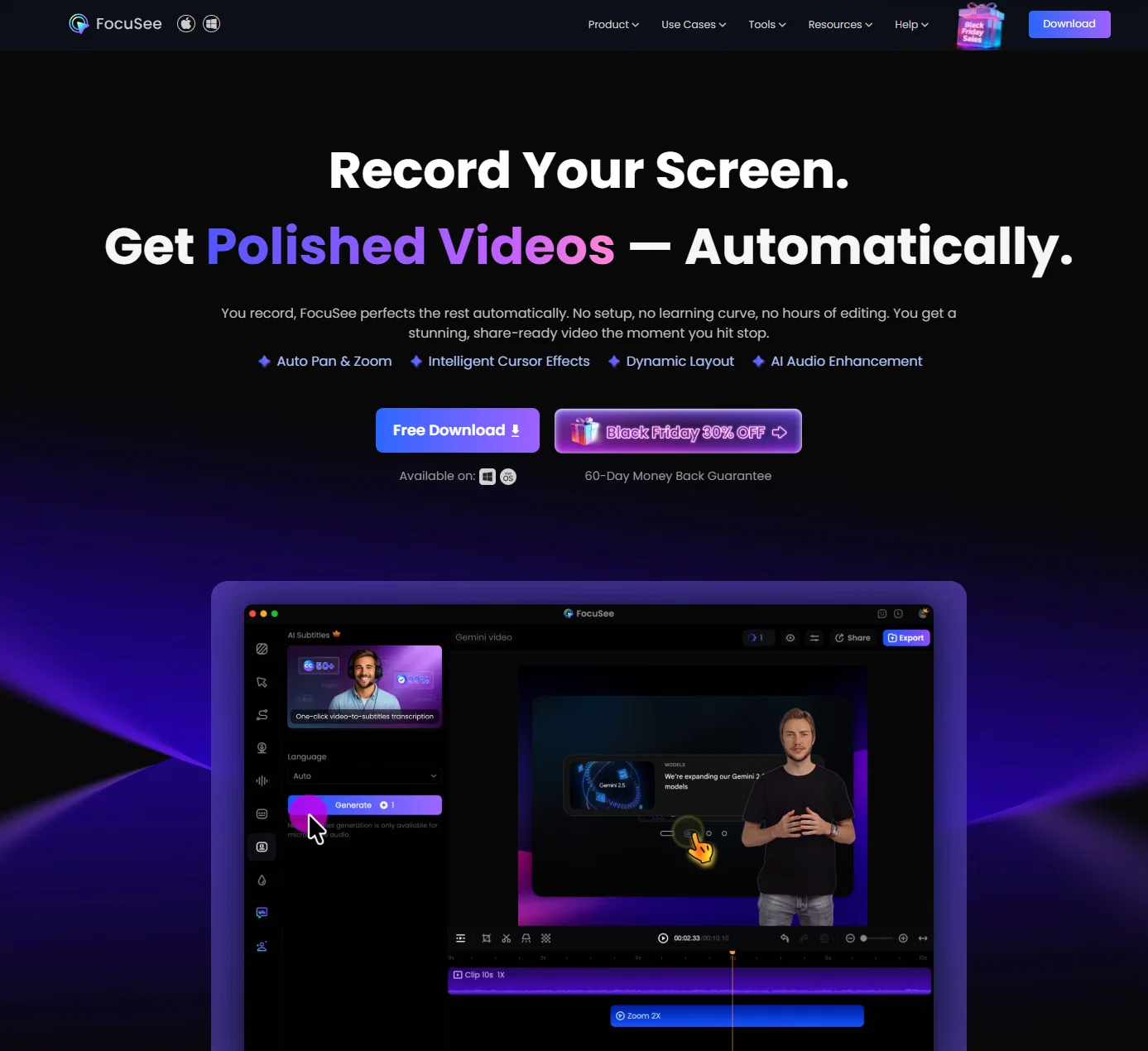
FocuSee simplifies the post-production process by automating zoom-in effects and utilizing AI-editing, making it easy to use for everyone and improving productivity. It starts with auto-zoom, which intelligently follows your cursor and highlights clicks to guide your audience's eyeline without manual frame-by-frame adjustments. At the same time, FocuSee auto-generates accurate subtitles, helping you deliver accessible, easy-to-follow videos.
To further clean up your audio and pacing, it automatically removes silence and filler words and enhances audio, giving your content a smoother flow in just one click.
Beyond editing efficiency, FocuSee also helps you beautify your videos with simple, impactful visual enhancements. Make your key points stand out with spotlight effects. FocuSee offers various mouse styles and click effects, giving your videos a distinctive feel. With flexible webcam layouts, you can appear in full screen or picture-in-picture, depending on what best fits your content. You can also add a custom watermark or logo, making your videos more branded, lively, and visually appealing.
When you’re ready to publish, FocuSee offers 4K & 60FPS format, and social-media presets that instantly resize your video for different platforms, saving you from repetitive export tweaks.
Best for
Short scenarios where FocuSee tends to shine.
-
Creating product demos and tutorials
Best for Content creators
-
Producing promo and launch videos
Best for Educators
-
Making pitch and sales videos
Best for Marketing professionals
-
Generating marketing and reaction videos
Best for Sales teams
Example outputs 1
Sample generations and before/after results for FocuSee.
Access & connections
Where you can use FocuSee, and what it plugs into.
Platforms
Capabilities
What this tool accepts, produces, and is strongest at.
Input
- Video
Output
- Video
Pros & cons
Pros
- Automated zoom-in effects
- Auto-generate polished video
- Easy to use
- Suitable for both Windows and Mac
- Automated editing
- Auto subtitle generation
- Track cursor movement
- Cursor style and animation
Show 30 more
- Spotlight effect
- AI silence and filler word remover
- Custom watermark
- Screen and camera sync recording
- Simultaneous mic & system audio recording
- Preset aspect ratios for different social platforms
- Capable of 4K & 60FPS video output
- Keyboard shortcuts capture
- Provide pleasing video background
- Built-in teleprompter
- Motion blur in videos
- Dynamic camera layouts
- Pre-designed selfie and screen layouts
- AI audio enhancement
- AI virtual avatar
- AI webcam background removal
- AI noise reduction
- Blur masking
- Multiple export and sharing options
- Export content as video or GIF
- Cloud sharing
- Intuitive interface
- Cost effective solution
- Customize backgrounds, rounded corners, shadows, and more
- Mobile device recording
- Video trimming and speed control
- Creates variety of video types
- Local video import
- Diverse frames and filters
- Time saving
Cons
- No annotation tools
- Can't record multiple clips within the same project
- No beauty filters
- Lacks advanced editing features
- No intros and outros presets
- No storage integration
Compare alternatives
Similar tools in the catalog — with a clear reason to open each one.

VibrantSnap ✓
FreemiumTurn screen recordings into polished videos 10x faster.
Why look Typically cheaper
Full comparison
Waveroom ✓
FreeRecord podcasts and interviews in studio quality, remotely.
Why look Fully free option
Full comparison


Tight Studio ✓
FreemiumFrom screen recording to polished video in minutes.
Why look Typically cheaper
Full comparisonPeople also view
Tools that often show up alongside FocuSee in collections and comparisons.

VideoIdeas.ai ✓
Free TrialGenerate viral YouTube scripts and ideas in minutes.

ThumbnailCreator.com ✓
Free TrialCreate eye-catching YouTube thumbnails in seconds.

RenderCut ✓
Free TrialAdd stylish subtitles to short videos instantly.

HeyGen ✓
FreemiumCreate AI spokesperson videos from text

Captions ✓
PaidAI-powered creative studio for studio-grade videos.
Waveroom ✓
FreeRecord podcasts and interviews in studio quality, remotely.
VibrantSnap ✓
FreemiumTurn screen recordings into polished videos 10x faster.
Tight Studio ✓
FreemiumFrom screen recording to polished video in minutes.
Releases 2
-
AI-powered transcription: Edit videos simply by editing text.
-
AI Virtual Avatars: Use high-quality and diverse virtual presenters to keep video engaged without the need for a real person on camera, helping to solve the issue of camera shyness.
-
AI Voice Enhancement: Elevate your audio to studio-grade quality with one click. Sound professional, no matter what mic you're using.
-
Webcam Background Removal & Replacement: Instantly remove or swap your webcam background for a polished, distraction-free look.
-
AI Subtitles Generation: Support for over 55 languages, generating corresponding subtitles instantly, simplifies the workflow, and enhances video accessibility.
-
Smart Noise Reduction: Eliminate background noise for crystal-clear audio in any recording environment.
-
Stylish Cursor Effects: Highlight your mouse with refined cursors and smooth animations to make your recordings more engaging and dynamic effortlessly.
-
Hide Cursor: Keep your recordings clean by hiding the cursor when you don't need it.
-
Redesigned UI & Interactions: A sleek new interface designed to make video creation faster, smoother, and more intuitive.
-
Smarter Project Naming: Improved default naming conventions help you organize and locate your projects with ease.
-
Performance & Stability Improvements: Under-the-hood optimizations for a faster, more reliable workflow. Less waiting, more doing.
Imported reviews 2
It’s an excellent tool for effortlessly creating polished screen recordings that look professional and engaging every time.
its really cool
FAQ 12
What is FocuSee?
Does FocuSee automatically edit video content?
Who can benefit from using FocuSee?
How does FocuSee track cursor movement?
Can I create professional-looking videos with FocuSee?
What types of videos can I create with FocuSee?
How does FocuSee's auto-polish for screen recordings work?
Does FocuSee save users' time during the video creation process?
Are there specific features in FocuSee for creating promotional videos?
How can I add backgrounds in my FocuSee video?
Does FocuSee require manual editing?
Does FocuSee come with zoom-in effects?
Related tools
Recommended

Kick ✓
FreemiumAccounting software that does the work for you

Syft ✓
FreeAI-powered news tracking for any topic worldwide

MarketAlerts.ai ✓
FreemiumInvest smarter with AI on your side

Flashback ✓
FreemiumTurn course material into AI-powered study sessions.

ChatGPT ✓
FreemiumAsk anything, create anything, and move from idea to action.

FineVoice ✓
Free TrialMake the Perfect Voice for Any Moment