

Productivity 2026 Rank: #1051
Fello AI ✓
Your AI coworker for real work.
Verdict
A quick read before you dig into the full page.
- Best if
- Your AI coworker for real work
- Skip if
- Limited language support
- Pick this when
- Switch between models
Considering TheLibrarian.io instead? Compare side by side
Overview
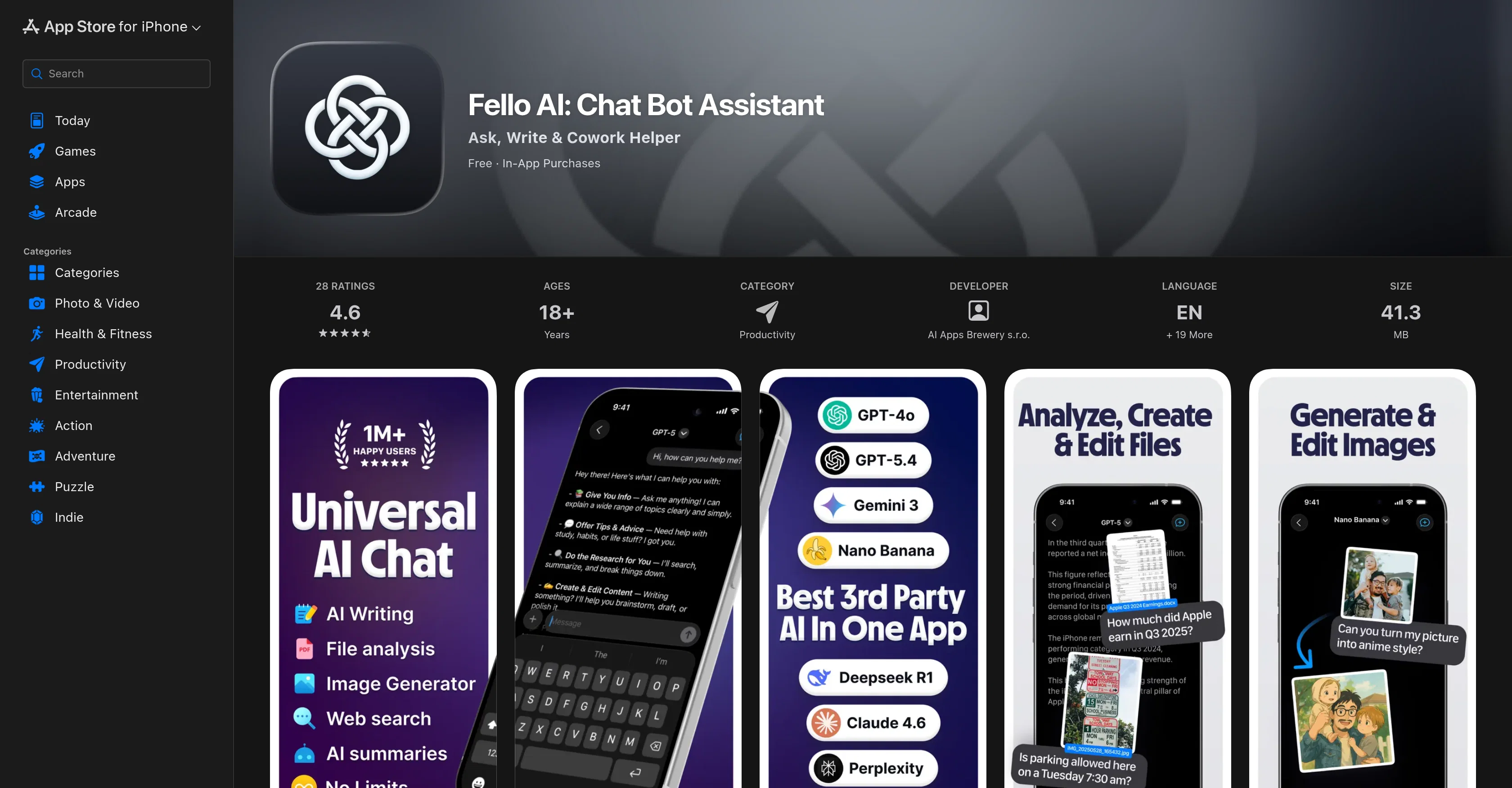
Fello AI is a productivity tool designed to streamline tasks and enhance workflows using artificial intelligence technology. Developed by AI Apps Brewery s.r.o, the software is available on various platforms including Mac, iPhone, and iPad.
Utilizing powerful AI models such as GPT-5.4, Claude 4.6, Gemini, and Grok, the tool is designed to assist in various activities. The AI chat bot can create PowerPoint, Excel, Word, and PDF files based on user instructions, generating outputs in seconds.
Equipped with the capability to package multiple AI models into a single subscription, Fello AI allows users to switch between models, compare outputs, and use the most suitable model for each task.
Key features of Fello AI include the ability to generate and edit images with AI, execute web searches with cited sources for accuracy, and offer a seamless experience across Mac, iPhone, and iPad with everything syncing.
It also supports pins, bookmarks, and full-text search to help users stay organized. Use-cases range from creating presentations, building spreadsheets, and drafting documents to summary generation, web searches, image editing, and problem-solving for academic subjects.
The application offers a free tier with limited daily messages, alongside a subscription plan with unrestricted access to all AI models and features. It ensures an ad-free user interface with no hidden fees, continually updated based on user feedback.
Access & connections
Where you can use Fello AI, and what it plugs into.
Platforms
Integrations
Capabilities
What this tool accepts, produces, and is strongest at.
Input
- Tabular
- Image
- Text
Output
- Tabular
- Text
- Image
Pros & cons
Pros
- Switch between models
- Creates real files
- Generates documents from description
- Converts queries into files
- Formats documents with headings, tables
- Provides cited sources
- Generates and edits images
- Upload and interpret various files
Show 26 more
- Direct web search from platform
- Accurate information from web search
- Operates on Mac, iPhone, iPad
- Seamless synchronization
- Pin, bookmark, full-text search
- Subscription for unlimited messaging
- Ad-free experience
- Regular updates based on feedback
- Multiple platform compatibility
- Multi-tiered pricing
- Creates PowerPoint, Excel, Word files
- Exports workable document files
- Generates image outputs
- Supports pins, bookmarks
- Assists in various tasks
- Subscription with free trial
- Transparent pricing
- Assistance with academic subjects
- Clean Apple design
- Capable of creating presentations
- Capable of creating spreadsheets
- Can write and format documents
- Summarizes and explains uploaded files
- Generates and edits imagery
- Solves complex academic problems
- Continual development based on feedback
Cons
- No Android support
- Limited daily messages in free version
- No comfortable multi-device experience
- Syncing issues across devices
- In-app purchases present
- Doesn't support multi-device chats
- Requires subscription for full access
- Limited language support
Compare alternatives
Similar tools in the catalog — with a clear reason to open each one.

TheLibrarian.io ✓
Free TrialYour WhatsApp AI assistant for instant productivity.
Why look Typically cheaper
Full comparison
Supernormal App ✓
FreemiumThe AI assistant app that turns meetings into completed work
Free + from $25.90/mo
Full comparison
Saidar ✓
FreemiumYour AI Secretary for Admin Tasks, now on SMS
Why look Typically cheaper
Full comparison
MiroAI ✓
FreemiumUnlock creative power with AI-driven collaboration.
Why look Typically cheaper
Full comparison
Collate ✓
FreeUnlimited free and private summaries and chat with PDF
Why look Fully free option
Full comparison
Releases 1
FAQ 12
What is Fello AI?
How can Fello AI support small and minority businesses?
What AI models does Fello AI use?
How does the document creation feature work in Fello AI?
How do I switch between different AI models in Fello AI?
Can Fello AI create PowerPoint, Excel, and Word documents from verbal descriptions?
Can Fello AI assist with image generation and editing?
What formats of documents can I upload to Fello AI for summarization?
Does Fello AI support web searches directly from the platform?
Are the sources cited in the information provided by Fello AI?
Which platforms does Fello AI operate on?
What does the synchronization feature on Fello AI do?
Related tools
Recommended

Notis ✓
Free TrialThe first WhatsApp assistant that runs on your ChatGPT and Claude subscriptions

Whacka ✓
Free TrialTurn ideas into real apps from your phone.

HaloMate ✓
FreemiumThe Premier AI Workspace for Professionals.

Automateed ✓
Free TrialCreate eBooks effortlessly with Automateed, the AI-powered writing tool.

CodeRabbit ✓
Free TrialEnhanced code review for improved workflow and quality.

DeepSeek ✓
FreeUnravel the mystery of AGI with curiosity