

Eklipse ✓
A video editing suite for gaming streamers.
Free + from $19.99/mo
Verdict
A quick read before you dig into the full page.
- Best if
- You are twitch Streamers and need: Automatically clip gaming streams for TikTok, Reels, and Shorts
- Skip if
- Limited to supported games
- Pick this when
- Gaming focused video editing
Considering 2short instead? Compare side by side
Overview
Free Version:
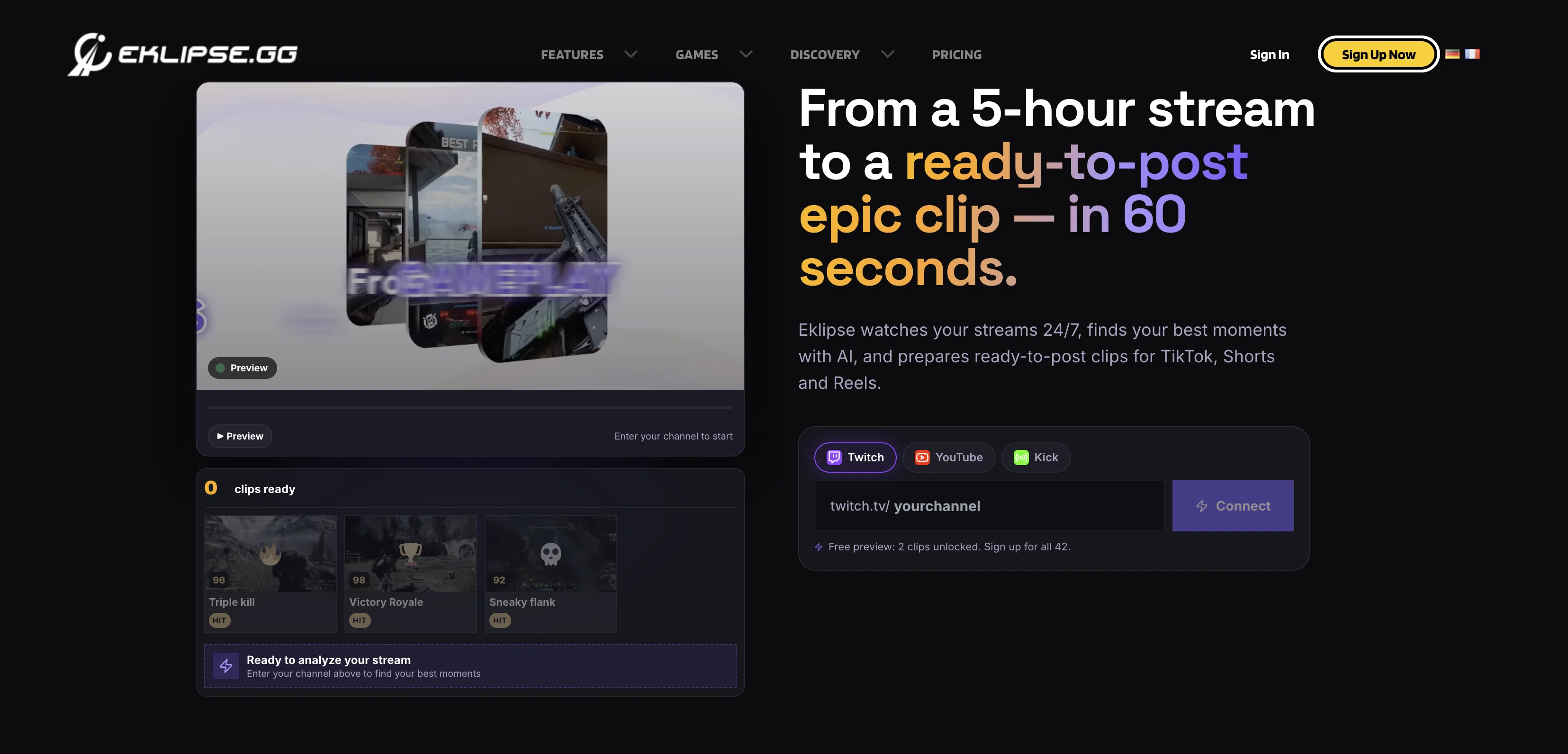
- Automated Highlights: Supports Twitch, YouTube, and Facebook streams.
- Mobile App: Edit and share clips on the go via iOS & Android.
- Content Planner: Schedule posts directly to social media.
Premium Features:
- Kick.com Support: Exclusive auto-clipping for Kick streamers.
- Studio Quality: 1080p HD exports, 60fps, and NO watermarks.
- Ultimate Performance: Process streams up to 12 hours long (upgraded from 10h) with 10x faster AI processing.
- Voice Command: Capture moments instantly just by saying "Clip It!"
Available on Web, iOS, and Android.
Best for
Short scenarios where Eklipse tends to shine.
-
Automatically clip gaming streams for TikTok, Reels, and Shorts
Best for Twitch Streamers
-
Create content from console streams
Best for YouTube Content Creators
-
Generate highlights for YouTube podcasts
Best for Facebook Gaming Streamers
-
Enhance clips with memes and captions using AI Edit
Best for Kick Streamers
-
Plan and schedule content posting
Best for Console Streamers
Example outputs 1
Sample generations and before/after results for Eklipse.
Access & connections
Where you can use Eklipse.
Capabilities
What this tool accepts, produces, and is strongest at.
Supported features
- Clipping
Pros & cons
Pros
- Gaming focused video editing
- Automated highlights
- Gameplay clip generation
- Supports multiple games
- Share to social media
- Unlimited clip downloads
- Free TikTok layouts
- 24/7 support
Show 29 more
- Premium option
- 10 hour stream process
- 1080p high-quality output
- Fast stream processing
- Watermark-free highlighs
- Professional editing services
- Customizable TikTok templates
- Copyright-free background music
- Accessible on web and mobile
- Convert Twitch to TikTok
- Reels & YouTube Shorts conversion
- Montage creation
- Copyright-free background music
- Can capture Call of Duty moments
- Clip Apex Legends streams
- Convert Valorant clutches
- Download clips in .MP4 format
- Free clip trimming feature
- Premium seasonal templates
- Vertical Video converter
- High quality video edits
- Customizable TikTok templates
- Huge collection of overlay templates
- Browser-based; no software download
- Stream/VOD’s clipping for Twitch
- Professional video edits for social media
- One-click clip downloading
- TikTok clip personalization
- Download in .MP4 format
Cons
- Limited to supported games
- 10 hour maximum for streams/VODs
- Only 3 streams per day processable
- Premium required for HD output
- Possible watermarks on non-Premium clips
- Lacks desktop version
- Specifically designed for gaming streamers
- No software download available
Show 1 more
- Focus on TikTok formatting
Compare alternatives
Similar tools in the catalog.
People also view
Tools that often show up alongside Eklipse in collections and comparisons.

WritePanda - Studio ✓
FreemiumAI-powered copywriting for professionals and businesses

Shorts Generator ✓
PaidTurn popular videos into viral YouTube Shorts.

ClipGOAT ✓
PaidConvert YouTube videos into viral Shorts with AI.

Chopcast ✓
PaidTurn webinars into viral social media clips.

2short ✓
FreemiumAI-powered YouTube Shorts generator for 10X faster growth.

Shhots AI ✓
PaidPromptless AI Ads Generator

MojoMake - AI Image to Video Generator ✓
FreemiumUse every top AI model and 100+ effects in one account.

HiTranscript ✓
Free TrialCreate searchable transcripts and timed subtitles from Instagram, TikTok and YouTube videos
Releases 1
Imported reviews 12
Before I found Eklipse, I was completely lost as far as editing videos from my live stream. Now, all I do is let them handle it! About 10 minutes after I finish my stream I get a notification with all my game highlights ready to post. And if I want to edit them, they make that super easy too!
Expensive but works as it should. Good software but has issues when I run my stream from YouTube on my PS5. I guess its better to stream from twitch then export.
Pretty solid model overall, could use some tweaks to capture more consistently in cod, especially when using the hot words to trigger clipping. Needs features like the ability to select how long the model clips for when it comes to chaining elimination feeds and squad wipes in cod, also could benefit from an option that selects a royalty free track that’s fits the montage clips made from processing streams. One that isn’t locked behind a pay wall and is more consistently. Pro edits add a nice feature but I edit my own clips, so it’s pretty niche.
Fantastic service, great AI clipper, been use to using Nexusclips, but this caters more towards what i need. Great work saves so much time.
It easy to use app if u need clips and compilation moments..
Great app, made my life quite a bit easier!
Super cool app for new streamers
a good option for your clips i love this app
a good option for your clips, i like this app, i use it with the web too, i love it cause it´s easy and offers several options
Eklipse is 🔥 if you’re streaming and want clips FAST. It automatically pulls your best moments so you don’t have to sit there editing for hours. Perfect for growing on TikTok & IG.
Awesome very reliable
It's a very nice App i like it.
FAQ 12
How does Eklipse select game highlights automatically?
What does the free version of Eklipse offer?
What additional features are included in Eklipse Premium?
How do I create and customize TikTok videos using Eklipse?
Does Eklipse offer professionally edited highlight clips?
What types of templates does Eklipse offer?
Can I add background music to my clips using Eklipse?
Can I access Eklipse through a mobile browser?
How do I share my clips to social media using Eklipse?
What formats can I download my clips in from Eklipse?
Does Eklipse support editing for YouTube Shorts and Instagram Reels?
What kind of support channels does Eklipse offer?
Related tools
Recommended

Opus Clip ✓
FreemiumAI-powered livestream studio for explosive growth

Klap ✓
PaidGenerate viral short-form videos from YouTube content in one click.

KeywordSearch ✓
FreemiumDiscover and target YouTube audiences.

Gling - AI Video Editing Software for YouTube ✓
FreemiumAI-powered video editing for YouTube creators.

Spikes Studio ✓
FreemiumGenerated clips for popular social media platforms.

Choppity ✓
Free TrialTurn long videos into social shorts in 3 clicks