

Face swap 2026 Rank: #249
EasyFaceSwap ✓
Free online AI face swap: Create undetectable photos and videos in seconds.
Verdict
A quick read before you dig into the full page.
- Best if
- Free online AI face swap: Create undetectable photos and videos in seconds
- Skip if
- Limited customization options
- Pick this when
- Maintains unique facial geometry
Considering Swap Me In instead? Compare side by side
Overview


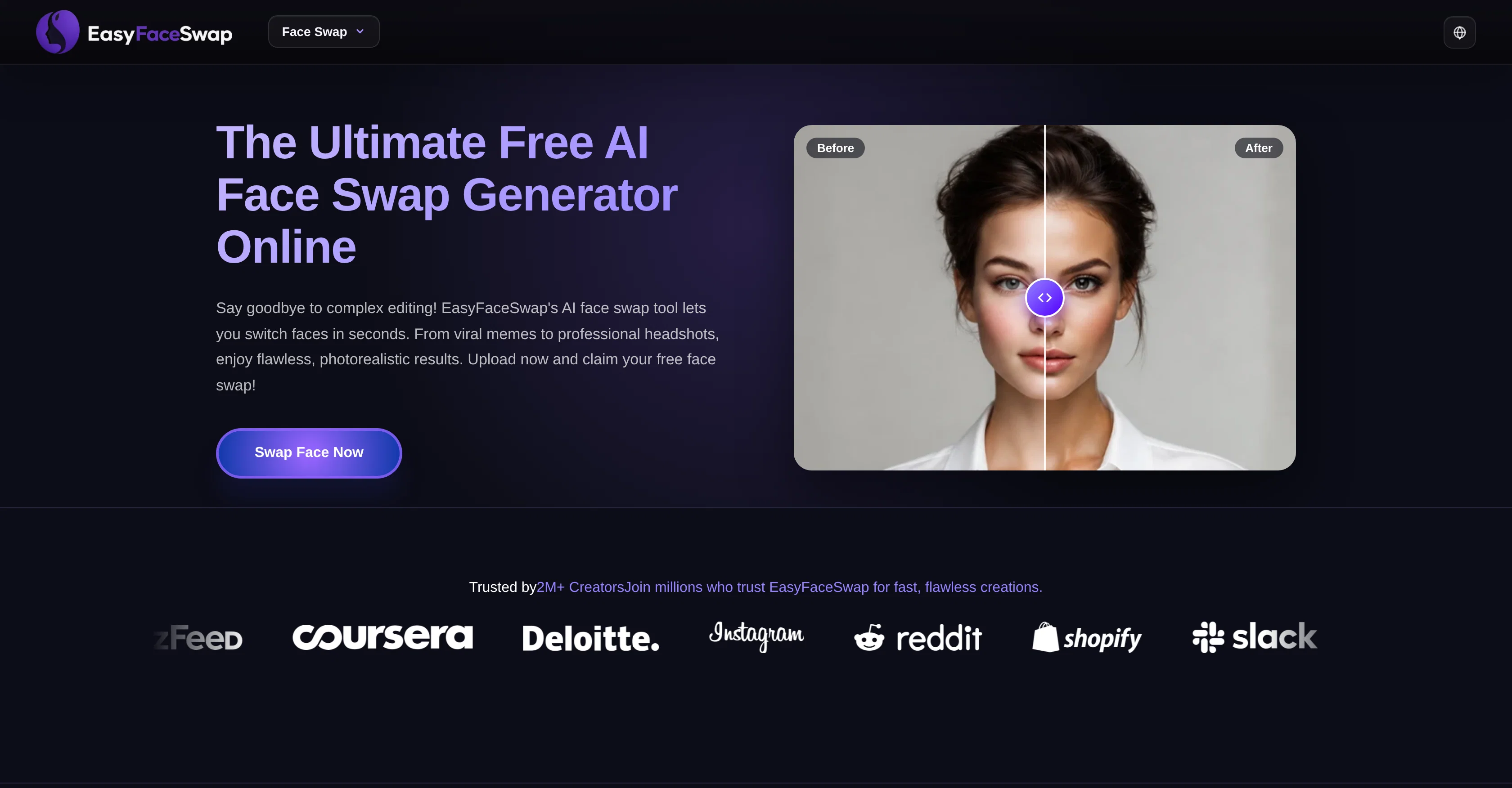
EasyFaceSwap is a powerful, completely free online AI tool for creating seamless, photorealistic face swaps in photos and videos—with zero login or registration required.
Offering instant browser access, it lets you start editing immediately without any barriers or friction. Driven by cutting-edge facial recognition technology, EasyFaceSwap preserves original expressions, dynamic lighting, and precise facial geometry to deliver high-resolution results in seconds.
Featuring an intuitive drag-and-drop interface, an extensive trend template library, and multi-device cloud compatibility, creating professional headshots and viral memes has never been easier, faster, or more accessible.
- Video Face Swap
Access & connections
Where you can use EasyFaceSwap.
Platforms
Capabilities
What this tool accepts, produces, and is strongest at.
Input
- Image
- Video
Output
- Video
- Image
Highlights
- No Signup
Supported features
- No Signup
Pros & cons
Pros
- Maintains unique facial geometry
- Adapts to new lighting
- Preserves original facial expressions
- High level of accuracy
- Produces photorealistic results
- Facial recognition technology
- Instant mapping of expressions
- User-friendly interface
Show 36 more
- Simple drag-and-drop mechanism
- Requires no technical skills
- Suitable for content creators
- Suitable for marketers
- Suitable for social media managers
- Extensive library of templates
- Cloud-based architecture
- Multi-device compatibility
- Available on desktops
- Available on tablets
- Available on mobile devices
- Ideal for making viral memes
- Ideal for professional headshots
- Free to use
- No sign-up needed
- No watermarks
- Fast processing time
- Adaptable to complex face blending
- Automatic skin tone blending
- Perfect for historical paintings
- Adaptable for any concept
- Perfect for e-commerce marketers
- Perfect for digital artists
- Efficient's workflow integration
- Real-time facial edge fixing
- Faster than traditional software
- Ideal for meme creation
- Ideal for personal image
- Ideal for advertising & marketing
- Provides reliable and secure service
- High-quality face blending
- Upgraded algorithm
- Produce flawless visual assets
- Unlimited creative possibilities
- Inspires creativity
- Viral presets
Cons
- No offline version
- No API
- Dependent on quality of photos
- Limited customization options
- Generic template library
- Requires good internet connection
Compare alternatives
Similar tools in the catalog — with a clear reason to open each one.

Swap Me In ✓
FreemiumSwap any face into any video in seconds.
Why look Offers a public API
Full comparison
VideoSwap.app ✓
Free TrialAll-in-one AI video swap for creators.
Free + from $21.9/mo
Full comparison

Filter Remover ✓
Free TrialRemove filters. Restore the real photo.
Why look Stronger for image work
Full comparison
Releases 1
Imported reviews 2
its an okay free option,your two subjects should have similar body features like skin color, hair type, body fat, etc, because it really just swap faces than swap personas, good for those who have similar looking people
Failed to upload images a number of times
FAQ 12
What is EasyFaceSwap?
How does EasyFaceSwap utilize AI technology?
What is the quality and resolution of the result produced by EasyFaceSwap?
What kind of facial recognition technology does EasyFaceSwap use?
How user-friendly is the interface of EasyFaceSwap?
Can content be created on multiple devices using EasyFaceSwap?
What kind of templates does EasyFaceSwap offer?
How does EasyFaceSwap cater to content creators, marketers and social media managers?
What makes EasyFaceSwap suitable for photo and video editing?
Does EasyFaceSwap require technical skills from the user?
How can I swap faces using EasyFaceSwap?
How does the drag and drop mechanism on EasyFaceSwap work?
Related tools
Recommended
Convly AI Image-to-Prompt ✓
FreeTurn any image into an editable AI prompt — free, no signup.

freebeat AI ✓
FreemiumTurn Music & Ideas into Viral Videos In One Click
Movie Maker Create ✓
FreeGenerate watermark-free AI videos with your xAI key
MeshGPT ✓
FreeTurn text into 3D masterpieces.

Automateed ✓
Free TrialCreate eBooks effortlessly with Automateed, the AI-powered writing tool.

Notis ✓
Free TrialThe first WhatsApp assistant that runs on your ChatGPT and Claude subscriptions