Image to prompt 2026 Rank: #225
Convly AI Image-to-Prompt ✓
Turn any image into an editable AI prompt — free, no signup.
Verdict
A quick read before you dig into the full page.
- Best if
- You are prompt Engineers and need: Reverse-engineer a prompt from an AI-generated image
- Skip if
- Estimates not exact
- Pick this when
- Provides detailed text-to-image prompt
Considering Image to Prompt Generator instead? Compare side by side
Overview



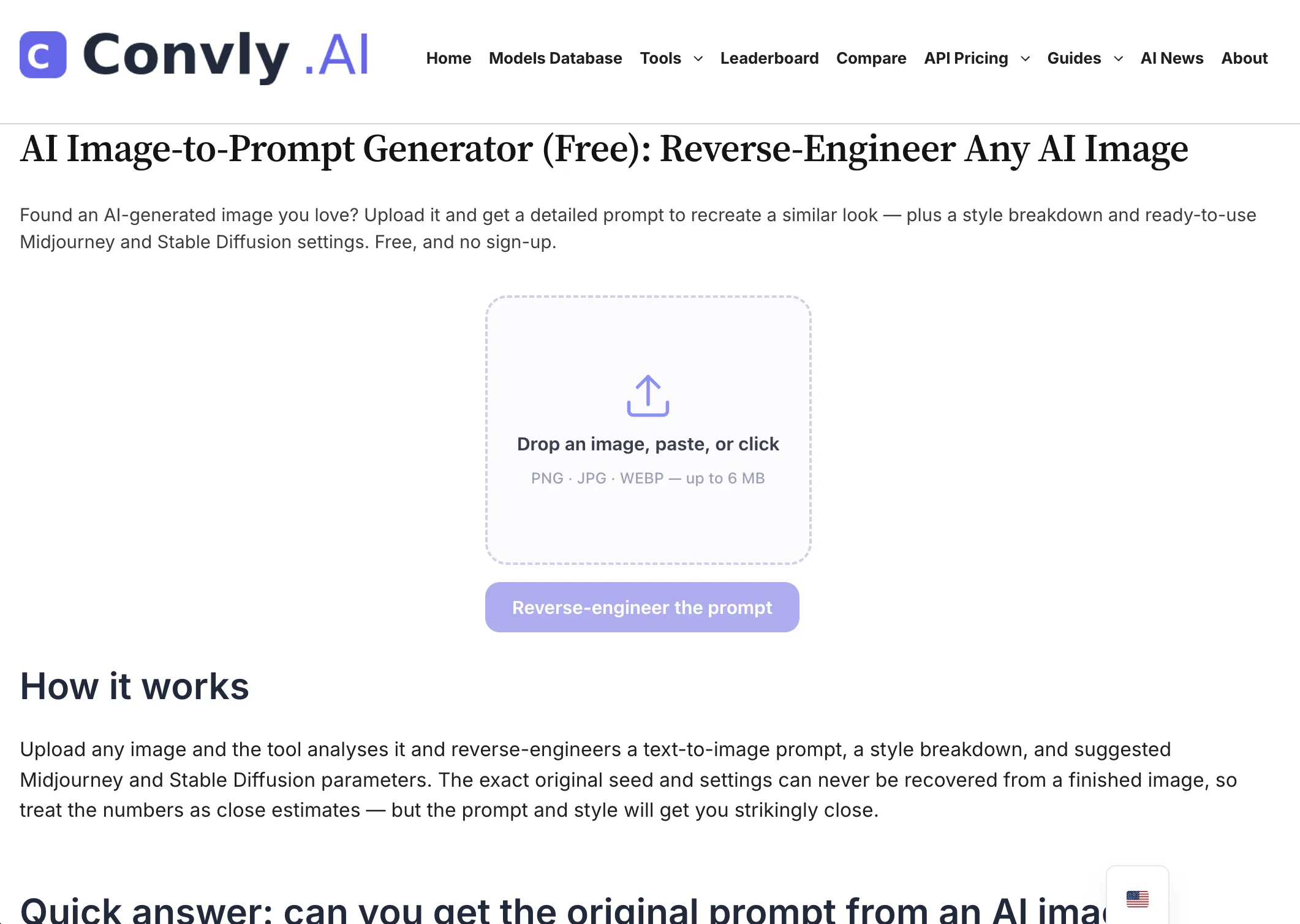
Convly AI Image-to-Prompt turns any image into a detailed, editable text prompt in seconds — completely free, with no signup and no watermark. Upload a photo, screenshot, or piece of AI art, and the tool reads its subject, style, lighting, composition, and mood, then writes a ready-to-use prompt you can paste straight into Midjourney, Stable Diffusion, DALL·E, or Flux.
It's perfect for reverse-engineering a look you love, learning to describe images like a pro, or getting unstuck when you don't know what to type. Works on mobile and desktop, no account required.
Part of Convly — a hub of free AI tools, model comparisons, and cost calculators.
Best for
Short scenarios where Convly AI Image-to-Prompt tends to shine.
-
Reverse-engineer a prompt from an AI-generated image
Best for Prompt Engineers
-
Recreate a visual style in Midjourney or Stable Diffusion
Best for AI Artists
-
Estimate monthly LLM API spending for a project
Best for Content Creators
-
Compare model pricing before choosing an API provider
Best for Graphic Designers
-
Check whether a model can run on local hardware
Best for Machine Learning Engineers
Example outputs 1
Sample generations and before/after results for Convly AI Image-to-Prompt.
Access & connections
Where you can use Convly AI Image-to-Prompt.
Platforms
Capabilities
What this tool accepts, produces, and is strongest at.
Input
- Image
Output
- Text
Highlights
- SOTA
Supported features
- Image to prompt
Pros & cons
Pros
- Provides detailed text-to-image prompt
- Offers style breakdown
- Suggests Midjourney parameters
- Suggests Stable Diffusion parameters
- Recreates image look
- Uses vision model
- Reads real photographs
- Works on screenshots
Show 19 more
- Can interpret hand-drawn art
- Useful for duplicating lighting
- Helpful for composition adjustment
- Great for color grade adjustment
- Free with no sign-up required
- Analyses and reverse-engineers images
- Close estimates provided
- Works for shared images
- Works for copied images
- Reads image metadata when available
- Shows exact seed and prompt for untouched images
- Works with multiple image formats
- Yields results in few seconds
- Recovers other generator settings
- Works in 7 languages
- No daily limit for normal use
- Applicable for any text-to-image model
- Can read prompts straight from metadata
- No watermark
Cons
- Estimates not exact
- Doesn't recover original seed
- Inaccuracies in vision model
- Dependent on image metadata
- Not ideal for copied/shared images
- May not recreate byte-identical image
- No API access
- Not compatible with all languages
Show 1 more
- No option for sign-up
Compare alternatives
Similar tools in the catalog.

Image to Prompt Generator ✓
FreemiumConvert images to prompts for AI art generation.
Free + from $14.99/mo
Full comparison
ImagePromptGuru ✓
FreeConvert images into high-quality AI art prompts instantly.
Free
Full comparison
Image to Prompt Generator ✓
PaidUpload an image, get the prompt that made it.
from $15
Full comparison
ImaginPrompt ✓
FreemiumConvert any image into AI prompts instantly.
Free + from $14.99/mo
Full comparisonPeople also view
Tools that often show up alongside Convly AI Image-to-Prompt in collections and comparisons.

AI Image to Prompt | Promptsref ✓
FreemiumTurn any reference image into an editable, reusable AI prompt.
ImaginPrompt ✓
FreemiumConvert any image into AI prompts instantly.
Imagetoprompts ✓
PaidTransform images into powerful prompts and ideas.
ImagePromptGuru ✓
FreeConvert images into high-quality AI art prompts instantly.
Image to Prompt Generator ✓
FreemiumConvert images to prompts for AI art generation.
Image to Prompt Generator ✓
PaidUpload an image, get the prompt that made it.

Vdoo AI | Video Generator ✓
Free TrialTurn any image into AI video. No watermark, 10+ models, free.

Vdoo AI | Text to Image Generator ✓
PaidCreate stunning visuals from text prompts.
Releases 1
FAQ 12
What is the Convly AI Image-to-Prompt Generator?
How does the Convly AI Image-to-Prompt Generator work?
Can Convly's tool replicate the exact original seed and settings of an image?
What are the Midjourney and Stable Diffusion parameters in the Convly AI tool?
What happens if an image file contains its original generation metadata?
Can I reverse-engineer non-AI images like real photographs and hand-drawn art with Convly's tool?
How does Convly's tool handle an image that has been copied or shared and stripped of metadata?
Is Convly's AI Image-to-Prompt Generator free to use?
Do I need to sign up to use the Convly AI Image-to-Prompt Generator?
What is the style breakdown in Convly's AI tool?
How useful is Convly's tool in duplicating photography aspects like lighting, composition, or color grade?
What format should the image be to use with Convly's AI tool?
Related tools
Recommended

Promtist AI ✓
FreeGenerate optimized prompts for better AI results.

EasyFaceSwap ✓
FreeFree online AI face swap: Create undetectable photos and videos in seconds.

DeepSeek ✓
FreeUnravel the mystery of AGI with curiosity

AppDeploy ✓
FreeDeploy real apps directly from ChatGPT or Claude

AgentSwarms ✓
FreeLearn, Build and Run Agentic AI on your Browser!

ChatGPT ✓
FreemiumAsk anything, create anything, and move from idea to action.