

DraftAid ✓
Transform 3D models into production drawings instantly
Verdict
A quick read before you dig into the full page.
- Best if
- You are engineers and need: Generating fabrication drawings for manufacturing
- Skip if
- Learning phase required
- Pick this when
- Streamlines fabrication drawing
Considering ManualFig instead? Compare side by side
Overview

DraftAid is a tool designed to streamline the fabrication drawing process by utilizing advanced AI technology. It targets the inefficiencies of traditional methods such as lengthy fabrication times, misallocation of engineering expertise, and susceptibility to human error.
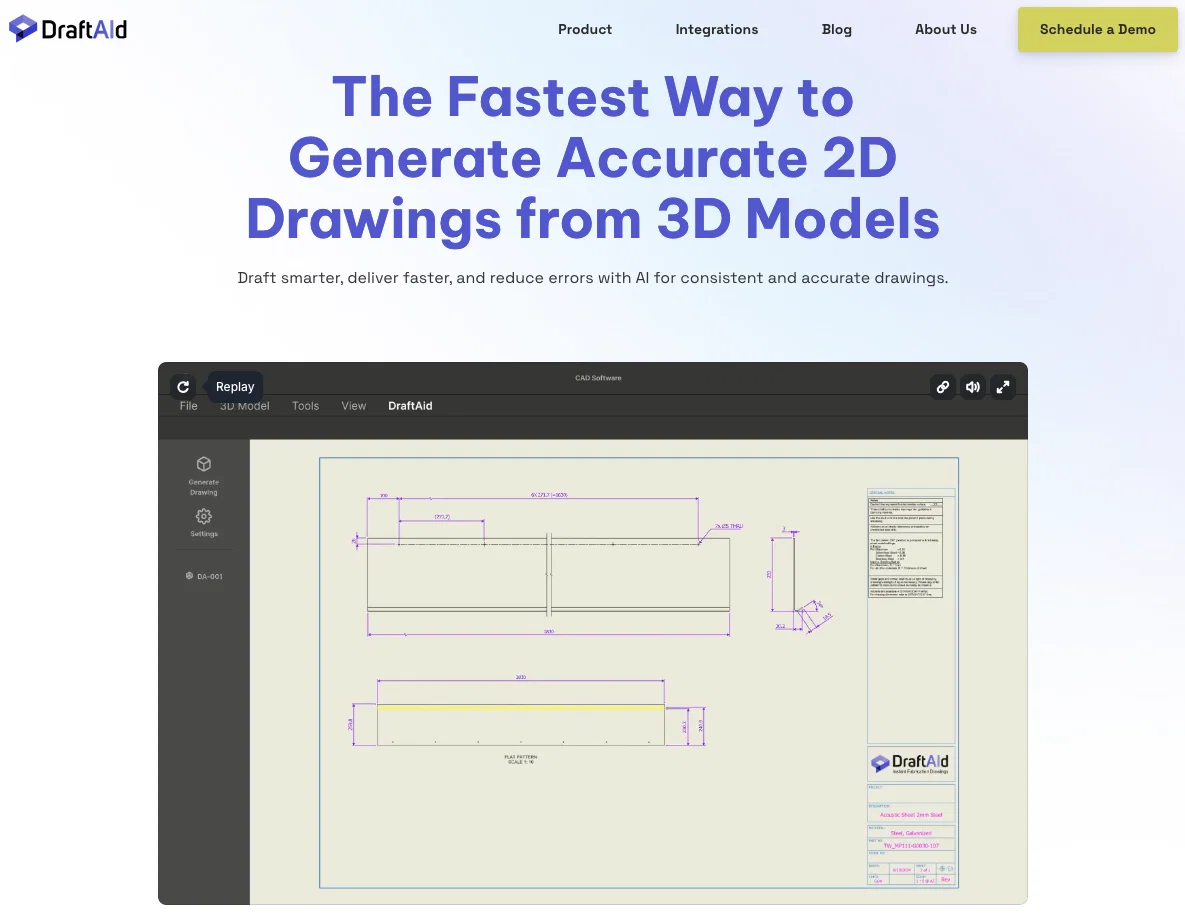
DraftAid automates the creation of fabrication drawings from 3D models, greatly reducing the time required and ensuring precision and consistency. It works with all major 3D modeling software and is designed to free designers from trivial and repetitive work.
DraftAid is easily integrable with existing CAD software, enhancing current workflows without the need for disruptive changes or extensive retraining.
It offers extensive customization options to align with specific project requirements, ensuring consistently accurate and high-quality drawings. The tool allows for a one-click initiation of the drawing process and provides an option for quick review of the automatically generated drawings before finalization.
Best for
Short scenarios where DraftAid tends to shine.
-
Generating fabrication drawings for manufacturing
Best for Engineers
-
Automating drafting for automotive components
Best for Designers
-
Creating drafts for construction components like curtainwalls and profiles
Best for Manufacturers
Example outputs 1
Sample generations and before/after results for DraftAid.
Access & connections
Where you can use DraftAid.
Platforms
Capabilities
What this tool accepts, produces, and is strongest at.
Input
- 3D
Output
- Image
Pros & cons
Pros
- Streamlines fabrication drawing
- Targets traditional method inefficiencies
- Automates creation of drawings
- Reduces fabrication times drastically
- Ensures drawing precision
- Promotes drawing consistency
- Compatible with major 3D software
- Replaces trivial repetitive work
Show 12 more
- Integrates easily with CAD software
- Improves current workflows
- Does not require retraining
- Offers customization options
- One-click drawing initiation
- Quick drawing review option
- Avoids manufacturing downtime
- Reduces operational costs
- Increases engineering efficiency
- Mitigates risk of inconsistencies
- Withstands rigorous end-user evaluation
- Supportive technical team
Cons
- Lacks advanced error-detection
- Intensive customization needed
- Learning phase required
- No in-tool drawing editing
- Dependence on initial 3D models
- Relies on external CAD software
- Review process not automated
- Requires user validation
Show 1 more
- Long setup time
Compare alternatives
Similar tools in the catalog.
People also view
Tools that often show up alongside DraftAid in collections and comparisons.

ManualFig ✓
FreemiumTurn product photos into instruction manual illustrations.

Notis ✓
Free TrialThe first WhatsApp assistant that runs on your ChatGPT and Claude subscriptions

Marblism ✓
FreemiumAI Employees who Work for Your Business

Limecube ✓
FreemiumTransforming the way websites are created with AI.

Format Magic ✓
FreemiumFormat plain text into professional documents in seconds

D-ID ✓
FreemiumCreate AI-generated videos with ease

CodeRabbit ✓
Free TrialEnhanced code review for improved workflow and quality.

Bytecap ✓
FreemiumEdit and publish clips 10x faster with AI
Releases 1
Imported reviews 1
Seems very promising, except I want to try it by myself. I don’t want a demo. Also, I’d like to know the costs before I commit to anything.
FAQ 12
What is DraftAid?
How does DraftAid utilize AI technology in fabrication drawing?
How does DraftAid work with 3D modeling software?
In what ways can DraftAid streamline my fabrication drawing process?
How does DraftAid help in handling the inefficiencies of traditional methods?
In what ways does DraftAid eliminate repetitive tasks in the drawing process?
How does DraftAid integrate with existing CAD software?
What are some of the customization options offered by DraftAid?
Can I review the drawings created by DraftAid before finalizing?
How does DraftAid ensure precision and consistency in my drawings?
What does the one-click operation feature of DraftAid entail?
Does DraftAid work with all major 3D modeling software?
Related tools
Recommended

ARCHITEChTURES ✓
FreemiumAI-powered design: Months to minutes for buildings.

PixieBrix ✓
FreemiumExtend your apps, accelerate work

reap Ai ✓
FreemiumTransform long videos into viral shorts instantly.

AVCLabs Video Enhancer AI ✓
PaidUpscale, Enhance, Restore, Colorize, Stabilize & Blur Videos with AI

B12 AI Website Builder ✓
FreemiumAI-powered website builder
D-ID ✓
FreemiumCreate AI-generated videos with ease