
Dictation 2026 Rank: #2908
dictate. ✓
Your voice, clean text, everywhere you type.
Verdict
A quick read before you dig into the full page.
- Best if
- Your voice, clean text, everywhere you type
- Skip if
- Limited to certain languages
- Pick this when
- Multi-device synchronization
Considering Wispr Flow instead? Compare side by side
Overview
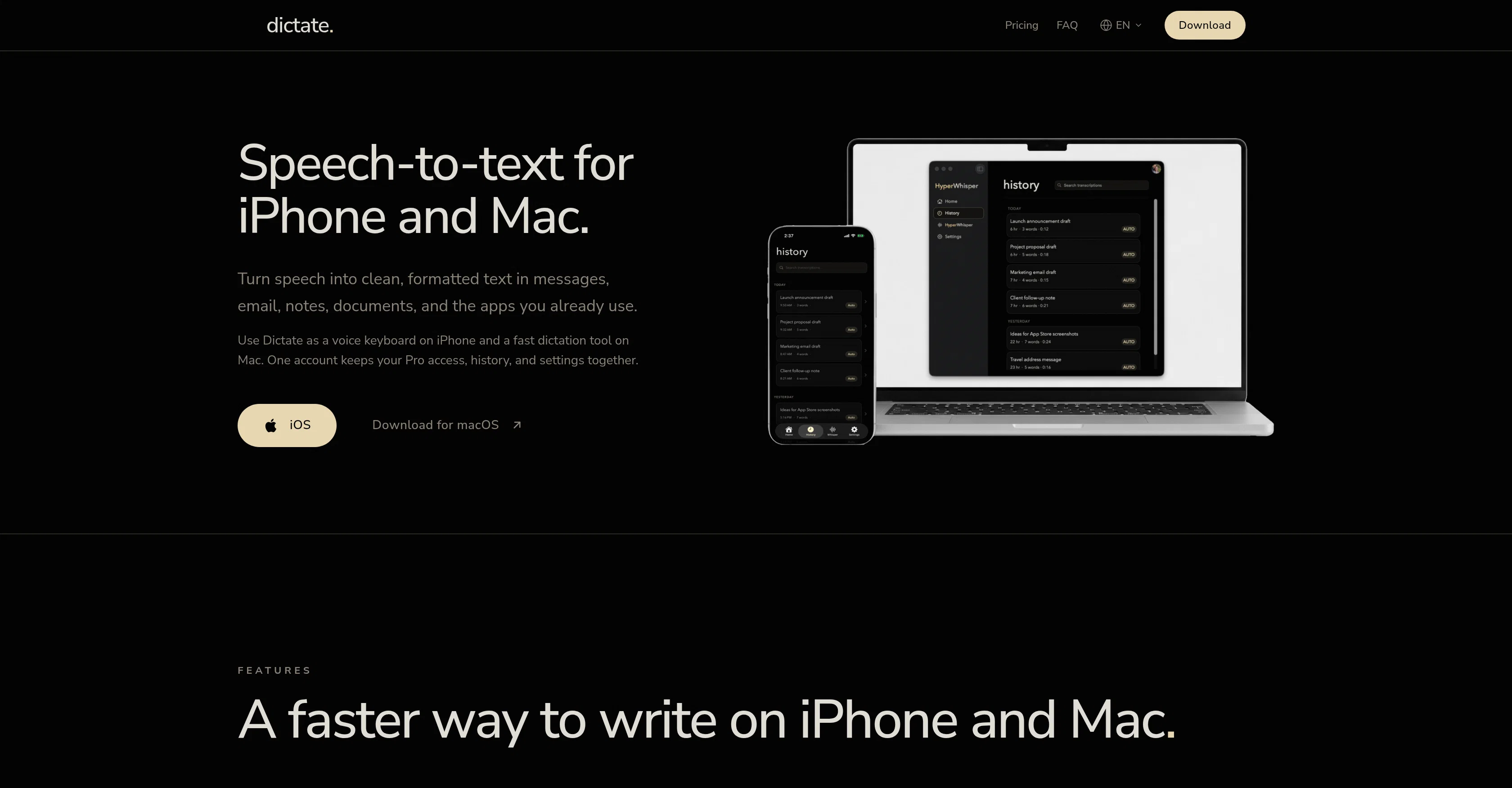
Dictate. is a speech-to-text tool available for both iPhone and Mac users. It functions as a voice keyboard on iOS and a fast dictation tool on macOS. By recording speech and converting it into clean, formatted text, this tool provides a more efficient way to compose messages, emails, notes, documents, and more.
By keeping one account, users can maintain their Pro access, history, and settings across both devices.The app allows users to speak naturally, then converts this into usable text, enhancing punctuation, formatting, and structure without the need for constant user intervention.
This makes it an efficient tool for producing accurate transcriptions and more readable final text. Dictate. can be configured in multiple languages, including Portuguese, English, Spanish, French, with the added possibility to switch languages as needed.An additional feature offered is the ability to translate dictated text in real time on the iPhone or Mac.
Furthermore, users are also able to search through their dictation history, making it easy to retrieve addresses, ideas, drafts, and snippets, among other things.
Moreover, the tool integrates smoothly into existing workflows, with installation straight from the App Store for iPhone and from the official website for Mac.
Access & connections
Where you can use dictate..
Capabilities
What this tool accepts, produces, and is strongest at.
Input
- Audio
Output
- Text
Pros & cons
Pros
- Multi-device synchronization
- Real-time translation
- Searchable dictation history
- Voice activated keyboard
- Supports multiple languages
- Quick installation from app store
- Voice to text transcription
- Integration with popular apps
Show 28 more
- User-defined dictionary
- Real time text formatting
- Automatic punctuation and structures
- Language switching as needed
- iOS and Mac compatibility
- One account for both devices
- Voice into clean text
- Fast dictation tool on macOS
- Pro access with one account
- Speak naturally to text
- Retrieve previous dictations
- Smooth workflow integration
- Can be used offline
- Converts voice to notes
- Ability to speak naturally
- Personalized user experience
- Retain dictation in drafts
- Recognizes various accents
- Device-specific functionalities
- Upgrade available for unlimited transcriptions
- App offers tone and style adjustment
- History tab facilitating easy access
- On-demand tech support for Pro users
- User can see transcription stats
- Increased productivity in writing
- Automatic language detection
- Automated voice data privacy
- Can be used in communication apps
Cons
- No Android support
- Paid Pro access
- No offline functionality
- Limited to certain languages
- Potential privacy concerns
- No integration with non-Apple systems
- Reliant on platform-specific installation
- Only one account per user
Show 2 more
- No explicit accessibility features
- Translation not always accurate
Compare alternatives
Similar tools in the catalog — with a clear reason to open each one.

Wispr Flow ✓
FreemiumSpeak naturally, write perfectly, 4x faster.
Why look Better for writing
Full comparison
Voibe ✓
Free TrialType 3x faster with private offline dictation.
Why look More privacy-focused
Full comparison
Spokenly ✓
FreemiumSeamless speech-to-text in every app.
Why look Offers a public API
Full comparison
Aqua Voice ✓
FreemiumVoice-driven text editing for effortless document creation.
Free + from $10/mo
Full comparison
EchoWrite ✓
FreemiumDon't type text anymore, just speak
Why look Higher community rating
Full comparison
Releases 1
FAQ 12
What is Dictate.?
How does Dictate. work on iPhone?
How does Dictate. work on Mac?
What features does Dictate. offer for efficient text composition?
Can Dictate. be used across different devices with one account?
Does Dictate. support multilanguage dictation?
How does Dictate. enhance punctuation, formatting and structure while converting voice into text?
Can I switch languages in Dictate. as per my need?
Does Dictate. offer real-time translation of dictated text?
Can I search through my dictation history in Dictate.?
How does Dictate. integrate with existing workflows?
How can I install Dictate. on my iPhone or Mac?
Related tools
Recommended
Clocsy ✓
Free TrialFinds your customers, fills your roles, and tracks your competitors — autonomously.

Zread
UnknownUnderstand any GitHub repo, fast.

MagicSlides.app AI PPT Maker ✓
FreemiumCreate Stunning PPTs in Seconds with the AI PPT Maker

GetLogit ✓
FreemiumArtificial intelligence, available for everyone.

ChatGPT ✓
FreemiumAsk anything, create anything, and move from idea to action.

Automateed ✓
Free TrialCreate eBooks effortlessly with Automateed, the AI-powered writing tool.