

DataLab ✓
From data to insights in seconds, right in your browser.
Free + from $5/mo
Verdict
A quick read before you dig into the full page.
- Best if
- From data to insights in seconds, right in your browser
- Skip if
- Restrictions for free tier
- Pick this when
- Friendly user-interface
Considering Grapha AI instead? Compare side by side
Overview
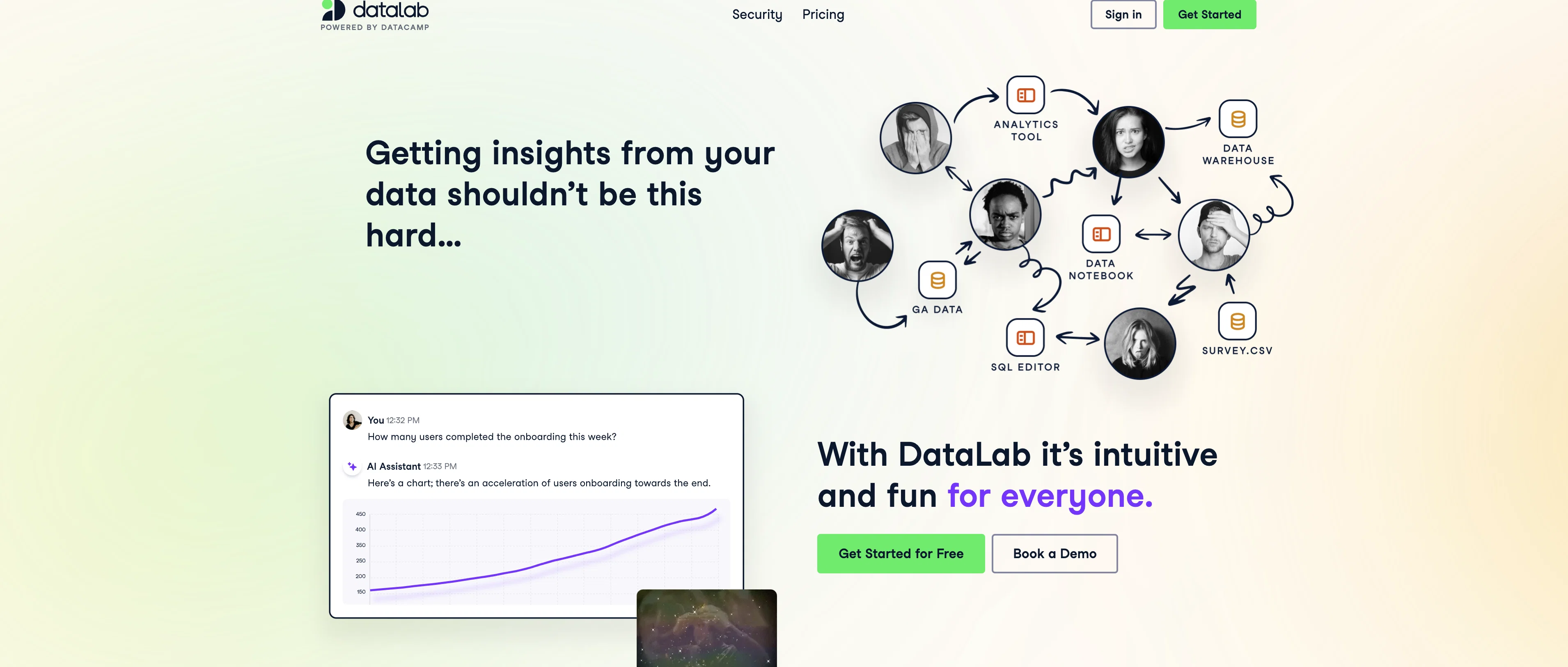
DataLab is an AI-enabled tool designed to simplify the process of transforming data into insights. It offers a friendly user-interface that allows anyone, including non-technical users, to easily upload datasets or connect to databases for analysis.
The platform provides a text input feature where users can describe their data analysis needs. DataLab's AI Assistant then translates these inquiries into actionable insights.
One of the key features of DataLab is its seamless connectivity with various data sources such as CSV files, Google Sheets, Snowflake, BigQuery among others.
It inspects the schema of the connected data source, utilising past activity and industry best practices to produce results. Users can then instantly share their discovered insights with team members, facilitating effective team collaboration.Notably, DataLab utilises generative AI technology that not only provides critical insights but also writes and executes the underlying code.
This gives users the opportunity to review, modify and rerun analyses, offering full trust and transparency. Security is also a top priority for DataLab, with mechanisms in place for encrypted data and credentials, single sign-on via SAML or OIDC connections, and various levels of access control.
Access & connections
Where you can use DataLab, and what it plugs into.
Platforms
Integrations
Capabilities
What this tool accepts, produces, and is strongest at.
Input
- Tabular
- Text
Output
- Code
- Tabular
Supported features
- Data Analysis
Pros & cons
Pros
- Friendly user-interface
- Easily upload datasets
- Connects to databases
- Text input for data analysis
- Connectivity with various data sources
- Inspects schema of data sources
- Shares insights with team members
- Writes and executes underlying code
Show 33 more
- Opportunity to review and rerun analyses
- High-level data security
- Encrypted data and credentials
- Single sign-on via SAML or OIDC
- Access control levels
- Analyzes past activity for results
- Compatible with Google Sheets, Snowflake, BigQuery
- Non-technical users-friendly
- Shareable insights
- Secure data source attachments
- Easy insights generation
- Powerful integrated data notebook
- Full transparency
- Clear and readable code generation
- Fast data analysis
- Seamless team collaboration
- Controlled data assets access
- Customizable user permissions
- Fast setup
- Versatile analysis capabilities
- Wide range of data source compatibility
- On-the-go notebook review
- Module pre-installation
- Organized data files view
- Quick data science tasks execution
- User experience optimization
- Comprehensive data queries
- Direct data chat interaction
- Automatic code rerun
- Historical comparative analysis
- ISO 27001:2017 certified
- Data encryption at rest/in transit
- Directory synchronization
Cons
- Limited pre-installed modules
- Requires resources to connect
- Dependent on DataCamp account
- Restrictions for free tier
- Enterprise security lacks detail
- Analysis may need manual adjustment
- No mobile app mentioned
- Third party data dependency
Compare alternatives
Similar tools in the catalog — with a clear reason to open each one.

Grapha AI ✓
PaidUncover hidden trends and patterns in your data effortlessly.
from $150
Full comparison
DataSquirrel ✓
FreemiumData cleaning & visualization for insights gained.
Why look Higher community rating
Full comparison
Breadcrumb ✓
FreemiumAutomate data work and reporting with AI Agents. No data|coding skills required.
Why look Better fit for coding
Full comparison
Anomaly AI ✓
FreemiumAI data analysis workspace for business datasets and reports.
Free + from $25/mo
Full comparison

ChartPixel ✓
FreemiumAI-assisted graphs and insights in 30 seconds!
Why look Offers a public API
Full comparisonReleases 1
Imported reviews 1
Is this tool likes excelmatic.ai?
FAQ 12
What is the main function of DataLab?
How does DataLab's AI Assistant work?
Which data sources can DataLab connect to?
How does DataLab utilize generative AI technology?
What kind of data security measures does DataLab implement?
How can non-technical users benefit from using DataLab?
Can DataLab's insights be modified and rerun?
Is it possible to collaborate in teams with DataLab?
Can DataLab analyze CSV files and Google Sheets?
How does DataLab process uploaded datasets?
Can DataLab be used to transform data into insights?
How does the text input feature for data analysis on DataLab work?
Related tools
Recommended

PandasAI ✓
FreemiumConverse with your data using AI-powered pandas.

LearningStudioAI ✓
Free TrialAI-powered authoring tool for effortless online course creation.

Qonqur ✓
FreemiumAI + Hand Written Math

PDF Guru ✓
FreemiumChat with your PDF for instant insights

ANDRE ✓
FreemiumPersonal Synthetic Data Analyst – Available 24/7

GPTExcel ✓
FreemiumGenerate spreadsheet formulas with AI