

Cooraft: Ultimate AI Camera ✓
Transform selfies into stunning studio shots with AI.
Verdict
A quick read before you dig into the full page.
- Best if
- Transform selfies into stunning studio shots with AI
- Skip if
- Subscription model (expensive)
- Pick this when
- Transforms images to art
Considering Viyou AI Image Generator instead? Compare side by side
Overview
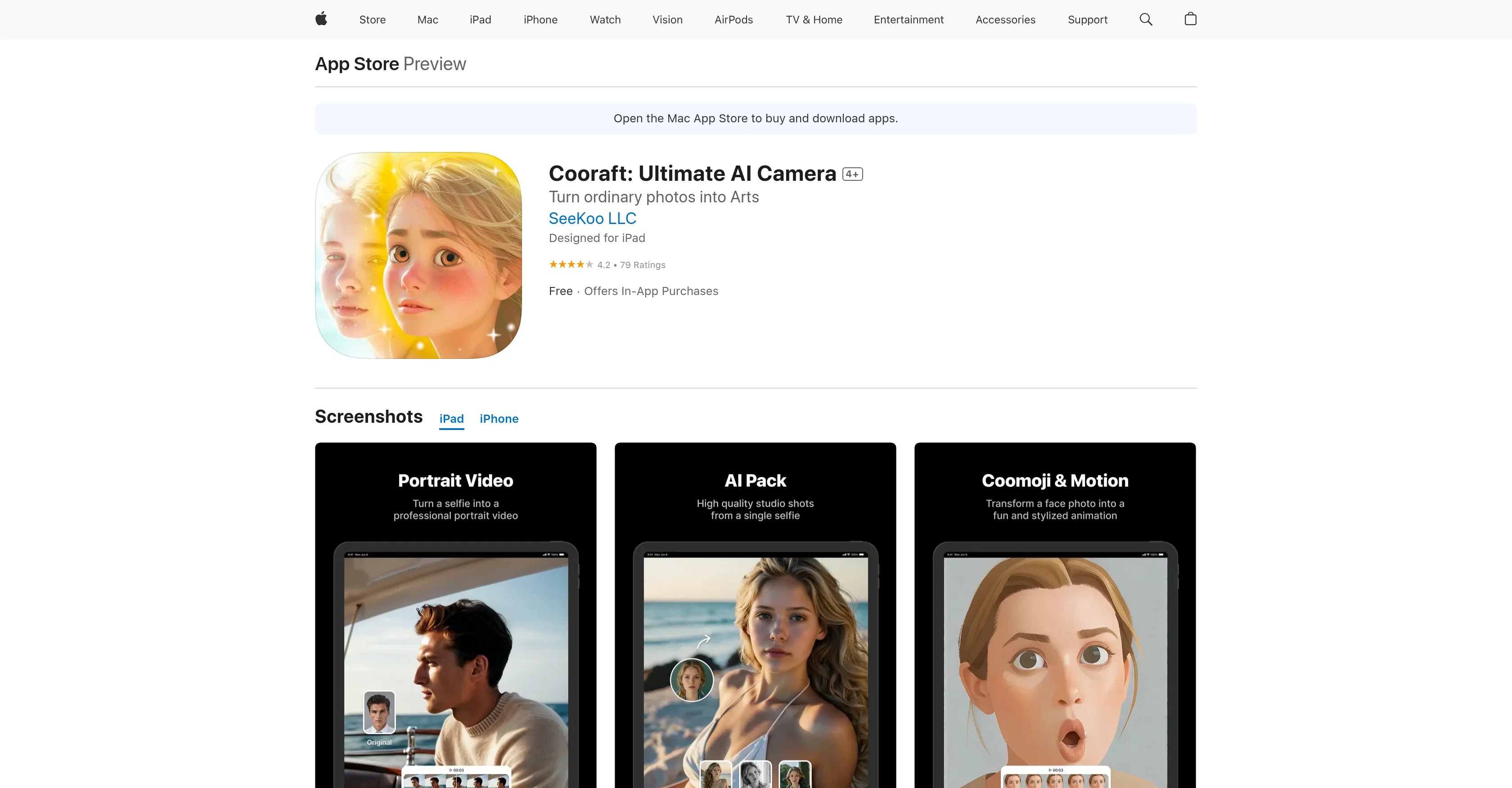
Cooraft: Ultimate AI Camera is an application that leverages the power of artificial intelligence to transform ordinary images into works of art. With a single tap, users can turn selfies and daily photos into studio-grade shots, animations, and artistic renderings.
The app offers a variety of creative solutions, including converting sketches, drawings, paintings, and line art into new renderings that are either realistic, 3D, or artistically inspired.
Features include creating portrait videos from a single face image, converting any photo into a variety of artistic styles, and animating a face photo with fun expressions.
Users can also turn a facial photo into stylized emojis. Cooraft is constantly evolving, with more styles and features planned for future updates. It offers a subscription model for unlimited access to premium features.
Despite the cutting-edge technology it employs, the app is designed to be user-friendly and easily accessible, bringing professional-grade photo editing capabilities to your fingertips.
Access & connections
Where you can use Cooraft: Ultimate AI Camera, and what it plugs into.
Platforms
Integrations
Capabilities
What this tool accepts, produces, and is strongest at.
Input
- Image
Output
- Video
- Image
Pros & cons
Pros
- Transforms images to art
- Creates studio-grade shots
- Makes animations and artistic renderings
- Multiple creative solutions
- Converts sketches and drawings
- Produces realistic or 3D renderings
- Creates portrait videos
- Converts any photo to art
Show 16 more
- Photo face animations
- Makes stylized emojis
- User-friendly interface
- Premium features
- Subscription model
- Regular future updates
- Multiple artistic styles
- Constantly evolving tool
- Professional-grade editing capabilities
- Friendly UI
- Integrated with Apple store
- No data collection
- Compatible with iOS devices
- Multi-language support
- In-app purchases
- Responsive app support
Cons
- Subscription model (expensive)
- Limited to Apple devices
- Requires iOS 14.0 or later
- App size significant (180.4MB)
- Limited language support
- No data collection (potentially limiting improvement)
- Constant updates may be disruptive
- No obvious API available
Show 2 more
- Limited features without premium access
- No user privacy customization options
Compare alternatives
Similar tools in the catalog — with a clear reason to open each one.

Viyou AI Image Generator ✓
FreemiumTransform text and images into stunning videos and visuals.
Free + from $39.99/yr
Full comparison
Img2Img AI ✓
FreemiumTransform any image with AI in seconds.
Why look Typically cheaper
Full comparison

Photoeditor ✓
PaidEnhanced image editing with object and text removal.
from $9.99/mo
Full comparison
Cleanup pictures ✓
FreemiumRemove unwanted elements from photos instantly.
Why look Typically cheaper
Full comparisonReleases 1
Related tools
Recommended

IllustrateAI ✓
Free TrialUnlock your creativity with AI-powered illustrations.

Viesus enhancing PDFs and images ✓
Free TrialEnhancing and Upscaling for images and PDFs

AI Portrait - Remaker ✓
Free TrialConvert photos into artistic AI portraits instantly.
Fine Pixel ✓
FreemiumEnhance images 10X with AI upscaling

PicPicAI - AI Portrait Enhancer ✓
FreemiumEnhance portraits with AI for stunning details
Persona AI ✓
FreemiumCreate stunning, lifelike photos with AI