

Image enhancement vv2.0
PicPicAI - AI Portrait Enhancer ✓
Enhance portraits with AI for stunning details
Free + from $10.99
Verdict
A quick read before you dig into the full page.
- Best if
- You are social media managers and need: Enhance product photos for e-commerce
- Skip if
- Limited add-on features
- Pick this when
- Enhances individual and group portraits
Considering Remini instead? Compare side by side
Overview
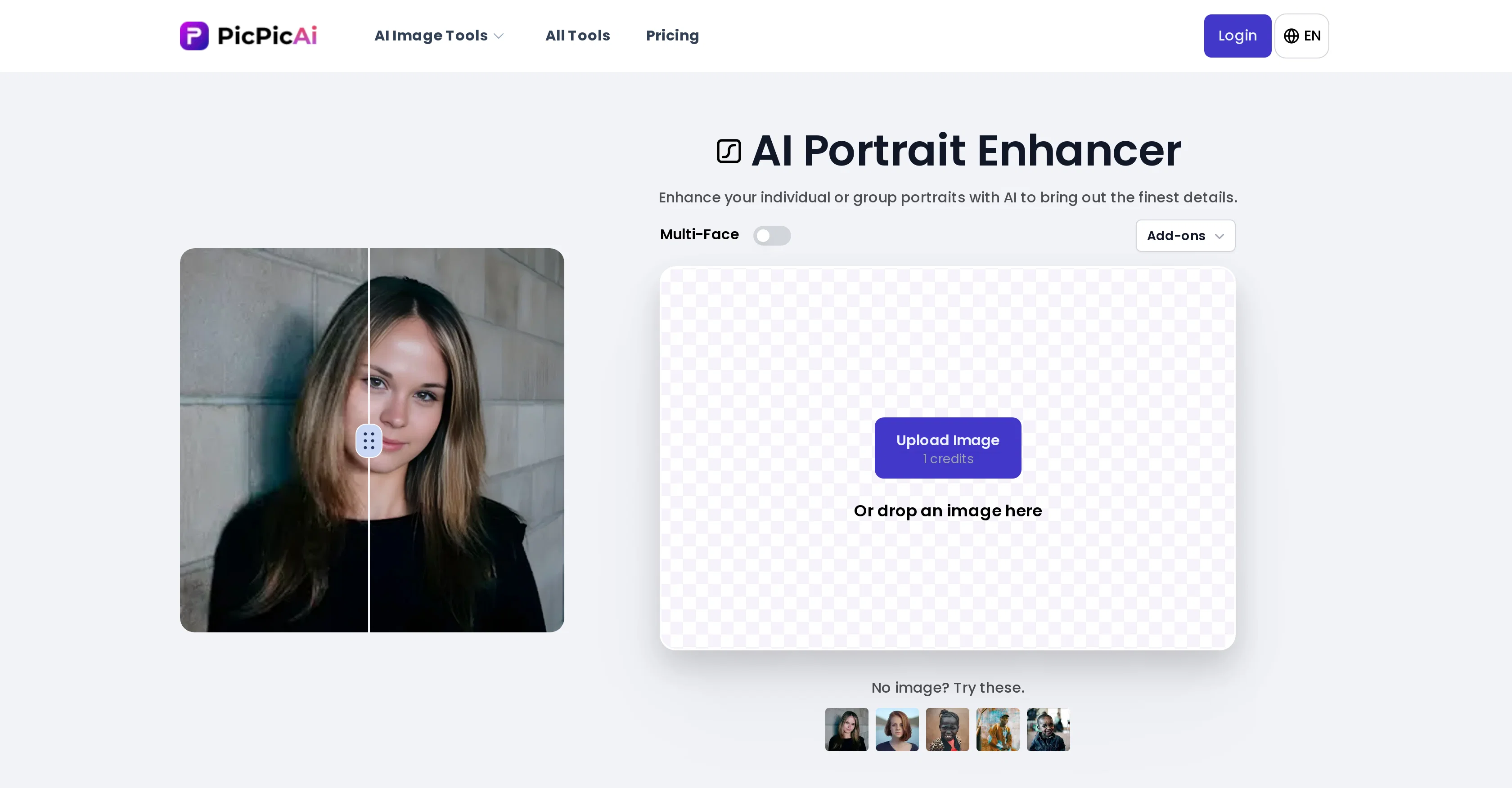
PicPicAI provides an AI-based portrait enhancer tool that empowers users to refine individual or group images by accentuating the finest details. Through the application of advanced artificial intelligence technology, it can transform portraits, family photos, or group shots into professional-grade pictures.
The tool offers natural and seamless enhancement of image details and is especially effective for both individual and group portraits. Beyond its primary portrait enhancement, PicPicAI includes additional image processing features such as Background Remover Add-ons and Colorize Photos Add-ons or even a combination of them.
These tools simplify the process of photo editing by executing multiple tasks with a single click, thus increasing efficiency. PicPicAI also provides a range of other AI photo enhancers, including Photo Enhancer, Relight Photo, Creative Upscaler, and many others.
All these tools aim to facilitate effortless image editing and enhancement. Moreover, the platform supports use on mobile devices, allowing users to edit their images anytime, anywhere.
Not limited to facial enhancements, the AI Portrait Enhancer can effectively improve any web or printed image, from digital art to nature photos.
Best for
Short scenarios where PicPicAI - AI Portrait Enhancer tends to shine.
-
Enhance product photos for e-commerce
Best for Social media managers
-
Create eye-catching social media images
Best for Marketers
-
Restore old photos
Best for Content creators
-
Generate unique avatars and portraits
Best for E-commerce sellers
-
Remove unwanted objects from photos
Best for Small business owners
-
Change background colors
Best for eBay resellers
Example outputs 1
Sample generations and before/after results for PicPicAI - AI Portrait Enhancer.
Access & connections
Where you can use PicPicAI - AI Portrait Enhancer.
Platforms
Capabilities
What this tool accepts, produces, and is strongest at.
Input
- Image
- Text
Output
- Image
Highlights
- Use code TAAFT
- 20% OFF
Pros & cons
Pros
- Enhances individual and group portraits
- Produces professional-grade pictures
- Natural and seamless enhancement
- Includes additional image processing features
- Background remover add-on
- Offers colorize photos add-on
- Efficient multi-task execution
- Mobile support
Show 38 more
- Improves any web or printed image
- Effective for diverse image categories
- Easy image editing
- Effective detail accentuation
- Offers one-click enhancement
- Facilitates effortless enhancement
- Combines different add-ons
- Multi-face add-ons
- Relight photo enhancer
- Creative upscaler enhancer
- Boosts editing efficiency
- Perfect for family photos
- Removes background automatically
- Includes Photo upscaler
- Restore old photos tool
- Can colorize photos
- Elevates image quality
- Can turn selfies into art painting
- Effective for digital art
- Effective for nature photos
- Accessible via browser on-the-go
- Supports combined functionality usage
- User-friendly interface
- Add shadow to image feature
- Convenient passport photo maker
- Multiple Portrait to Art options
- Features Portrait To Sketch tool
- Combines with Restore Old Photos
- Combines with Colorize Photos
- Offers Creative Upscaler tool
- Face To Sticker functionality
- Neonpunk Generator tool
- Headshot Generator tool
- Includes Mobile Support
- Removes objects from images
- Includes Dreamy Wedding Photo feature
- Offers Cartoonify Portrait Photos tool
- Features a DreamToon Avatar generator
Cons
- No offline usage
- No desktop application
- Doesn't support batch processing
- Limited add-on features
- No customizable settings
- Unknown output quality
- No mention of file types supported
- No free trial mentioned
Show 2 more
- Lacks advanced editing tools
- No third-party integrations
Compare alternatives
Similar tools in the catalog — with a clear reason to open each one.

Remini ✓
FreemiumTransform old photos into HD masterpieces with AI.
Why look Typically cheaper
Full comparison
PhotoGrid AI Image Enhancer ✓
FreemiumEnhance image quality with AI, instantly and free.
Why look Typically cheaper
Full comparison
Artedge AI ✓
FreemiumEnhance photos to 4K quality instantly with AI.
Why look Typically cheaper
Full comparisonPeople also view
Tools that often show up alongside PicPicAI - AI Portrait Enhancer in collections and comparisons.

UpSynth ✓
PaidAI image enhancement with control.
Remini ✓
FreemiumTransform old photos into HD masterpieces with AI.

Refini ✓
PaidFix Blurry Faces & Restore Memories
PhotoGrid AI Image Enhancer ✓
FreemiumEnhance image quality with AI, instantly and free.
Artedge AI ✓
FreemiumEnhance photos to 4K quality instantly with AI.

AIPhotoEnhancer.Pro ✓
FreemiumAI-powered photo enhancement in one click.

PhotoGPT's AI Product Photography ✓
Free TrialStudio-quality product photos, instantly.

Monipix ✓
FreemiumUpscale blurry photos to 4K & 16K instantly.
Releases 2
Two enhancement modes now available:
- Enhance - Boosts clarity and detail while staying true to the original.
- Magic Restore - Advanced AI restoration that repairs cracks, fading, and damage, breathing new life into treasured memories, and may creatively re-imagine the image.
Plus: Save time with our new Batch Processing feature - enhance 20 portraits simultaneously at once!
Transform your precious photos today with cutting-edge AI technology that delivers professional results effortlessly.
Imported reviews 1
AI Portrait Enhancer is a powerful tool for improving portraits. Use Enhance mode to sharpen and boost faces, or Magic Restore mode to repair blurry or damaged old photos. Give it a try!
FAQ 12
What editing add-ons does PicPicAI offer?
How does PicPicAI enhance individual or group portraits?
Can PicPicAI be used to edit images on mobile devices?
Is PicPicAI solely for portrait enhancements?
What types of images can be improved with PicPicAI?
What does the Photo Enhancer tool in PicPicAI do?
What is the Creative Upscaler in PicPicAI?
How does PicPicAI make photo editing more efficient?
What is the Relight Photo tool offered by PicPicAI?
Can I use PicPicAI to remove backgrounds from my images?
Apart from portrait enhancement, what other features does PicPicAI provide?
Can I colorize my photos with PicPicAI?
Related tools
Recommended

AI Video API ✓
FreemiumCreate AI videos effortlessly and affordably

Wix AI Website Builder ✓
FreemiumAI-powered websites, instantly ready for business.

AI Carousels Cheat Sheets
FreeCreate pro LinkedIn carousels in seconds, no design skills needed.

AI Auto Apply | AIApply ✓
PaidJob applications on autopilot

Chat With Your Database ✓
UnknownChat to query, analyze, and run operations on your Postgres database.

Prompt Blaze ✓
PaidSimplify AI automation with easy prompt chaining