
Transcription vv5.1.0 2026 Rank: #1710
Clipto ✓
AI transcription, summaries and video search across all your media
Verdict
A quick read before you dig into the full page.
- Best if
- You are researchers and need: Transcribing interviews and usability tests
- Skip if
- Limited free trial
- Pick this when
- AI Audio & Video Transcription
Considering Voicetype AI instead? Compare side by side
Overview





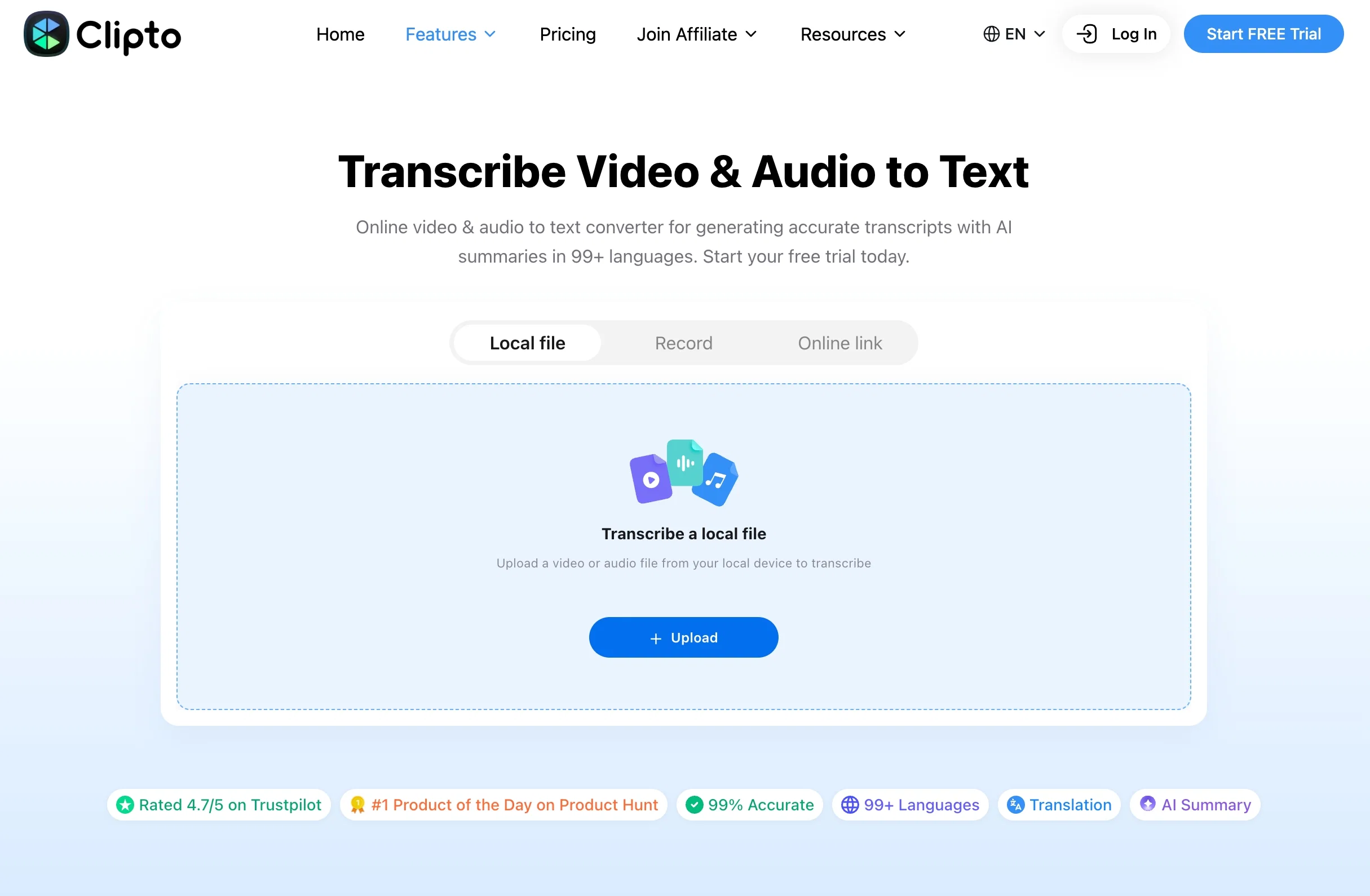
Turn your audio and video library into an AI memory. Clipto understands your content, allowing you to find people, conversations, moments, and ideas instantly through natural language search.
With Clipto, you can convert audio and video into accurate transcripts with speaker identification, timestamps, 99% accuracy and support for 99+ languages. Generate AI summaries, translate content, and chat with your recordings online or locally.
On Mac and Windows, Clipto helps creators and professionals organize and autotag large video libraries and build a searchable AI memory of their footage. Find any clip by describing what you remember, without searching through folders or filenames. Download online video and audio content, and keep sensitive files secure with local AI processing. https://www.clipto.com/knowledge-library/video-search
On iOS and Android, record conversations, meetings, lectures, and interviews with real-time AI transcription. https://www.clipto.com/ai-transcription/record-transcribe-audio-app
Whether you are a creator, student, researcher, or professional, Clipto turns your media files into searchable knowledge.
Transcription Online: https://www.clipto.com/transcribe-audio-video-to-text-free
YouTube Video Summarizer Online: https://www.clipto.com/video-summarizer/youtube-video-summarizer
Video Downloader Online:https://www.clipto.com/media-tool/youtube-video
Best for
Short scenarios where Clipto tends to shine.
-
Transcribing interviews and usability tests
Best for Researchers
-
Creating subtitles for videos
Best for Business owners
-
Transcribing Zoom meetings
Best for Online educators
-
Generating transcripts for online courses
Best for Students
-
Repurposing podcast episodes into articles
Best for YouTubers
-
Creating transcripts for court proceedings
Best for Hiring managers
Example outputs 1
Sample generations and before/after results for Clipto.
Access & connections
Where you can use Clipto, and what it plugs into.
Integrations
Capabilities
What this tool accepts, produces, and is strongest at.
Input
- Video
- Audio
Output
- Audio
- Video
- Text
Highlights
- Local
- MCP
Supported features
- Transcription
- Runs Locally
- MCP
Pros & cons
Pros
- AI Audio & Video Transcription
- Transcribe video to text
- Transcribe audio to text
- Real-Time Transcription
- Supports 99+ languages
- Highly accurate transcriptions
- Local file transcription
- Online file transcription
Show 12 more
- URL and local file upload
- Speaker Identification & Timestamps
- AI Summaries and Key Insights
- Chat With Your Transcripts
- Transcript Translation
- Free trial available
- Multiple Export Formats
- Video Search
- Find Clips Without File Names
- Automatic Media Tagging
- AI-Powered Media Organization
- Works on Web, Mac, Windows, iOS & Android
Cons
- Limited free trial
Compare alternatives
Similar tools in the catalog — with a clear reason to open each one.

Voicetype AI ✓
Free TrialWrite 9x Faster with AI Speech to Text on all Apps
Why look Better for writing
Full comparison
Transcript LOL ✓
FreemiumUnlimited transcripts, summaries, 99.8% accuracy, speaker recognition, superfast
Why look Offers a public API
Full comparison
TurboScribe ✓
Freemium🎯 3 free transcripts every day. 🔥 Unlimited transcription starting at $10/mo.
Free + from $10/mo
Full comparison
RambleFix ✓
Paid⚡ Write by thinking aloud - emails, notes, articles, in your style.
Why look Typically cheaper
Full comparison
Paraspeech ✓
Free TrialPrivate dictation, cloud optional
Why look More privacy-focused
Full comparisonPeople also view
Tools that often show up alongside Clipto in collections and comparisons.
Voicetype AI ✓
Free TrialWrite 9x Faster with AI Speech to Text on all Apps
TurboScribe ✓
Freemium🎯 3 free transcripts every day. 🔥 Unlimited transcription starting at $10/mo.
Transcript LOL ✓
FreemiumUnlimited transcripts, summaries, 99.8% accuracy, speaker recognition, superfast
RambleFix ✓
Paid⚡ Write by thinking aloud - emails, notes, articles, in your style.
Paraspeech ✓
Free TrialPrivate dictation, cloud optional
Recap Raven ✓
Free TrialTTRPG Discord bot that recaps, transcribes, GM prep notes and campaign memory

Realms of Shod ✓
Free TrialMultiplayer tools, AI notes, and knowledge-graph surfaces for TTRPG worlds and stories

Pulse by smallest.ai ✓
FreemiumWorld's fastest and most accurate speech-to-text.
Releases 2
- Launched Clipto across Mac, Windows, iOS, and Android with AI-powered transcription and media intelligence features.
- Added AI Memory to transform your audio and video library into searchable knowledge with natural language search.
- Introduced AI-powered video and audio organization, automatic media tagging, and instant clip discovery.
- Added local transcription on Mac and Windows for enhanced privacy when processing sensitive files.
- Improved transcription accuracy with real-time transcription, speaker identification, timestamps, AI summaries, and chat across web and mobile apps.
Imported reviews 1
Paid Pro user. Link import has been down on my account since July 28 — one public YouTube URL pasted manually into their web form fails with errCode 10011 "online link lambda time out", Vimeo fails with 10010. Local uploads work fine.
Opened a ticket July 29 with full error details. 12 replies over 11 days, no diagnosis, no ETA, no refund decision. No status page, no incident notice. If your workflow depends on transcribing from URLs, be aware that this can break silently and that support has no mechanism for telling you when or whether it will come back.
FAQ 12
What is Clipto?
How does Clipto transcribe audio and video files?
What is the accuracy rate of Clipto's transcription?
How many languages can Clipto transcribe?
How do I upload files for transcription on Clipto?
Can I use Clipto to transcribe files from online sources like YouTube or Facebook?
What is the Smart Search feature of Clipto?
How can I use the Light Cut editing feature on Clipto?
Does Clipto offer a free trial for its services?
What subscription plans does Clipto offer?
Are the transcriptions by Clipto editable?
Is Clipto optimized for a specific type of user or uses?
Related tools
Recommended

AI Detector by Getsolved ✓
FreemiumDetect AI-generated content instantly.
SpeechTurbo ✓
Free TrialConvert audio and video to accurate text in seconds.

GetLogit ✓
FreemiumArtificial intelligence, available for everyone.

ChatGPT ✓
FreemiumAsk anything, create anything, and move from idea to action.

freebeat AI ✓
FreemiumTurn Music & Ideas into Viral Videos In One Click

remio: Your Personal ChatGPT ✓
FreemiumGet Tailored Answer with Your Personal ChatGPT