
Transcription 2026 Rank: #2232
SpeechTurbo ✓
Convert audio and video to accurate text in seconds.
Trial; then from $9.99
Verdict
A quick read before you dig into the full page.
- Best if
- Convert audio and video to accurate text in seconds
- Skip if
- Limited translation for non-VIP
- Pick this when
- Excellent transcription accuracy
Considering Voicetype AI instead? Compare side by side
Overview
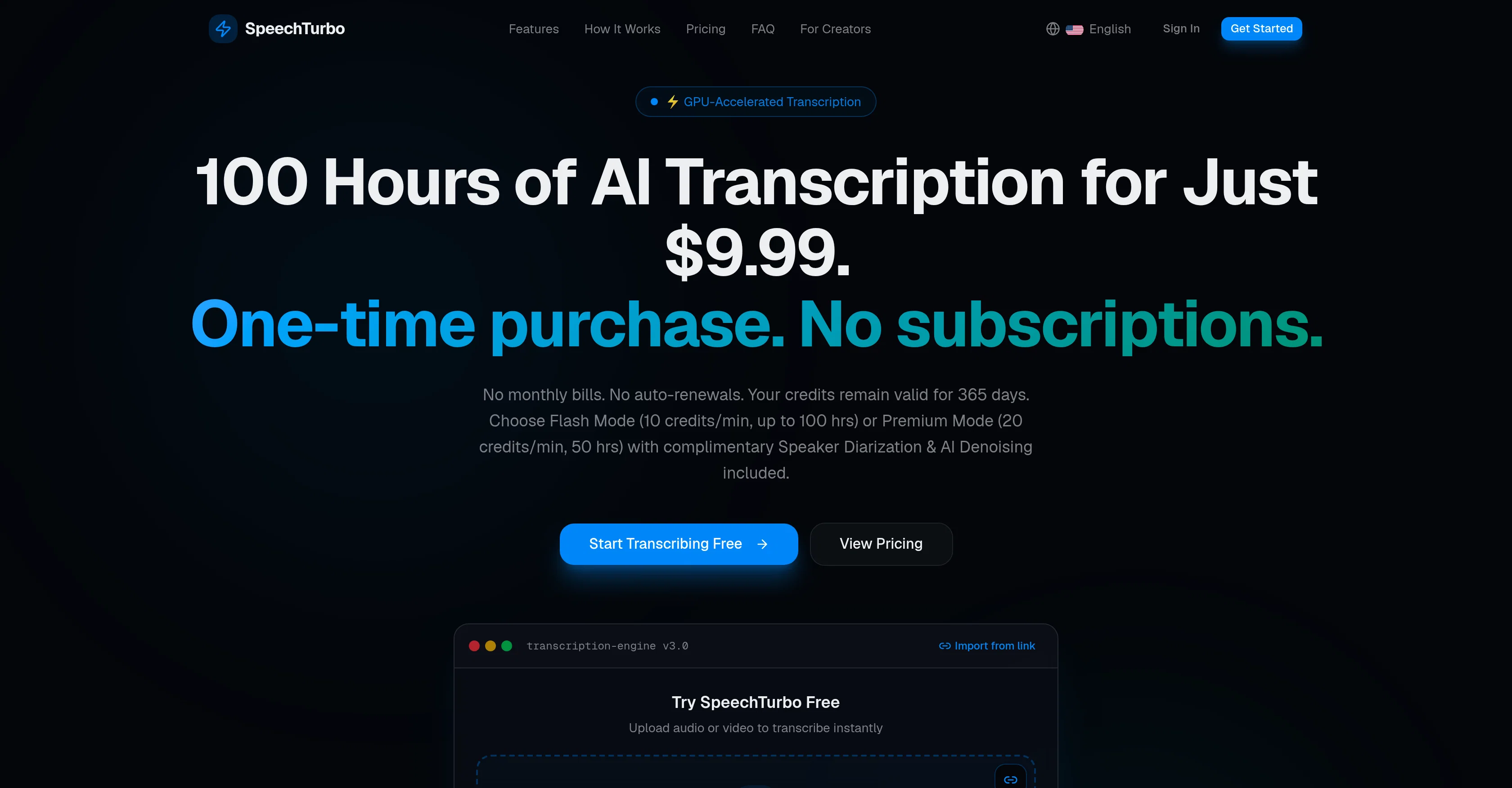
Unlike traditional ASR services that lock you into expiring monthly credits, SpeechTurbo lets you pay only for what you transcribe, with credits valid for 365 days.
Key Features:
• Flexible Pay-As-You-Go: No monthly auto-renewals or wasted credits—pay strictly per second.
• Dual AI Engines: Choose Flash Mode for lightning-fast drafts or Premium Mode for maximum accuracy.
• Multi-Cloud Import: Directly import files from Google Drive, Dropbox, or local storage.
• Subtitle & Export Ready: Export clean transcripts in DOCX, PDF, SRT, VTT, CSV, and TXT formats.
• Global Language Support: Transcribe in 98+ languages and translate into 134+ languages.
• Bank-Grade Privacy: All uploads are HTTPS-encrypted and auto-deleted within 24 hours.
Get 3 hours of free transcription credits to test the accuracy today!
Access & connections
Where you can use SpeechTurbo, and what it plugs into.
Platforms
Integrations
Capabilities
What this tool accepts, produces, and is strongest at.
Input
- Video
- Audio
Output
- Text
Highlights
- SOTA
Pros & cons
Pros
- Excellent transcription accuracy
- GPU-accelerated transcription
- Batch processing option
- Supports multiple formats
- Cloud storage integration
- Transcription in 98+ languages
- Translation in 134+ target languages
- Credits valid for 365 days
Show 12 more
- No auto-renewal fees
- Variety of output formats
- HTTPS-encrypted uploads
- Auto-deletion of original files
- User-friendly Interface
- Flash and Premium modes
- Import from Google Drive, Dropbox
- Supports MP3, MP4, M4A, MOV, AAC, WAV, OGG, FLAC formats
- Audio and video transcription
- Transcripts downloadable as DOCX, PDF, SRT, VTT, CSV, TXT
- No subscription fees
- One-time purchase options
Cons
- No mobile app
- Limited batch upload
- 24-hour file deletion
- Credits usage unclear
- Requires cloud storage for imports
- Short validity of credits (365 days)
- Limited translation for non-VIP
Compare alternatives
Similar tools in the catalog — with a clear reason to open each one.

Voicetype AI ✓
Free TrialWrite 9x Faster with AI Speech to Text on all Apps
Why look Better for writing
Full comparison
Transcript LOL ✓
FreemiumUnlimited transcripts, summaries, 99.8% accuracy, speaker recognition, superfast
Why look Offers a public API
Full comparison
TurboScribe ✓
Freemium🎯 3 free transcripts every day. 🔥 Unlimited transcription starting at $10/mo.
Free + from $10/mo
Full comparison
RambleFix ✓
Paid⚡ Write by thinking aloud - emails, notes, articles, in your style.
Why look Typically cheaper
Full comparison
Paraspeech ✓
Free TrialPrivate dictation, cloud optional
Why look More privacy-focused
Full comparisonReleases 1
FAQ 12
What is SpeechTurbo?
What formats are supported by SpeechTurbo?
How does SpeechTurbo's AI-powered transcription work?
What is Flash Mode in SpeechTurbo?
What is the difference between Flash Mode and Premium Mode in SpeechTurbo?
How does SpeechTurbo handle data security?
Can I upload files from cloud storage in SpeechTurbo?
How accurate is the SpeechTurbo's transcription?
What languages does SpeechTurbo support for transcription?
What are the export options after the transcription in SpeechTurbo?
Is there a subscription fee for using SpeechTurbo?
What is the pricing model of SpeechTurbo?
Related tools
Recommended

GetLogit ✓
FreemiumArtificial intelligence, available for everyone.

ChatGPT ✓
FreemiumAsk anything, create anything, and move from idea to action.

freebeat AI ✓
FreemiumTurn Music & Ideas into Viral Videos In One Click

Pounce ✓
Free TrialGet real followers and engagement in minutes.

AirMusic ✓
Free TrialAI music generator and music video creator in one platform.

WebsitePublisher AI ✓
FreemiumYour AI builds a full app, right from your phone