
CLIP STUDIO PAINT ✓
Your all-in-one digital art studio
Trial; then from $54
Verdict
A quick read before you dig into the full page.
- Best if
- Your all-in-one digital art studio
- Skip if
- Complex for beginners
- Pick this when
- Wide range of tools
Considering Photo AI instead? Compare side by side
Overview
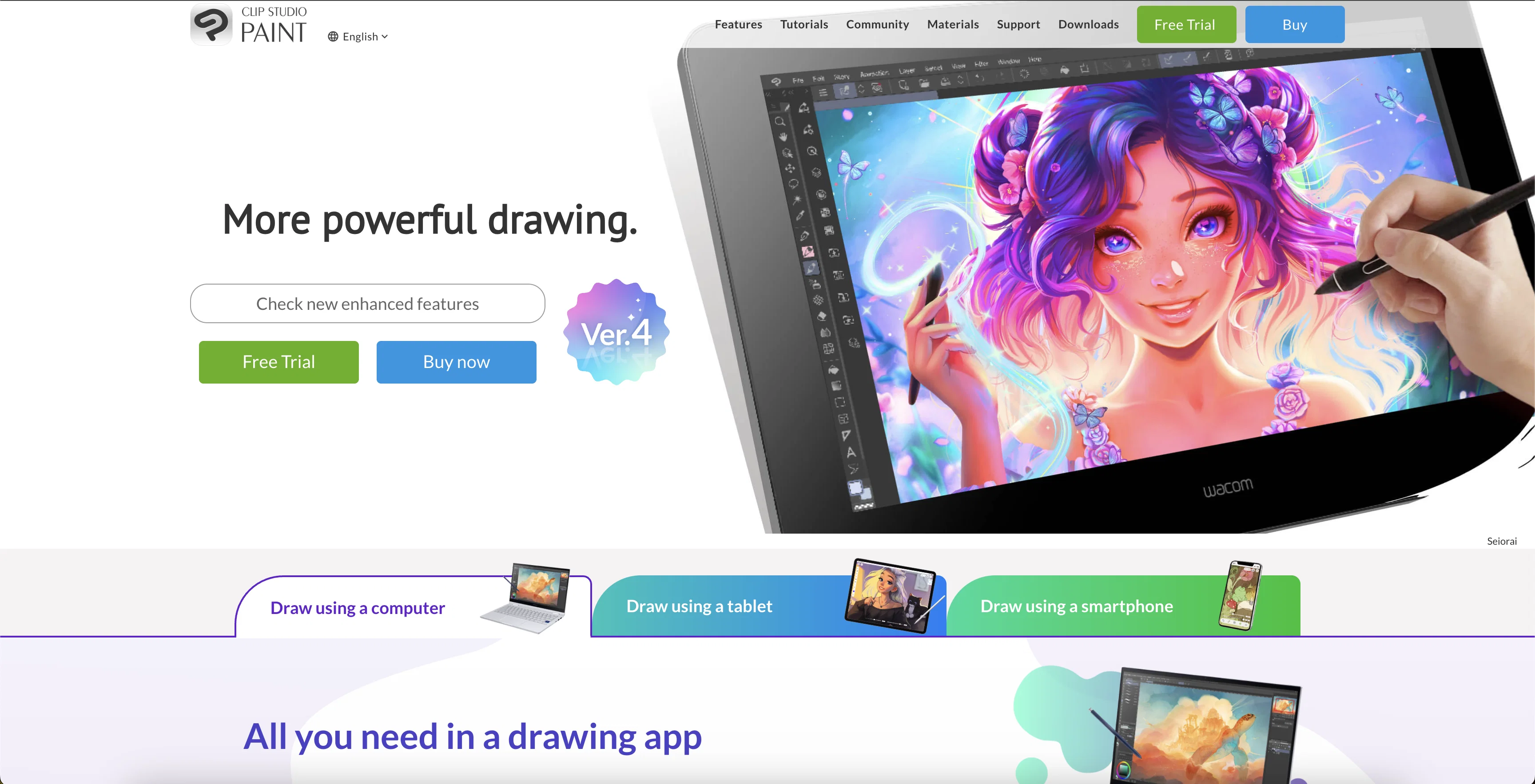
CLIP STUDIO PAINT is a comprehensive art studio that professionals and hobbyists can use for illustrations, animations, manga, and webtoons creation. The tool offers a wide array of customizable brushes and art tools, replicating the texture of real-life art materials and facilitating realistic color mixing.
The platform also provides a selection of specialized tools, including rulers and 3D objects, to aid in background and prop creation. Furthermore, users can capitalize on features like smart coloring and shading assist to simplify and enhance their work process.
The software offers support for drawing on various devices; this includes smartphones, tablets, and PCs, enabling users to work flexibly. Another standout feature of CLIP STUDIO PAINT is its large library of materials at the user's disposal.
Users can access community-made brushes and expand their collection, thereby enabling unique styles and effects. Additionally, the platform has functions for both comic and animation creation, including tools for storyboarding, panel frames, and speech balloons, and supports managing multi-page projects.
The software has capabilities for animation up to 4K resolution. Templates for props, character models, and other graphics are also provided to assist users in their creations.
Lastly, the tool also features various support avenues, including tutorials, a Q&A community, and a dedicated support team.
Best for
Short scenarios where CLIP STUDIO PAINT tends to shine.
-
Your all-in-one digital art studio
Example outputs 1
Sample generations and before/after results for CLIP STUDIO PAINT.
Access & connections
Where you can use CLIP STUDIO PAINT.
Platforms
Capabilities
What this tool accepts, produces, and is strongest at.
Input
- 3D
- Image
Output
- 3D
- Image
Supported features
- Clipping
Pros & cons
Pros
- Wide range of tools
- Available on multiple platforms
- Tailored tools for different artwork
- Accurate pencil tool
- Rich collection of custom brushes
- Integrates 3D models
- Features for animation creation
- Features for comic creation
Show 35 more
- Art sharing to social media
- Time-lapse video creation
- Multi-device support
- Volume Licence for businesses
- Replicates texture of real-life materials
- Enables realistic color mixing
- Large library of materials
- Support for multi-page projects
- Accessible tutorials and support team
- Brush customization
- Shading assist
- Transparent color functionality
- Non-destructive color adjustment layers
- Size resizable vector layers
- Freedom of masking and clipping on layers
- Layer effects
- Storyboarding tools
- Export and print multi-page files
- Community-made brushes
- Liquify tool
- Mesh Transformation tool
- Overlapping lines erasing
- Layer organization features
- Symmetrical and perspective rulers
- 3D sketching objects
- Freehand ruler lines
- Animation up to 4K resolution
- Layer transparency locking
- Supports remote working and learning
- Scalable lines in vector layers
- Community for learning and problem-solving
- Face and body 3D modeling
- Light source and shadow setting
- Can work with up to 10,000 layers
- Expandable to 4K resolution
Cons
- No free version
- Complex for beginners
- Costly for professionals
- Limited 3D functionality
- No collaborative features
- Overwhelming interface
- Limited animation up to 4k
- Not ideal for large-scale projects
Show 2 more
- Possible lag with large files
- Learning curve for users
Compare alternatives
Similar tools in the catalog — with a clear reason to open each one.

Photo AI ✓
PaidCreate beautiful AI photos and videos of real people
Why look Typically cheaper
Full comparison
Stockimg AI ✓
PaidGenerated images and text for design ease.
Why look Typically cheaper
Full comparison
BestPhotoAI ✓
FreemiumCreate amazing AI photos instantly
Why look Typically cheaper
Full comparison
Midjourney ✓
PaidExpand human imagination through AI-powered visuals.
Why look Typically cheaper
Full comparison
CreativePixel ✓
FreemiumOut-create Your Competition in Minutes
Why look Typically cheaper
Full comparisonPeople also view
Tools that often show up alongside CLIP STUDIO PAINT in collections and comparisons.
Stockimg AI ✓
PaidGenerated images and text for design ease.
Photo AI ✓
PaidCreate beautiful AI photos and videos of real people
Midjourney ✓
PaidExpand human imagination through AI-powered visuals.
CreativePixel ✓
FreemiumOut-create Your Competition in Minutes
BestPhotoAI ✓
FreemiumCreate amazing AI photos instantly

Nathan Tailors AI Suit Generator ✓
FreeDescribe your dream suit. We draw it, then build it.

LineArt ✓
Free TrialTurn one photo into a whole coloring book.

Line Drawing Converter ✓
Free TrialConvert photos into clean line drawings online.
Releases 1
FAQ 12
What devices is Clip Studio Paint compatible with?
How can you use the 3D models feature in Clip Studio Paint?
What are some of the animation tools provided by Clip Studio Paint?
How can users share their artwork directly from the Clip Studio Paint app?
Does Clip Studio Paint support multi-device usage and remote learning?
Can you customize brushes in Clip Studio Paint?
What is the maximum resolution for animations in Clip Studio Paint?
How can you use the shading assist feature in Clip Studio Paint?
Does Clip Studio Paint offer a multi-device volume license?
Can you create and manage multi-page projects in Clip Studio Paint?
What community resources does Clip Studio Paint offer for support and learning?
What are some of the features for comic creation in Clip Studio Paint?
Related tools
Recommended

Coloromo AI Art Generator ✓
FreeTurn photos into stunning AI-generated artwork

Stratup.ai ✓
FreemiumInnovative idea generation for businesses.

Easy-Peasy.AI ✓
FreemiumAccelerates content creation.

Dream by WOMBO ✓
FreemiumAI turns words into stunning art in seconds.

LearningStudioAI ✓
Free TrialAI-powered authoring tool for effortless online course creation.

TutorAI ✓
FreemiumInstant knowledge on any topic