

Cleft Notes ✓
Turn voice memos into organized notes with AI.
Free + from $9/mo
Verdict
A quick read before you dig into the full page.
- Best if
- Turn voice memos into organized notes with AI
- Skip if
- Only 5 minute recording limit
- Pick this when
- On-device transcription
Considering KaptionAI instead? Compare side by side
Overview
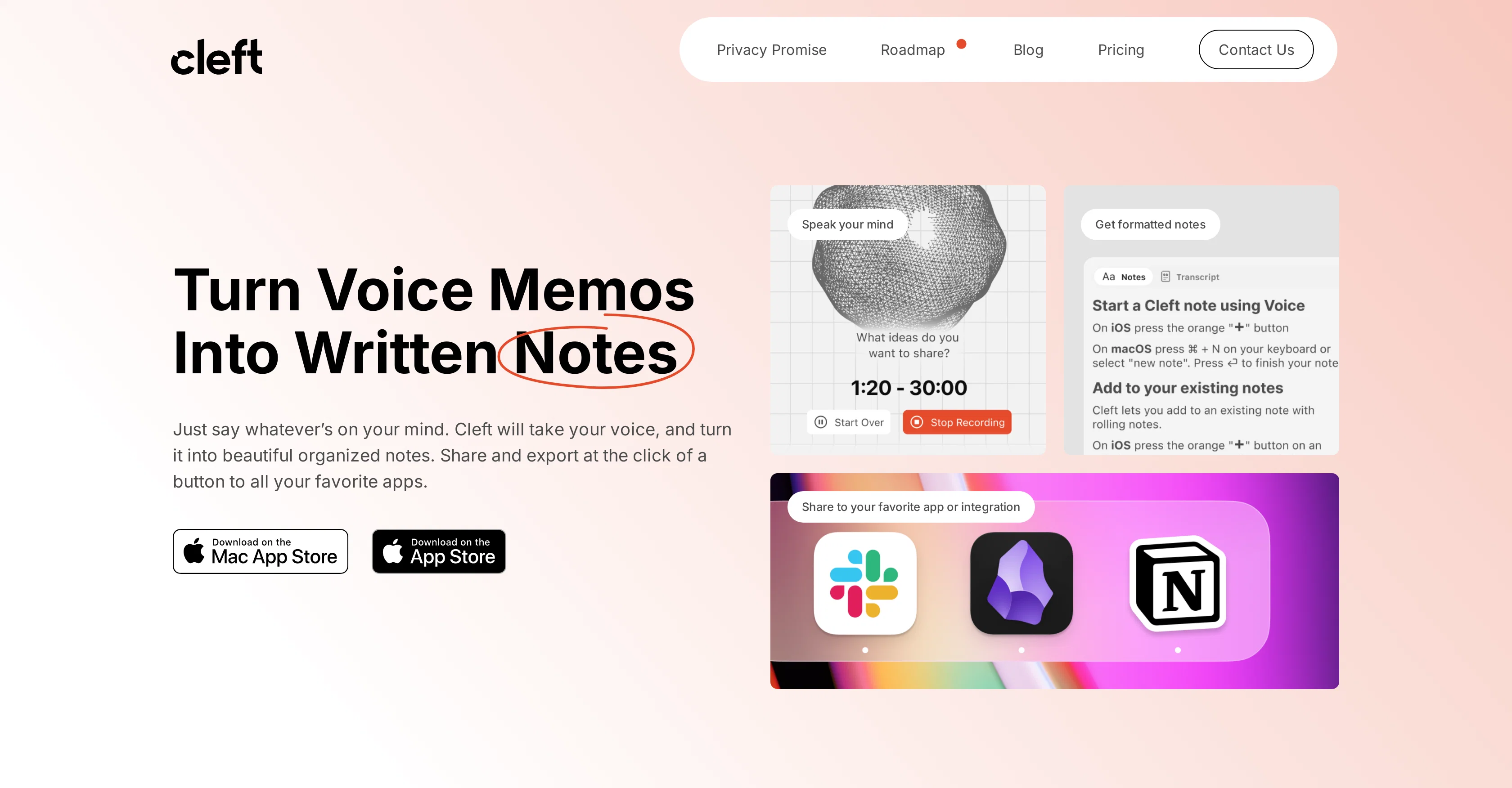
Cleft Notes is an AI-powered tool that assists in translating your voice memos into written notes. Essentially an AI scribe, it allows you to quickly document your thoughts, ideas, or meeting summaries simply by speaking.
Leveraging on-device transcription, Cleft transcribes voice into text while also organizing the output for enhanced readability. The conversion involves detailed aspects like the creation of headings and the structural arrangement of content.
Users can edit these transcripts fully in a Markdown format and supplement them with file and image attachments. Once your voice memo is transcribed and edited, Cleft Notes provides you with the ability to distribute it widely.
You can create public links for sharing, or export the note markdown to your preferred application. For workflow automation, Cleft Notes offers integration with tools like Zapier, and allows for syncing with Obsidian for .md files on your local machine.
The app takes privacy seriously with encrypted cloud sync, on-device transcription, and commitment to CCPA/GDPR compliance.
Access & connections
Where you can use Cleft Notes, and what it plugs into.
Platforms
Capabilities
What this tool accepts, produces, and is strongest at.
Input
- Audio
Output
- Text
Pros & cons
Pros
- On-device transcription
- Enhances readability of notes
- Organizes content and headings
- Full editing in Markdown
- Allows file and image attachments
- Creates public sharing links
- Exports to preferred applications
- Integration with Zapier
Show 16 more
- Sync with Obsidian
- Compliant with CCPA/GDPR
- Data stored with encrypted cloud sync
- Reorganizes content structure
- Privacy-first design
- User-friendly interface
- Automation for workflow
- .md file support
- Loved by users
- Supports long notes recording
- Mobile and macOS native apps
- 5 Minute recording limit (free)
- 30 Minute recording limit (paid)
- Document and image attaching
- Markdown sharing and publishing
- Application integration
Cons
- Only 5 minute recording limit
- Limited integration options
- Attachments only in premium
- Limited customization instructions
- 30 minute limit even for premium
- No folders or bookmarks
- Premium price high
- Only Obsidian compatibility for local files
Show 2 more
- No Windows compatibility mentioned
- No Android compatibility mentioned
Compare alternatives
Similar tools in the catalog — with a clear reason to open each one.
KaptionAI ✓
FreemiumTranscribe WhatsApp audio to text effortlessly
Why look Typically cheaper
Full comparison
Echonote ✓
FreemiumTransform voice notes into actionable content.
Why look Better for writing
Full comparison

Mumble AI: Voice-first workspace for Mac & iOS ✓
FreemiumVoice-first AI workspace for meetings, notes, and dictation. Works offline.
Why look Typically cheaper
Full comparison
AI4Docs.AI ✓
FreemiumClinical notes that write themselves in 100+ languages
Why look Better for writing
Full comparison
Releases 1
FAQ 12
Is Cleft Notes available on all platforms or just MacOS?
Can Cleft Notes transcribe real-time voice memos or only recorded ones?
How does Cleft Notes organize my transcribed notes?
What formats can I export my Cleft Notes transcriptions into?
How does Cleft Notes use AI to improve the transcription of my voice notes?
What kind of integrations does Cleft Notes offer for workflow automation?
Can I edit my transcriptions directly within Cleft Notes?
Does Cleft Notes support integration with Obsidian for .md files?
Is there a limit on the recording time for voice memos in Cleft Notes?
What kind of attachments can I add to my transcriptions in Cleft Notes?
How do I share my transcriptions with Cleft Notes?
How secure is my data when using Cleft Notes?
Related tools
Recommended
Inquisite ✓
FreemiumThe AI-native collaborative science platform
Dictaphone ✓
UnknownTranscribe audio with AI in seconds.

Hyperis ✓
FreemiumOrganized task prioritization.

Scholarcy ✓
FreemiumConvert long articles into summary flashcards.

AI Lawyer ✓
Free TrialInstant legal advice and document creation at your fingertips

TheLibrarian.io ✓
Free TrialYour WhatsApp AI assistant for instant productivity.