
Dictaphone ✓
Transcribe audio with AI in seconds.
Verdict
A quick read before you dig into the full page.
- Best if
- Transcribe audio with AI in seconds
- Skip if
- Limited functionalities
- Pick this when
- Web-based application
Considering Voicetype AI instead? Compare side by side
Overview
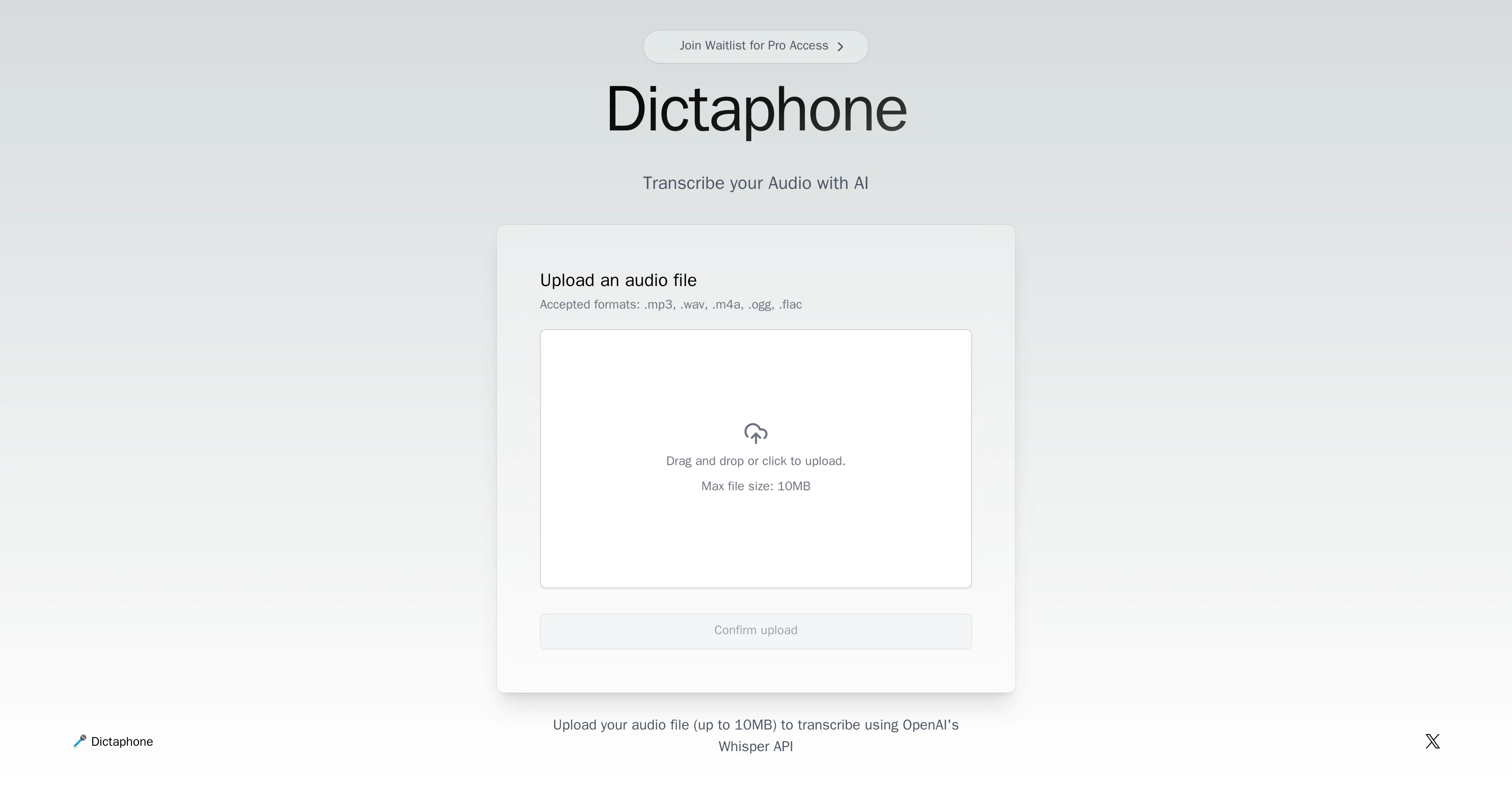
Dictaphone is an AI tool that is developed to transcribe audio files. This web-based application works by converting spoken words from an audio file into written text, performing this operation by using OpenAI's Whisper API.
Once a user uploads an audio file, the tool quickly processes it and delivers the transcription results. It is designed to support various audio formats including .mp3, .wav, .m4a, .ogg, and .flac files.
The maximum size of an audio file that can be uploaded for transcription is stipulated as 10MB. The application is user-friendly with a simple interface that allows users to either click to upload their audio files or utilize drag and drop functionality.
Dictaphone is predominantly used for transcribing important discussions, conversations, interviews, lectures, and meetings. However, it is pertinent to note that the Pro version of Dictaphone may not be readily available, with users needing to join a waitlist to gain access.
Access & connections
Where you can use Dictaphone.
Platforms
Capabilities
What this tool accepts, produces, and is strongest at.
Supported features
- Transcription
Pros & cons
Pros
- Web-based application
- Supports .mp3, .wav, .m4a, .ogg, .flac
- 10MB maximum file size
- User-friendly UI
- Drag and drop functionality
- Real-time transcription
- Handles different audio situations
- Pro version availability
Show 1 more
- Quick processing and delivery
Cons
- Maximum file size 10MB
- Pro version availability issues
- No advanced features
- Limited format support
- No offline capabilities
- No batch processing
- Limited functionalities
- No mobile app
Show 1 more
- No API
Compare alternatives
Similar tools in the catalog — with a clear reason to open each one.

Voicetype AI ✓
Free TrialWrite 9x Faster with AI Speech to Text on all Apps
Why look Better for writing
Full comparison
Transcript LOL ✓
FreemiumUnlimited transcripts, summaries, 99.8% accuracy, speaker recognition, superfast
Why look Offers a public API
Full comparison
TurboScribe ✓
Freemium🎯 3 free transcripts every day. 🔥 Unlimited transcription starting at $10/mo.
Free + from $10/mo
Full comparison
RambleFix ✓
Paid⚡ Write by thinking aloud - emails, notes, articles, in your style.
Why look Better for writing
Full comparison
Paraspeech ✓
Free TrialPrivate dictation, cloud optional
Why look More privacy-focused
Full comparisonReleases 1
FAQ 12
What is Dictaphone?
How does Dictaphone transcribe audio files?
What type of AI technology does Dictaphone use?
What is the Whisper API from OpenAI?
What audio formats can Dictaphone transcribe?
What is the maximum file size that I can upload to Dictaphone?
Can I upload files via dragging and dropping in Dictaphone?
Where is Dictaphone commonly used?
What is the Dictaphone's Pro version?
Why is there a waitlist for Dictaphone's Pro version?
How user-friendly is Dictaphone's interface?
What is the transcribing speed of Dictaphone?
Related tools
Recommended
Voxscribe: AI Note Taker ✓
FreemiumTransform Your Voice into Engaging Social Media Content

Transcript and Convert Video to Text ✓
FreemiumConvert audio and video to text with AI precision
Audio2Text ✓
FreemiumConvert audio to text with ease and accuracy.

BypassGPT.co ✓
PaidHumanize AI text to bypass detection tools.

Animate Old Photos ✓
PaidBring old photos to life with AI animation

Ideamap - Brainstorm and Mindmap AI ✓
FreemiumBoost your creativity with AI-powered brainstorming.