

Echonote ✓
Transform voice notes into actionable content.
Free + from $8.22/mo
Verdict
A quick read before you dig into the full page.
- Best if
- Transform voice notes into actionable content
- Skip if
- Transcriptions potentially inaccurate
- Pick this when
- Highly functional
Considering KaptionAI instead? Compare side by side
Overview
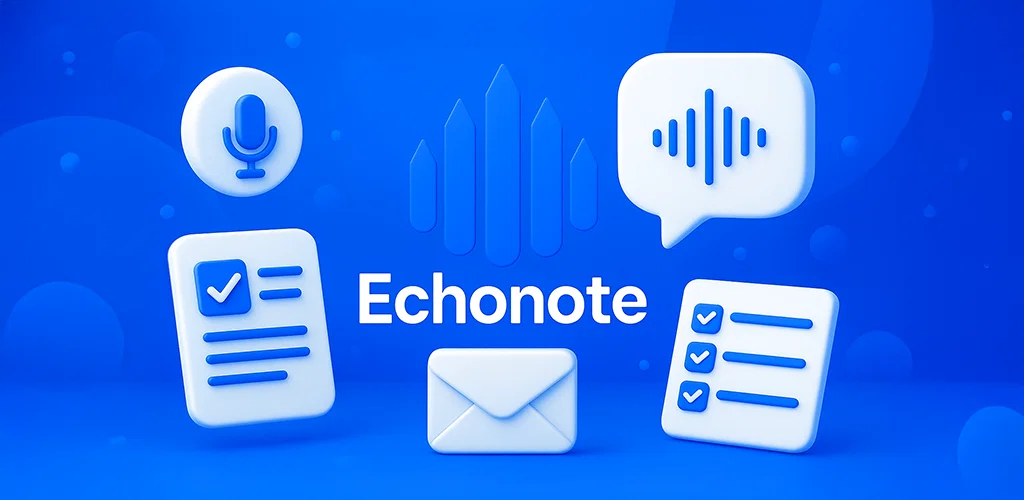
Echonote turns your voice notes into clear, structured written notes using AI. Whether you're capturing an idea, listing tasks, or just thinking out loud — talk naturally, Echonote handles the rest.
4 powerful ways to transform your voice:
🔹 Clean Note
Just speak. Echonote removes filler words, reformulates messy sentences, and turns your voice into a polished, well-written note. Like magic — but real.
🔹 To-do List
Say things like “I need to call Mike, buy groceries, and finish the report,” and get an instant checklist you can tick off. It's fast, simple, and super satisfying.
🔹 Raw Transcription
Need every word exactly as spoken? Choose raw transcription mode for a faithful text version of your voice recording. Ideal for interviews, meetings, or audio archives.
🔹 Prompt Mode
Use your voice as a prompt for the AI. Want an email draft? A poem? A list of video ideas? Just say it, and Echonote will generate it instantly.
🎨 Custom Styles: your voice, your rules
Create your own writing styles — like a formal email template, a daily journal, or a product description format. Then just speak, and your notes follow your rules.
🗂️ Smart note management, voice-first
Reuse your audio recordings to generate new outputs
Easily switch formats (e.g. to-do → clean note)
Edit your notes using your voice
Keep everything organized and accessible
👆 Designed for speed and simplicity
No distractions. One tap to record. Voice in, results out. Every feature is optimized for quick capture and effortless control — without needing to type a single word.
Who is Echonote for?
- Creators capturing ideas on the go
- Entrepreneurs organizing tasks hands-free
- Students taking quick voice notes
- Anyone who thinks faster than they type
⚙️ Key Features
- Voice-to-clean-text conversion
- To-do list generation with checkboxes
- Accurate voice transcriptions
- Voice-controlled editing
- Custom prompt-based outputs
- Personalized writing styles
- Audio history and reuse
- Fast, simple voice interface
⚡ Talk. Get things done.
Let Echonote be your AI-powered memory.
Save time, organize your thoughts, and turn your voice into action.
- Voice To Text
- Audio File Transcription
- Transcribe Your Voice Notes & Meetings
- Ai Translation Of Voice Notes
Access & connections
Where you can use Echonote.
Platforms
Capabilities
What this tool accepts, produces, and is strongest at.
Input
- Audio
Output
- Text
Pros & cons
Pros
- Highly functional
- Converts voice to text
- Accurate transcriptions
- Fast transcription
- Offers personalized transcription
- Supports multiple formatting options
- Convenient task management
- User-friendly interface
Show 26 more
- Data security prioritized
- Supports multi-platform usage
- Task efficiency enhancement
- Transforms recordings to structured notes
- Custom prompts for varied content
- Supports blog post creation
- Create detailed reports
- Automatic transcription of voice notes
- Record voice notes on-the-go
- Organizes voice notes
- Free features during beta phase
- High-quality voice recording
- Customizable transcription styles
- Effortless note management
- edits notes easily
- Increases productivity
- Keeps information clear and actionable
- Notes are exportable
- Seamless transition between spoken and written communication
- User experience focused
- Full support and help center
- Highly customizable
- Enhances team collaboration
- Frequent updates and improvements
- High-quality audio recording
- Ease of use across different projects
Cons
- Transcriptions potentially inaccurate
- No collaborative features
- Unknown transcription speed
- Custom ability limitations
- Data security details unclear
- No live transcription feature
- No multilingual support mentioned
- No offline mode specified
Compare alternatives
Similar tools in the catalog — with a clear reason to open each one.
KaptionAI ✓
FreemiumTranscribe WhatsApp audio to text effortlessly
Why look Typically cheaper
Full comparison
Cleft Notes ✓
FreemiumTurn voice memos into organized notes with AI.
Why look Higher community rating
Full comparison

Mumble AI: Voice-first workspace for Mac & iOS ✓
FreemiumVoice-first AI workspace for meetings, notes, and dictation. Works offline.
Why look Typically cheaper
Full comparison
AI4Docs.AI ✓
FreemiumClinical notes that write themselves in 100+ languages
Why look Better for writing
Full comparison
Releases 1
FAQ 12
What is the main purpose of Echonote?
How does Echonote transcribe spoken words into text?
What customization options are available in Echonote for the transcriptions?
Can I use Echonote on my iOS or Android devices?
How does Echonote ensure user data security?
How does Echonote assist in task management?
How user-friendly is the Echonote interface?
Can Echonote format my transcription into a to-do list?
Does Echonote allow recording voice notes on-the-go?
How to personalize transcriptions on Echonote?
What kinds of content can I generate with Echonote's custom prompts?
How does Echonote organize my notes automatically?
Related tools
Recommended

Nouswise ✓
FreemiumYour personal search engine for trusted information.

COACH ✓
FreeAI-powered career development platform built by career experts.

AI Mind Mapper ✓
FreeTransform PDFs into easy-to-digest mind maps.

Assistena ✓
FreeAI companion for seamless studies and top grades

Humanize AI Text ✓
FreeTransform AI text into human-like content.

Vocal Remover by Remusic ✓
FreemiumUnleash instrumentals with AI vocal removal.