
Pitch decks 2026 Rank: #1148
Burndecks ✓
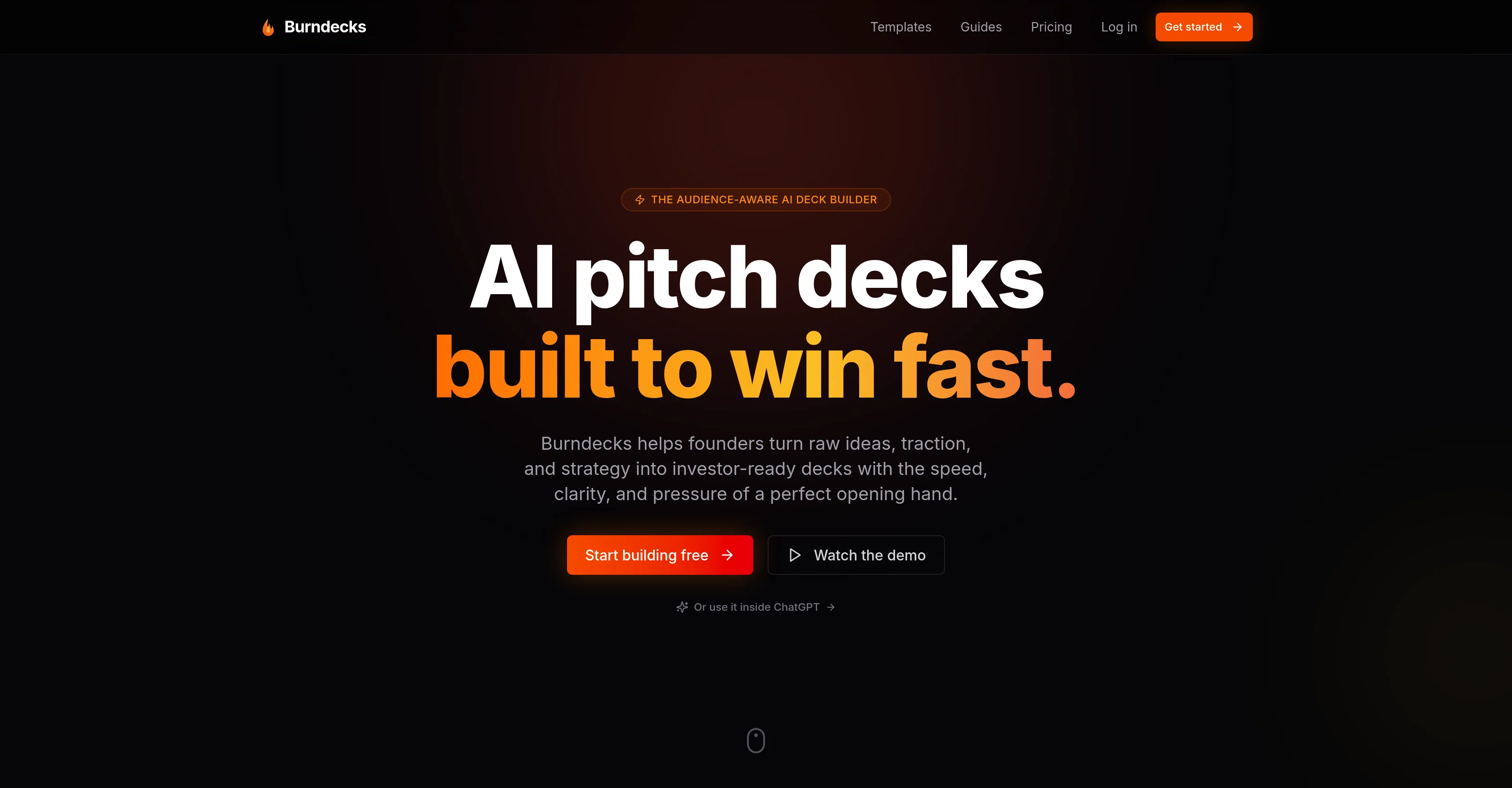
AI pitch decks built to win fast.
Verdict
A quick read before you dig into the full page.
- Best if
- AI pitch decks built to win fast
- Skip if
- Limited audience specification
- Pick this when
- Audience-specific customization
Considering Beemer instead? Compare side by side
Overview

Burndecks is an AI-powered tool designed to construct pitch decks swiftly, efficiently, and tailored to your audience. The tool focuses on prioritizing your audience, allowing you to specify whether you are pitching to a venture capitalist, partner, or buyer.
Burndecks uses this information to adapt the structure, emphasis, and tone of your presentation. The AI is capable of creating a complete deck, factoring in your brand kit for consistency, and achieving a tone that aligns with your company's identity, all in a short time.
This tool also enables you to make in-line tweaks to any slide and contains presenter mode for live presentations. A unique feature of Burndecks is the AI image generation capability, which eliminates the need for searching stock photos by creating on-brand visuals.
You can share your deck with a read-only link, password-protected for security, and you can export to PDF when necessary. Also, Burndecks offers various plans scaling with your needs, charging per deck rather than per seat.
Best for
Short scenarios where Burndecks tends to shine.
-
AI pitch decks built to win fast.
Example outputs 1
Sample generations and before/after results for Burndecks.
Access & connections
Where you can use Burndecks, and what it plugs into.
Platforms
Integrations
Capabilities
What this tool accepts, produces, and is strongest at.
Input
- Image
- Text
Output
- Text
- Image
Supported features
- Slides
- Image Generation
- Brand Strategy
- Text Generation
- Styling
Pros & cons
Pros
- Audience-specific customization
- Brand alignment
- Rapid deck creation
- In-line editing
- Live presentation support
- Secure share options
- PDF export capability
- Scalable pricing plans
Show 14 more
- Tailored pitch structure
- Brand-specific tone
- Efficient creation process
- No templates required
- Wide range audience targeting
- Unique presenter mode
- Password-protected sharing
- Pay per deck pricing
- Comprehensive brand kit input
- Automatic narrative tailoring
- Real 16:9 slides
- Adaptable to pipeline growth
- Smooth onboarding
- Effortless visual content creation
Cons
- Pay-per-deck pricing
- Not a generalist design tool
- In-line editing only
- Limited audience specification
- Secure sharing is password-based
- Charges for overage
- No free plan
- No template use
Show 1 more
- No multi-platform support
Compare alternatives
Similar tools in the catalog — with a clear reason to open each one.

Beemer ✓
PaidCreate pitch decks in just 2 minutes with AI.
Why look Typically cheaper
Full comparisonPeople also view
Tools that often show up alongside Burndecks in collections and comparisons.

PitchPal ✓
FreemiumAI-powered startup applications in seconds

Journey ✓
FreemiumTurn pitch decks into compelling stories that close deals.
Beemer ✓
PaidCreate pitch decks in just 2 minutes with AI.

AI Pitch Deck Generator ✓
PaidGenerate shareable AI pitch decks instantly.

Unbiased Ventures ✓
PaidThe Silicon Valley Polygraph for Pitch Decks & Founder/Executive Teams.

Slidely AI (backed by YC) ✓
Free TrialBuild professional, on-brand decks — 10x faster. Inside PowerPoint or online.

SeedAngels ✓
FreemiumBuild investor-ready business plans with AI.
Ormind ✓
FreemiumBuild and refine reports with AI until you fully stand behind them
Releases 1
FAQ 12
What is the main function of Burndecks?
How does Burndecks tailor pitch decks to a specific audience?
Can I edit the pitch deck created by Burndecks?
What options does Burndecks provide for presenting pitch decks?
What is the Burndecks presenter mode?
How does Burndecks protect shared pitch deck links?
Can Burndecks export the pitch deck to PDF?
How does Burndecks facilitate the creation of on-brand visuals?
Does Burndecks serve as a general design tool?
What is the pricing structure of Burndecks?
Is Burndecks suitable for both small and large teams?
What's the process to start using Burndecks?
Related tools
Recommended

AppDeploy ✓
FreeDeploy real apps directly from ChatGPT or Claude

Chattee AI App Builder ✓
Free TrialTurn ideas into full-stack apps instantly with GDPR-compliant builder.

Betula Assistant ✓
Free TrialStop juggling calls, tasks, reminders and notes. I've got them.

ScrapeOps | Scraper Builder ✓
FreemiumGenerate scraper code from URLs with AI.

Basquio ✓
Free TrialTurn spreadsheets into presentation decks instantly.
Primio ✓
FreemiumBuild Flutter apps from text with AI.