

Data analysis 2026 Rank: #586
Basquio ✓
Turn spreadsheets into presentation decks instantly.
Verdict
A quick read before you dig into the full page.
- Best if
- Turn spreadsheets into presentation decks instantly
- Skip if
- Limited template customization
- Pick this when
- Turns spreadsheets into presentations
Considering Grapha AI instead? Compare side by side
Overview
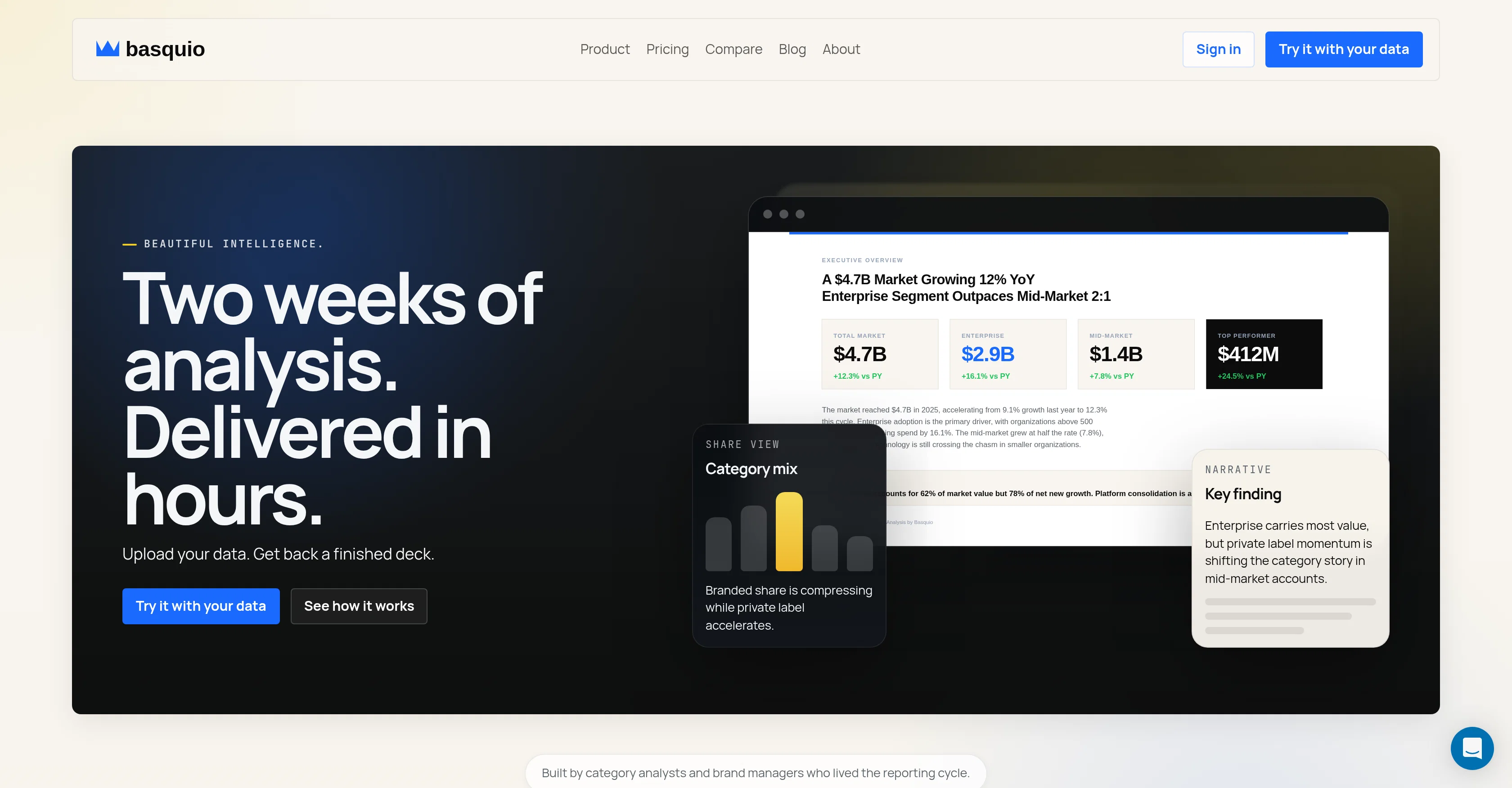
Basquio is an AI-powered tool that automates the process of turning spreadsheet data into finished analysis decks. The tool is capable of accepting data in various formats, including CSV, Excel, and PDFs, and it can produce an output in the form of an editable PPTX file.
Users upload their data, and Basquio generates a finished analysis deck composed of real charts, a narrative report, and the PowerPoint file which can be used for presentations.
Instead of manual chart-building, formatting over analysis, and presenting draft decks that lack clarity, Basquio eases the entire process where users just have to upload once and present the next day.
It delivers a comprehensive analysis, covering elements such as segment analysis and recommendations, ready for review and not requiring rebuilding. The tool promises to deliver fast turnaround times, removing the bottleneck in the reporting cycle.
Furthermore, users can specify the focus of the analysis deck, tailored to fit the needs of the presentation or meeting.
- Uploads Excel, Csv, Pdf, And Pptx Files
- Real Charts Computed From Your Actual Data
- Written Narrative Report With Findings And Recommendations
- Editable Powerpoint Output In Your Company Template
- Brand Template Matching — Logo, Colors, Fonts
- Data Workbook With Source References
- 15 Minutes Per Analysis Deck
- Works With Any Structured Data
Access & connections
Where you can use Basquio, and what it plugs into.
Platforms
Integrations
Capabilities
What this tool accepts, produces, and is strongest at.
Input
- Tabular
Output
- Text
- Image
Supported features
- Slides
- Spreadsheets
- Docs
- Text Generation
- Deep Research
- Visual Creation
- Automation
Pros & cons
Pros
- Turns spreadsheets into presentations
- Automates data visualization
- Automatic narrative report
- Editable PowerPoint output
- No manual chart-building
- Accepts CSV, Excel, PDF
- Fast turnaround times
- Capability for custom analysis
Show 33 more
- Completes segment analysis
- Offers recommendations
- Improves reporting cycle
- Branding matches company template
- Allows focus specification
- Analyzes data for specific audience
- Real-time data to presentation
- Brand-safe title slides
- Generates key findings
- Reads multiple sheets
- Not require title slide rebuilding
- Compress two weeks work into hours
- Charts and narratives in one pass
- Delivers aligned and ready files
- Produce deck, report, and workbook
- Auto detect template rule
- Auto chart rendering
- Custom billing for Enterprise
- Multiple template slots for Pro
- Priority queue for Pro
- Shared workspace for Enterprise
- Credits calculated from complexity
- Secure user data
- Can analyze category performance
- Chart palette ready
- Decodes context of data
- Turnaround as quick as 15 minutes
- Works with notes
- Detects deck rules from template
- Flexible with audience needs
- Starts free for 30 runs
- Produces market share by brand
- Growth driver analysis
Cons
- Limited format compatibility
- No real-time collaboration features
- Lack of training options
- Non-transparent pricing structure
- Limited template customization
- No API integrations
- No version control
- Lacks offline access
Show 2 more
- No built-in data validation
- No multi-language support
Compare alternatives
Similar tools in the catalog — with a clear reason to open each one.

Grapha AI ✓
PaidUncover hidden trends and patterns in your data effortlessly.
from $150
Full comparison
DataSquirrel ✓
FreemiumData cleaning & visualization for insights gained.
Free + from $15/mo
Full comparison
Breadcrumb ✓
FreemiumAutomate data work and reporting with AI Agents. No data|coding skills required.
Why look Better fit for coding
Full comparison
Anomaly AI ✓
FreemiumAI data analysis workspace for business datasets and reports.
Free + from $25/mo
Full comparison

ChartPixel ✓
FreemiumAI-assisted graphs and insights in 30 seconds!
Why look Typically cheaper
Full comparisonReleases 1
Imported reviews 5
used few times for my work, finally a tool that really helped me in doing data analysis (much better than Gamma and Claude as they cannot give you this level of insights)
Already tried it on a bunch of analyses: it takes about 40 mins avg to run a 10-12 slides deck and results are actually great!
Basquio delivers what I couldn’t find in other tools: powerful, in-depth analysis paired with clear, actionable recommendations
Very useful tool, helps me a lot in the daily work
I've been using Basquio as alpha tester and saved around 10 hours a week when doing slides since I started. My team at loamly.ai uses daily now. The depth of the analysis, as specialised agent is really impressive
FAQ 12
What is Basquio?
How does Basquio turn data into comprehensive analysis decks?
What types of data can I upload to Basquio?
What does the analysis from Basquio include?
How is Basquio different from other data reporting tools?
How does Basquio provide an editable PowerPoint output?
In what ways does Basquio save time in data analysis process?
What essential features does Basquio provide?
What is the process to use Basquio?
Can I review the PowerPoint before sending it?
How does Basquio relieve data analysis bottlenecks?
What components does a finished analysis deck include?
Related tools
Recommended

AppDeploy ✓
FreeDeploy real apps directly from ChatGPT or Claude

biela.dev ✓
Free TrialIf you can imagine it, Biela can code it!

Rocket ✓
FreemiumThink It. Type It. Launch It.

Chattee AI App Builder ✓
Free TrialTurn ideas into full-stack apps instantly with GDPR-compliant builder.

Filmpitch ✓
FreemiumTurn movie synopses into fully-fledged film concepts.

StudyOrbit ✓
FreemiumTurn any PDF into a complete AI learning experience.