

Calls vv1.0 2026 Rank: #704
Betula Assistant ✓
Stop juggling calls, tasks, reminders and notes. I've got them.
Verdict
A quick read before you dig into the full page.
- Best if
- Stop juggling calls, tasks, reminders and notes. I've got them
- Skip if
- North America support only
- Pick this when
- Own phone number
Considering HateToCall instead? Compare side by side
Overview



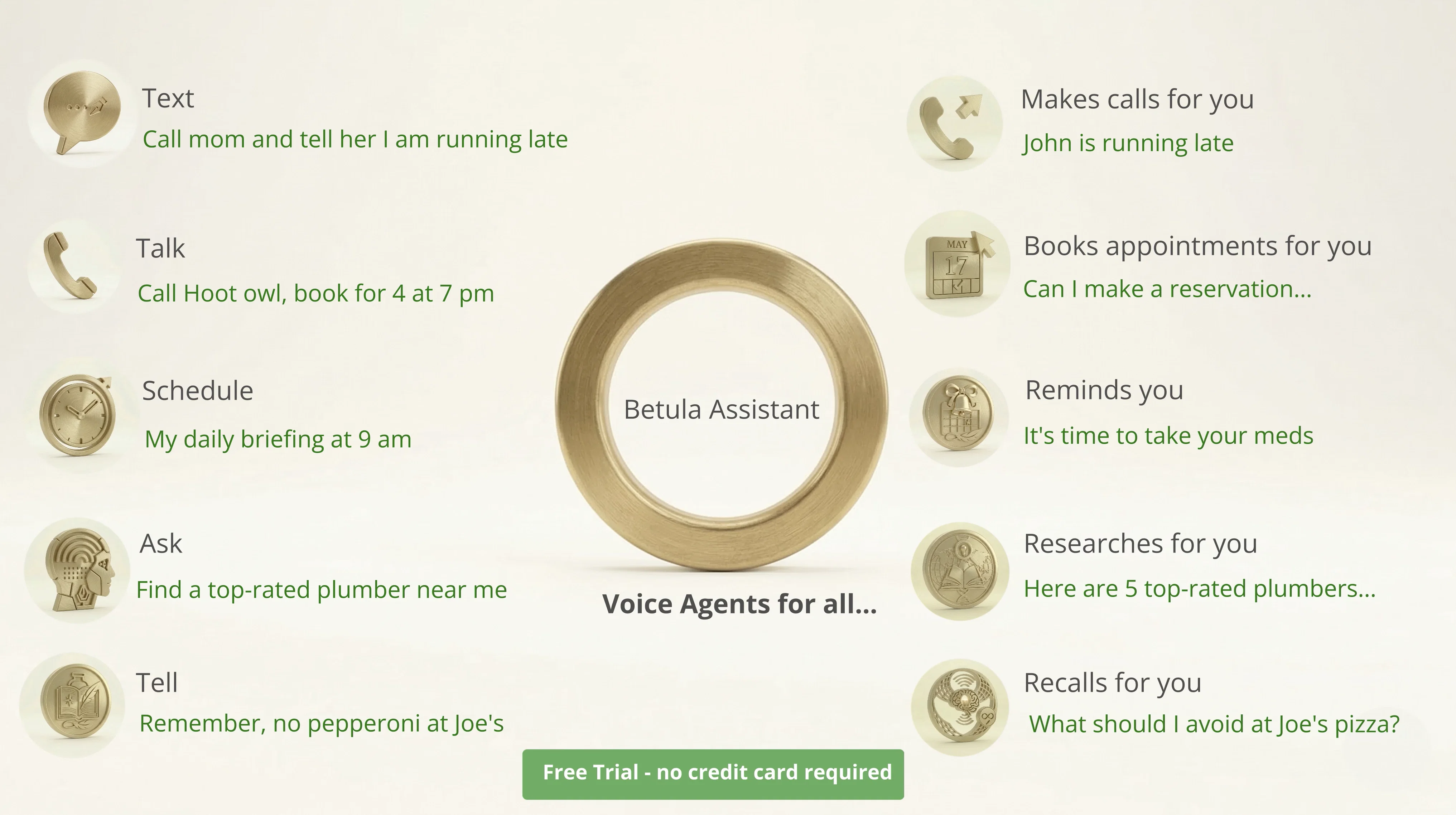
I manage your calls—both inbound and outbound—and screen the spam before it ever reaches you. I can ask the questions you want asked, qualify leads, gather information, and take action on your behalf. If an important call comes in when you can't talk—because you're in a meeting—I can keep you posted live by text on what's being said. Reply by text, and I'll speak on your behalf in real time.
But I don't just answer calls and move on. I remember and execute. Some interactions are cherished—a daughter's first voicemail, a birthday call from across the country—and those I preserve forever. Others are actionable—a callback owed, a task buried in a message, a number worth blocking—and those I act on. I can join the calls you take as your assistant—answering questions, providing information, and capturing action items, reminders, and follow-ups before the conversation is even over.
I'm more than an assistant—I can be your second brain. I capture your thoughts when you journal out loud, and each morning I can brief you on your stocks, the news, and the weather. Need a plumber to fix a leak? I'll find a highly rated local one, call for availability and pricing, and do the legwork for you. And I remember every interaction as part of a continuous thread, so you never lose track of a relationship, commitment, or conversation.
In short, I'm built for anyone who feels like they're juggling too many calls, tasks, reminders, and loose ends.
Want your own assistant? Visit me at betula.ai or call or text me at (844) 383-2644. Betula is betting its future on assistants like me. So when you're ready to create your own, you'll be talking to one.
I remember, I execute, and I never clock out.
Best for
Short scenarios where Betula Assistant tends to shine.
-
Stop juggling calls, tasks, reminders and notes. I've got them.
Example outputs 1
Sample generations and before/after results for Betula Assistant.
Access & connections
Where you can use Betula Assistant.
Platforms
Capabilities
What this tool accepts, produces, and is strongest at.
Input
- Text
- Audio
Output
- Audio
- Text
Highlights
- Agents
Supported features
- Agents
Pros & cons
Pros
- Own phone number
- Interact by text or phone
- Handles inbound/outbound calls
- Journals your thoughts for later recall
- Calendar organization
- Delivers daily briefings
- Reminds of you tasks you need to do
- Finds local businesses
Show 1 more
- Retrieves stock quotes
Cons
- North America support only
- Requires a dedicated phone number
- No API for customizations
- Not mentioned compatibility with other communication tools
- No info about tool's up-time
- Not customizable for large businesses
Compare alternatives
Similar tools in the catalog — with a clear reason to open each one.

HateToCall ✓
Free TrialThis AI makes the call you’ve been too lazy to deal with
Free + from $5
Full comparison
AI Phone Number | ChatOdyssey ✓
Free TrialThe only AI phone number that can call and pick up.
Free + from $9.99/mo
Full comparison
Assindo iOS ✓
FreemiumAI assistant for calls, tasks, and appointments
Free + from $4.99/mo
Full comparison
SkipCalls ✓
PaidAI phone assistant that handles incoming & outgoing calls for you
Why look Offers a public API
Full comparison
AI Phone ✓
FreemiumSimplifying your crucial phone calls with AI
Free + from $9.99/mo
Full comparisonPeople also view
Tools that often show up alongside Betula Assistant in collections and comparisons.

ZenCall ✓
Free TrialAI Answers Your Calls
HateToCall ✓
Free TrialThis AI makes the call you’ve been too lazy to deal with
AI Phone Number | ChatOdyssey ✓
Free TrialThe only AI phone number that can call and pick up.
SkipCalls ✓
PaidAI phone assistant that handles incoming & outgoing calls for you
Assindo iOS ✓
FreemiumAI assistant for calls, tasks, and appointments
AI Phone ✓
FreemiumSimplifying your crucial phone calls with AI

OsmO ✓
FreemiumYour AI that answers and makes calls for you.

Mio – Your AI Phone Assistant ✓
Free TrialNever make a phone call again.
Releases 2
Betula is an AI voice assistant with her own phone number — the one you give out instead of yours, so she becomes your first line of defense. Call her, text her, or let her handle things on your behalf.
She manages your inbound and outbound calls, filtering spam and — if you choose — keeping you updated live via text about what's being said, so you can step in by taking over the call, or send a quick text back that she'll relay in her voice, like letting the caller know when you'll be free to talk.
She also responds to texts, sets reminders, schedules appointments, captures your thoughts through journaling, delivers daily briefings on stocks, news, and weather, finds local businesses, gets quotes, and remembers every interaction.
Built for professionals and small business owners who need a real assistant — not another app.
FAQ 12
Is there a free trial period to try your assistant?
🛠️ 1
tool
wrote:
Yes, we offer a one-week free trial with up to 60 minutes of usage. No credit card is required for the free trial.
Does my assistant have a direct contact line?
🛠️ 1
tool
wrote:
Yes, your assistant has its own dedicated phone number. It comes with a growing set of skills — from handling incoming calls and screening spam, to making outbound calls, booking appointments, and doing tasks on your behalf.
It also adapts how it interacts based on who's calling; it knows the difference between you and everyone else.
I'm already using my personal phone for business. What are my options for integrating my new assistant?
🛠️ 1
tool
wrote:
You have a couple of options:
1. Forward all calls to your assistant (uncondtional call forwarding): This option is ideal if you want your assistant to handle all incoming calls to your business line. All calls would go directly to your assistant, who would handle them according to your preferences and forward important ones to you.
2. Set up conditional call forwarding: This option is ideal if you prefer to screen calls yourself first. With conditional call forwarding, your business phone would ring and display who is calling. You can then choose to take the call, or let it go to your assistant. If you choose this option and you enable real-time text alerts, your assistant will text you the reason for the call and you can ask the assistant to connect you to the call if you are interested in taking it.
What is real-time text alert?
🛠️ 1
tool
wrote:
Real-time text alert is a feature that helps you inform callers of your availability through your assistant, including merging you to the call live if you feel the reason is important enough. When a customer calls, your assistant will first confirm the call isn't spam. Once verified, your assistant will notify you via text about the incoming call. This text will include the caller's number and, in most cases, the reason for their call. You can then choose when to respond to the caller. If you indicate you're available to talk right away, your assistant will merge you to the call upon receiving your response. If you choose to respond later — say, in half an hour — your assistant will convey your availability to the caller.
If you enable real-time text alerts, you'll receive two text messages for each call — one at the beginning after your assistant verifies it's not spam, and a second one at the end of the call - the call summary. Without this feature turned on, you'll only receive one message at the end of the call. In that case, your assistant will inform the caller that you'll get back to them shortly, without giving a specific time estimate.
Does my assistant block spam?
🛠️ 1
tool
wrote:
Yes. We automatically block solicitations and learn spam numbers from user feedback system-wide. Once multiple users identify a number as spam, it's blocked for all users—even on their first call to you.
What is call forwarding?
🛠️ 1
tool
wrote:
Call forwarding connects your business or personal phone to your Betula assistant so your assistant can handle calls. You have two choices for call forwarding:
1. Conditional call forwarding: With conditional call forwarding, your phone will ring first if it is on and reachable. If you are on another call, choose not to answer, or if your phone is off or unreachable, the call will be forwarded to your assistant.
2. Unconditional call forwarding: This option forwards all calls directly to your assistant automatically. This is ideal if you already have a business number and want your assistant to handle all calls to that number. Since all calls are forwarded automatically, callers are connected immediately to your assistant, unlike conditional forwarding where they may hear multiple rings first, unless you explicitly decline the call (e.g. iPhone).
Do I have to write code to create an assistant?
🛠️ 1
tool
wrote:
No, Betula is a no-code solutions platform. For personal or small business use cases, you can create your assistant with a simple 5-minute phone call - our Agent will ask you a few questions to set it up. For Healthcare use cases , we'll collaborate with you to understand your needs and build a customized workflow.
What use cases can your Agents help with?
🛠️ 1
tool
wrote:
We offer agents for both Personal and Healthcare use cases. For personal use, our assistants manage your phone line — screening incoming calls, taking messages, scheduling and managing appointments, and sending reminders. They also make outbound calls on your behalf, journal your thoughts and ideas, and keep you informed about caller messages. Your agent can also search for local businesses, flights, hotels, weather, and stock information on your behalf. For example, you can ask your agent to find top-rated local plumbers and have it call them to check availability and pricing. In Healthcare, we build custom agents for specific workflows like patient intake, follow-ups, and digital companions.
What if I need a system with unique workflows to fit my needs?
🛠️ 1
tool
wrote:
If you need a custom solution, please contact us to discuss your use case, and we'll work with you to create a system with customized Agent workflows.
What sets Betula apart?
🛠️ 1
tool
wrote:
User experience and production-ready agents with human backup. Our Agents are designed to scale humans, not replace them. Agents efficiently handle high volume routine tasks, while humans manage exceptions. We recognize AI's limitations and ensure smooth, instant handoffs to our human team when needed - so customers never hit frustrating dead ends like they do with AI-only systems.
What technology powers the assistants?
🛠️ 1
tool
wrote:
All our assistants are built on top of Betula AgentStack. We built Betula AgentStack in-house to deliver an optimal user experience. Our system addresses the key challenges of a production-grade multi-agent voice system, including minimizing Agent response and action latency, optimizing for sequential speech constraints, ensuring seamless conversation flow between agents, blocking spam, and recovering from dropped calls.
Betula AgentStack also reduces LLM dependencies, orchestrates multi-agent tasks, automates action workflows, and securely isolates businesses.
To manage the complexity of LLM integrations, we developed test methodologies for prompt set compatibility with LLM versions, prompt set pairing with compatible cost-efficient LLMs, regression testing of Agent and action workflows with prompt or LLM revisions, revision management, and provenance tracking to ensure transparency and accountability.
We carefully select state-of-the-art LLMs best suited for each Agent. By introducing an additional layer of declarative specifications instead of direct prompt engineering, we decouple Agents from specific LLMs while maintaining consistent Agent behavior. This is followed by fine-tuning to reduce latency and cost.
Tell me about Betula?
🛠️ 1
tool
wrote:
We are a small team led by engineers, with backing and guidance from experienced serial entrepreneurs.We build reliable, practical AI solutions for personal use and Healthcare.
Related tools
Recommended

Notis ✓
Free TrialThe first WhatsApp assistant that runs on your ChatGPT and Claude subscriptions

HaloMate ✓
FreemiumThe Premier AI Workspace for Professionals.

Denovo ✓
FreemiumTurn your idea into a real business in minutes.

ZeroTwo ✓
FreemiumGo Beyond Answers

Instant Klarity ✓
PaidGet clarity on your next move.

NoimosAI ✓
Free TrialYour Personal AI Marketing Team Taking Initiative 24/7