
Web scraping 2026 Rank: #2340
Browserbeam ✓
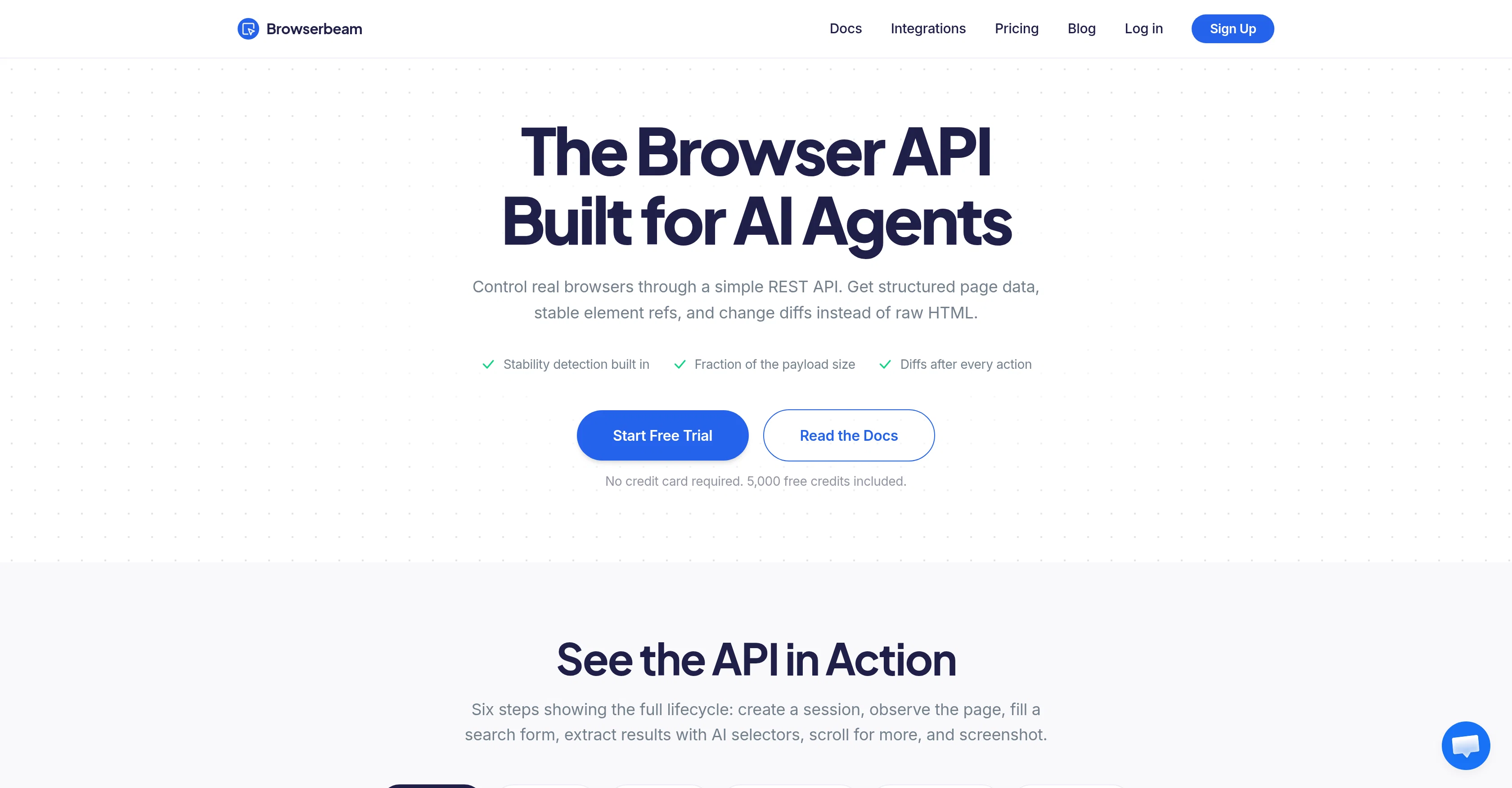
The Browser API Built for AI Agents
Verdict
A quick read before you dig into the full page.
- Best if
- The Browser API Built for AI Agents
- Skip if
- Potential difficulties with complex, dynamic websites
- Pick this when
- Markdown content instead of raw HTML
Considering FetchFox instead? Compare side by side
Overview
Browserbeam is a browser API specifically designed for AI agents and web automation. It allows you to control real browsers using a simple REST API. Users are able to obtain structured page data, including stable element references and change diffs, offering a more convenient, stable, and manageable approach compared to the typically raw HTML retrieved.
The tool's functionality breaks down the tedious tasks of manipulating browsers manually by providing automated features for stability detection, diff detection, and reduced payload size.
Moreover, Browserbeam features an API that conducts the full lifecycle of web browsing, from creating a session to collecting data and capturing screenshots.
It can fill in search forms, extract results using AI selectors, and scroll for more data. The tool can also be configured to navigate pages, automatically dismiss cookie banner, return markdown content and form structures, resulting in the page being ready for your agent to read and act on.
Exercise control on the scope of the data extraction, and benefit from built-in markdown conversion and automatic tracking of changes. The tool supports the use of CSS selector or AI to define what data you want to extract, with the ability to cache the information for easy future scraps.
Its capabilities also include simulating actions like form filling and submissions, providing a diff showing what changed as part of the response.In summary, Browserbeam offers a more efficient, lightweight and comprehensive solution for automating web browsing and extraction tasks for AI agents.
Access & connections
Where you can use Browserbeam, and what it plugs into.
Platforms
Integrations
Capabilities
What this tool accepts, produces, and is strongest at.
Input
- API
Output
- API
Highlights
- API
- MCP
Supported features
- API
- MCP
- Crawling & Scrapping
Pros & cons
Pros
- Markdown content instead of raw HTML
- Short element refs instead of CSS selectors
- Stability signal for page readiness
- Diff after every action
- Automated handling of cookie banners, popups, and CAPTCHAs
- Structured forms with field refs
- One API call for a login page fill
- Cached data after first scrape
Show 24 more
- One POST request replaces ~25 lines of Puppeteer code
- No need for browser binaries management
- Official SDKs for Python, TypeScript, Ruby
- MCP server for Cursor, Claude Desktop, Windsurf
- Free trial with 5,000 credits
- No credit card required for trial
- Control of data extraction scope
- Built-in markdown conversion
- Automatic tracking of changes
- Ability to cache the extraction information
- Simulated actions like form filling and submissions
- Diff showing what changed included in response
- Efficient, lightweight and comprehensive solution for web browsing automation
- Stability detection feature
- Diff detection feature
- Reduced payload size
- Full lifecycle of web browsing via built-in API
- Automatic dismissal of cookie banners
- Inline base64 image data
- Automatic session cleanup
- Automatic blocker dismissal
- Semantic extraction feature
- JavaScript execution functionality
- Cookie injection feature
Cons
- Limited to REST API
- No explicit support for other programming languages outside Python, TypeScript, Ruby
- Potential difficulties with complex, dynamic websites
- Greedy diff tracking might capture unwanted changes
Compare alternatives
Similar tools in the catalog — with a clear reason to open each one.

FetchFox ✓
FreemiumScrape any data from any website, with AI
Why look Typically cheaper
Full comparison
Ultimate Web Scraper ✓
FreemiumExtract data instantly: Grab text, images, emails & links from any website
Free + from $60
Full comparison
Octoparse ✓
FreemiumThe next generation of AI web scraping platform.
Free + from $83/mo
Full comparison
Browse AI ✓
FreemiumExtract and monitor web data without code.
Why look Typically cheaper
Full comparison
WebscrapeAi ✓
Free TrialAutomate web data collection without coding.
Why look Better fit for coding
Full comparison
Releases 1
FAQ 12
What is Browserbeam?
What tasks can AI agents perform using Browserbeam?
How does Browserbeam enhance data extraction efficiency?
What is the technology behind the automatic dismissal of pop-ups in Browserbeam?
How does Browserbeam handle web page navigation?
What is the role of AI selectors in data extraction in Browserbeam?
How does Browserbeam enable the creation of web sessions?
How do AI agents observe page content using Browserbeam?
Can Browserbeam handle web scraping tasks?
How are screenshots captured using Browserbeam?
What is the payload reduction feature in Browserbeam?
What does it mean when Browserbeam offers 'change differentials'?
Related tools
Recommended

Thea ✓
FreemiumAI study tools to master material, not just memorize it.

Recall ✓
FreemiumSummarize Anything, Forget Nothing!

Claude ✓
FreemiumBuilding reliable, interpretable AI systems

Distillr ✓
FreemiumDistill content with AI precision.

Cursor ✓
FreemiumAI-powered IDE for faster coding

Gling - AI Video Editing Software for YouTube ✓
FreemiumAI-powered video editing for YouTube creators.