

BatchVideo.ai ✓
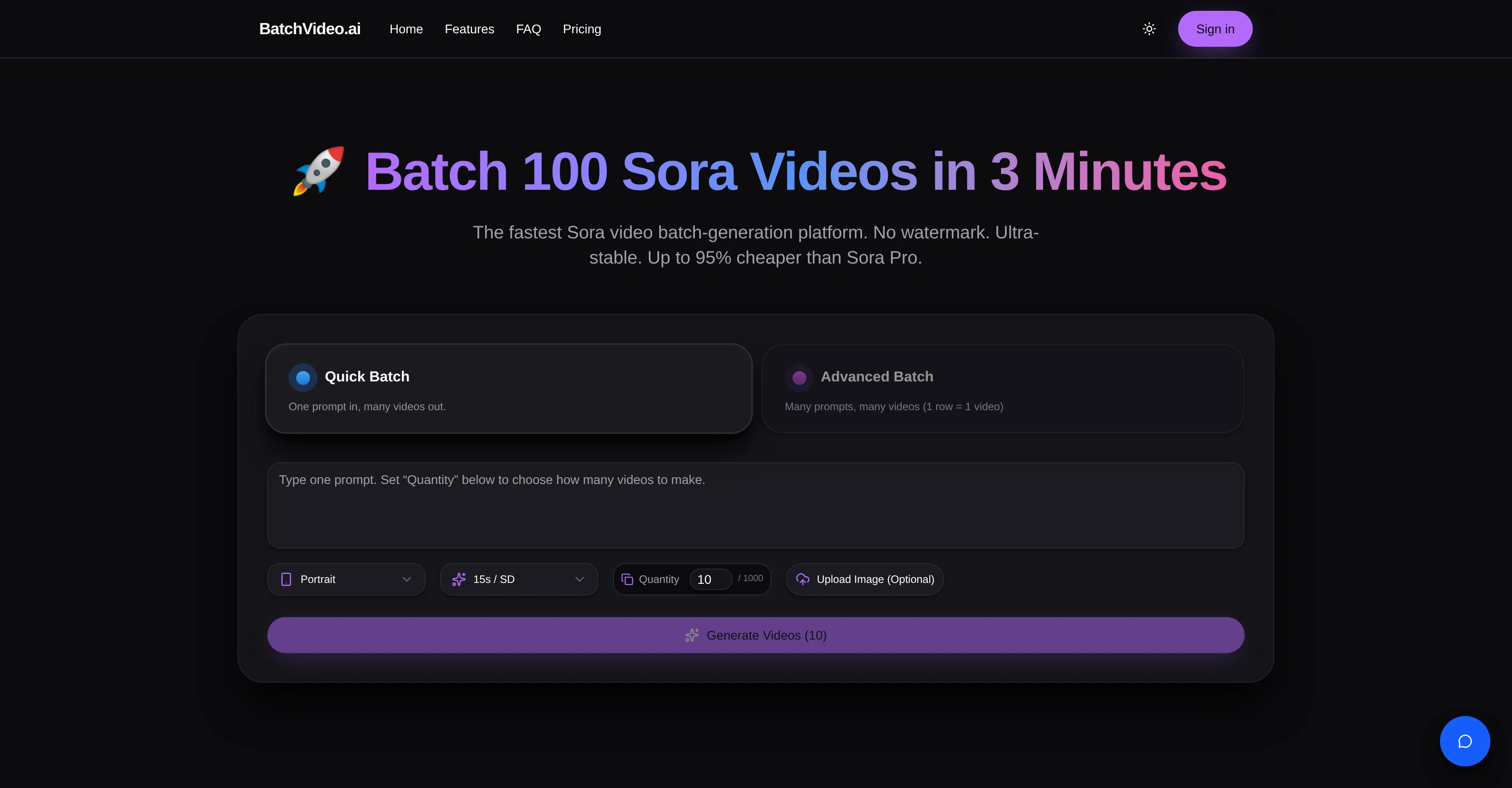
Batch 100 Sora videos in 3 minutes.
Trial; then from $15/mo
Verdict
A quick read before you dig into the full page.
- Best if
- Batch 100 Sora videos in 3 minutes
- Skip if
- Limited early storyboarding
- Pick this when
- Streamlines creation, monitoring, delivery
Considering freebeat AI instead? Compare side by side
Overview
BatchVideo.ai is an AI tool designed for efficient video generation and delivery, utilizing Sora video technology. The platform is optimized for creating, monitoring, and delivering batch video content, accommodated by features like rate limitation and retry systems.
With BatchVideo.ai, multiple videos can be created from a single prompt or various prompts, providing a user-friendly, efficient mechanism for batch video production.
The platform notably offers a full access to Sora Pro models instantly and without any waitlist. One of the main features is the non-watermarked, clean Sora videos, ensuring professional results.
Billing is designed to be risk-free, meaning users are only charged for successful video generations. The platform also boasts high stability, making it a reliable tool for high-volume creators and agencies.
BatchVideo.ai offers several plans, each accommodating different batch sizes and rendering speeds, making it suitable for a range of video creation needs.
It can be used for a variety of applications, including social media growth, video promotions, and early storyboarding. All the generated videos are without watermark, making it suitable for professional usage.
Despite offering significant functionality, the tool ensures ease of use; it offers a free trial, and no credit card is required to get started.
Best for
Short scenarios where BatchVideo.ai tends to shine.
-
Batch 100 Sora videos in 3 minutes.
Example outputs 1
Sample generations and before/after results for BatchVideo.ai.
Access & connections
Where you can use BatchVideo.ai.
Platforms
Capabilities
What this tool accepts, produces, and is strongest at.
Input
- Text
Output
- Video
Highlights
- SOTA
Supported features
- Image Edit
- Image Generation
- Rewrite
- Video Generation
Pros & cons
Pros
- Streamlines creation, monitoring, delivery
- Optimized for high-volume creators
- Generates numerous videos simultaneously
- Single or multiple prompts
- Maximizes efficiency
- Minimizes busywork
- Watermark-free videos
- Reliable and stable system
Show 41 more
- Always-on availability
- No risk Billing
- Charges only for success
- Failed attempts cost-free
- Access to Sora Pro models
- No hefty costs or waiting
- Tracks trending videos
- Clones viral hits
- Customizes product scenes for promotions
- Validates ideas quickly
- Communicates concepts efficiently
- Easy production workflow
- Free trial availability
- Rate limitation
- Retry Systems
- Multiple Video Creation
- Prompt Based Video Creation
- Batch Production
- Non-watermarked Videos
- High Stability
- High-Volume Video Creation
- Different Video Creation Plans
- Fast Video Rendering Speeds
- Supports Social Media Growth
- Video Promotions
- Early Storyboarding
- Professional Video Usage
- Ease Of Use
- No Credit Card Requirements
- Home video batches production
- Ultra-stable
- 95% Cheaper than Sora Pro
- Clean Sora videos
- 24/7 uptime
- Extreme batch generator
- Priority Rendering Speed
- Full access to models
- No daily limits
- Priority support
- Dedicated compute lanes
- Highest support priority
Cons
- Limited batch size
- Pricing for higher capacities
- No assistive features for customization
- No dedicated editor
- Limited early storyboarding
- Failed generations still occupy time
- No explicit mention of security
- No API integration mentioned
Show 2 more
- Priority support only for premium
- No offline mode cited
Compare alternatives
Similar tools in the catalog — with a clear reason to open each one.

freebeat AI ✓
FreemiumTurn Music & Ideas into Viral Videos In One Click
Why look Typically cheaper
Full comparison
MagicLight ✓
FreemiumTransform text into captivating videos instantly.
Why look Typically cheaper
Full comparison



Seedance ✓
FreemiumMulti-shot video generation from text and image.
Why look Stronger for image work
Full comparisonPeople also view
Tools that often show up alongside BatchVideo.ai in collections and comparisons.

Kling ✓
FreemiumCreate high-fidelity videos from text with lifelike motion and real-world physics

Aiter.io | Paste a URL. Ship a Campaign That Sounds L... ✓
FreemiumAI marketing that sounds like you, not everyone else.

Younet ✓
Free TrialAI Agent Orchestration and Automation. Build your agentic business.

Typeface ✓
Free TrialPersonalized AI storytelling for enterprise content creation

Publer AI ✓
FreemiumAI-powered social media content creation and management

PostPerfect ✓
FreemiumAutomated social media posts.

Ocoya ✓
Free TrialYour AI-powered hub for seamless social media scheduling and content creation.

Hookle ✓
FreemiumGrow 100x faster on social with AI-powered content creation and scheduling.
Releases 1
FAQ 12
What does BatchVideo.ai do?
What is the 'No Risk Billing' policy?
How many videos can BatchVideo.ai generate at once?
Can BatchVideo.ai clone viral videos?
How can I use BatchVideo.ai to track trending videos?
Does BatchVideo.ai offer watermark-free videos?
What is the availability of BatchVideo.ai's system?
How does BatchVideo.ai aid in the video production workflow?
What does the free trial of BatchVideo.ai include?
What is Sora Pro and how is it related to BatchVideo.ai?
Can I customize my product scenes using BatchVideo.ai?
How can I use BatchVideo.ai for idea validation?
Related tools
Recommended

IllumiChat ✓
FreemiumFrom Ticket Backlog to Instant Answers Powered by AI

Easy-Peasy.AI ✓
FreemiumAccelerates content creation.

Veo ✓
PaidGenerate high-quality, cinematic videos with AI.
Kling ✓
FreemiumCreate high-fidelity videos from text with lifelike motion and real-world physics

DeepReel ✓
PaidAI agent for Videos and Images

Business Idea Generator AI ✓
FreeGenerate innovative business ideas with AI