

Bardeen ✓
Automate repetitive tasks with one click
Free + from $10/mo
Verdict
A quick read before you dig into the full page.
- Best if
- You are sales teams and need: Lead sourcing and outreach
- Skip if
- No native iOS/Android apps
- Pick this when
- Single-click shortcut automation
Considering SureThing.io - "OpenClaw" for Beginners instead? Compare side by side
Overview
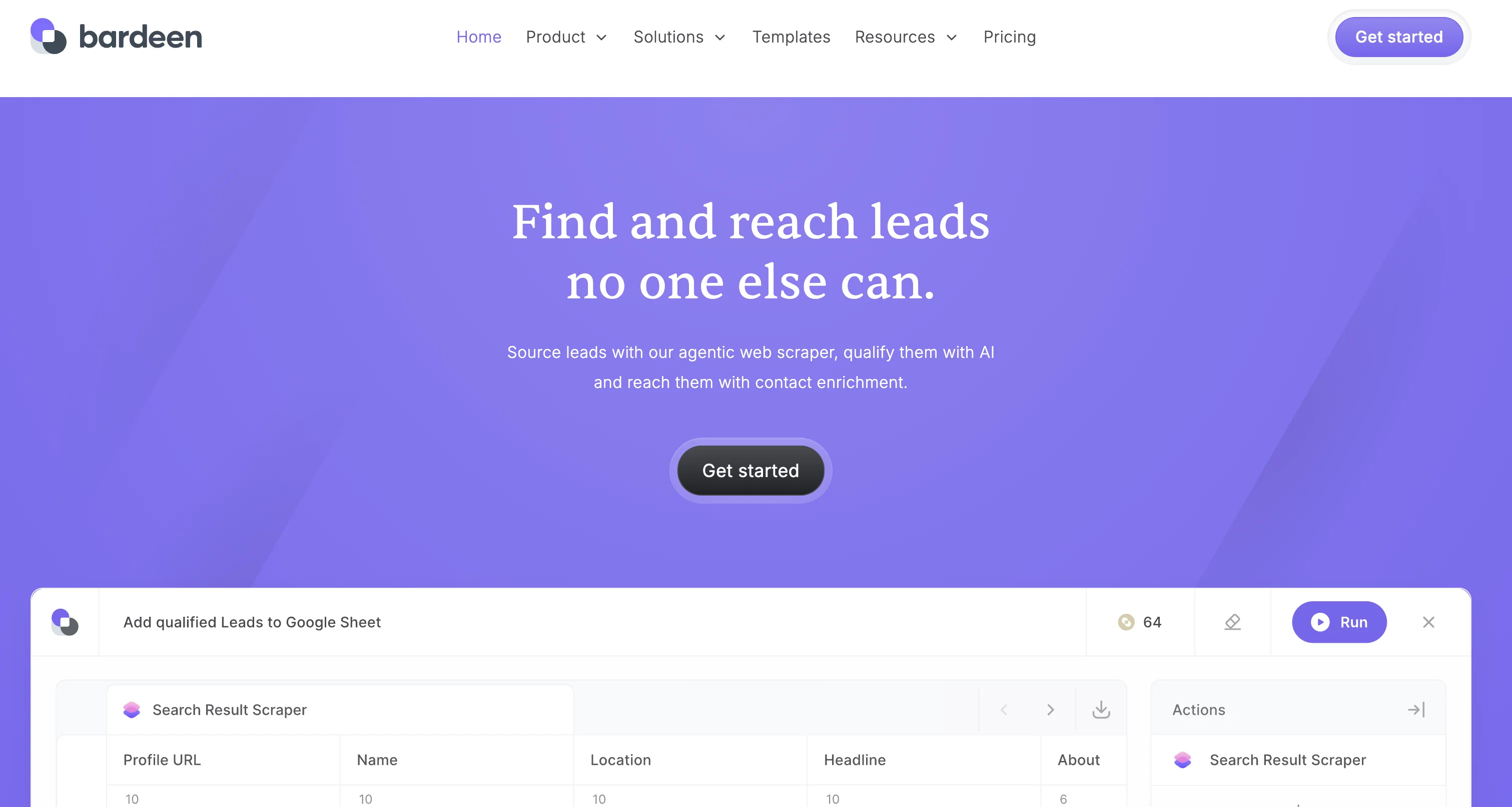
Bardeen is a powerful automation app designed to help people reduce the time and effort required to complete repetitive tasks. It offers a single-click shortcut to automate workflows and control web apps from anywhere.
Bardeen provides hundreds of pre-built playbooks to help users stay in the flow, as well as an intuitive Builder feature to create custom workflows with building blocks.
Additionally, Bardeen's AI-driven automations feature allows users to save time by automating manual processes. Bardeen supports integration with popular web apps like Airtable, Asana, Clearbit, ClickUp, Coda, Dropbox, Github, Google Calendar, Google Docs, Google Drive, Google Mail, Google Meet, Google Sheets, Jira, Notion, OpenAI, Pipedrive, Slack, and Telegram, allowing users to access and control these applications from anywhere.
Furthermore, Bardeen is free to use, making it a cost-effective solution for automating tasks.
Best for
Short scenarios where Bardeen tends to shine.
-
Lead sourcing and outreach
Best for Sales teams
-
Account management
Best for Customer success teams
-
Sales operations and reporting
Best for Revenue operations teams
-
Process automations and handoffs
Best for Sales leadership
-
Customer growth and adoption
Best for Solutions engineering teams
-
Competitive intelligence
Best for Sales teams
Example outputs 1
Sample generations and before/after results for Bardeen.
Access & connections
Where you can use Bardeen, and what it plugs into.
Platforms
Integrations
Capabilities
What this tool accepts, produces, and is strongest at.
Input
- Tabular
Output
- Tabular
- API
- Text
Supported features
- Crawling & Scrapping
Pros & cons
Pros
- Free to use
- Single-click shortcut automation
- Hundreds of pre-built playbooks
- Custom workflow creation
- Supports multiple web app integrations
- Data scraping capabilities
- Runs directly in browser
- Automation without code
Show 12 more
- Automations triggered by events or time
- Broad use-case applicability
- Built-in tutorials for users
- Slack community for support
- Automations for favorite websites and apps
- Allows task scheduling
- Supports data extraction from websites
- Facilitates team productivity
- Reduces time spent in switching tabs
- User-focused approach
- Privacy ensured (runs locally in browser)
- Supports personal productivity enhancement
Cons
- No native iOS/Android apps
- May require technical knowledge for custom workflows
- Runs only in browser
- May not work with all non-integrated web Apps
- Workflow effectiveness dependent on third-party Apps
- No uptime guarantee
Compare alternatives
Similar tools in the catalog — with a clear reason to open each one.

SureThing.io - "OpenClaw" for Beginners ✓
FreemiumFirst General AI Agency. Designed for long-horizon tasks.
Why look Offers a public API
Full comparison


Raccoon AI ✓
FreemiumThe AI Coworker for Apps, Research, Docs & Everything Else
Why look Offers a public API
Full comparison
Autopilots by Athena AI ✓
Free TrialAutonomous AI agents that execute tasks for you.
Why look Typically cheaper
Full comparison
People also view
Tools that often show up alongside Bardeen in collections and comparisons.

Verble ✓
FreemiumMaster the art of verbal persuasion with AI

Robot Lawyer ✓
Free TrialGenerate legal documents in seconds. Verified by professionals.

OnlyPrompts ✓
Free TrialAutomate 37,000+ tasks with 150,000+ prompts

Moments ✓
FreemiumDeepen relationships with thoughtful, timely gestures.

Generor ✓
FreemiumGenerate and manage all your AI creations in one place

LearningStudioAI ✓
Free TrialAI-powered authoring tool for effortless online course creation.

AI Lawyer ✓
Free TrialInstant legal advice and document creation at your fingertips

Agentgpt ✓
FreemiumDeploy autonomous AI Agents effortlessly in your browser.
Releases 1
FAQ 12
What is Bardeen?
How does Bardeen help automate tasks?
What are the key features of Bardeen?
What are Bardeen's 'playbooks'?
What is Bardeen's 'Builder' feature?
What type of integrations does Bardeen support?
Can Bardeen be used for data scraping?
How does Bardeen's AI feature automate manual workflows?
How can Bardeen help with personal productivity?
Can I build my own custom workflow using Bardeen?
What is the cost to use Bardeen?
What are use cases of Bardeen?
Related tools
Recommended

Hints ✓
Free TrialEfficient and automated business task assistant.

VenturusAI ✓
FreemiumBusiness idea analysis and reporting.

Hyperis ✓
FreemiumOrganized task prioritization.
Agentgpt ✓
FreemiumDeploy autonomous AI Agents effortlessly in your browser.

Taskade ✓
FreemiumAutomated productivity and collaboration platform.

Mindsmith ✓
FreemiumPlatform for building and sharing eLearning content