

Product research vv3.0 2026 Rank: #186
Articos ✓
Run synthetic user interviews and validate messaging, landing pages, and product ideas
Verdict
A quick read before you dig into the full page.
- Best if
- You are agencies and need: Validate a startup idea before building
- Skip if
- Limited for “true usability”
- Pick this when
- Fast insights
Considering Personno instead? Compare side by side
Overview


The platform supports five research types: user interviews, product idea validation, A/B testing for landing pages, single-page landing page testing scored against a chosen goal, and message testing. In message tests, teams can compare up to five headlines, value propositions, ad copy examples, or email subject lines head-to-head. Every persona is interviewed against every variant, so results show a true per-persona comparison rather than a split sample. Reports rank the winning variant with a per-dimension scorecard.
Each study builds a panel of behaviorally diverse synthetic personas grounded in Big Five personality science and cultural context across 93 countries. Personas can’t see the outcome the team is hoping for, which helps surface the objections, dissent, confusion points, and audience misreads that generic AI prompting often glosses over.
A reusable Persona Library lets teams save individual personas or entire audiences and reuse them across future studies. Personas can also be refined with plain-English instructions, so teams can adjust audience nuance without rebuilding the full study from scratch.
Reports include audience motivations, objections, recurring themes, language patterns, supporting persona quotes, confidence scores, evidence chains, and prioritized recommendations. Articos also supports PDF report export, downloadable transcripts, shared reports, and white-label reports for agencies and consultants.
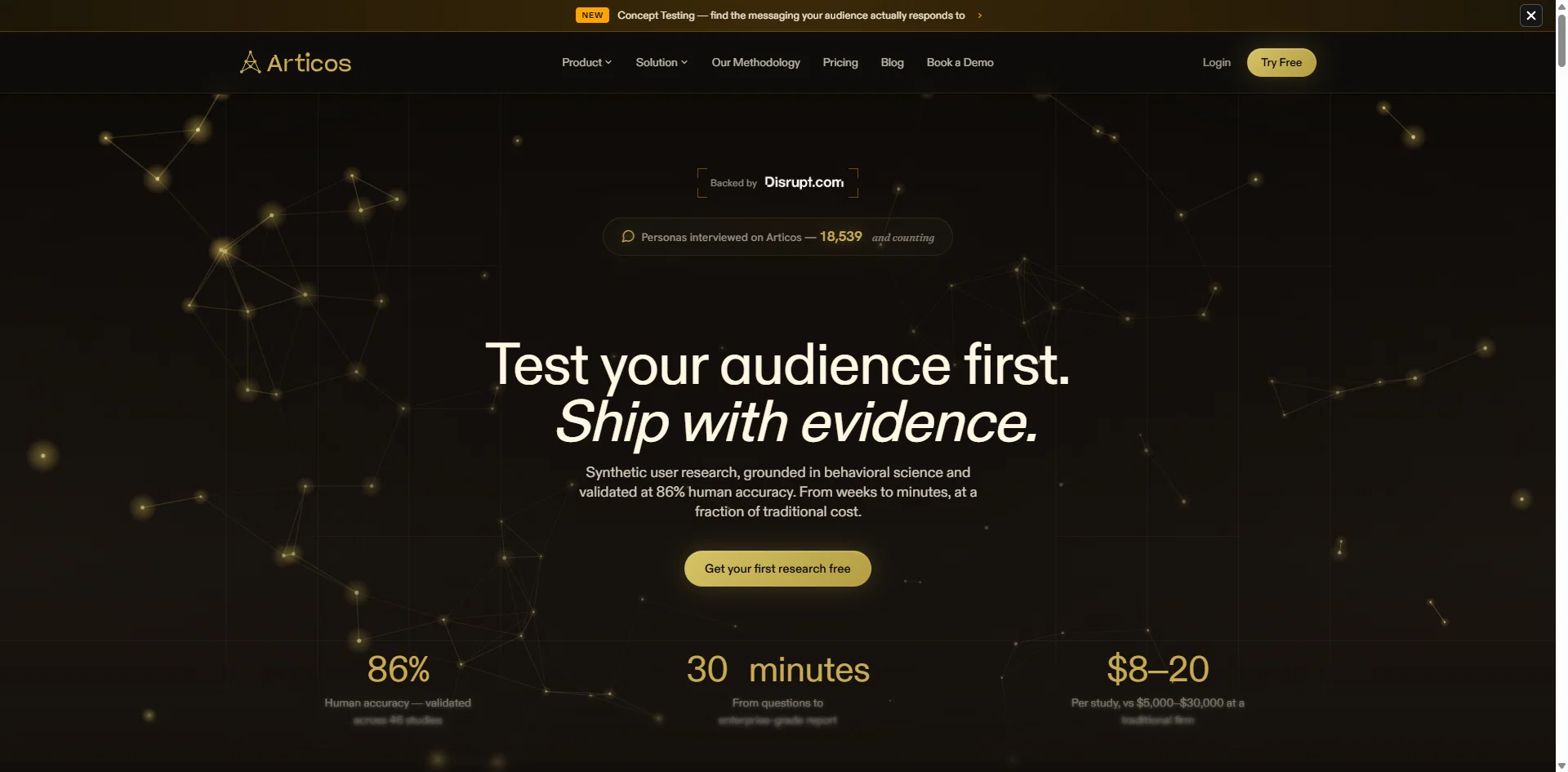
Articos is validated at 86% human accuracy across 46 peer-reviewed studies in nine industries, benchmarked against Baymard Institute and Nielsen Norman Group. Studies run at $8–$20 compared to $5,000+ through traditional research firms, with monthly plans, one-time research packs with credits that never expire, and a 7-day free trial. Articos is built for rapid validation work and complements human research rather than replacing it for high-stakes or longitudinal studies.
- User Research
- User Interviews
- Concept Testing
- A/b Testing
Best for
Short scenarios where Articos tends to shine.
-
Validate a startup idea before building
Best for Agencies
-
Test feature demand and prioritize roadmap
Best for SaaS Founders
-
Usability feedback on onboarding and key flows
Best for Growth & Marketing Teams
-
Messaging and positioning tests (PMM use cases)
Best for Product Managers
-
Agency research for multiple client projects faster
Best for Strategists
Example outputs 1
Sample generations and before/after results for Articos.
Access & connections
Where you can use Articos, and what it plugs into.
Platforms
Integrations
Capabilities
What this tool accepts, produces, and is strongest at.
Input
- Tabular
- Text
Output
- API
- Text
Supported features
- Deep Research
- Brand Strategy
- Assistant
- Automation
- Team Collaboration
Pros & cons
Pros
- Fast insights
- No recruitment needed
- Lower cost
- Strong for early validation
- Persona depth
Cons
- Not real humans
- Bias risk
- Limited for “true usability”
- Less reliable for high stakes
- Stakeholder trust
Compare alternatives
Similar tools in the catalog — with a clear reason to open each one.


Syntheticusers ✓
Free TrialAI participants for faster product testing and decisions.
Free + from $99/mo
Full comparison
PPSPY ✓
Free TrialSpy on Shopify stores to boost your dropshipping success
Why look Typically cheaper
Full comparison
Maze ✓
FreemiumPower product decisions with continuous user insights
Why look Freemium alternative
Full comparison

People also view
Tools that often show up alongside Articos in collections and comparisons.

Pounce ✓
Free TrialGet real followers and engagement in minutes.

buzzabout ✓
FreemiumAI social media research for marketers

Reply ✓
Free TrialGenerate leads, convert website traffic, or hire sales AI SDRs.

Recal ✓
FreemiumYour AI-powered second brain that captures everything important.

Promptify ✓
FreemiumCraft beautiful prompts effortlessly

PostPerfect ✓
FreemiumAutomated social media posts.

Particl ✓
Free TrialAutomate competitor intelligence for retailers with AI.

Page Pulse ✓
FreemiumSite analytics that finally feel simple.
Releases 3
What's New
Since the v2 platform rebuild, Articos has added two new research types
(Message Testing and Landing Page Testing), a reusable Persona Library, and
dozens of workflow refinements across all five steps.
New Research Type: Message Testing
- Test up to 5 message, headline, or value-proposition variants against your
personas and see which one resonates -- not just single-variant interviews - Guided setup with message-type categories (headline, value prop, email
subject, ad copy, and more) plus a couple of quick context questions - Every persona is interviewed against every variant, so results are a true
per-persona and per-segment comparison rather than a split sample - Dedicated Step 4 view: persona list on the left, that persona's
variant-by-variant responses on the right - Report ranks a winning variant with a per-dimension scorecard; single-variant
tests get a diagnostic "how does this land" read instead of forced
winner/loser language - Add another variant straight from a finished report (up to 5) and get a
refreshed head-to-head -- it reuses the same personas and questions, so
there's no starting over
New Research Type: Landing Page Testing
- Upload or capture a single landing page, pick one goal, and get persona
feedback scored against that goal - Single-page scorecard report -- goal-achievement score, UX-dimension
breakdown, themes, and recommendations (not a two-way A/B comparison) - Available on the free Trial, not just paid plans
- Interview-script edits in Step 3 now reliably persist through execution
Persona Library
- Save any persona -- or a whole audience at once -- to a personal library and
reuse it across future studies instead of regenerating every time - New Persona Library page with search, filter, and a full read-only detail
view (bio, personality traits, attributes) - "Reuse Existing Personas" option when starting a new study (idea validation,
A/B testing, and message testing) - Saved personas show a persistent "Saved" badge so you always know what's
already in your library
Persona Generation & Step 2
- Refine a persona in plain English -- type an instruction ("make her more
skeptical of new tools") and the AI regenerates just that persona; review a
before/after diff before applying - Persona names are now guaranteed unique and consistent with each persona's
origin; gender is a proper generated attribute for better distribution - Step 2 redesigned into a two-pane layout -- stats and per-role breakdown on
the left, a filterable persona grid with a slide-in detail drawer on the right - Add a single persona to a role without regenerating the whole set
Step 1: Intake & Onboarding
- Attach a document to your Step 1 chat (PDF, Word, TXT, or Markdown, up to
10MB) and the AI reasons over it alongside your messages - Upload your own interview script in Step 3 -- the AI extracts your questions
and you choose to append them or replace the generated script - One-click starter-example cards on the Step 1 opener for first-time users
- Revamped first-run onboarding: choose your role and primary use case right
after signup - Self-service "Forgot password" flow with a branded reset email and reset page
Reports (Step 5)
- Reports now generate in the background -- close the tab or refresh and the
report keeps building server-side, ready when you return - Live progress on the Step 4 card ("Generating your report" -> "View Report")
- Download your report as a PDF from Step 5
- Shared/public A/B report links now include the same participant count,
question count, and variant screenshots as your private view
Interviews (Step 4)
- Download every completed transcript at once as a single combined PDF --
works for standard, A/B, and message-testing studies - Download an individual persona's transcript as a PDF from the interview modal
- Interviews are more resilient to transient AI hiccups: a mid-interview
failure now retries automatically instead of failing outright, and a
permanently failed interview shows a clear "failed" state instead of spinning
Plans & Billing
- New "Pay per research" option -- buy a one-time research pack (credits that
never expire) instead of a monthly plan, right from the upgrade modal - Trial extended to 7 days (up from 3)
- Study limits now count completed studies, not started ones -- create and
abandon as many drafts as you like; only a finished study with a report
counts against your plan or pack - Trial users now see the full product UI, with upgrade prompts appearing at
the point of use instead of grayed-out feature
All notable changes to Articos are documented here
v2 is a major platform rebuild introducing A/B testing research, and AI-powered persona interviews via Cloud Tasks, a structured report pipeline with charts and citations, deep persona generation, and a fully redesigned UI. The backend was migrated to Python across all primary Cloud Functions.
New Research Type: A/B Testing
- New ab-test research type for comparing two variants (e.g., landing page A vs. B)
- Variant preview section with live browsing animation during interview setup
- A/B comparison sections in the report with side-by-side analysis
- Screenshots of each variant proxied through Firebase Storage
- Goal selection limited to a single goal per study
- Auto-naming support for A/B test research
AI Persona Interviews (Step 4)
- Persona interviews now triggered via Cloud Tasks (fully async)
- Full interview status lifecycle: not-started > setting-up > in-progress > completed
- Interview questions chained via previous_response_id for coherent multi-turn conversations
- Research context and roleplay prompt injected into follow-up answers
- Medium reasoning effort enabled for interview AI
- View Transcript and Follow Up Question buttons on completed interview cards
- Preparing the state shown on the interview card during the setup phase
- Live browsing animation while AI interviews are running
Structured Report Pipeline (Step 5)
- Full structured report UI with charts, citations, and evidence drawers
- Report sections written in parallel for faster generation
- Pipeline resumes from the last completed stage on re-entry (no restart)
- Progressive loading states with skeleton UI and auto-scroll
- TOC sidebar with section navigation and ellipsis truncation on long titles
- Expert critique sections with correct prompts per research type
- A/B variant screenshots labelled as "Variant A" / "Variant B" in the report
- Report download and share buttons with PDF export hook
- Public report endpoint updated to serve structured pipeline reports
- Section IDs sanitised for Firestore paths
- Comparison matrix columns aligned when LLM includes label headers
Deep Persona Generation (Step 2)
- Progressive persona loading -- each profile updates independently as it completes
- Geocoding and dynamic persona attributes (country flags, world map pins)
- Archetype field rendered in persona card header
- OCEAN personality scores normalised to a 1-100 scale-
- Location and origin country rules added to the deep persona prompt
- Global location diversity enforced (no US default)
- Radar chart with secondary attribute dimensions from generate_relevancy_dimensions
- Persona card bio tooltip showing full text
- Edit persona modal hides AI refinement section when step is completed
- Edit/delete buttons disabled on persona cards after step 2 is completed
- Generation state persisted across step navigation
Auto Study Type Detection (Step 1)
- Research type (idea-validation, landing-page-feedback, ab-test) now auto-detected from conversation -- no upfront selector
- inferredStage returned from backend and consumed by frontend
- Conversation saving shifted from backend to frontend
- Profile selection is disabled after step completion to prevent race conditions
- Research names no longer include _study{n} suffix
- Row-based roles UI replaces card grid on ProfileCard
UI / Design System
- Full platform UI revamp (Step 1, Step 2, Step 3 redesigns)
- Design tokens replace hardcoded colors and arbitrary spacing values
- ActionTooltip component added and applied across the platform
- Follow-up chat panel restyled to Articos warm gold/cream design system
- Follow-up sidebar collapses on open
- Accessibility: aria-label added to all icon-only buttons
- Scatter chart uses dynamic domain; persona bio filter fixed
[v0.2.8] and earlier
Legacy releases prior to the v2 platform rebuild. See git history for details.
Imported reviews 1
Landing page tests with Articos helped me quickly identify conversion bottlenecks and uncover missing features. The insights were actionable and made it much easier to prioritize improvements that actually impact user behavior.
FAQ 12
What is Articos?
How does Articos work?
Who can use Articos?
How does Articos aid in decision making?
How does Articos handle landing page tests?
What kind of insights does Articos deliver?
How quickly can Articos deliver insights?
What testing methods does Articos use?
How does Articos assist agencies and SaaS teams?
How does Articos optimize growth and marketing campaigns?
What makes Articos unique in terms of user research?
What are some of the features of Articos?
Related tools
Recommended

Whacka ✓
Free TrialTurn ideas into real apps from your phone.

freebeat AI ✓
FreemiumTurn Music & Ideas into Viral Videos In One Click

Claude ✓
FreemiumBuilding reliable, interpretable AI systems

remio: Your Personal ChatGPT ✓
FreemiumGet Tailored Answer with Your Personal ChatGPT
Pounce ✓
Free TrialGet real followers and engagement in minutes.

SureThing.io - "OpenClaw" for Beginners ✓
FreemiumFirst General AI Agency. Designed for long-horizon tasks.