

Architectural design 2026 Rank: #2127
ArchRender ✓
Transform 3D models into photorealistic renders in seconds.
Verdict
A quick read before you dig into the full page.
- Best if
- Transform 3D models into photorealistic renders in seconds
- Skip if
- Require expensive packages for support
- Pick this when
- Photorealistic rendering
Considering ARCHITEChTURES instead? Compare side by side
Overview
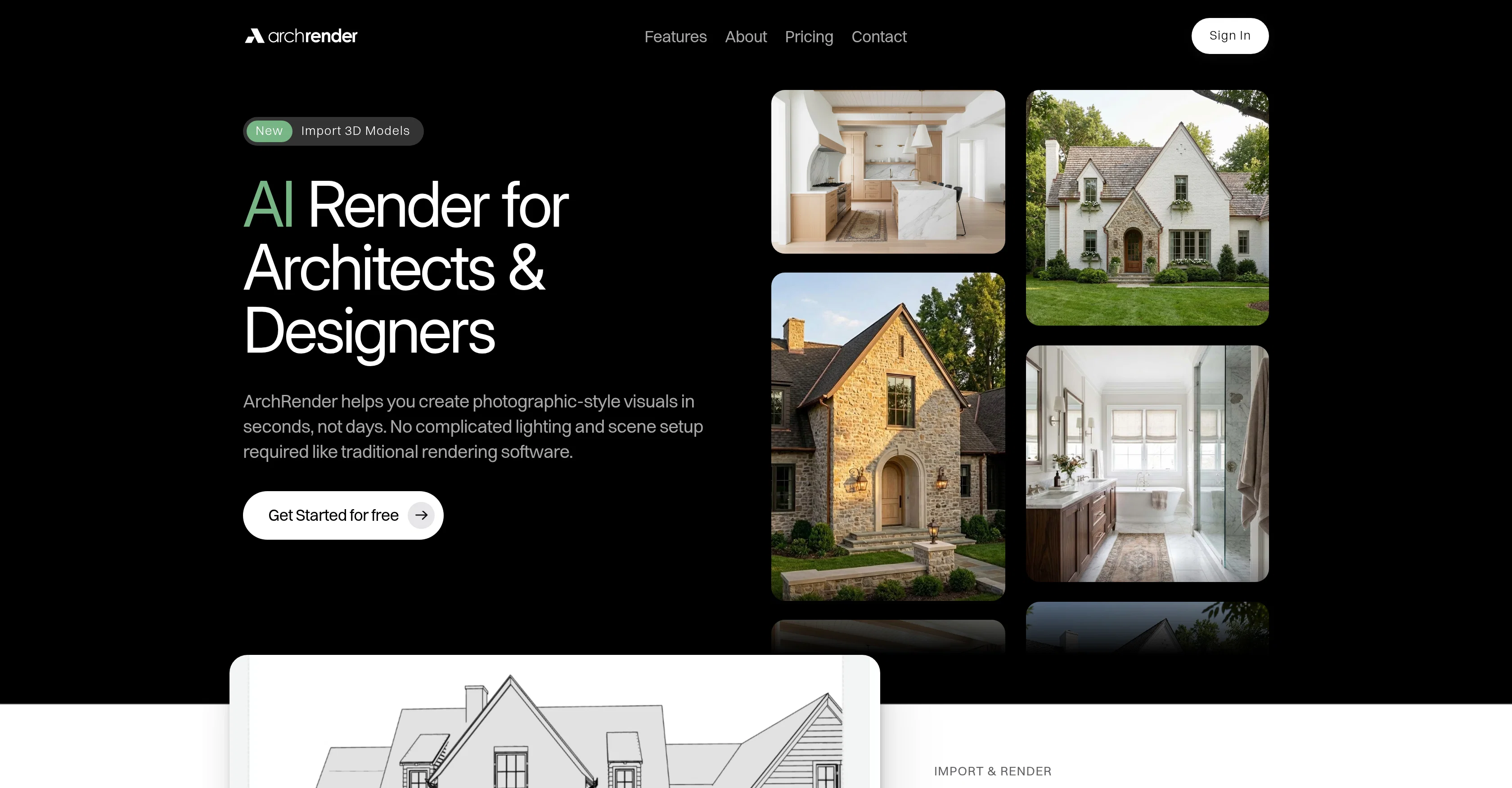
ArchRender is an AI-based 3D rendering tool designed for architects and designers. This tool aims to transform 3D models into photorealistic renders quickly and efficiently, bypassing the need for complex lighting and scene setups usually required by traditional rendering software.
ArchRender supports various file types including OBJ, FBX, GPL, allowing it to import models from popular architectural software. The software provides numerous control settings such as season control to visualize designs in various seasonal conditions, time of day control to customize lighting conditions, 3D model view controls, and both exterior and interior mood boards.
It also incorporates 4K upscaling for creating high-resolution renders, perfect for presentations and client proposals. A unique feature of ArchRender is its Prompt-Driven Control which allows users to utilize natural language to guide material, style, mood, and lighting adjustments.
The software also has an edit mode that lets users iterate on their designs and explore alternate styles. The tool is lauded for being user-friendly and effectively enhancing design visualization and presentation, especially in architectural and interior design industries.
Access & connections
Where you can use ArchRender.
Platforms
Capabilities
What this tool accepts, produces, and is strongest at.
Input
- 3D
Output
- Image
Supported features
- 3D Generation
- Image Edit
- Image Generation
- Styling
- Realism
- Arhitecture & Interior design
Pros & cons
Pros
- Photorealistic rendering
- Supports OBJ, FBX, GLB
- User-friendly interface
- Import 3D models easily
- Adjustable seasons and time of day
- Control view before rendering
- Edit Mode for iterations
- Converts natural language prompts
Show 14 more
- Adjust style, mood, lighting
- Offers 4K upscaling
- Exterior & Interior mood boards
- Customizable environmental settings
- Prompt-Driven Control feature
- Fast and efficient rendering
- Saves unique style prompts
- High-resolution for presentations and prints
- Project-based workflows
- Allows version-friendly iteration
- Keeps all files organized
- Built for ongoing work
- Supports both exteriors & interiors visualizations
- Flexible rendering credits system
Cons
- Limited file types compatibility
- Prone to misunderstanding prompts
- May misinterpret mood boards
- 4K upscaling not default
- Require expensive packages for support
- File organization complexity
- No Guided tutorials available
- Limited projects on basic plan
Show 2 more
- Heavy reliance on prompts
- Limited storage on cheap plans
Compare alternatives
Similar tools in the catalog — with a clear reason to open each one.

ARCHITEChTURES ✓
FreemiumAI-powered design: Months to minutes for buildings.
Free + from $43/mo
Full comparison
ReRender AI ✓
Free TrialInstant photorealistic renders for architectural designs.
Why look Offers a public API
Full comparison
Architect AI ✓
FreemiumArchitectural renderings for design and communication.
Why look Typically cheaper
Full comparison
Archsynth ✓
FreemiumTransform sketches into stunning architectural renders with AI.
Why look Typically cheaper
Full comparison
Visoid ✓
FreemiumAI-powered 3D architectural visualization in minutes.
Why look Higher community rating
Full comparisonReleases 1
FAQ 12
What types of files does ArchRender support?
How does ArchRender simplify the rendering process?
Can you control the seasons and time of day with ArchRender?
Is it possible to adjust the Field of View (FOV) in ArchRender?
What does the 'Edit Mode' in ArchRender do?
How does ArchRender use natural language processing?
In what ways can ArchRender adjust the material and style of a render?
Does ArchRender have 4K upscaling?
What makes ArchRender suitable for high resolution presentations and prints?
How does ArchRender help with architectural visualization?
How can ArchRender help with interior and exterior design?
How does ArchRender adjust the mood and lighting of a scene?
Related tools
Recommended

Midjourney ✓
PaidExpand human imagination through AI-powered visuals.

Napkin ✓
FreemiumBring your ideas to life with a visual copilot

Create ✓
FreemiumCreate apps using English

Maps GPT ✓
FreeGenerate custom maps with pins instantly

Prompt Engine ✓
PaidGet the perfect prompt for any AI task

AIImageGenerator ✓
FreemiumTransform text into stunning visuals instantly.