

Interior design 2026 Rank: #2471
ArchOne AI ✓
All-in-One AI Spatial Design Visualization Platform
Verdict
A quick read before you dig into the full page.
- Best if
- All-in-One AI Spatial Design Visualization Platform
- Skip if
- Limited professional review capabilities
- Pick this when
- Versatile spatial design visualization
Considering Getfloorplan instead? Compare side by side
Overview


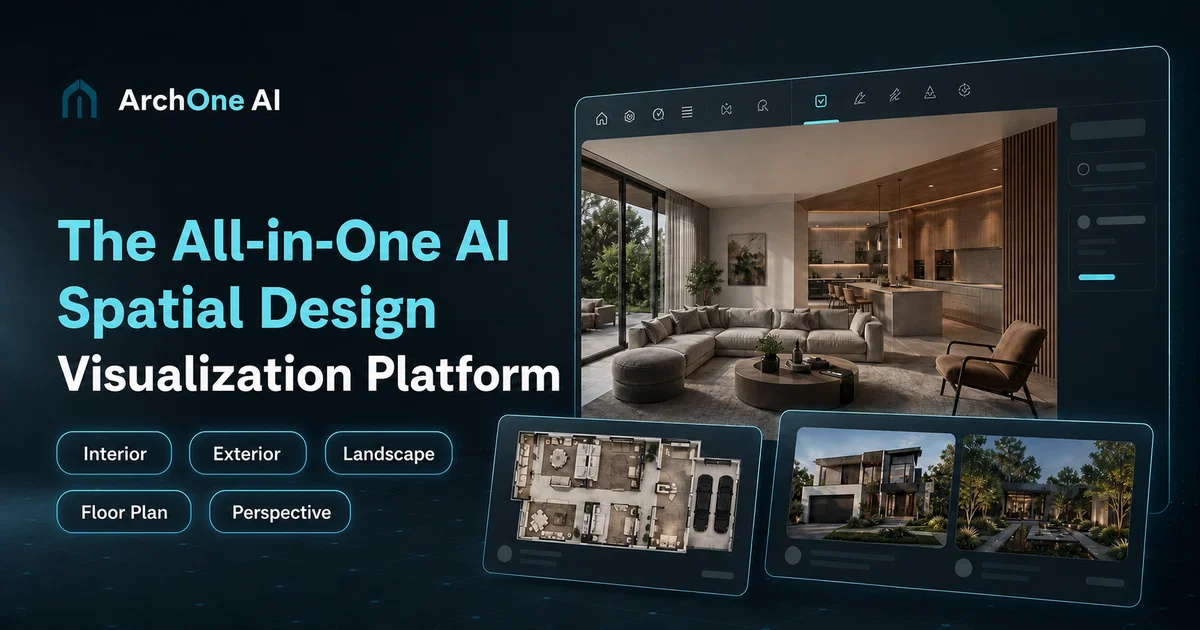
The platform is suitable for a wide range of applications, including interiors, exteriors, landscapes, and architectural compositions.
ArchOne AI is built for professionals such as architects, interior designers, landscape designers as well as small studios and design consultants.
Users can begin their design workflow with a photo, sketch, render, or reference image, and explore different perspectives, estimations, and floor plan concepts based on their project needs. However, it should be noted that ArchOne AI is not intended for technical documentation or structural reviews and does not produce CAD, BIM, or precise 3D building models.
It is optimally used for early concept exploration, comparison, presentations, and overall design communication. Furthermore, the platform offers an AI design gallery that showcases a variety of design concept examples applicable to diverse spaces, providing users with the opportunity to explore and compare design directions prior to making a decision.
- Ai Interior Design
- Ai Exterior Design
- Ai Landscape Design
- Virtual Staging
- Floor Plan Visualization
- Image-to-design
- Multiple Design Styles
- Cloud Rendering
- Design Inspiration Gallery
- Browser Based
- Register To Get 2 Free Credits
Access & connections
Where you can use ArchOne AI.
Platforms
Capabilities
What this tool accepts, produces, and is strongest at.
Input
- Image
- Text
Output
- Image
Pros & cons
Pros
- Versatile spatial design visualization
- Well-suited for early-stage workflows
- Applicable to wide range of designs
- For professionals and small studios
- Photo, sketch, or render input
- Offers different perspectives
- Allows estimation exploration
- Supports floor plan concepts
Show 30 more
- Ideal for comparison and presentations
- Excellent for design communication
- Showcases vast design concepts
- Applicable to diverse spaces
- Explore design directions before commitment
- Image-based workflows
- Perspective-adjustable workflows
- Floor plan workflow based on inputs
- Ideal for early concept exploration
- Assists in room concepts
- Helps with material palettes
- Gives lighting mood options
- Helps with exterior finishes
- Ideal for facade color studies
- Visualizes planting, hardscape, and outdoor zones
- Various design workflows in one platform
- Not reliant on precise technical documentation
- Allows design ideas exploration before generation
- Helps understand early visual directions
- Prepares room direction and material mood
- Allows exploration of outdoor atmosphere options
- Suitable for renovation and material directions
- Preview design directions before large-scale commitment
- Built for professional design review
- Maintains existing space visual context
- Helps avoid unnecessary detailed production work
- Designed for review, not misrepresentation
- Aligns clients, teams ownership decisions
- Flexible pricing for design visualization
- Available for subscribing or one-time credits
Cons
- Doesn't produce CAD, BIM
- No precise 3D models
- Not for technical documentation
- No structural reviews
- Unclear pricing structure
- No explicit code-compliance reviews
- No for permitting decisions
- Unclear workflow instructions
Show 2 more
- Limited professional review capabilities
- Dependent on quality of initial input
Compare alternatives
Similar tools in the catalog — with a clear reason to open each one.

Getfloorplan ✓
PaidAI tool for 3D floor plans, renders, and virtual to
Why look Offers a public API
Full comparison


Paintit.ai ✓
FreemiumPro Workflow: AI Visualization for Designers and Real Estate Teams
Why look Offers a public API
Full comparison

Releases 1
FAQ 12
What is ArchOne AI specifically used for?
Who is ArchOne AI designed for?
What can I start my design workflow with in ArchOne AI?
What are some of the applications of ArchOne AI?
Can I use ArchOne AI for technical documentation or structural reviews?
What is the AI design gallery in ArchOne AI?
How does the floor plan concept work on ArchOne AI?
Can ArchOne AI produce CAD or BIM models?
Can ArchOne AI render precise 3D building models?
Is ArchOne AI suitable for exterior design visualization?
What kind of estimations can ArchOne AI provide?
Can I use ArchOne AI for landscape designs?
Related tools
Recommended

GetLogit ✓
FreemiumArtificial intelligence, available for everyone.

ChatGPT ✓
FreemiumAsk anything, create anything, and move from idea to action.

Notis ✓
Free TrialThe first WhatsApp assistant that runs on your ChatGPT and Claude subscriptions

freebeat AI ✓
FreemiumTurn Music & Ideas into Viral Videos In One Click

Jason AI ✓
PaidAI-powered assistant for B2B sales outreach

DeepSeek ✓
FreeUnravel the mystery of AGI with curiosity