

AnyToSpeech ✓
Content to speech for accessibility.
Free + from $7
Verdict
A quick read before you dig into the full page.
- Best if
- You are students and need: Creating audiobooks from PDFs
- Skip if
- Limited free use
- Pick this when
- Supports different content types
Considering ElevenLabs instead? Compare side by side
Overview
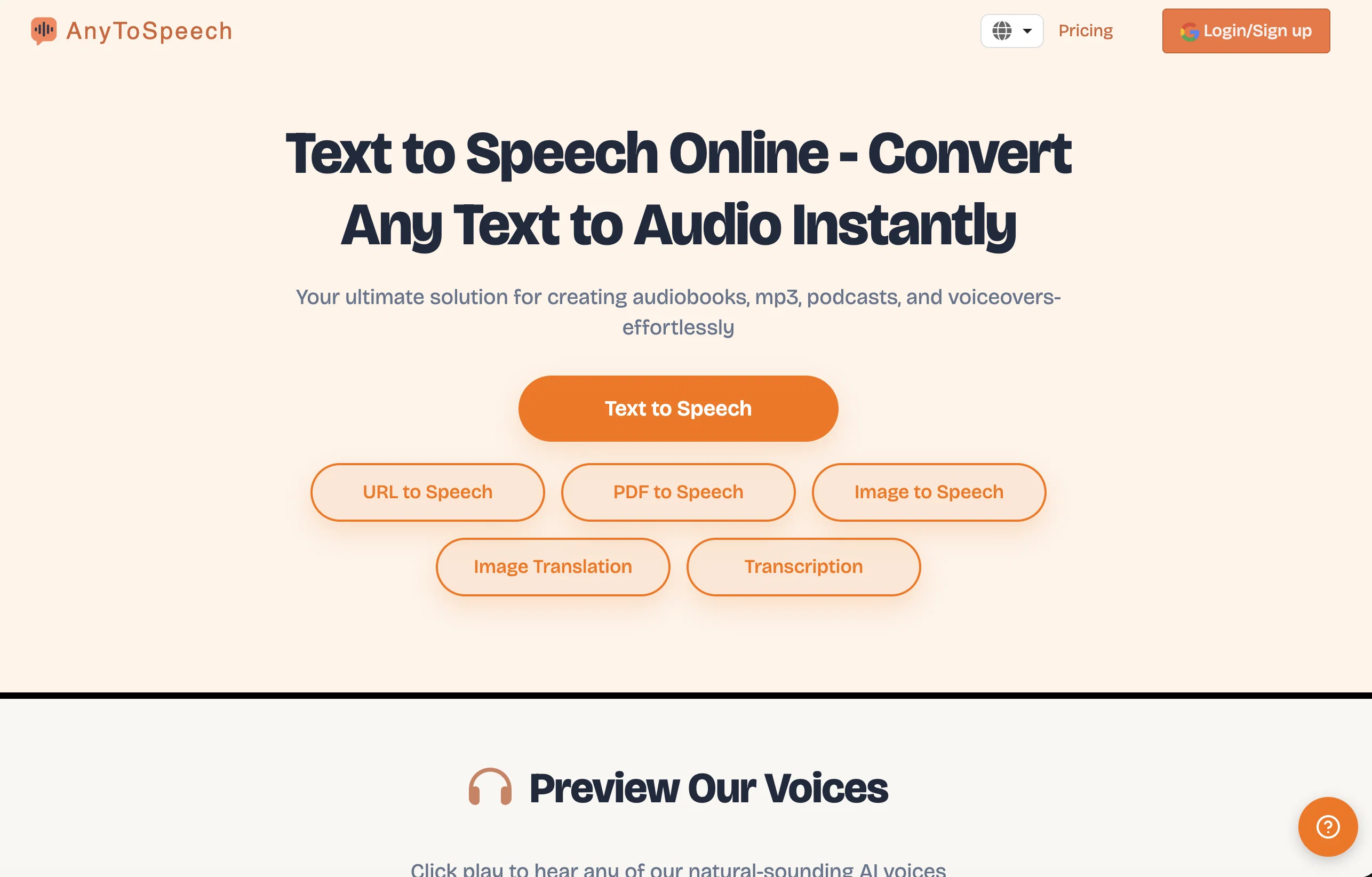
AnyToSpeech is an AI text-to-speech online converter tool that offers a clean and simple solution for converting various types of content into speech. It allows users to convert text, PDFs, documents, scans, and images into spoken words.
The tool supports conversion from different sources, including text, documents, URLs, and images.One notable feature of AnyToSpeech is its wide range of voices.
It provides users with a selection of realistic voices in various languages and accents. For English speakers, there are male voices such as David, Jack, Harry, Richard, and Albert, as well as female voices including Erica, Emma, Sophia, and Charlotte.
Additionally, the tool provides voices in other languages such as Spanish, French, Arabic, and German, with both male and female options available.This tool aims to provide an easy-to-use interface and functionality, making it accessible for users with little to no technical expertise.
Its simplicity of use allows users to convert their desired content to speech quickly and effortlessly. AnyToSpeech can be particularly helpful for those who require audio versions of text-based content for accessibility purposes or for consuming information on the go.In summary, AnyToSpeech is a straightforward and efficient AI tool that enables users to convert different types of content into speech.
It offers a range of realistic voices in multiple languages and accents to cater to diverse user preferences and needs.
Best for
Short scenarios where AnyToSpeech tends to shine.
-
Creating audiobooks from PDFs
Best for Students
-
Generating voiceovers for videos
Best for Professionals
-
Producing podcasts
Best for Content creators
-
Listening to documents hands-free while commuting
Best for Authors
-
Converting study material into audio for easier learning
Best for Marketers
Example outputs 1
Sample generations and before/after results for AnyToSpeech.
Access & connections
Where you can use AnyToSpeech.
Platforms
Pros & cons
Pros
- Supports different content types
- Converts PDFs to speech
- Converts documents to speech
- Converts scans to speech
- Converts images to speech
- Wide range of voices
- Offers numerous accents
- Simple to use
Show 16 more
- Multilingual support
- Various male and female voices
- English US accents
- English UK accents
- English Indian accents
- English Australian accents
- Arabic language and accents
- Supports Dutch language
- Supports Danish language
- Text to Speech in Spanish
- German language support
- French language support
- Supports Chinese language
- Caters to diverse user needs
- Quick content conversion
- Supports URLs to speech
Cons
- Limited free use
- No offline availability
- No API
- No voice customization
- Lack of advanced features
- Unable to process large files
- No batch conversion
- No multilingual interface
Show 2 more
- No mobile app versions
- No user support
Compare alternatives
Similar tools in the catalog — with a clear reason to open each one.

ElevenLabs ✓
FreemiumCreate lifelike AI voices for compelling storytelling.
Why look Typically cheaper
Full comparison
VoiSpark ✓
FreemiumCreate human-like voices for content with AI
Why look Better for writing
Full comparison
Free Text-To-Speech ✓
FreeText transformed into customizable spoken output.
Why look Fully free option
Full comparisonPeople also view
Tools that often show up alongside AnyToSpeech in collections and comparisons.
VoiSpark ✓
FreemiumCreate human-like voices for content with AI

Speechma ✓
UnknownTransform text to speech with 400+ premium AI voices

Read-this.ai ✓
PaidTransform any articles into podcast-quality audio instantly with just a click.
Free Text-To-Speech ✓
FreeText transformed into customizable spoken output.
ElevenLabs ✓
FreemiumCreate lifelike AI voices for compelling storytelling.

Audioread.com ✓
PaidListen to any text in your podcast app or browser.
Summ-it ✓
FreemiumTurn everything you meant to read into an audio playlist.

DeepBliss.me ✓
FreemiumPersonalized mental wellness platform for future-self practice, in your own voice.
Releases 1
FAQ 12
What is AnyToSpeech?
Can I convert PDFs into speech with AnyToSpeech?
Does AnyToSpeech support conversion from images to speech?
What languages are supported by AnyToSpeech?
Can I choose different voices on AnyToSpeech?
What accents does AnyToSpeech support?
Do I need technical skills to use AnyToSpeech?
Is AnyToSpeech a good choice for accessibility purposes?
Can I convert URLs into speech with AnyToSpeech?
How many characters can I convert with the free use of AnyToSpeech?
Does AnyToSpeech offer voices in non-English languages?
Can I choose whether I want a male or female voice in AnyToSpeech?
Related tools
Recommended

Listnr AI ✓
Freemium1000+ voices. 142+ languages. Audio shareable.

Eightify
UnknownAI-powered YouTube video summarizer extracting key ideas for quick content assessment.

SpeakPerfect ✓
Free TrialTurn rambles into perfect speech

Pictory ✓
Free TrialCreate engaging videos from text in minutes

TTSLabs ✓
FreemiumAI text-to-speech for Twitch streamers

TutorAI ✓
FreemiumInstant knowledge on any topic