
Aito Image - Text to Image ✓
Transforming text into art with AI.
Verdict
A quick read before you dig into the full page.
- Best if
- You are individuals seeking AI companionship and need: Emotional Support: Finding a comforting companion to talk to anytime, anywhere
- Skip if
- Limited language support
- Pick this when
- Supports 85+ languages
Considering Photo AI instead? Compare side by side
Overview
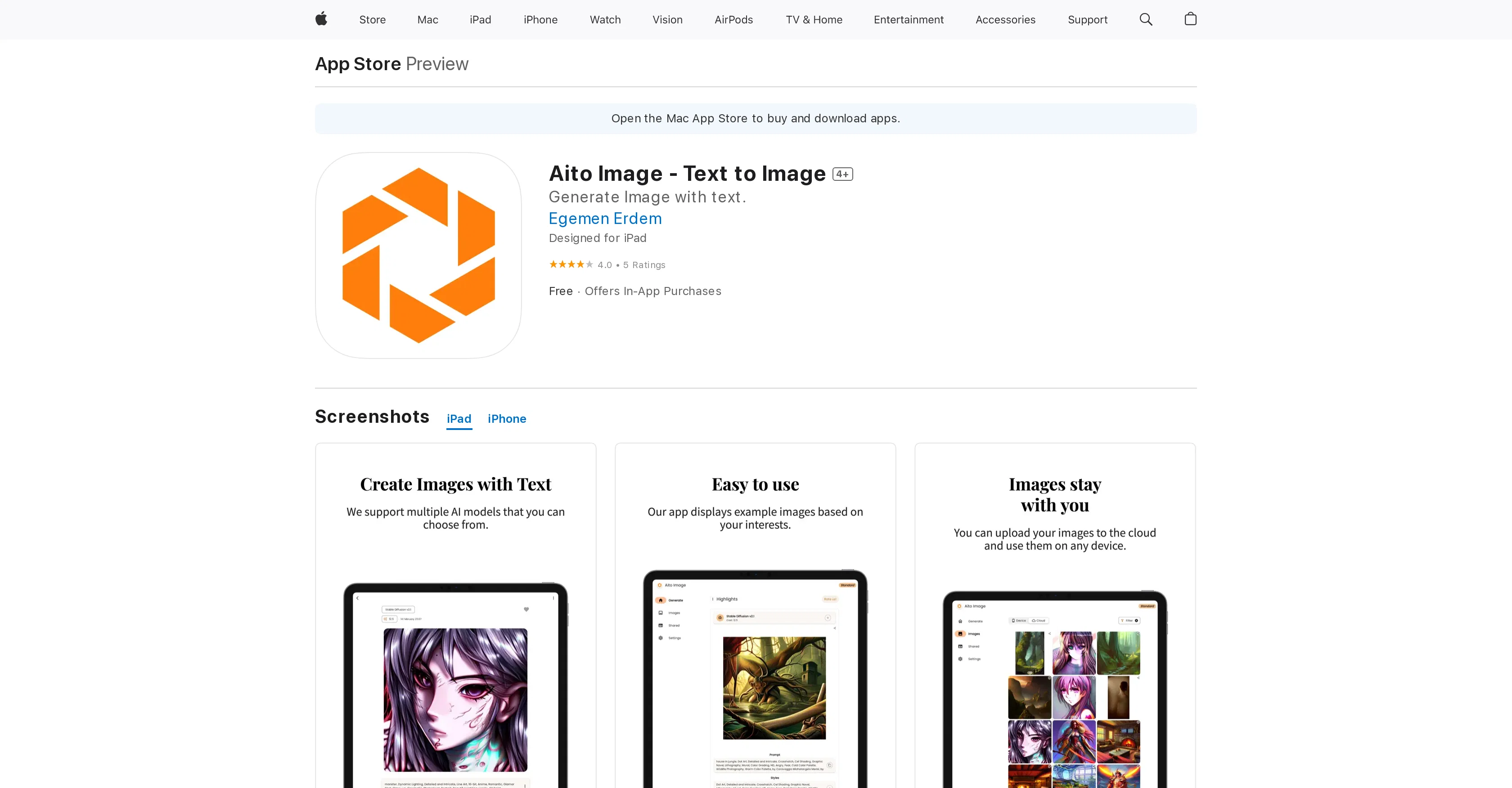
Aito Image - Text to Image is an AI-driven app designed to convert text prompts into unique images and art. The app creates the opportunity for users to convert simple text into aesthetically pleasing images with the use of advanced Stability Diffusion AI technology.
With Aito Image, users can conveniently save, view and magnify their generated images, reorder their favorite images, as well as remove those they no longer need.
Enhanced with functionality for copying both the text prompt and seed, users can reproduce images using the same settings. Aito Image supports over 85 languages, making it globally accessible.
Its customization options extend to adjusting animation settings and supporting dark and various custom themes. The app provides the creative freedom to generate distinct images that align with individual preferences.
It also pays a keen attention to user convenience, thus the improvements for the image generation settings on one page. The application does not collect any user data, ensuring privacy.
Aito Image - Text to Image is available for download on iOS, iPadOS and Mac with the latter requiring Apple M1 chip or later. Aito Image brings creative visualisation to a new level of simplicity and convenience.
Best for
Short scenarios where Aito Image - Text to Image tends to shine.
-
Emotional Support: Finding a comforting companion to talk to anytime, anywhere.
Best for Individuals seeking AI companionship
-
Creative Storytelling: Exploring fantasy worlds and complex roleplay scenarios.
Best for Users interested in AI roleplay
-
Social Simulation: Practicing conversations and building confidence in a safe space.
Best for People looking for a private and judgment-free conversational AI
Example outputs 1
Sample generations and before/after results for Aito Image - Text to Image.
Access & connections
Where you can use Aito Image - Text to Image, and what it plugs into.
Platforms
Integrations
Capabilities
What this tool accepts, produces, and is strongest at.
Input
- Text
Output
- Image
Pros & cons
Pros
- Supports 85+ languages
- Stores generated images
- Mark favorite images
- Can delete unwanted images
- Copies prompt and seed
- Can re-run same configurations
- Free to use
- Compatible with iPhone, iPad, iPod
Show 8 more
- Designed for iPad
- Requires iOS 11.0 or later
- Works on macOS 11.0
- Supports M1 chip mac
- No data collection
- Rated 4+ by developer
- Dark and custom themes
- Animation options for images
Cons
- Limited to Apple devices
- Requires iOS 11.0 or later
- Requires Apple M1 chip
- No Android support
- No data collection for improvements
- No customization options mentioned
- Limited language support
Compare alternatives
Similar tools in the catalog — with a clear reason to open each one.

Stockimg AI ✓
PaidGenerated images and text for design ease.
Why look Stronger for image work
Full comparisonPeople also view
Tools that often show up alongside Aito Image - Text to Image in collections and comparisons.
Stockimg AI ✓
PaidGenerated images and text for design ease.

Photo AI ✓
PaidCreate beautiful AI photos and videos of real people

Midjourney ✓
PaidExpand human imagination through AI-powered visuals.

CreativePixel ✓
FreemiumOut-create Your Competition in Minutes

BestPhotoAI ✓
FreemiumCreate amazing AI photos instantly

Nathan Tailors AI Suit Generator ✓
FreeDescribe your dream suit. We draw it, then build it.

LineArt ✓
Free TrialTurn one photo into a whole coloring book.

Line Drawing Converter ✓
Free TrialConvert photos into clean line drawings online.
Releases 1
FAQ 12
What is AI Images - Text to Art?
What technology does AI Images - Text to Art use to generate images?
How does 'Text to Art' feature work in AI Images app?
What languages are supported by AI Images - Text to Art?
How can I save and view the images generated by AI Images - Text to Art?
Is there a feature to mark my favorite images in AI Images - Text to Art?
Can I delete images that I don't want in AI Images - Text to Art?
Is it possible to run the app with the same configuration and prompt in AI Images - Text to Art?
Is AI Images - Text to Art free to use?
What devices is AI Images - Text to Art compatible with?
What are the operating system requirements for using AI Images - Text to Art?
Does AI Images - Text to Art collect any data from its users?
Related tools
Recommended
AIimages ✓
FreeFree AI image generator: Write text, get images on your PC.

Playground AI ✓
FreemiumCreate art and visuals with AI, for free
Stable Diffusion ✓
FreemiumUnleash humanity's potential with generative AI

Visuali ✓
Free TrialThe AI designer that creates any visuals you need
Dezgo ✓
FreemiumGenerate AI images from text prompts

LearningStudioAI ✓
Free TrialAI-powered authoring tool for effortless online course creation.