

AI Formatter.net ✓
Format your documents with AI Formatter
Trial; then from $16.67/mo
Verdict
A quick read before you dig into the full page.
- Best if
- Format your documents with AI Formatter
- Skip if
- Limited file format support
- Pick this when
- Transforms raw text to formatted document
Considering Format Magic instead? Compare side by side
Overview
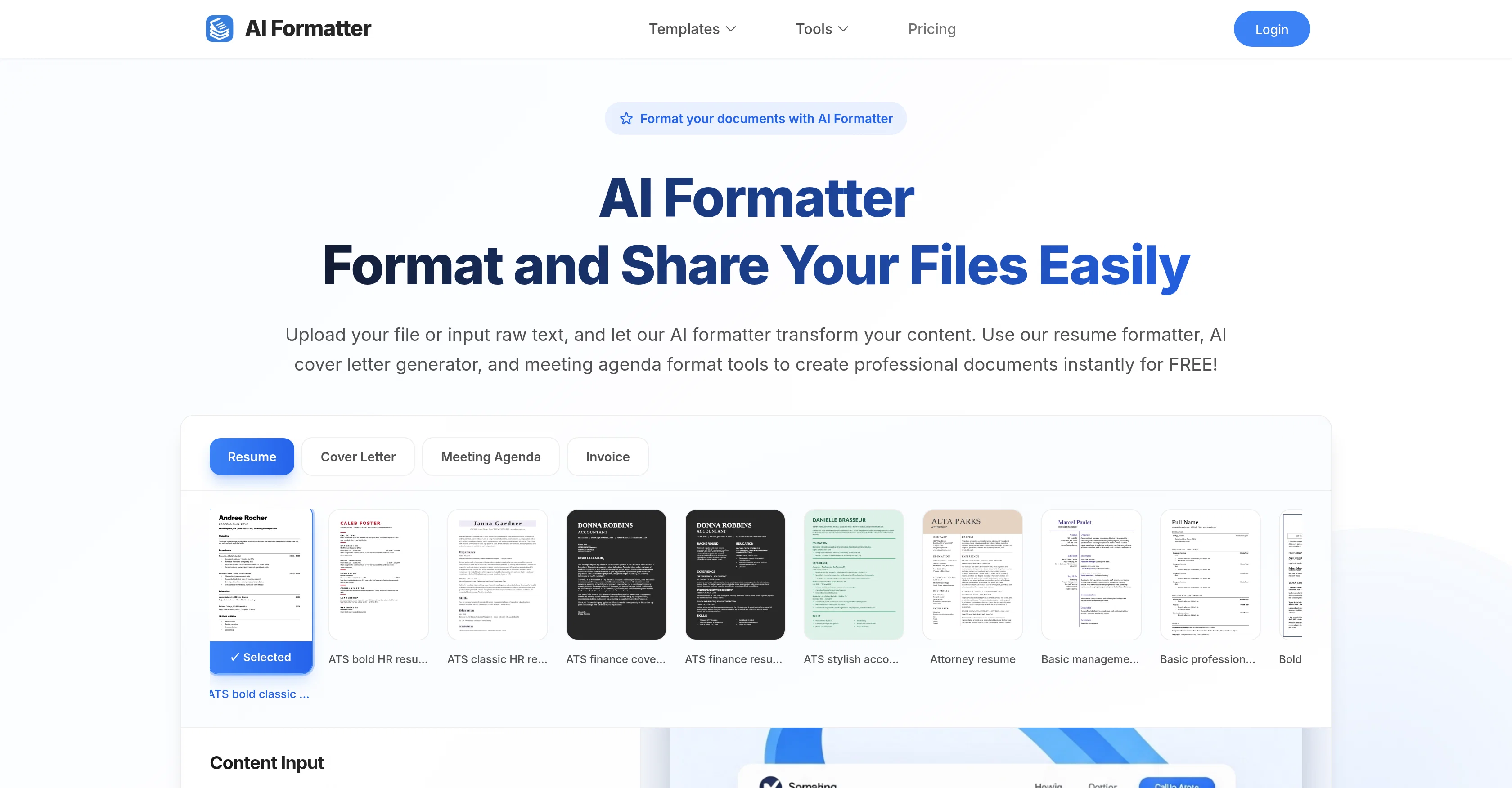
AI Formatter is an AI-powered tool that specializes in transforming content into professionally formatted documents. This tool takes raw text or uploaded files and formats them according to selected templates.
The AI formatter supports a wide range of document types, including resumes, cover letters, meeting agendas, and invoices. Users can utilize the tool's library of ATS-optimized templates for resumes and cover letters, designed to pass automated screening systems and attract recruiters' attention.
After content is uploaded or input, the AI processes the information and applies it to the chosen template maintaining the original information but adding professional formatting and structure.
After the AI formatting, users can edit, customize, and download their document in various formats including Word, PDF among others. They also have an option to directly share their formatted documents.
The tool's capabilities extend to specific tasks such as resume formatting, generating cover letters, and creating meeting agenda formats. The tool's combination of AI and professionally designed templates help users create polished, business-ready documents.
Access & connections
Where you can use AI Formatter.net.
Platforms
Capabilities
What this tool accepts, produces, and is strongest at.
Input
- Tabular
- Text
Output
- Tabular
- Text
Supported features
- Docs
- HR & Recruitment
- Styling
- Text Generation
- Writing
Pros & cons
Pros
- Transforms raw text to formatted document
- Converts existing documents
- Various format creation features
- Resume formatter
- Cover letter generator
- Meeting agenda format tools
- Provides intuitive editor for adjustments
- Supports multiple download formats
Show 44 more
- Supports variety of document types
- Understands context and structure
- Creates ATS-compatible resumes
- Large library of professional templates
- Online sharing of documents
- Invoice formatting
- Supports multiple file upload formats
- Automated document transformation
- Automated screening systems targeting
- Customizable templates
- Format choices for business docs
- Format choices for academic papers
- Data processing capability
- Content management feature
- Creates professionally framed docs
- Designed for resume optimization
- Professional writing aid
- Direct file upload for formatting
- Automated formatting capabilities
- Edit, share and download feature
- Offers free formatting
- Supports max 10MB file size
- Handles PDF, DOC, DOCX, TXT formats
- Access to Cover Letter Generator
- Provided Resume formatter
- Offers wide range of templates
- Instructive usage steps provided
- Cover letter personalization
- Meeting Agenda Formatting tool
- Invoice Generator included
- Curated collection of templates
- Modern design options
- Traditional design options
- Striking graphic header templates
- Multi-page format available
- Creative industry templates
- Medical industry optimized templates
- Resume writing checklist available
- Vintage design element templates
- Academic CV format available
- Legal profession focus templates
- Management and Leadership templates
- Bold accented contemporary designs
- Personalized branding appeal formats
Cons
- No real-time collaboration
- No mobile application
- No OCR support
- Limited file format support
- No versioning system
- No offline mode
- No built-in grammar checker
- No multi-language support
Show 2 more
- No autosave feature
- No integration with other platforms
Compare alternatives
Similar tools in the catalog — with a clear reason to open each one.

Format Magic ✓
FreemiumFormat plain text into professional documents in seconds
Why look Typically cheaper
Full comparison

Get More Interviews AI ✓
Free TrialTurn a rough CV into a sharper application package.
Why look Typically cheaper
Full comparison
ATS Helper ✓
FreeFree ATS-friendly resume builder with unlimited downloads.
Why look Fully free option
Full comparison

MySpec ✓
UnknownTurn vague ideas into robust technical specifications.
Technical specifications
Full comparisonReleases 1
FAQ 12
How does AI Formatter work?
What kind of documents can AI Formatter handle?
What are the resume formatting capabilities of AI Formatter?
Can AI Formatter assist with generating cover letters?
Does AI Formatter support creating meeting agendas?
How do I make adjustments to my document after AI Formatter processes it?
In what formats can I download my processed documents from AI Formatter?
Does AI Formatter ensure ATS compatibility in my resume?
What kind of templates does AI Formatter offer?
How can I share my formatted documents from AI Formatter?
Does AI Formatter support invoice creation?
How can AI Formatter help with content transformation?
Related tools
Recommended

Recall ✓
FreemiumSummarize Anything, Forget Nothing!

OdysseyGPT ✓
Free TrialTransform documents into interactive knowledge bases using advanced AI.

NextDocs.io ✓
FreemiumThe AI-native editor for docs, slides, and more

AI PDF Reader ✓
FreeAI-powered PDF analysis and interaction.

Thea ✓
FreemiumAI study tools to master material, not just memorize it.

TheLibrarian.io ✓
Free TrialYour WhatsApp AI assistant for instant productivity.