
ai|coustics ✓
High Quality Audio From Any Device, Anywhere
Free + from $2.25/mo
Verdict
A quick read before you dig into the full page.
- Best if
- High Quality Audio From Any Device, Anywhere
- Skip if
- Could remove desired background sounds
- Pick this when
- Studio-quality audio enhancement
Considering Weet instead? Compare side by side
Overview





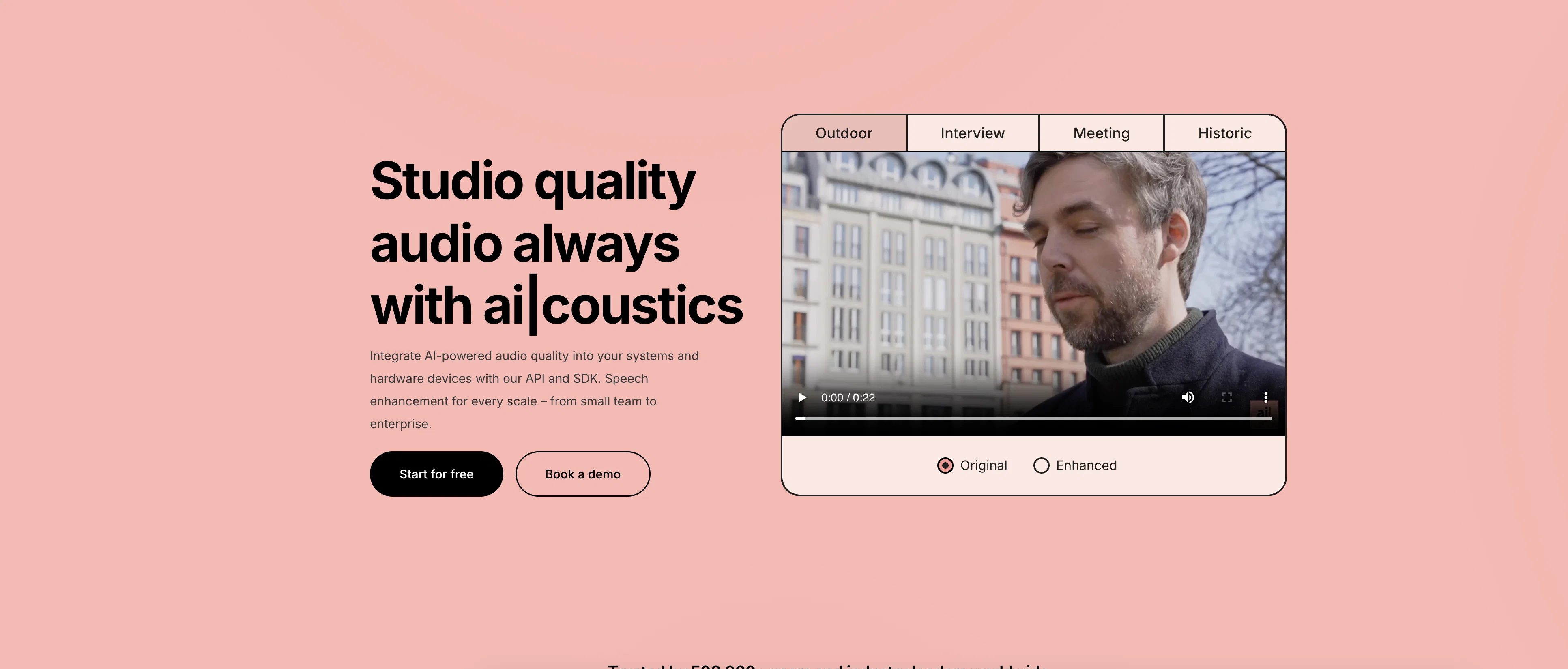
The technology is available in a range of different platforms, including a web app which suppresses background noise, removes room resonances, compensates for low-quality headsets, and repairs digital artifacts to improve audio clarity and quality. It brings back lost components and frequencies with a robust and accurate platform which preserves speaker identity. It is used across a range of industries, including broadcasting, podcasting, telecommunications, education, and more.
ai|coustics also offers an API hosted on their developer’s platform which is available for Windows, Mac, Linux, Web, Android, and iOS platforms, running in embedded, desktop, and cloud environments. The API features batch processing compatibility, rapid processing speed, scalable architecture, customizable enhancement settings, and easy integration with cross-platform compatibility.
The SDK offers further opportunities for audio enhancement, bringing studio-quality sound to a wide array of audio devices and software applications. It features cross-platform compatibility, minimal hardware requirements, real-time processing, customizable enhancement controls and standalone or offline functionality.
ai|coustics offers multiple pricing tiers to fit budgets from a solo occasional creator to large organizations, as well as a free option allowing every user to test the technology.
Best for
Short scenarios where ai|coustics tends to shine.
-
High Quality Audio From Any Device, Anywhere
Example outputs 1
Sample generations and before/after results for ai|coustics.
Access & connections
Where you can use ai|coustics.
Capabilities
What this tool accepts, produces, and is strongest at.
Supported features
- Denoise
Pros & cons
Pros
- Studio-quality audio enhancement
- Background noise elimination
- Compensates for low-quality mics, headsets and other devices
- SDK or API integration
- Web app available
- Compatible with audio recording/transmission hardware
- Compatible with Mac, Windows, Linux, Android, iOS, Python, JS, Shell and more
- Easy integration
Cons
- Could remove desired background sounds
- Possible latency issues
Compare alternatives
Similar tools in the catalog.

CrystalSound ✓
FreemiumIsolate your voice, eliminate everything else.
Free + from $12/mo
Full comparison
Cleanaudio ✓
Free TrialRemove background noise from audio and video with AI.
Free + from $16.99/mo
Full comparison
Denoisr ✓
Free TrialRemove background noise from recordings in seconds.
Free + from $7.50/mo
Full comparisonPeople also view
Tools that often show up alongside ai|coustics in collections and comparisons.

Weet ✓
FreemiumRecord AI-powered video tutorials instantly.

SimpleClean ✓
Free TrialRemove background noise from any audio or video, free to preview.
Denoisr ✓
Free TrialRemove background noise from recordings in seconds.
CrystalSound ✓
FreemiumIsolate your voice, eliminate everything else.
Cleanaudio ✓
Free TrialRemove background noise from audio and video with AI.

Transcribe by Modulate ✓
Free TrialTranscription for Real-World Audio 10x Lower Cost.

AutoGPT ✓
Free TrialRun AutoGPT in your browser for free
Auphonic ✓
FreemiumAutomatic audio post-production, simplified.
Releases 1
FAQ 12
What is ai|coustics?
🛠️ 1
tool
wrote:
ai|coustics is an AI tool that enhances speech audio quality using advanced algorithms. Available in a range of different formats from individual audio enhancement in a wepb application to an API and SDK, ai|coustics is ideal for podcasters, broadcasters, educators, and more.
How does ai|coustics enhance speech audio and improve audio quality?
🛠️ 1
tool
wrote:
Generative Speech AI technology provides users with studio-quality audio from any device in any situation, whether recording a podcast, video conferencing, or transmitting audio. The tool suppresses background noise, removes room resonances, compensates for low-quality headsets, and repairs digital artifacts to improve audio clarity and quality. It brings back lost components and frequencies with a robust and accurate platform which preserves speaker identity.
Can ai|coustics be used with low-quality headsets?
🛠️ 1
tool
wrote:
Yes, ai|coustics is especially designed to be used with low-quality headsets. Even with a cheap headset in a noisy office room, you can still sound as if you were recorded in a music studio.
How does ai|coustics reduce misunderstandings and increase focus?
🛠️ 1
tool
wrote:
ai|coustics ensures effective communication by improving speech intelligibility. It minimizes misunderstandings and augments audience focus by reducing background noise and amplifying speech clarity and quality.
In which situations could I use ai|coustics?
🛠️ 1
tool
wrote:
Lots! For example: you’ve recorded an interview and there’s too much background noise for it to be usable? Your travel vlog is difficult to understand? You teach students but don’t have a microphone to be able to provide clear, intelligble online lectures? You source audiobooks but not all your narrators have high quality audio set-ups? In all of these situations, and more, ai|coustics can solve your audio issues and provide studio-quality sound. This encompasses recording a podcast, video conferencing, transmitting audio, or any other speech product.
Can the ai|coustics tool be used for podcasting platforms?
🛠️ 1
tool
wrote:
Lots of podcasters use ai|coustics to ensure they can provide consistent, high-quality sound and keep audiences engaged regardless of their audio set-up. Podcasters using ai|coustics range from solo creators experimenting with the format to podcasting studios looking for easy integration into their existing CMS and platforms.
Can I try ai|coustics before subscribing?
🛠️ 1
tool
wrote:
Absolutely! ai|coustics offer a free trial period for you on both the web app and API products to experience the transformative power of audio enhancement technology firsthand. No credit card required—just sign up and start enhancing.
Can ai|coustics improve audio from video files as well?
🛠️ 1
tool
wrote:
Yes, ai|coustics supports video files and enhances the audio track within your video, ensuring your visuals are matched with equally high-quality sound.
Do I need any special software or hardware to use the web application?
🛠️ 1
tool
wrote:
No special software or hardware is required. The ai|coustics web application is accessible from any standard web browser on computers, tablets, or smartphones.
Does ai|coustics alter the timbre or identity of the speaker in the audio enhancement process?
🛠️ 1
tool
wrote:
No, ai|coustics is designed to preserve the natural tone and timbre of the speaker’s voice. Thetechnology enhances the clarity and quality of the audio while maintaining the speaker’s unique vocal identity, ensuring that the essence of the speech remains untouched.
How do I integrate the ai|coustics API into my existing content platform?
🛠️ 1
tool
wrote:
Integration is straightforward. ai|coustics provide detailed documentation and support to help you embed their API into your platform, requiring only basic programming knowledge.
Can the enhancement strength be adjusted via the API?
🛠️ 1
tool
wrote:
Absolutely! The ai|coustics platform offers customizable controls, allowing you to adjust the enhancement strength and other parameters to suit your specific needs.
Related tools
Recommended

Adobe Audio Enhancer ✓
Free TrialClean up spoken audio with AI studio-quality filters.

Stratup.ai ✓
FreemiumInnovative idea generation for businesses.

LearningStudioAI ✓
Free TrialAI-powered authoring tool for effortless online course creation.

VenturusAI ✓
FreemiumBusiness idea analysis and reporting.

Scisummary ✓
Free TrialCutting-edge scientific articles summarization.

Agentgpt ✓
FreemiumDeploy autonomous AI Agents effortlessly in your browser.